
1. Wprowadzenie
This manual provides instructions for the Zerone Replacement Remote Control, Model Zerone15zhcexa2d. This remote is designed as a direct replacement for various televisions, offering essential functions for daily TV operation. It is constructed from durable ABS material for longevity.
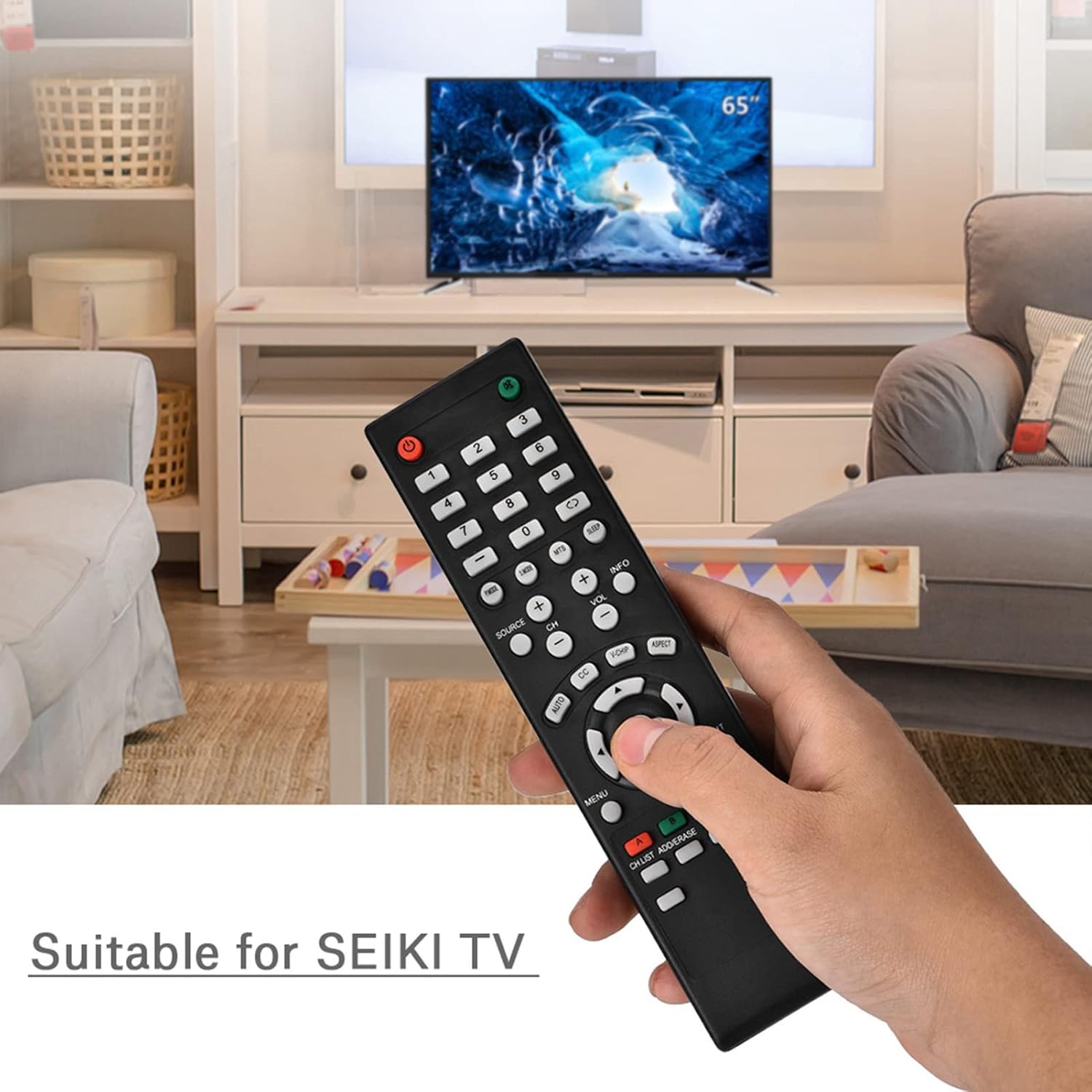
Image 1.1: The Zerone Replacement Remote Control in use, demonstrating its compatibility with televisions.
2. Konfiguracja
2.1 Instalacja baterii
Do pilota potrzebne są dwie baterie AAA (brak w zestawie). Aby zainstalować baterie, wykonaj następujące czynności:
- Znajdź komorę baterii z tyłu pilota.
- Przesuń pokrywę komory baterii w dół, aby ją otworzyć.
- Włóż dwie baterie AAA, upewniając się, że bieguny dodatni (+) i ujemny (-) są prawidłowo ustawione względem oznaczeń wewnątrz komory.
- Załóż pokrywę komory baterii, wsuwając ją z powrotem na miejsce, aż do zatrzaśnięcia.

Obraz 2.1: Tył view pilota zdalnego sterowania, pokazujący komorę baterii.
2.2 Pierwsze użycie
This remote control is designed for immediate use with compatible televisions. No programming or setup is typically required. Once batteries are installed, the remote should function directly with your TV.
Video 2.1: Demonstration of battery installation for the Zerone Replacement Remote Control.
3. Instrukcja obsługi
3.1 Podstawowe funkcje
The remote control provides standard television functions. Point the remote directly at your television's infrared receiver for optimal performance.
- Przycisk zasilania (●): Włącza lub wyłącza telewizor.
- Przyciski numeryczne (0-9): Directly select channels.
- Zwiększanie/zmniejszanie głośności (VOL +/-): Reguluje głośność dźwięku.
- Zmiana kanału w górę/w dół (CH +/-): Zmienia kanał telewizyjny.
- Przycisk Źródło (ŹRÓDŁO):Przełącza między źródłami wejściowymi (HDMI, AV itd.).
- Przycisk menu (MENU): Dostęp do głównego menu telewizora.
- Navigation Buttons (Arrows & OK): Navigate menus and confirm selections.
- Przycisk wyjścia (WYJŚCIE): Wychodzi z bieżącego menu lub funkcji.
- Przycisk wyciszenia (●): Wycisza lub włącza dźwięk telewizora.

Obraz 3.1: Przód view pilota, z zaznaczonym układem przycisków.
3.2 Zakres roboczy
The effective operating distance for this remote control is typically over 8 meters (approximately 26 feet). Actual range may vary depending on the specific television model and environmental factors such as obstacles or interference.

Image 3.2: Illustration of the remote control's effective operating range.
4. Konserwacja
4.1 Czyszczenie
Do czyszczenia pilota należy używać miękkiej, suchej ściereczki. W przypadku uporczywych zabrudzeń należy delikatnie przetrzećampPrzetrzyj ściereczkę wodą lub delikatnym, nieściernym środkiem czyszczącym. Unikaj stosowania silnych środków chemicznych lub materiałów ściernych, ponieważ mogą one uszkodzić powierzchnię pilota lub jego wewnętrzne elementy.
4.2 Wymiana baterii
Replace batteries when the remote's performance degrades (e.g., reduced range, unresponsive buttons). Refer to Section 2.1 for battery installation instructions. Always replace both batteries at the same time with new ones of the same type (AAA).

Image 4.1: The remote control, showcasing its durable construction material.
5. Rozwiązywanie Problemów
| Problem | Możliwa przyczyna | Rozwiązanie |
|---|---|---|
| Pilot nie działa. | Rozładowane lub nieprawidłowo zainstalowane baterie. | Check battery orientation. Replace with new AAA batteries (refer to Section 2.1). |
| Ograniczony zasięg działania. | Weak batteries, obstruction, or remote not pointed at TV. | Replace batteries. Ensure a clear line of sight to the TV's IR receiver. Point the remote directly at the TV. |
| Niektóre przyciski nie reagują. | Dirt or debris under buttons, or internal malfunction. | Clean the remote. If the issue persists after battery replacement and cleaning, the remote may require replacement. |
6. Specyfikacje
| Funkcja | Szczegół |
|---|---|
| Marka | Zerone |
| Numer modelu | Zerone15zhcexa2d |
| Kompatybilne urządzenia | Televisions (specifically designed for SEIKI TVs, but compatible with others) |
| Technologia łączności | Podczerwieni (IR) |
| Maksymalny zasięg | Over 8 meters (approx. 26 feet) |
| Źródło zasilania | Baterie 2 x AAA (brak w zestawie) |
| Tworzywo | ABS |
| Wymiary (dł. x szer. x wys.) | 7.1" x 2" x 0.6" (180 mm x 50 mm x 15 mm) |
| Ilość przycisków | 45 |

Image 6.1: Dimensions of the Zerone Replacement Remote Control.
7. Gwarancja i wsparcie
7.1 Informacje o gwarancji
Specific warranty details for the Zerone Replacement Remote Control may vary. Please refer to the product packaging or the retailer's purchase terms for the most accurate and up-to-date warranty information.
7.2 Obsługa klienta
For further assistance or inquiries regarding your Zerone Replacement Remote Control, please contact the retailer or manufacturer's customer support channels. Contact information is typically provided with your purchase documentation or on the manufacturer's official webstrona.