
1. Wprowadzenie
This manual provides essential instructions for the installation, operation, maintenance, and troubleshooting of your VIVOTEK CC9381-HV 5MP Dome Camera. Please read this manual thoroughly before using the product to ensure proper setup and functionality. The CC9381-HV is a high-performance surveillance camera designed for reliable monitoring with a 180-degree field of view and advanced imaging capabilities.
2. Informacje dotyczące bezpieczeństwa
Aby zapobiec uszkodzeniu produktu i zapewnić bezpieczeństwo użytkownika, należy przestrzegać następujących środków ostrożności:
- Ensure the power source matches the camera's requirements (AC/DC, 220V).
- Do not expose the camera to extreme temperatures outside its operating range (Upper Temperature Rating: 50 Degrees Celsius).
- Avoid direct exposure to water or moisture unless the product's IP rating specifically allows it (International Protection Rating: IP21).
- Nie próbuj demontować ani modyfikować aparatu. Wszelkie czynności serwisowe powierzaj wykwalifikowanemu personelowi.
- Mount the camera securely using appropriate hardware to prevent it from falling.
3. Zawartość opakowania
Sprawdź, czy w paczce znajdują się wszystkie elementy. Jeśli brakuje któregokolwiek z nich lub jest on uszkodzony, skontaktuj się natychmiast ze sprzedawcą.
- VIVOTEK CC9381-HV Dome Camera
- Wspornik montażowy i osprzęt
- Instrukcja instalacji
- Accessory Kit (e.g., screws, anchors)
4. Konfiguracja
4.1 Fizyczna instalacja
The VIVOTEK CC9381-HV camera is designed for bracket mounting. Choose a suitable location that provides the desired field of view and is within reach of power and network connections. The camera dimensions are approximately 8.5 x 7 x 3.5 inches.
- Mark the drilling points on the mounting surface using the provided template or bracket.
- W razie potrzeby wywierć otwory montażowe i włóż kołki rozporowe.
- Przymocuj uchwyt montażowy do powierzchni za pomocą dołączonych śrub.
- Zamontuj kamerę w uchwycie montażowym, upewniając się, że jest ona mocno zamocowana.
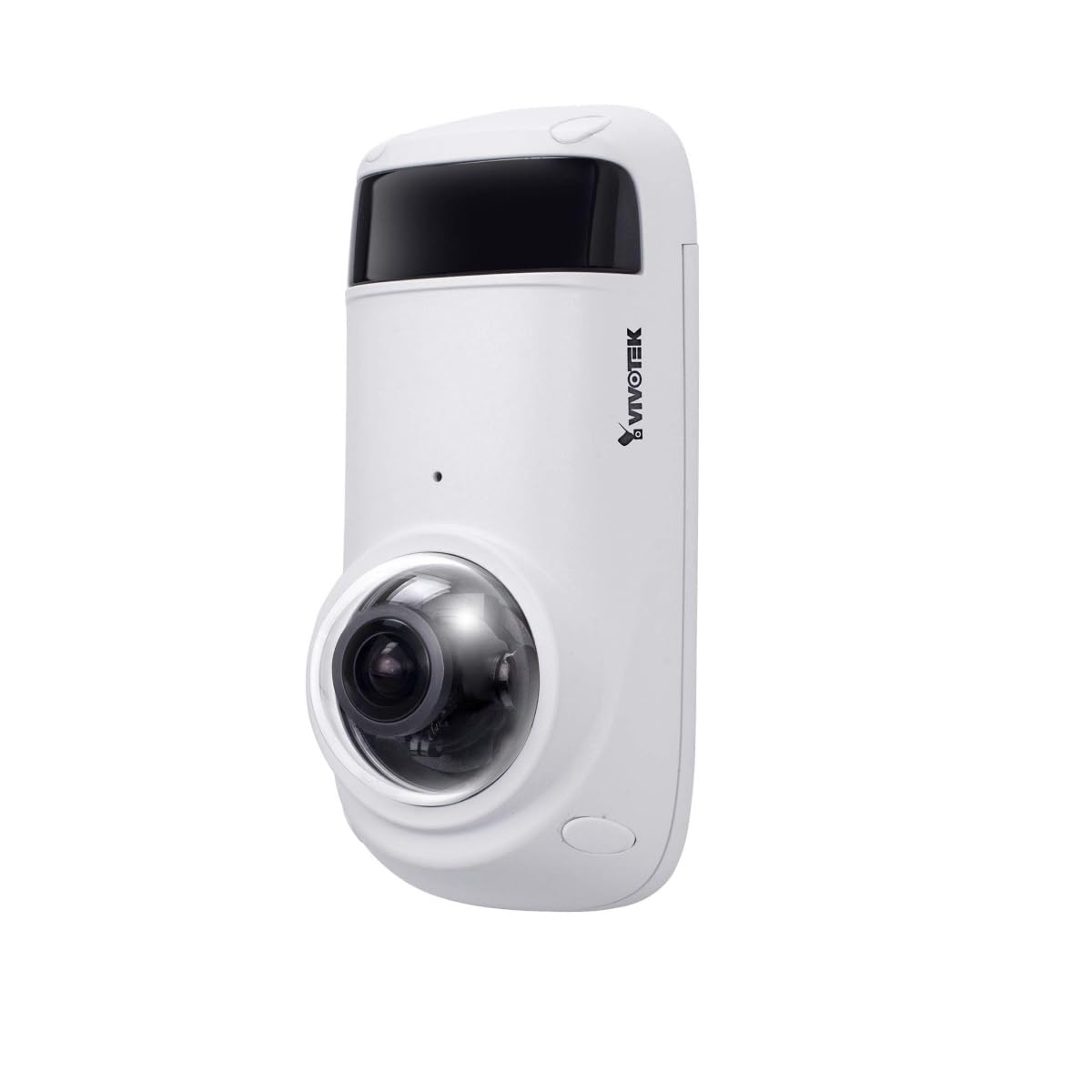
Figure 1: VIVOTEK CC9381-HV Dome Camera. This image shows the compact dome design of the surveillance camera, suitable for various indoor and outdoor installations.
4.2 Połączenie zasilania
Connect the camera to a suitable AC/DC power source. Ensure the voltage (220V) i wattage (3600W) requirements are met to prevent damage.
4.3 Połączenie sieciowe
The CC9381-HV supports both wired and Wi-Fi connectivity. For wired connection, connect an Ethernet cable from your network router or switch to the camera's network port. For Wi-Fi setup, refer to the camera's web interface for wireless configuration after initial wired setup.
5. Instrukcja obsługi
5.1 Początkowy dostęp i konfiguracja
After connecting power and network, access the camera's web interface using its IP address. You may need to use a VIVOTEK utility to discover the camera's IP address on your network. Follow the on-screen prompts to set up a strong password and configure basic network settings.
5.2 Na żywo View i nagrywanie
The camera provides a 180-degree field of view with a maximum webcam image resolution of 5 MP and a frame rate of 30 fps. You can view żyćtage and configure recording settings through the web interface or compatible VIVOTEK software.
- Format przechwytywania wideo: Supports MJPEG and MP4 formats.
- Technologia słabego oświetlenia: Features Night Color technology for enhanced visibility in low-light conditions.
- Typ alertu: Configurable for Motion Only alerts.
5.3 Pilot zdalnego sterowania
The camera supports remote control, allowing you to manage settings and view footage from a distance using compatible software or mobile applications. The controller type is Iris.
6. Konserwacja
Regularna konserwacja zapewnia optymalną wydajność i długowieczność aparatu.
- Czyszczenie: Delikatnie przetrzyj obiektyw i obudowę aparatu miękką, suchą ściereczką. Nie używaj silnych środków chemicznych ani ściernych środków czyszczących.
- Aktualizacje oprogramowania układowego: Okresowo sprawdzaj VIVOTEK webwitryna z aktualizacjami oprogramowania sprzętowego, dzięki której masz pewność, że Twój aparat ma najnowsze funkcje i udoskonalone zabezpieczenia.
- Kontrola środowiskowa: Ensure the camera's environment remains within specified temperature and humidity ranges.
7. Rozwiązywanie Problemów
If you encounter issues with your VIVOTEK CC9381-HV camera, refer to the following common problems and solutions:
| Problem | Możliwa przyczyna | Rozwiązanie |
|---|---|---|
| Brak wskaźnika zasilania | Power cable disconnected; faulty power adapter | Check power connections; test with a known good power adapter. |
| Nie można uzyskać dostępu do kamery przez sieć | Incorrect IP address; network cable issue; Wi-Fi not configured | Verify IP address; check network cable; ensure Wi-Fi settings are correct. |
| Niska jakość obrazu | Dirty lens; insufficient lighting; incorrect settings | Clean the lens; ensure adequate lighting or enable Night Color; adjust image settings. |
| Wykrywanie ruchu nie działa | Motion detection disabled; incorrect sensitivity settings | Enable motion detection in settings; adjust sensitivity levels. |
If the problem persists, contact VIVOTEK technical support for further assistance.
8. Specyfikacje
Detailed technical specifications for the VIVOTEK CC9381-HV Dome Camera:
| Funkcja | Specyfikacja |
|---|---|
| Numer modelu | CC9381-HV |
| Maksymalny WebRozdzielczość obrazu kamery | 5 MP |
| Rozdzielczość przechwytywania wideo | 720p (Effective Video Resolution: 1920) |
| Szybkość klatek | 30 klatek na sekundę |
| Pole View | 180 stopni |
| Technologia słabego oświetlenia | Kolor nocy |
| Technologia łączności | Przewodowy, Wi-Fi |
| Protokół łączności | Wi-Fi |
| Źródło zasilania | AC DC |
| Tomtage | 220 |
| Cotage | 3600 |
| Typ montażu | Uchwyt do montażu |
| Wymiary produktu | 8.5 x 7 x 3.5 cala |
| Waga przedmiotu | 2.42 funta (1.1 kilograma) |
| Górna ocena temperatury | 50 stopni Celsjusza |
| Międzynarodowa Ocena Ochrony | IP21 |
| Format przechwytywania wideo | MJPEG, MP4 |
| Tryb pracy | Tylko ruch |
| Metoda kontroli | Zdalny |
| Typ kontrolera | Irys |
| Technologia czujnika fotograficznego | CMOS |
| Rozmiar zainstalowanej pamięci Flash | 128 GB |
| Zoom optyczny | 3 razy |
| Zalecane zastosowania | Security, Surveillance |
9. Gwarancja i wsparcie
Produkty VIVOTEK objęte są ograniczoną gwarancją. Szczegółowe warunki gwarancji można znaleźć w karcie gwarancyjnej dołączonej do produktu lub na oficjalnej stronie VIVOTEK. website. For technical support, product registration, or service inquiries, please contact VIVOTEK customer service or your authorized dealer.
VIVOTEK Oficjalny Webstrona: www.vivotek.com