
Wstęp
Thank you for choosing the TESLA 4000 mAh Lithium-Polymer Power Bank. This compact and portable external battery is designed to provide reliable power for your mobile devices, such as smartphones and tablets, while you are on the go. This manual provides essential information for the safe and efficient use of your power bank. Please read it thoroughly before use and retain it for future reference.
Produkt ponadview
The TESLA 4000 mAh Power Bank features a high-quality lithium-polymer battery and integrated charging cables for convenience. It includes connectors for MicroUSB, Lightning, and USB-C devices, eliminating the need to carry extra cables.
Zawartość opakowania:
- 1 x TESLA 4000 mAh Lithium-Polymer Power Bank
Schemat produktu:
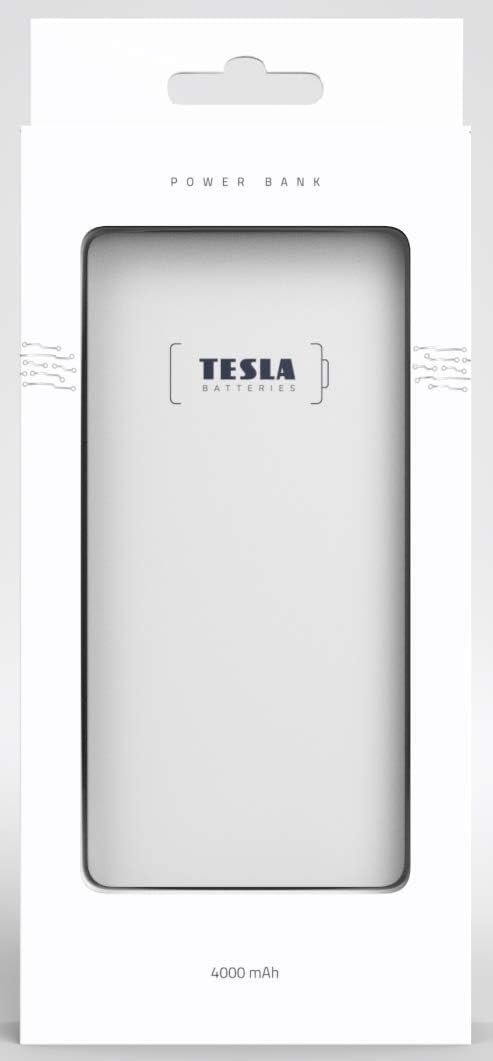
Obraz: Przód view of the TESLA 4000 mAh Power Bank. The device is white with the TESLA logo on the front. Four small LED indicator dots are visible at the bottom, indicating battery status.

Obraz: Bok view of the TESLA 4000 mAh Power Bank. This view shows the integrated cables (MicroUSB, Lightning, USB-C) neatly tucked into the side, along with a standard USB-A output port and a MicroUSB input port for recharging the power bank.
Organizować coś
Pierwsze ładowanie powerbanku:
- Before first use, fully charge your TESLA Power Bank.
- Connect the power bank to a USB power adapter (not included) using the integrated MicroUSB input cable or a standard MicroUSB cable.
- Diody LED na powerbanku zaświecą się, pokazując postęp ładowania. Wszystkie cztery diody LED będą świecić światłem ciągłym po pełnym naładowaniu.
Sprawdzanie poziomu baterii:
Briefly press the power button (if present, or connect a device) to see the current battery level indicated by the LEDs:
- 4 diody LED: 75-100% naładowania
- 3 diody LED: 50-75% naładowania
- 2 diody LED: 25-50% naładowania
- 1 diod LED: 0-25% naładowania (wkrótce doładuj)
Instrukcja obsługi
Ładowanie urządzenia:
- Identify the correct integrated cable for your device (MicroUSB, Lightning, or USB-C).
- Pull out the appropriate integrated cable from the power bank.
- Connect the cable to your device's charging port.
- Powerbank automatycznie rozpocznie ładowanie Twojego urządzenia. Diody LED pokażą pozostały poziom naładowania powerbanku.
- Gdy urządzenie będzie w pełni naładowane, odłącz je od power banku.
- Return the integrated cable to its storage slot on the power bank.
- Notatka: If your device uses a different connector, you can use your device's original USB charging cable by plugging it into the standard USB-A output port on the power bank.
Ładowanie Power Banku:
- When the power bank's battery level is low (indicated by one flashing LED), it's time to recharge.
- Connect the power bank to a USB power source (e.g., wall adapter, computer USB port) using the integrated MicroUSB input cable or a standard MicroUSB cable plugged into the MicroUSB input port.
- Podczas ładowania wskaźniki LED będą migać, a po pełnym naładowaniu zaczną świecić światłem ciągłym.
Informacje dotyczące bezpieczeństwa
Aby zapewnić bezpieczne działanie i przedłużyć żywotność powerbanku, należy przestrzegać następujących wskazówek bezpieczeństwa:
- Nie wystawiaj powerbanku na działanie ekstremalnych temperatur (wysoko lub zimno), bezpośredniego światła słonecznego ani wysokiej wilgotności.
- Unikaj upuszczania, uderzania i rozmontowywania power banku.
- Trzymaj power bank z dala od wody i innych płynów.
- Nie używaj powerbanku, jeśli jest uszkodzony, spuchnięty lub przecieka.
- Przechowywać w miejscu niedostępnym dla dzieci.
- Dispose of the power bank responsibly according to local regulations for lithium-polymer batteries.
- Do not attempt to modify or repair the power bank yourself. Contact qualified service personnel if needed.
Konserwacja
- Czyszczenie: Do czyszczenia powerbanku używaj miękkiej, suchej ściereczki. Nie używaj silnych środków chemicznych ani materiałów ściernych.
- Składowanie: Store the power bank in a cool, dry place when not in use. For long-term storage, it is recommended to keep the power bank charged to about 50-75% to preserve battery health. Recharge every 3-6 months if stored for extended periods.
Rozwiązywanie problemów
Power Bank nie ładuje się:
- Upewnij się, że kabel ładujący jest bezpiecznie podłączony zarówno do powerbanku, jak i do źródła zasilania.
- Spróbuj użyć innego zasilacza USB lub portu USB.
- Check if the MicroUSB input port on the power bank is clean and free of debris.
Urządzenie nie ładuje się z powerbanku:
- Verify that the integrated cable is fully inserted into your device's charging port.
- Upewnij się, że powerbank jest odpowiednio naładowany (sprawdź wskaźniki LED).
- Try using a different integrated cable or the standard USB-A output port with your device's original cable.
- Confirm your device is compatible with the power bank's output voltage (5 V).
Powolne ładowanie:
- Ensure you are using a suitable power adapter for recharging the power bank (e.g., 5V/2A for faster charging).
- Check if the cables are in good condition.
- Some devices may charge slower if they are being used heavily while charging.
Specyfikacje
| Numer modelu | 1099137252 |
| Typ baterii | Litowo-polimerowy |
| Pojemność | 4000 mAh |
| Wejście Voltage | 5 wolty |
| Objętość wyjściatage | 5 wolty |
| Wymiary (dł. x szer. x wys.) | 12.9 x 6.78 x 0.88 cm (5.08 x 2.67 x 0.35 cala) |
| Waga | 142.7 gramów (5.03 uncji) |
| Kompatybilne urządzenia | Smartfony, tablety |
| Zintegrowane złącza | MicroUSB, Lightning, USB-C |
Gwarancja i wsparcie
The TESLA 4000 mAh Lithium-Polymer Power Bank is covered by a 2-letnia gwarancja producenta od daty zakupu. Niniejsza gwarancja obejmuje wady materiałowe i wykonawcze przy normalnym użytkowaniu.
For warranty claims or technical support, please contact your retailer or the manufacturer directly with your proof of purchase and product model number.