Wstęp
This manual provides comprehensive guidance for setting up, operating, and maintaining your FeiyuTech Feiyu AK2000 Gimbal. The 3-Axis Handheld Stabilizer is designed for DSLR/Mirrorless Cameras such as Sony a9, a7III, a7RIII, Canon M50, EOS 6D Mark II, EOS 200D II, Panasonic GH4, GH5, and Nikon, supporting a payload of up to 6.17lb.
Key features include a 2.8KG payload capacity, an intuitive LED touch panel for easy control, a versatile follow focus ring, an innovative elevation axis angle that prevents screen obstruction, and an autorotation mode for pre-set video capture and time-lapse photography.

Figure 1: FeiyuTech AK2000 Gimbal with included accessories.
Konfiguracja i równoważenie
1. Koniec produktuview i komponenty
The FeiyuTech AK2000 is a 3-axis gimbal, featuring Tilt, Roll, and Pan axes for smooth camera movements. Before use, ensure all components are present and familiarize yourself with the gimbal's structure.

Figure 2: Main gimbal unit and various accessories.
2. Instalacja kamery
Proper camera installation is crucial for optimal gimbal performance. Begin by mounting the tripod to the bottom of the gimbal for stability. Unlock the roll axis and adjust the cross arm to a balanced status, then lock it. Unlock the tilt axis, adjust it to the balancing position, and lock it. Loosen the quick release plate safety lock, pull it out, rotate 90 degrees, and tighten it. Attach the ARCA quick release plate to the bottom of your camera using a hexagon wrench or coin. Loosen the ARCA quick release plate safety lock on the gimbal, mount the camera, and tighten the safety lock. Finally, mount the lens holder to finish the installation.
Video 1: Detailed guide on camera installation and gimbal balancing.

Figure 3: Camera mounted on the gimbal, ready for balancing.
3. Równoważenie gimbala
Balancing the gimbal is essential to prevent motor damage and ensure smooth footage. Always balance the gimbal before powering it on. The process involves balancing the tilt, roll, and pan axes.
- Wyważenie osi pochylenia: Unlock the tilt axis. Turn the camera lens upward, let go, and observe the dropping direction. If it deviates, loosen the sliding arm lock screw and slide the arm in the opposite direction until the camera lens stays upwards stably. Then tighten the screw.
- Wyważenie osi obrotu: Unlock the roll axis. Let go and observe the dropping direction. If it deviates, loosen the cross arm lock and slide the cross arm until the camera is balanced. Then tighten the screw.
- Wyważenie osi Pan: Unlock the pan axis. Hold the gimbal horizontally, let go, and observe the dropping direction. If it deviates, loosen the vertical arm lock screw and slide the vertical arm until the camera is balanced. Then tighten the screw.
After every time you change your camera or lens, please check all 3 axes again and rebalance it. A well-balanced gimbal will allow the camera to stay stable at any angle after the balance succeeds.

Figure 4: Precise adjustments are key for perfect balance.
Tryby pracy
1. Włączanie/wyłączanie zasilania
To power on the gimbal, long press the power button. The gimbal will initialize and stabilize the camera. To power off, long press the power button again.
2. Working Modes Introduction
The AK2000 offers various working modes for different shooting scenarios. You can switch between modes by single-tapping the mode button or tapping the corresponding icon on the touch screen. Double-tap the mode button or tap the icon to enter Pan&Tilt Mode. Triple-tap the mode button or tap the icon to enter All Follow Mode.
- Pan Mode (Default): The lens follows the handle's left-right movement, while other directions remain still.
- Tryb blokady: The lens's orientation is fixed, regardless of handle movement.
- Pan&Tilt Mode: The pan axis and tilt axis follow the handle's movement, while the roll axis remains still.
- All Follow Mode: All three axes (pan, tilt, and roll) follow the handle's movement.
Video 2: Introduction to the various working modes of the gimbal.

Figure 5: The intuitive touch panel for mode selection and settings.
3. Zaawansowane funkcje
The AK2000 offers advanced features accessible via the touch panel or trigger button:
- Magiczny Pierścień: Allows control of follow focus, zoom, and precise control of the pan-tilt three axes.
- Tryb początkowy: For dynamic rotating shots.
- Poklatkowy ruch: Set specific paths for time-lapse photography.
- Tryb selfie: Quickly reorients the gimbal for self-recording.
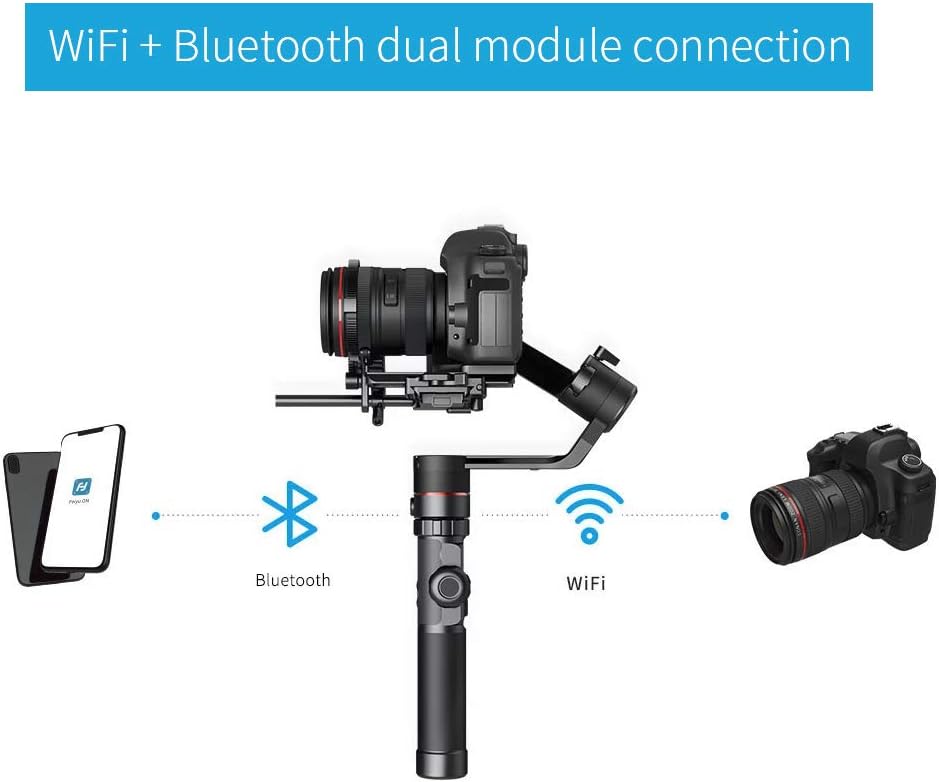
Figure 6: The 'Magic Ring' for versatile control.

Rysunek 7: Koniecview of touch-control operation and key features.
Konserwacja
Czyszczenie i przechowywanie
To ensure the longevity of your gimbal, regularly clean it with a soft, dry cloth. Avoid using harsh chemicals or abrasive materials. Store the gimbal in its protective case in a cool, dry place away from direct sunlight and extreme temperatures.
Pielęgnacja baterii
Charge the gimbal's batteries fully before first use. For long-term storage, it is recommended to charge the batteries to about 50-60% to maintain battery health. Avoid completely draining the batteries or leaving them fully charged for extended periods.
Rozwiązywanie problemów
Typowe problemy
- Gimbal Vibration: If you find the gimbal vibrates abnormally, ensure the camera is properly balanced on all three axes. You can also fix this by setting the motor power in the payload setting and using auto adaptation after powering on.
- Balancing Difficulties: Ensure all motor locks are disengaged before attempting to balance. Follow the step-by-step balancing guide for each axis carefully. Small adjustments can make a significant difference.
- Krótki czas pracy baterii: Ensure the gimbal is fully charged. If battery life remains short, consider replacing the batteries or contacting customer support for assistance.
Specyfikacje
| Funkcja | Specyfikacja |
|---|---|
| Wymiary produktu | 6.94 x 8.62 x 14.8 cala |
| Waga przedmiotu | 2.76 pounds (or 2.8 Pounds) |
| ASIN | B07VCJG53F |
| Numer modelu przedmiotu | AK2000 |
| Producent | FeiyuTech |
| Kolor | Feiyu-AK2000 |
| Kompatybilne urządzenia | Kamera |
| Maksymalna zalecana waga | 6.17 funtów |
Gwarancja i wsparcie
FeiyuTech is committed to enhancing product quality and providing excellent customer service.
- Zasady zwrotu: 30 dni
- Usługa e-mail: 24H One-Stop Technical Support
- Oficjalna gwarancja: 1 YEAR warranty for ALL items
For technical support or warranty claims, please contact us:
E-mail: support@feiyu-tech.com

Figure 8: FeiyuTech Warranty & Service details.