
Wstęp
Thank you for choosing the AKASO C330 Dash Cam. This manual provides detailed instructions to help you set up, operate, and maintain your device. Please read it carefully before use to ensure optimal performance and safety.
Produkt ponadview i kluczowe cechy
The AKASO C330 Dash Cam is designed to record your driving journey in high definition, offering a wide range of features for enhanced road safety and evidence collection.

The AKASO C330 Dash Cam is fully functional, featuring G-sensor protection, parking monitor, loop recording, super night vision, 1080P recording, 170° wide angle, and a fatigue reminder.
- 1080P Full HD Recording: Nagrywa wyraźne wideo footage at 1920 x 1080 resolution.
- Obiektyw szerokokątny 170°: Provides extensive road coverage, minimizing blind spots.
- Ekran IPS 3.0 cala: Offers a clear display for real-time viewwłączanie i odtwarzanie.
- Super noktowizor: Enhanced low-light performance for clear recordings at night.
- Nagrywanie w pętli: Automatycznie nadpisuje najstarszy footage gdy karta pamięci jest pełna, zapewniając ciągłe nagrywanie.
- Czujnik G: Wykrywa nagłe ruchy lub kolizje i automatycznie blokuje bieżący film file aby zapobiec jego nadpisaniu.
- Monitor parkowania: Records automatically if an impact is detected while the vehicle is parked.
- Detekcja ruchu: Starts recording when movement is detected in front of the camera, useful for surveillance.

The dash cam records every detail in 1080P Full HD resolution, utilizing an F1.8 aperture lens and displaying on a 3.0-inch screen.

The 170° wide-angle lens provides extensive coverage, typically spanning about four lanes of traffic.

The Super Night Vision feature ensures clear video recording even in low-light conditions.

The dash cam includes three emergency recording functions: G-sensor for impact detection, motion detection for security, and parking monitor for surveillance when parked.
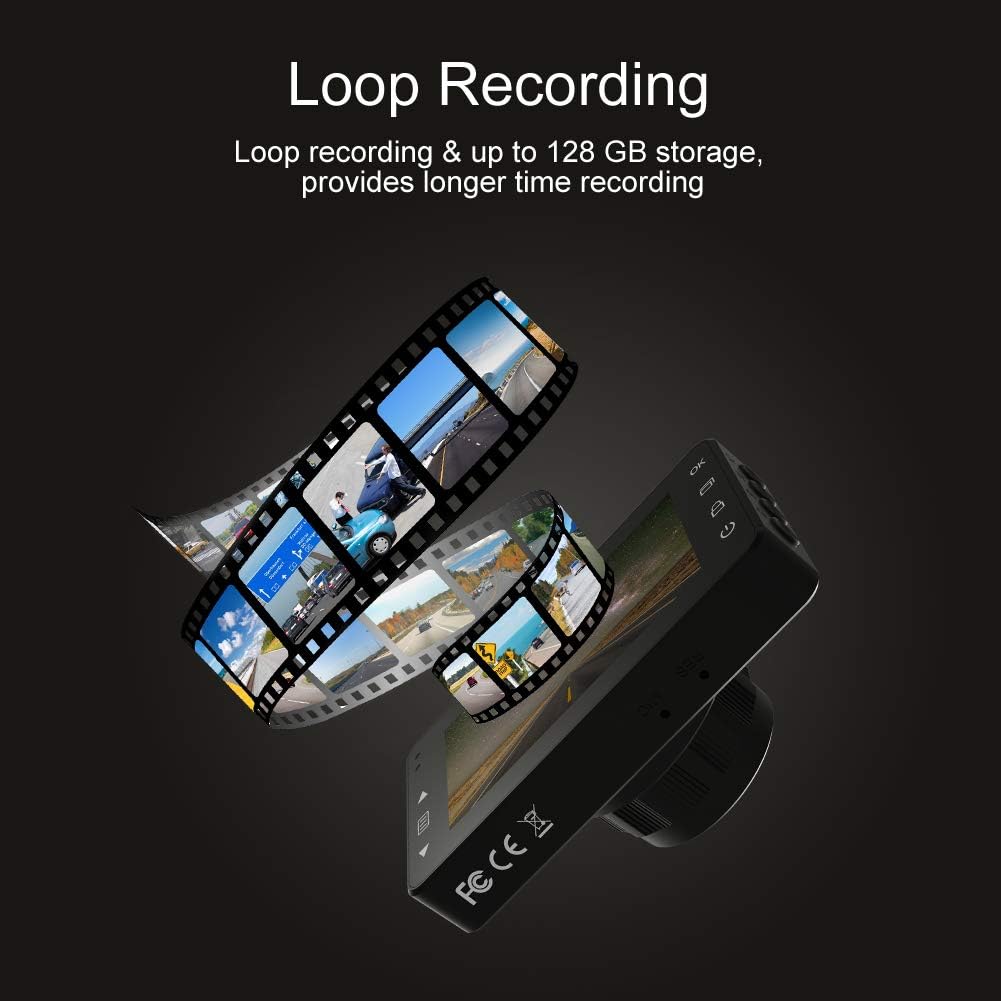
Loop recording ensures continuous video capture, automatically overwriting older files, and supports up to 128 GB storage for longer recording times.
Oficjalny film prezentujący produktasing the features and capabilities of the AKASO C330 Dash Cam, including its 1080P HD recording, 3-inch LCD screen, and 170° wide-angle view.
Zawartość opakowania
Proszę zaznaczyć pole dotyczące następujących elementów:
- AKASO C330 Dash Cam
- Przyssawka
- Ładowarka samochodowa
- Kabel USB
- Instrukcja obsługi (ten dokument)
- Memory Card (if included in your specific package)
Diagram produktu
Familiarize yourself with the various parts and buttons of your AKASO C330 Dash Cam:

Detailed diagram of the AKASO C330 Dash Cam, highlighting the Micro SD Power Slot, OK Button, Up Button, Mode Button, Menu Button, Lock Button, Power Mode Button, Down Button, and USB Port, along with its dimensions.
- Micro SD Power Slot: Tutaj włóż kartę Micro SD.
- Przycisk OK: Potwierdza wybór lub rozpoczyna/zatrzymuje nagrywanie.
- Przycisk w górę: Navigates up in menus or zooms in during playback.
- Przycisk trybu: Przełącza między trybami wideo, zdjęć i odtwarzania.
- Przycisk menu: Dostęp do menu ustawień.
- Przycisk blokady: Manually locks the current recording.
- Przycisk trybu zasilania: Włącza/wyłącza urządzenie.
- Przycisk w dół: Navigates down in menus or zooms out during playback.
- Port USB: Podłącza się do źródła zasilania lub komputera.
Organizować coś
1. Instalowanie karty Micro SD
The AKASO C330 requires a Micro SD card (Class 10 or higher, 8GB-128GB) for recording. The memory card is not always included and may need to be purchased separately.
- Sprawdź, czy kamera samochodowa jest wyłączona.
- Insert the Micro SD card into the Micro SD Power Slot until it clicks into place.
- Aby wyjąć kartę, delikatnie wciśnij ją, aż usłyszysz kliknięcie, a następnie puść.
Notatka: It is recommended to format the Micro SD card in the dash cam before first use and periodically thereafter to ensure stable recording.
2. Montaż kamery samochodowej
Use the provided suction mount to securely attach the dash cam to your vehicle's windshield.
- Wyczyść obszar na przedniej szybie samochodu, w którym zamierzasz zamontować kamerę samochodową.
- Przymocuj uchwyt przyssawkowy do kamery samochodowej.
- Dociśnij mocno przyssawkę do szyby i przesuń dźwignię, aby ją zabezpieczyć.
- Dostosuj kąt kamery, aby zapewnić wyraźny obraz view drogi przed nami.
3. Powering the Dash Cam
Connect the dash cam to your car's power supply using the car charger.
- Plug one end of the car charger into the dash cam's USB Port.
- Plug the other end into your vehicle's 12V power outlet (cigarette lighter socket).
- Kamera samochodowa włączy się automatycznie i rozpocznie nagrywanie po uruchomieniu pojazdu.
Instrukcja obsługi
Podstawowa obsługa
- Włączanie/wyłączanie: The camera automatically powers on/off with the car ignition. You can also manually press and hold the Power Mode Button to turn it on or off.
- Rozpocznij/zatrzymaj nagrywanie: Once powered on and connected to power, the camera will automatically start loop recording. Press the OK Button to manually start or stop recording.
Nawigacja po menu
Use the Menu Button to access settings, and the Up/Down Buttons to navigate. Press the OK Button to confirm selections.
Nagrywanie w pętli
Funkcja ta zapewnia ciągłość nagrywania poprzez nadpisywanie najstarszych plików files when the SD card is full. You can set the loop recording duration (1, 3, or 5 minutes) in the settings menu. To disable, select 'off'.
G-czujnik
The G-Sensor detects sudden impacts or rapid acceleration/deceleration. When triggered, it automatically locks the current video segment, preventing it from being overwritten by loop recording. The sensitivity can be adjusted in the settings.
Monitor parkowania
When enabled, the dash cam will automatically start recording if it detects a collision or vibration while your vehicle is parked and the engine is off. This feature requires a continuous power supply or the camera's internal battery to be charged.
Wykrywanie ruchu
With motion detection enabled, the camera will begin recording when it senses movement in its field of view. This is useful for monitoring your vehicle when parked. Ensure the camera has power for this function.
Wizja nocna
The AKASO C330 features updated night vision technology to provide clearer video quality in low-light conditions. This feature activates automatically.
Konserwacja
Formatowanie karty SD
Regularly formatting your Micro SD card helps maintain its performance and prevents data corruption. It is recommended to format the card every 2-4 weeks.
- Insert the Micro SD card into the dash cam.
- Włącz kamerę samochodową.
- Navigate to the settings menu using the Menu Button.
- Find the 'Format' option and confirm.
Czyszczenie soczewki
To ensure clear video quality, keep the camera lens clean.
- Use a soft, lint-free cloth to gently wipe the lens.
- Avoid using abrasive cleaners or solvents that could damage the lens coating.
Rozwiązywanie problemów
If you encounter issues with your AKASO C330 Dash Cam, refer to the following common problems and solutions:
| Problem | Możliwe rozwiązanie |
|---|---|
| Kamera się nie włącza. | Check the power connection to the car charger and the vehicle's 12V outlet. Ensure the car's ignition is on. The internal battery may be depleted; charge it for a few hours. |
| Camera stops recording randomly. | Format the Micro SD card. Ensure the card is Class 10 or higher and not full. Disable parking monitor or motion detection if not needed, as they can affect continuous recording. |
| Wideotage jest niewyraźne lub niejasne. | Clean the camera lens and the windshield area where the camera is mounted. Ensure the protective film has been removed from the lens. |
| "SD Card Error" or "Please Insert SD Card" message. | Reinsert the Micro SD card. Format the card in the camera. Try a different, compatible Micro SD card. |
| Przyciski nie reagują. | Perform a soft reset by pressing the reset button (if available) or by powering off and on the device. Ensure the device is not in a locked state. |
Specyfikacje
- Wyświetlacz LCD: Ekran IPS 3.0 cala
- Piksel: 1.2 milionów pikseli
- Soczewka przednia: 170° HD wide-angle lens
- Przysłona obiektywu: F1.8 aperture
- Video Maximum Resolution: 1080FHD (1920 x 1080)
- Nagrywanie cykliczne: 1 minute / 3 minutes / 5 minutes / off
- Interfejs PC: USB 2.0
- Interfejs zasilania: 5V / 2A
- Składowanie: 8-128 GB Micro SD card (not included)
- Waga przedmiotu: 12 uncji
- Baterie: 1 bateria litowo-polimerowa (w zestawie)
- Typ montażu: Przyssawka
Gwarancja i wsparcie
AKASO products are designed for reliability and performance. For warranty information, technical support, or customer service, please refer to the contact details provided on the AKASO official website or your purchase documentation. Please have your product model (C330) and purchase date ready when contacting support.