
Wstęp
Thank you for choosing the Cable Matters 6-Outlet Surge Protector Power Strip with USB Ports. This device is designed to provide reliable power distribution and surge protection for your electronic equipment. It features six standard AC outlets and two USB-A charging ports, all protected by a 490 Joule surge suppression rating and a 15 Amp circuit breaker. The 12-foot long extension cord offers flexibility in placement, making it suitable for various home and office environments.
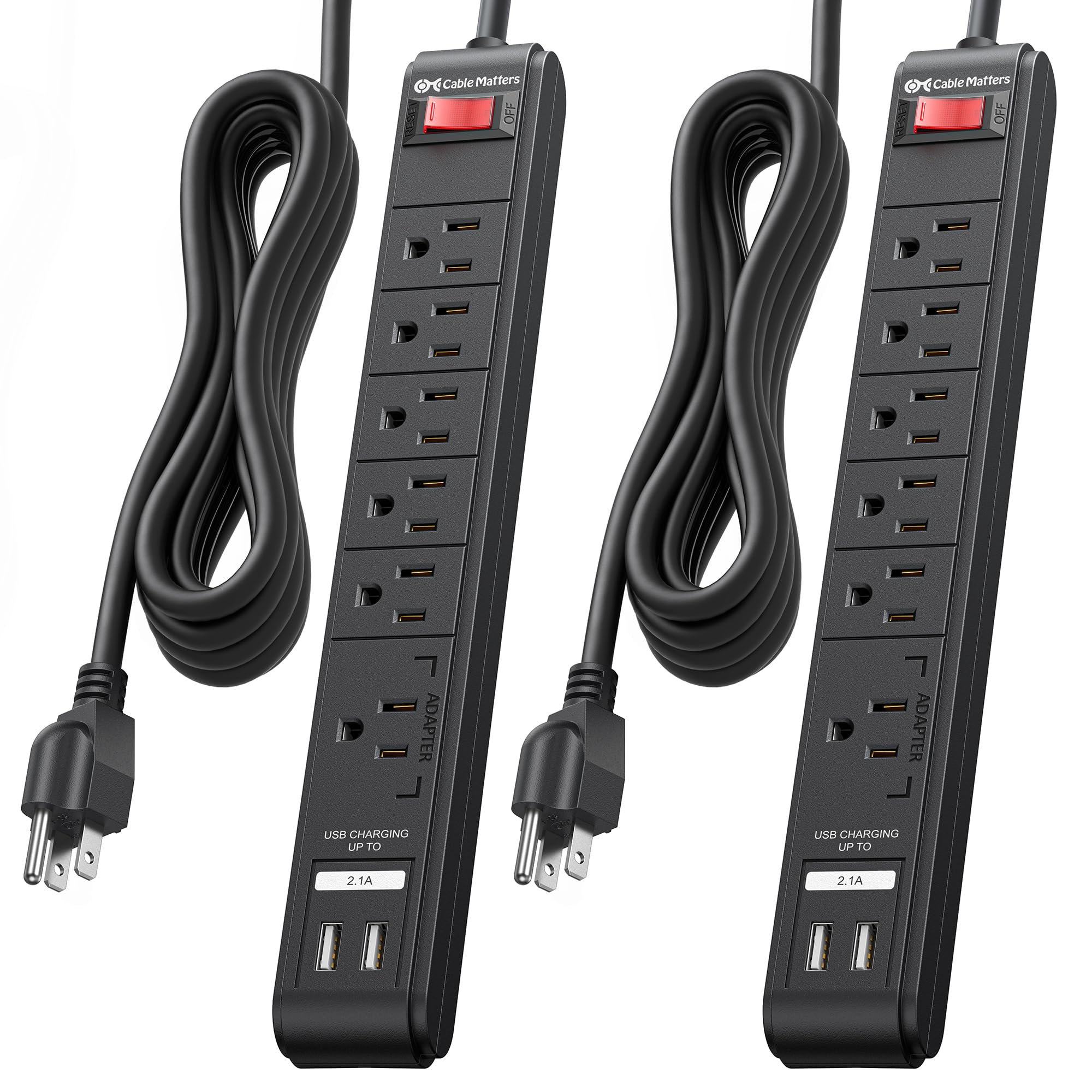
Image: The Cable Matters 6-Outlet Surge Protector Power Strip with USB Ports, featuring a 12-foot cord and a black finish.
Informacje dotyczące bezpieczeństwa
This surge protector is ETL Listed, ensuring it meets recognized safety standards. It provides 490 Joules of surge suppression to protect your connected devices from power spikes and surges. A built-in 15 Amp circuit breaker offers protection against overloads. For optimal safety, please observe the following:
- Tylko do użytku wewnątrz pomieszczeń: This product is intended for indoor use in dry locations. Do not expose to moisture or wet conditions.
- Prawidłowe uziemienie: Always plug the surge protector into a properly grounded 3-prong AC outlet.
- Unikaj przeciążania: Do not exceed the maximum power rating of 15 Amps, 125VAC, 1875W. Overloading can trip the circuit breaker or cause damage.
- Regularnie sprawdzaj: Periodically check the power cord and the unit for any signs of damage. Discontinue use if damaged.
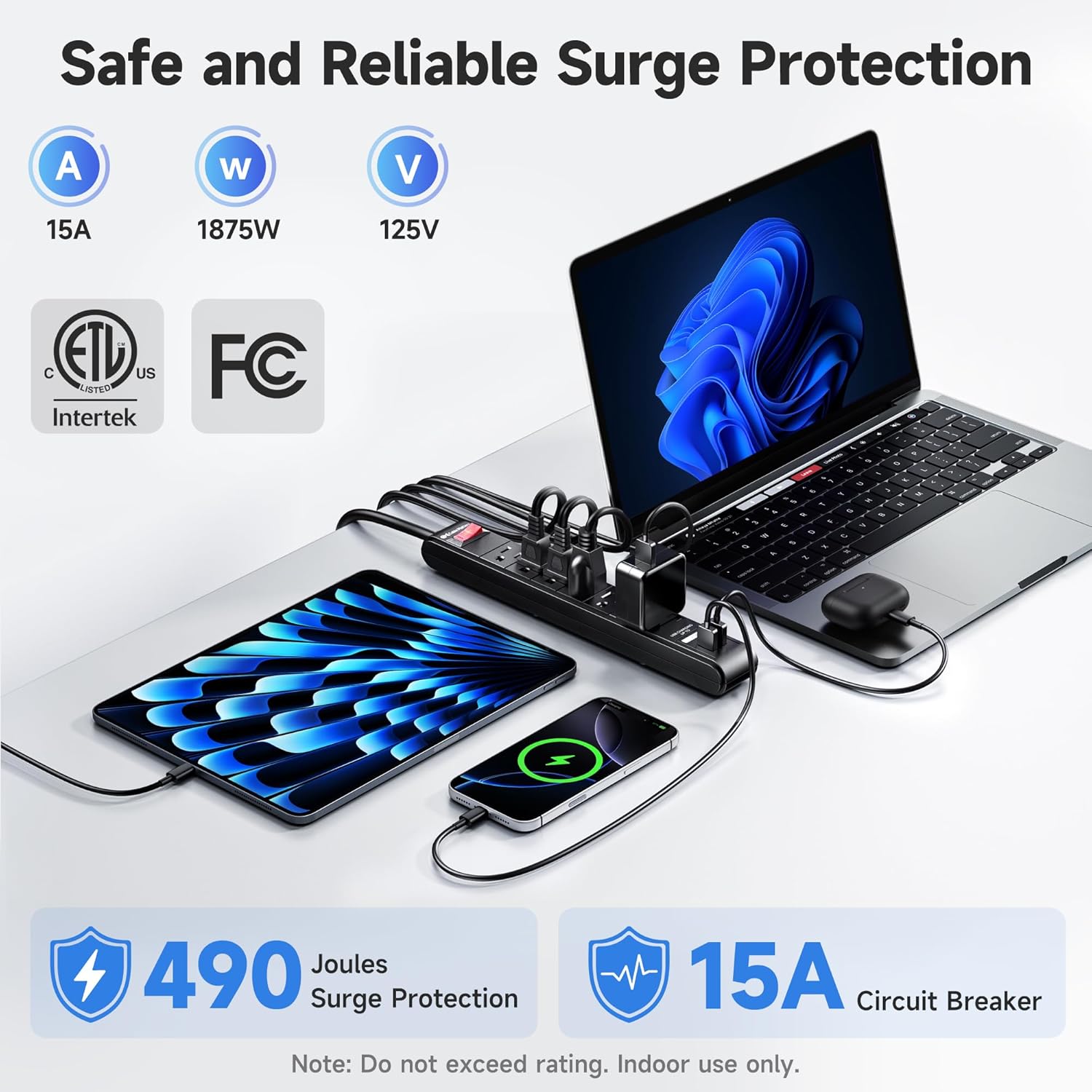
Image: A visual representation highlighting the 490 Joules surge protection and 15 Amp circuit breaker features of the power strip.
Instrukcje konfiguracji
- Rozpakować: Ostrożnie wyjmij listwę przeciwprzepięciową z opakowania.
- Umieszczenie: Position the surge protector in a convenient location, ensuring the 12-foot cord can reach a grounded AC wall outlet without being stretched or obstructed.
- Włączać do kontaktu: Insert the surge protector's 3-prong plug into a standard 125V AC grounded wall outlet.
- Włączanie: Press the red ON/OFF switch to the 'ON' position. The switch will illuminate, indicating that the unit is receiving power and providing surge protection.
- Montaż (opcjonalny): The power strip can be wall-mounted or installed under a desk. Use the included mounting template to mark screw locations. Secure the unit using #6 screws (not included) through the mounting holes on the back of the strip.

Image: The Cable Matters surge protector shown mounted under a desk, illustrating its wall-mountable design and indicating the use of #6 screws for installation.
Instrukcja obsługi
Once the surge protector is plugged in and powered on, you can connect your devices:
- Gniazdka AC: Plug your electronic devices (computers, monitors, printers, etc.) into the six available AC outlets. Ensure that the total power draw does not exceed 1875W.
- Porty ładowania USB: Use the two USB-A ports (5V 2.1A total output) to charge smartphones, tablets, and other USB-powered devices. These ports are located at one end of the strip for easy access.
- Przycisk zasilania: The illuminated ON/OFF switch controls power to all connected AC outlets and USB ports. Press it to turn power on or off.

Obraz: Zbliżenie view of the Cable Matters surge protector, demonstrating the use of its USB ports for charging various mobile devices without requiring additional adapters.
Konserwacja
To ensure the longevity and optimal performance of your surge protector, follow these maintenance guidelines:
- Czyszczenie: Disconnect the surge protector from the wall outlet before cleaning. Use a dry, soft cloth to wipe the exterior. Do not use liquid or aerosol cleaners.
- Pielęgnacja sznurka: Avoid bending, twisting, or crimping the power cord excessively. Do not place heavy objects on the cord.
- Składowanie: Gdy nie używasz listwy przeciwprzepięciowej, przechowuj ją w chłodnym, suchym miejscu, z dala od bezpośredniego światła słonecznego i ekstremalnych temperatur.

Obraz: szczegółowy view of the Cable Matters surge protector, emphasizing its robust construction, including the sturdy rocker switch, 14AWG heavy-duty copper wire, flame-retardant ABS housing, and flexible PVC cable jacket.
Rozwiązywanie problemów
If you encounter issues with your Cable Matters surge protector, refer to the following common solutions:
- Brak zasilania gniazdek/portów USB:
- Ensure the surge protector's ON/OFF switch is pressed to the 'ON' position and illuminated.
- Sprawdź, czy gniazdko ścienne działa, podłączając do niego inne urządzenie.
- If the circuit breaker has tripped (the switch might be recessed or popped out), unplug all devices, reset the switch, and then plug devices back in one by one to identify the overloaded item.
- Porty USB nie ładują się:
- Verify that the USB cable is securely connected to both the device and the surge protector.
- Ensure your device is compatible with 5V 2.1A USB charging.
- Try a different USB cable or device to rule out a faulty cable or device.
- Surge Protection Indicator (if applicable): If the surge protection indicator light (if present on your model) is off, it may indicate that the surge protection components have been consumed, and the unit should be replaced to ensure continued protection.
Specyfikacje
| Marka | Sprawy kablowe |
| Numer modelu | 402025-BLK-12x2 |
| Kolor | Czarny |
| Całkowita moc gniazdek | 6 gniazdek AC |
| Łączna liczba portów USB | 2 porty USB-A |
| Wyjście USB | 5V 2.1A (shared) |
| Tomtage | 125 V (AC) |
| Maksymalny prąd | 15 Amps |
| Moc znamionowa | 1875 W |
| Ocena ochrony przeciwprzepięciowej | 490 dżuli |
| Długość przewodu | 12 stóp |
| Wskaźnik drutu | 14AWG |
| Certyfikaty | Wpisany na listę ETL |
Gwarancja i wsparcie
For product support, technical assistance, or warranty inquiries, please contact Cable Matters customer service. Refer to the product packaging or the official Cable Matters webstrona zawierająca dane kontaktowe i szczegółowe warunki gwarancji.