
1. Wprowadzenie
This manual provides detailed instructions for the installation, operation, and maintenance of your COOAU 4MP Wireless Security Camera, Model 827S-400. Designed for indoor use, this camera offers advanced features such as 4MP Ultra HD video, Pan/Tilt/Zoom (PTZ) functionality, two-way audio, and intelligent detection capabilities to enhance your home monitoring experience.
2. Koniec produktuview
The COOAU 4MP Wireless Security Camera is a versatile indoor monitoring device. Familiarize yourself with its components and key features:
2.1 Składniki
- COOAU 4MP Wireless Security Camera Unit
- Zasilacz
- Kabel zasilający USB
- Akcesoria montażowe (śruby, kotwy ścienne)
- Instrukcja obsługi (ten dokument)
2.2 Główne cechy
- Wideo Ultra HD 4 MP: Rejestruje wyraźne i szczegółowe dźwiękitage.
- Pan/Tilt/Zoom (PTZ): Możliwość obrotu w poziomie o 360° i w pionie o 120°, co zapewnia pełne pokrycie.
- Dwukierunkowy dźwięk: Wbudowany mikrofon i głośnik umożliwiające komunikację.
- Inteligentne wykrywanie: Features sound detection, motion detection, and motion tracking with alerts.
- Ulepszone widzenie w nocy: Provides clear monitoring in low-light conditions.
- Elastyczne przechowywanie: Supports local storage via Micro SD card (up to 128GB, not included) and cloud storage options.
- Kompatybilność z Alexą: Integracja z Amazon Alexa w celu umożliwienia sterowania głosowego.

Image: The COOAU 4MP Wireless Security Camera, highlighting its compact design and key functionalities like 360-degree coverage and 4MP HD view.
3. Konfiguracja
Follow these steps to set up your COOAU Wireless Security Camera:
3.1 Instalacja aplikacji
- Scan the QR code provided in the camera's packaging or search for "MIPC" in your device's app store (Apple App Store for iOS or Google Play Store for Android).
- Pobierz i zainstaluj aplikację MIPC.
- Otwórz aplikację i utwórz nowe konto użytkownika lub zaloguj się, jeśli już je posiadasz.
3.2 Połączenie zasilania
- Podłącz kabel zasilający USB do portu zasilania aparatu.
- Podłącz zasilacz do standardowego gniazdka elektrycznego.
- The camera will power on and initiate its startup sequence. Wait for a voice prompt indicating it's ready for connection.
3.3 Konfiguracja sieci (Wi-Fi)
- In the MIPC app, tap the '+' icon to add a new device.
- Select the camera type (e.g., "Wireless IP Camera").
- Choose "Wi-Fi connection" as the network connection method.
- Follow the on-screen instructions to enter your Wi-Fi network details (SSID and password).
- The app may instruct you to scan a QR code displayed on your phone with the camera, or to place your phone near the camera for sound pairing.
- Once connected, you will hear a confirmation sound from the camera, and the app will indicate successful addition.
- Set a new password for the camera for security purposes.
Video: Demonstrates the indoor camera connection steps, including app installation, power connection, and Wi-Fi setup.
3.4 Montaż kamery
The camera can be placed on a flat surface or mounted to a ceiling. Use the provided mounting accessories for ceiling installation. Ensure the camera is positioned to cover the desired monitoring area.
4. Instrukcja obsługi
Learn how to utilize the various features of your COOAU camera:
4.1 Na żywo View i sterowanie PTZ
- Open the MIPC app and select your camera from the device list to access the live video feed.
- Use the on-screen controls to pan (rotate horizontally up to 355°), tilt (move vertically up to 120°), and digitally zoom the camera view.
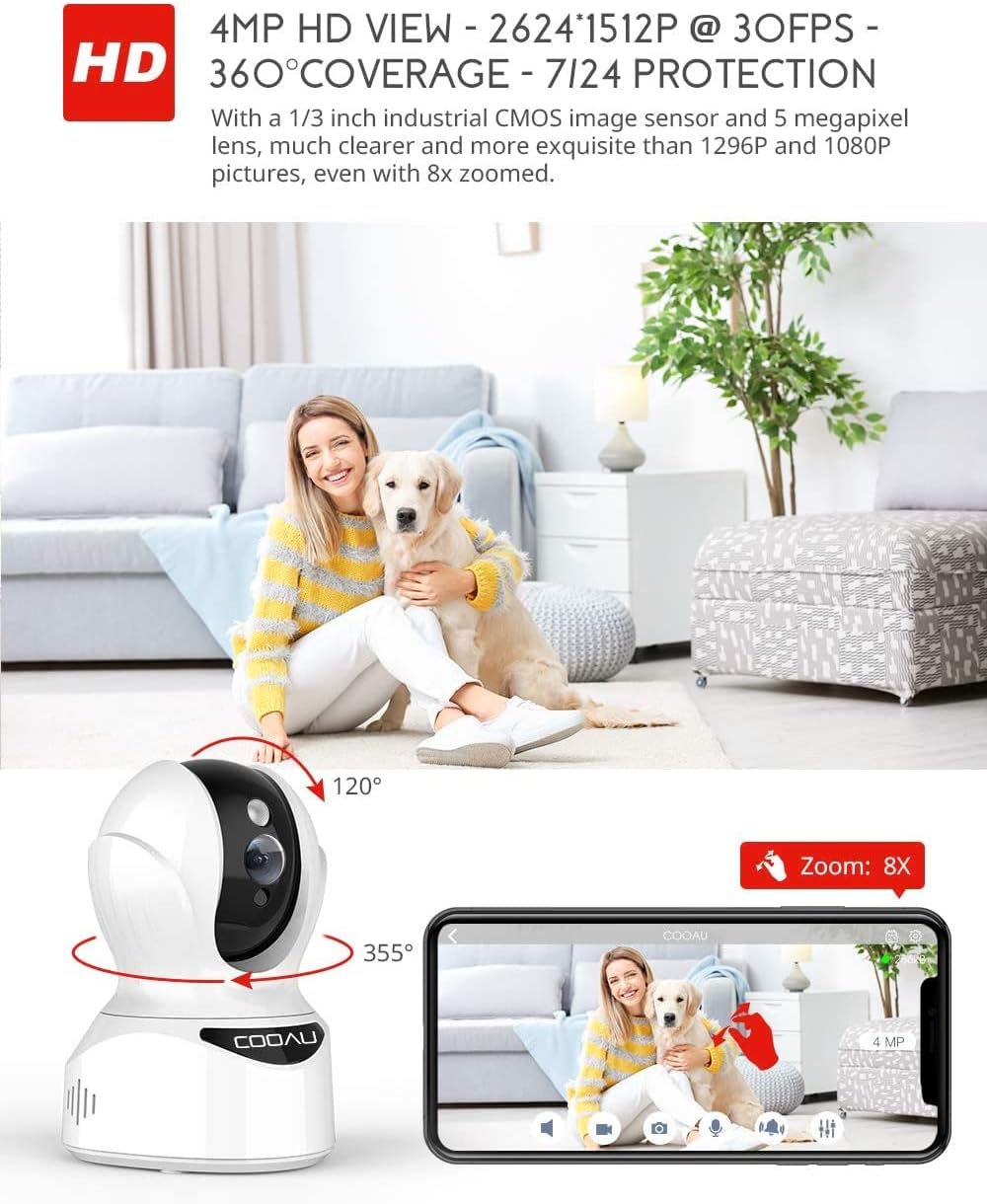
Image: Illustrates the camera's Pan/Tilt capabilities, offering 355° horizontal and 120° vertical rotation for comprehensive room coverage.
4.2 Dźwięk dwukierunkowy
- Na żywo view, dotknij ikony mikrofonu w aplikacji, aby mówić przez głośnik kamery.
- The camera's built-in microphone allows you to hear audio from the camera's location.

Image: Depicts the two-way audio feature, enabling clear communication through the camera's built-in anti-noise and echo cancellation microphone and speaker.
4.3 Intelligent Detection and Alerts
- Access the camera settings in the MIPC app to configure motion detection, sound detection, and motion tracking.
- Enable push notifications to receive alerts on your smartphone when activity is detected.
- Motion tracking allows the camera to automatically follow moving objects within its field of view.
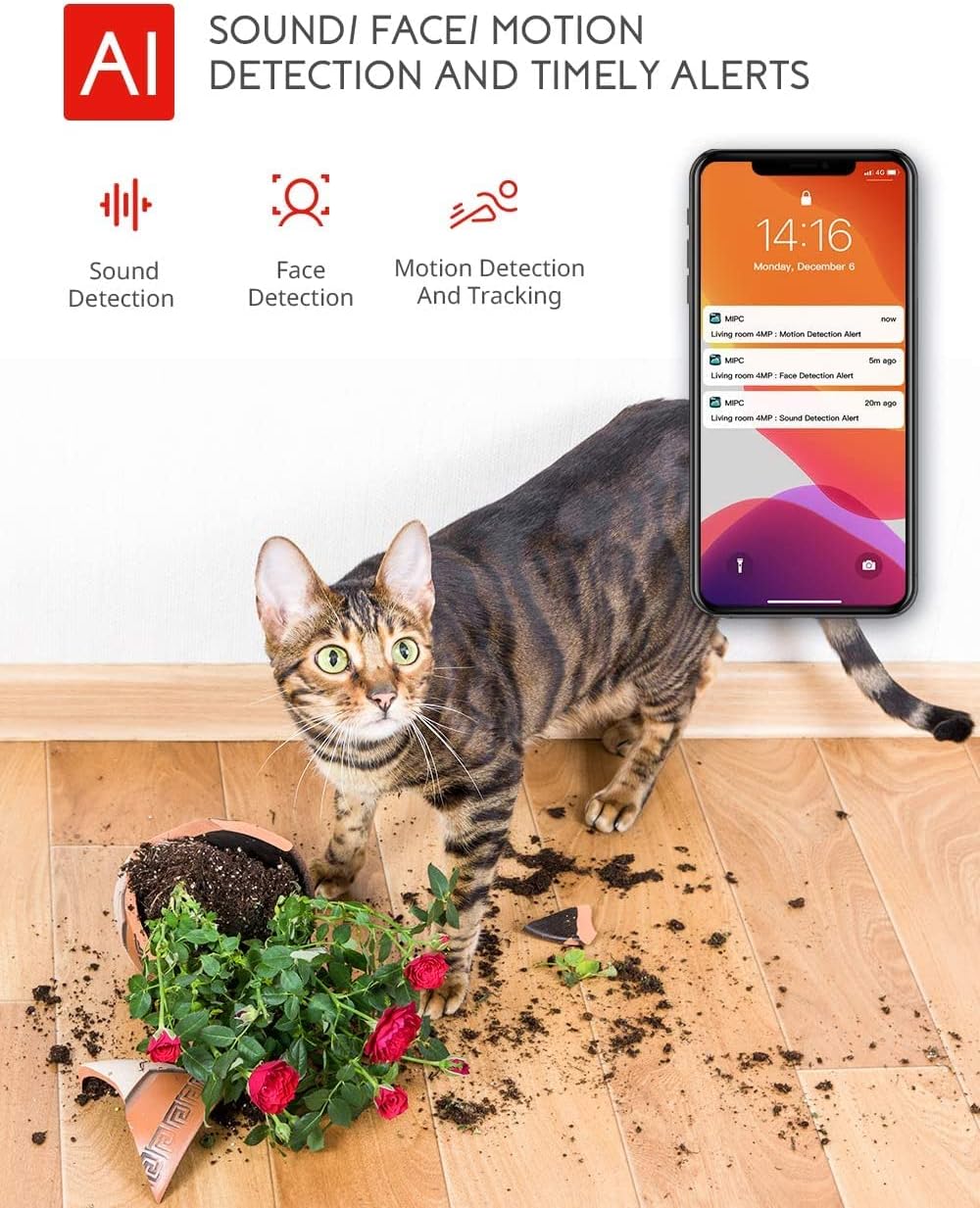
Image: Highlights the AI-powered sound, face, and motion detection features, with timely alerts sent to your smartphone.
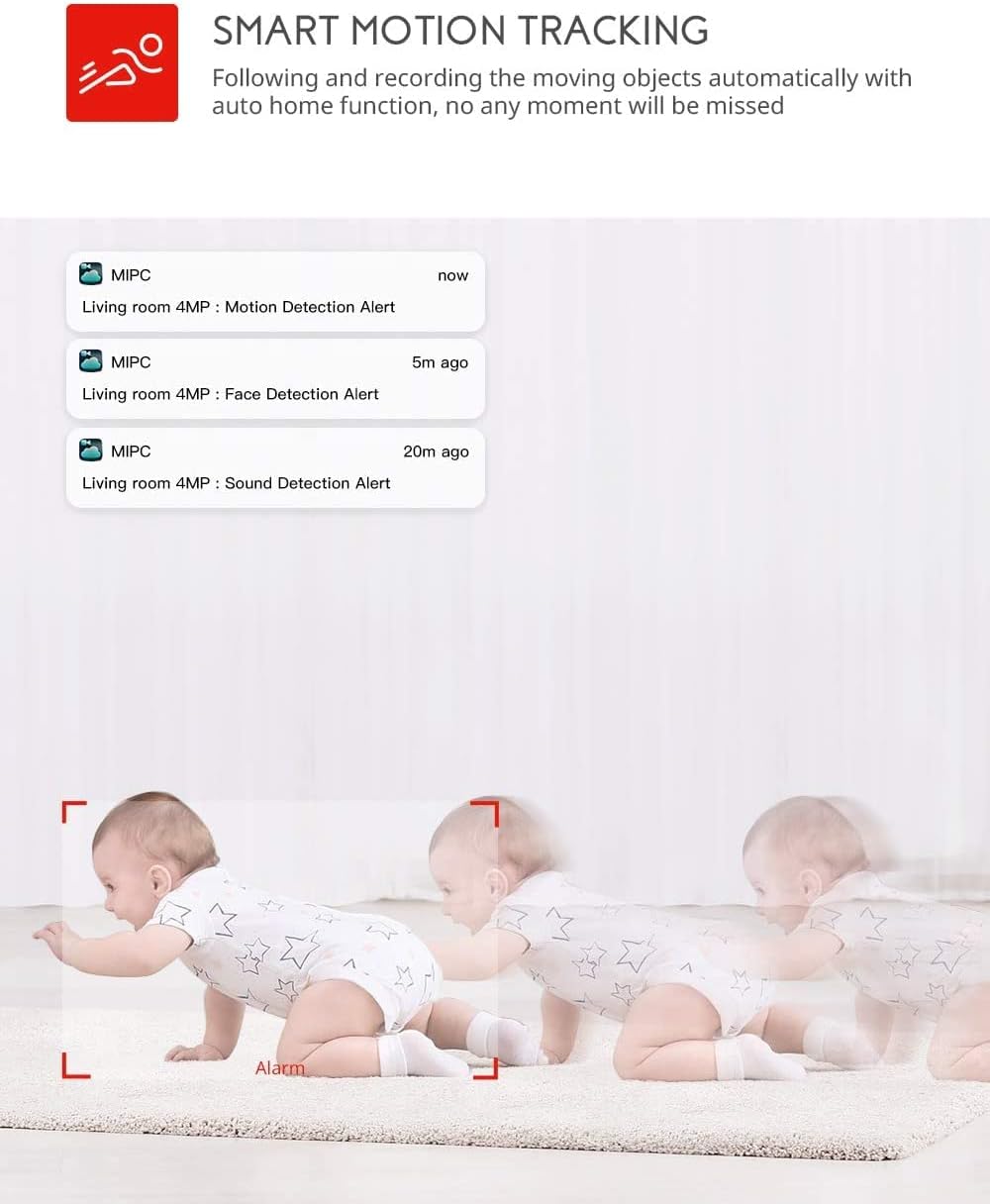
Image: Illustrates the smart motion tracking feature, where the camera automatically follows and records moving objects.
4.4 Widzenie nocne
- Kamera automatycznie przełącza się na tryb noktowizyjny w warunkach słabego oświetlenia.
- This feature provides clear black and white video footage without additional light sources.
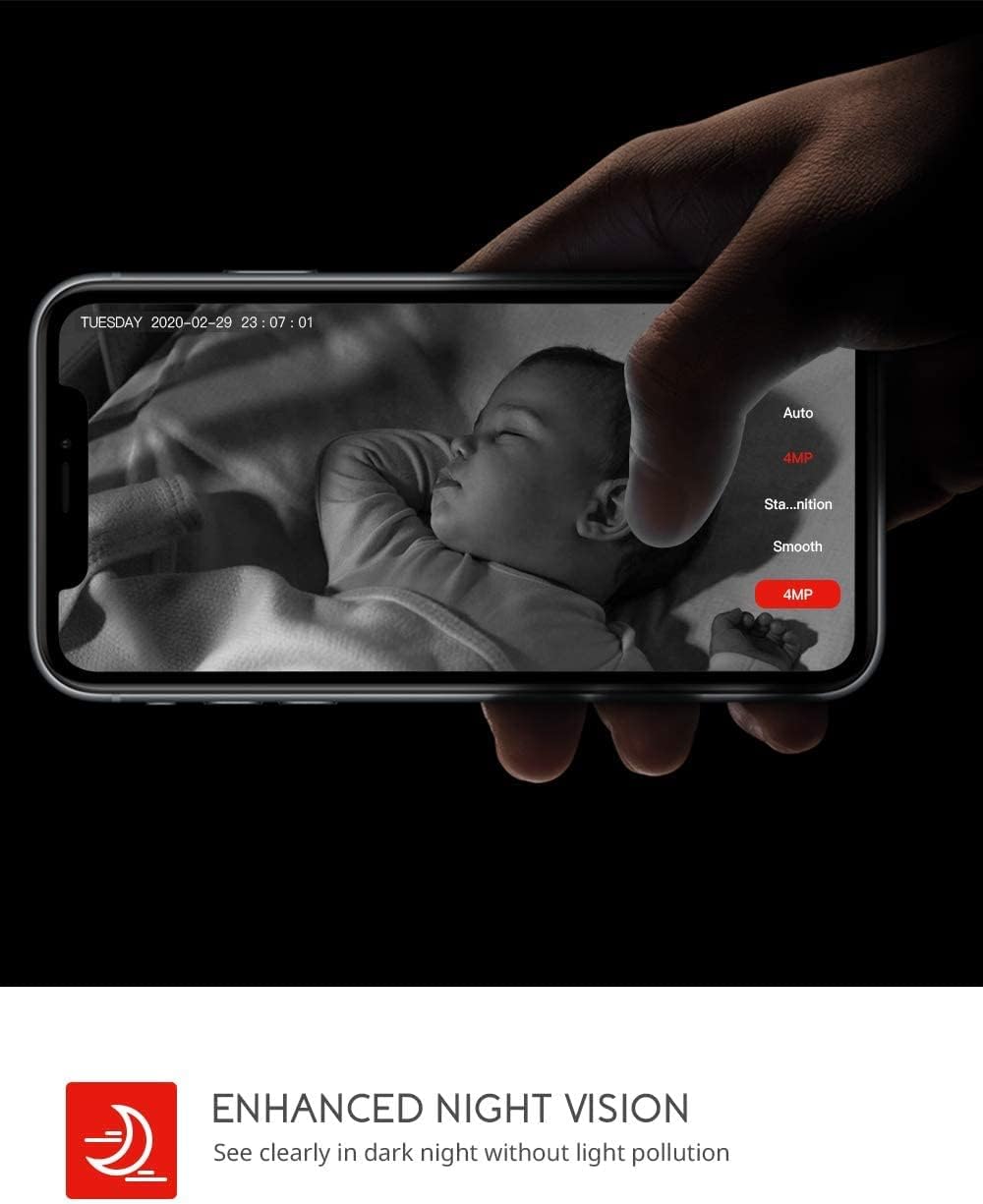
Image: Demonstrates the enhanced night vision capability, providing clear visibility in dark environments.
4.5 Opcje przechowywania
- Karta micro sd: Insert a Micro SD card (up to 128GB, Class 10 or higher recommended) into the designated slot for local video recording.
- Przechowywanie w chmurze: The MIPC app offers optional cloud storage services for secure off-site backup of your recordings.
4.6 Obsługa wielu użytkowników
- Share camera access with family members or trusted individuals through the MIPC app.
- This allows multiple users to view the live feed and receive alerts simultaneously.

Image: Illustrates the camera's support for multiple devices and users, allowing footage sharing across various platforms.
5. Konserwacja
Właściwa konserwacja zapewnia długowieczność i optymalną wydajność aparatu:
- Czyszczenie: Do czyszczenia obiektywu i korpusu aparatu używaj miękkiej, suchej ściereczki. Unikaj środków czyszczących o właściwościach ściernych i rozpuszczalników.
- Umieszczenie: Upewnij się, że kamera jest umieszczona w stabilnym miejscu, z dala od bezpośredniego światła słonecznego, źródeł ciepła i nadmiernej wilgoci.
- Aktualizacje oprogramowania: Regularly check the MIPC app for firmware updates to ensure your camera has the latest features and security enhancements.
- Zasilanie: Należy używać wyłącznie oryginalnego zasilacza dołączonego do aparatu.
6. Rozwiązywanie Problemów
Jeśli masz problemy z aparatem, zapoznaj się z poniższymi typowymi problemami i ich rozwiązaniami:
| Problem | Rozwiązanie |
|---|---|
| Kamera nie łączy się z siecią Wi-Fi. | Ensure your Wi-Fi password is correct. Check if the camera is within range of your Wi-Fi router. Reset the camera by pressing the reset button for 1 second and try connecting again. Ensure your router is 2.4GHz compatible. |
| Słaba jakość wideo. | Check your internet connection speed. Ensure the camera lens is clean. Adjust the video resolution settings in the MIPC app. |
| Wykrywanie ruchu nie działa. | Verify that motion detection is enabled in the app settings. Adjust the sensitivity level. Ensure there are no obstructions blocking the camera's view. |
| Dwukierunkowa transmisja dźwięku jest niejasna. | Ensure your phone's volume is up. Check for any interference or background noise near the camera or your phone. |
| Kamera jest offline. | Check the power connection to the camera. Verify your Wi-Fi network is active and stable. Restart the camera and your router. |
7. Specyfikacje
Detailed technical specifications for the COOAU 4MP Wireless Security Camera (Model 827S-400):
| Funkcja | Specyfikacja |
|---|---|
| Numer modelu | 827S-400 |
| Efektywna rozdzielczość obrazu nieruchomego | 4 MP |
| Efektywna rozdzielczość wideo | 4 MP |
| Technologia łączności | Bezprzewodowy (Wi-Fi) |
| Zastosowanie wewnątrz/na zewnątrz | Wnętrz |
| Cechy specjalne | Motion Sensor, Sound Detection, Motion Tracking, 2-Way Audio, Night Vision |
| Typ kontrolera | Amazon Alexa |
| Typ mocowania | Montaż sufitowy |
| Opcje przechowywania | Cloud/SD Storage (up to 128GB) |
| Szybkość klatek | 30 klatek na sekundę |
| Wymiary przedmiotu | 3.35 x 3.35 x 4.72 cala |
| Źródło zasilania | Prąd zmienny/stały |
| GTIN / UPC | 889328768553 |
8. Gwarancja i wsparcie
For warranty information or technical support, please contact COOAU customer service. You can reach us via:
- Oficjalna skrzynka pocztowa: info@cooau.net
- Oficjalny Facebook: COOAU Official