
Xtrem Bots Robbie 2.0
Instrukcja obsługi zabawki robota Xtrem Bots Robbie
Model: Robbie 2.0 (843659803)
Brand: Xtrem Bots
1. Wprowadzenie
Welcome to the world of Xtrem Bots! This manual provides detailed instructions for setting up, operating, and maintaining your Robbie Robot Toy. Robbie is an interactive, programmable robot designed to provide hours of educational fun, featuring gesture control, programmable movements, and expressive LED lights.
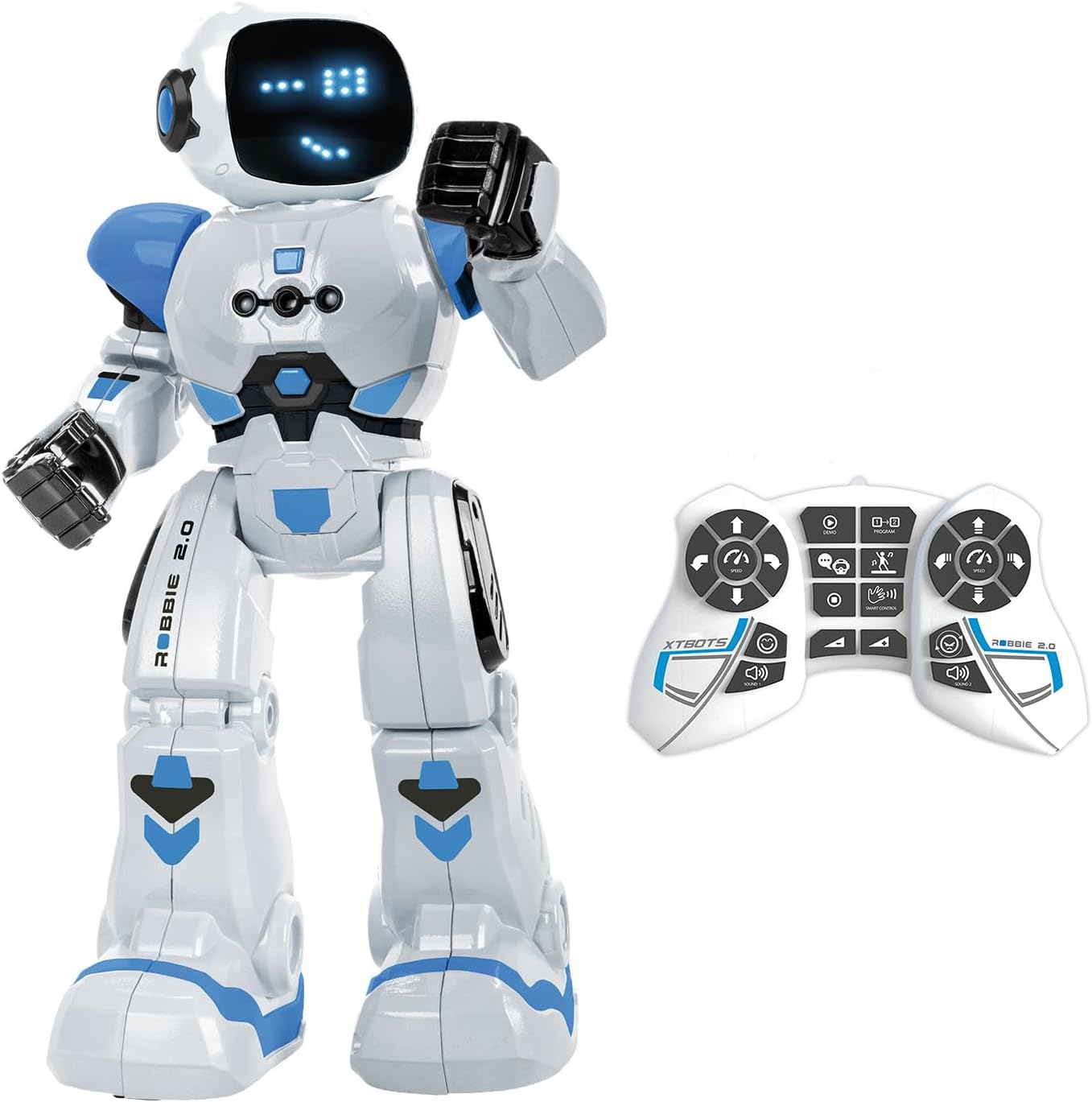
Image: The Robbie Robot in white and blue, standing next to its white remote control.
2. Co znajduje się w pudełku
- 1 x Robbie Robot
- 1 x Pilot zdalnego sterowania
- 1 x Instrukcja obsługi (ten dokument)
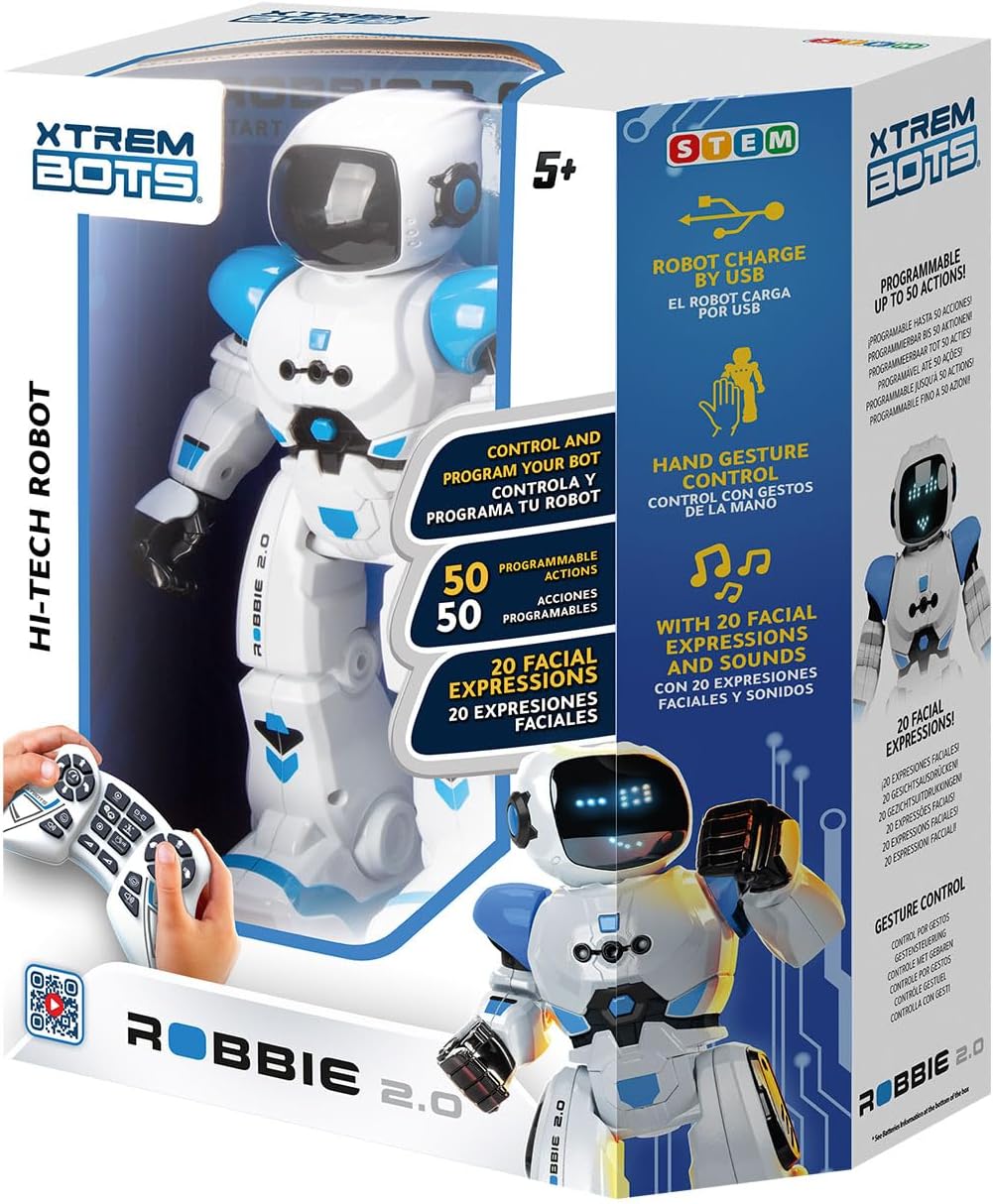
Image: The retail box for the Xtrem Bots Robbie Robot, showing the robot and remote control inside.
3. Konfiguracja
3.1 Instalacja baterii
The Robbie Robot requires 1 Lithium Polymer battery (included and rechargeable via USB). The remote control requires 2 x 1.5V AA batteries (not included).
- Robot: The robot's internal Lithium Polymer battery is pre-installed.
- Zdalne sterowanie: Locate the battery compartment on the back of the remote control. Open the cover, insert 2 x 1.5V AA batteries, ensuring correct polarity (+/-), and close the cover.
3.2 Ładowanie robota
Robbie Robot is equipped with a rechargeable battery. Use the provided USB charging cable to charge the robot.
- Connect the small end of the USB cable to the charging port on the robot (usually located on the back or side).
- Podłącz większy koniec kabla USB do standardowego źródła zasilania USB (np. portu USB komputera, zasilacza ściennego USB).
- The robot's indicator light will show charging status (refer to robot's specific light indicators for full/charging status).

Image: The Robbie Robot connected via a USB cable to a laptop for charging.
4. Instrukcja obsługi
4.1 Włączanie/wyłączanie
- To power on Robbie, locate the power switch (usually on the back) and slide it to the 'ON' position.
- Aby wyłączyć urządzenie, przesuń przełącznik do pozycji „WYŁ.”.
4.2 Funkcje zdalnego sterowania
Pilot zdalnego sterowania umożliwia wykonywanie różnych ruchów i akcji. Zapoznaj się z przyciskami:
- Sterowanie kierunkowe: Use the left joystick/buttons for forward, backward, left, and right movements.
- Slide Movement: Buttons for sliding forward, backward, left, and right.
- Kontrola prędkości: Dostosuj prędkość ruchu robota.
- Regulacja głośności: Control the robot's sound volume.
- Tryb tańca: Aktywuje zaprogramowane układy taneczne.
- Wersja demo: Initiates a demonstration of Robbie's capabilities.
- Tryb programowania: Used to record and play back custom sequences of movements (see 4.4).
- Aktywacja sterowania gestami: Toggles gesture control (see 4.3).

Image: A close-up of the remote control for Robbie Robot, with labels indicating various functions like walk, slide, speed, volume, dance, and program.
4.3 Sterowanie gestami
Robbie can respond to hand gestures for basic movements. Activate this mode using the remote control, then use your hand to direct Robbie.
- Naprzód: Move your hand forward in front of Robbie.
- Wstecz: Move your hand backward.
- Skręć w lewo w prawo: Move your hand to the left or right.

Image: The Robbie Robot with a hand gesturing to its side, illustrating the gesture control feature.
4.4 Programming Movements
Robbie can be programmed with a sequence of up to 50 movements.
- Aby wejść w tryb programowania, naciśnij przycisk „Program” na pilocie.
- Input your desired sequence of movements using the directional and action buttons on the remote.
- Aby zapisać sekwencję, naciśnij ponownie przycisk „Program”.
- Press the 'Play' button (often the same as 'Program' or a dedicated play button) to execute the programmed sequence.

Image: The Robbie Robot with an overlay showing a sequence of programmed movements on a grid, demonstrating its programmability.
4.5 Sounds and Lights
Robbie features various robot sounds and expressive LED lights on its face, allowing for up to 20 different facial expressions that change with its actions and mood.
4.6 Dancing Mode
Activate the dance mode via the remote control to watch Robbie perform pre-programmed dance routines with music and movements.

Image: The Robbie Robot dancing in a living room with a family, illustrating its dancing mode.
5. Konserwacja
- Czyszczenie: Przetrzyj robota i pilota miękką, suchą ściereczką. Nie używaj silnych środków chemicznych ani ściernych środków czyszczących.
- Składowanie: Przechowuj robota i pilota w chłodnym, suchym miejscu, z dala od bezpośredniego światła słonecznego, gdy nie są używane.
- Pielęgnacja baterii: If storing for an extended period, remove the AA batteries from the remote control to prevent leakage. Ensure the robot's internal battery is charged periodically if not used for a long time.
6. Rozwiązywanie Problemów
- Robot nie odpowiada:
- Upewnij się, że zarówno robot, jak i pilot są włączone.
- Sprawdź, czy baterie w pilocie są prawidłowo zainstalowane i nie są rozładowane. W razie potrzeby wymień je.
- Sprawdź, czy bateria robota jest naładowana.
- Make sure there are no obstructions between the remote and the robot.
- Robot falls over frequently:
- Ensure the robot is operating on a flat, smooth surface. Uneven surfaces can affect balance.
- Avoid rapid or extreme directional changes, especially at high speeds.
- Brak dźwięku i świateł:
- Sprawdź ustawienia głośności na pilocie.
- Ensure the robot's battery is sufficiently charged.
- If the issue persists, try powering off and on both the robot and remote control.
- Remote control buttons not working:
- Wymień baterie w pilocie.
- Ensure the remote control is pointed directly at the robot.
7. Specyfikacje
| Funkcja | Szczegół |
|---|---|
| Wymiary produktu | Wymiary 10.5 x 11 x 31.05 cm |
| Waga | 700 gramów |
| Bateria robota | 1 Lithium Polymer battery (included, rechargeable) |
| Baterie do pilota zdalnego sterowania | 2 baterie AA 1.5 V (brak w zestawie) |
| Zalecany wiek producenta | 5 miesięcy - 8 lat |
| Numer modelu | 843659803 |
| Typ materiału | Plastikowy |
| Kolor | Biały, Niebieski |
| Akcje programowalne | Up to 50 movements |
| Mimika twarzy | 20 (via blue LEDs) |
8. Informacje dotyczące bezpieczeństwa
WARNING: Do not wet the product. Keep away from water and other liquids.
This product contains small parts that could be swallowed or inhaled by a child and that can cause choking. Keep packaging for reference as it contains important information. Read instructions first before operation. For use under adult supervision. Right to effect changes in color and technical details. Manufactured in China.
9. Gwarancja i wsparcie
For warranty information or technical support, please contact Xtrem Bots customer service. You can find more information and contact details on the official Xtrem Bots webstrona:
Możesz również odwiedzić Sklep Xtrem Bots na Amazon Aby uzyskać dodatkowe informacje o produkcie i pomoc.
Ask a question about this manual
Ask about setup, troubleshooting, compatibility, parts, safety, or missing instructions. Manuals+ will review the question and use this page’s manual context to help answer it.