
Wstęp
The Magic Motion Flamingo Wearable Vibes is an intelligent personal massager designed for versatile use. This device offers multiple vibration frequencies and can be controlled via a dedicated mobile application or used in an offline mode. This manual provides essential information for the safe and effective operation, maintenance, and troubleshooting of your Flamingo device.
Produkt ponadview
The Magic Motion Flamingo is crafted from high-quality silicone and features a unique ergonomic design for comfortable use. Its compact size and app-controlled capabilities make it a discreet and versatile personal massager.

This image shows the Magic Motion Flamingo device, a flexible, pink silicone massager, positioned next to a smartphone. The phone screen displays the Magic Motion app interface, highlighting various control modes such as 'Music mode', 'ChatControl', 'Free control', and 'Game mode'. This illustrates the device's app-controlled functionality.
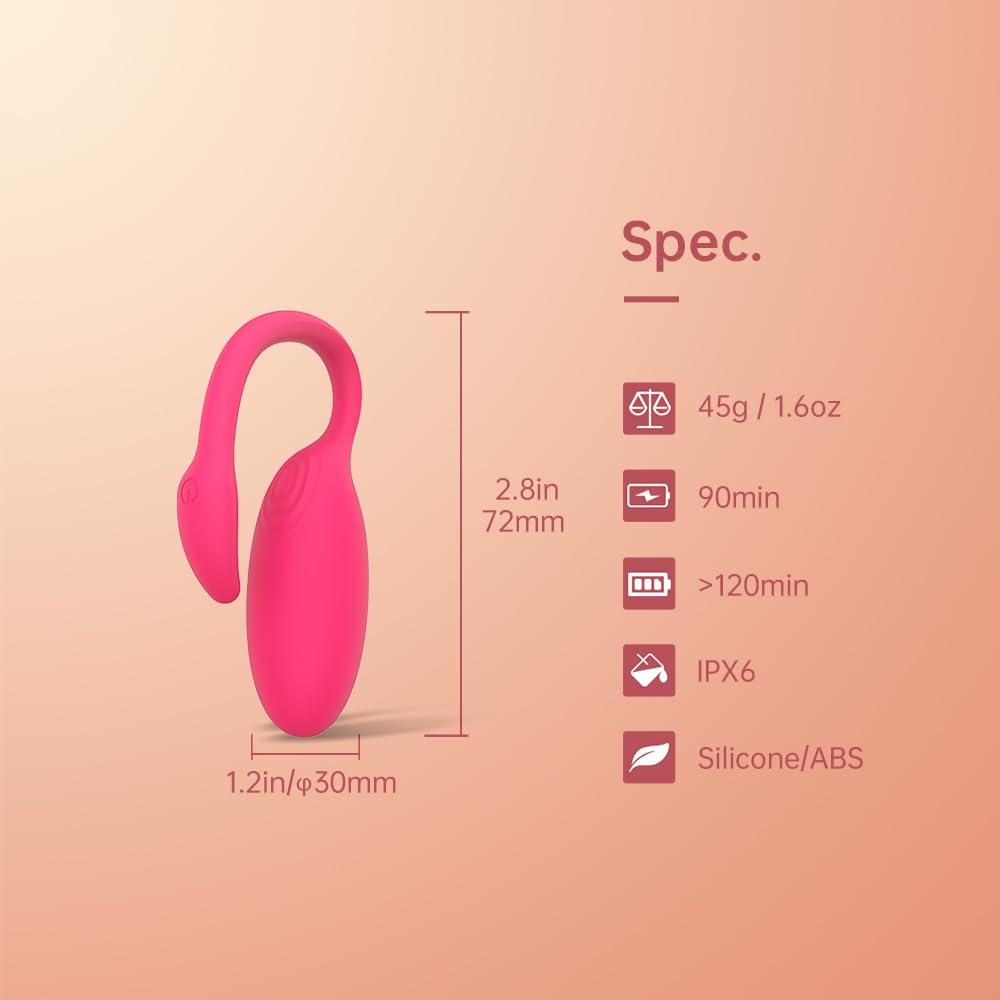
This diagram provides key specifications for the Magic Motion Flamingo. It indicates dimensions of 2.8 inches (72mm) in length and 1.2 inches (30mm) in diameter. Weight is 45g (1.6oz). Battery life is specified as 90 minutes of use and over 120 minutes of standby. The device has an IPX6 waterproof rating and is made from Silicone/ABS materials.
Organizować coś
Ładowanie urządzenia
Before first use, fully charge your Magic Motion Flamingo. Use the provided proprietary USB charging cable. Connect the small end of the cable to the charging port on the device and the larger USB end to a compatible power source (e.g., computer USB port, USB wall adapter, power bank).

This image demonstrates how to charge the Magic Motion Flamingo. The device is shown with its charging port connected to a USB cable. The cable can be plugged into various power sources such as a power bank, wall adapter, laptop, or car charger.
Instalacja i połączenie aplikacji
- Pobierz aplikację: Szukaj 'Magic Motion' in the Apple App Store (for iOS devices) or Google Play Store (for Android devices) and install the official application.
- Urządzenie włączające: Press and hold the power button on your Flamingo device until it vibrates or an indicator light appears.
- Otworzyć aplikację: Launch the Magic Motion app on your smartphone.
- Łączyć: Postępuj zgodnie z instrukcjami w aplikacji, aby podłączyć urządzenie. Ważny: Do not attempt to pair the device directly through your phone's Bluetooth settings. Connection must be established within the Magic Motion application.

This image displays multiple screenshots of the Magic Motion app. The main screen shows 'Music mode', 'ChatControl', 'Free control', and 'Game mode'. Other screens illustrate 'Pattern' mode with various vibration patterns, a 'Music mode' interface, a 'Manual' intensity control, and a 'Training mode' with instructions for Kegel exercises.
Instrukcja obsługi
Włączanie/wyłączanie zasilania
- Włączanie: Press and hold the power button for approximately 2-3 seconds until the device activates.
- Aby wyłączyć: Press and hold the power button for approximately 2-3 seconds until the device deactivates.
Using with the App
Once connected to the Magic Motion app, you can access various control modes:
- Tryb muzyczny: Zsynchronizuj wibracje ze swoją ulubioną muzyką.
- ChatControl: Pozwól partnerowi zdalnie sterować urządzeniem.
- Free Control: Manually adjust vibration patterns and intensity.
- Tryb gry: Engage with interactive games within the app that control the device.
For optimal app performance, ensure your smartphone is kept in close proximity to the device to maintain a stable Bluetooth connection.
Tryb offline
The device can also be used without the app. After powering on, short-press the power button to cycle through the seven pre-programmed vibration modes. The device will remember the last used mode when powered off and on again.
Konserwacja
Czyszczenie
The Magic Motion Flamingo is IPX6 waterproof, allowing for easy cleaning. After each use, wash the device with warm water and a mild, antibacterial soap. Rinse thoroughly and pat dry with a lint-free cloth. Do not use harsh chemicals or abrasive cleaners.

This image shows the Magic Motion Flamingo device partially submerged in water with bubbles, illustrating its waterproof capability. This indicates the device can be safely cleaned with water.
Składowanie
Store the device in a clean, dry place, away from direct sunlight and extreme temperatures. It is recommended to use the provided storage pouch to protect the device from dust and damage.
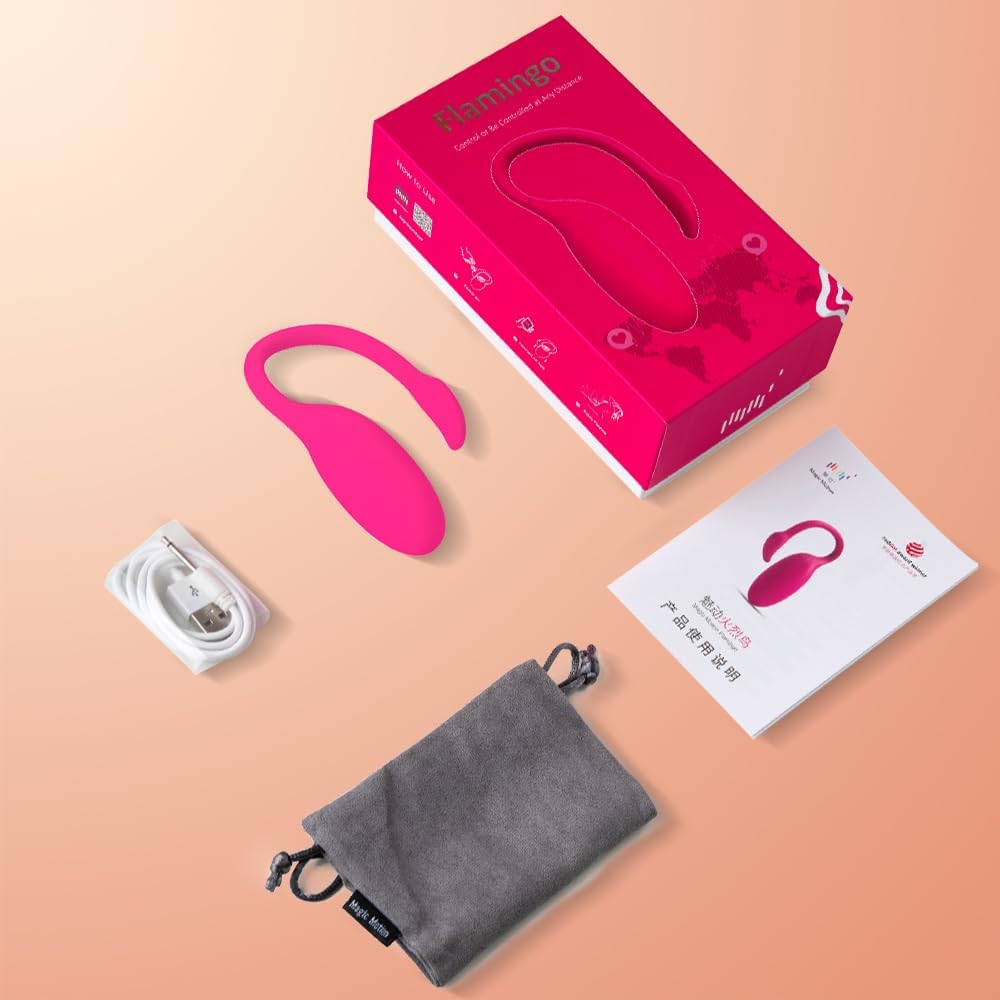
This image displays the complete contents of the Magic Motion Flamingo package. It includes the Flamingo device, a USB charging cable, a grey storage pouch, and the instruction manual, all neatly arranged next to the product box.
Rozwiązywanie problemów
Problemy z łącznością
- Urządzenie rozłącza się: Ensure your smartphone is within close range of the device. Physical obstructions or distance can interfere with the Bluetooth signal.
- Nie można sparować: Confirm you are attempting to connect through the Magic Motion app and not directly via your phone's Bluetooth settings. Restart both the device and the app, then try connecting again.
Problemy z ładowaniem
- Brak ładowania: Verify that the proprietary USB charging cable is securely inserted into both the device's charging port and the power source. Try a different USB port or wall adapter.
- Wskaźnik ładowania: Check if the charging indicator light (if present) is active. If not, ensure connections are firm.
Urządzenie nie odpowiada
- Brak zasilania: Ensure the device is fully charged. If the battery is depleted, it may not respond immediately after plugging in. Allow a few minutes for a minimal charge before attempting to power on.
- Stuck Mode: If the device is unresponsive or stuck in a mode, try performing a soft reset by holding the power button for an extended period (e.g., 10-15 seconds) until it powers off completely, then restart.
Specyfikacje
- Numer modelu: 1907
- Wymiary produktu: 1.2 x 1.2 x 2.8 cala (30 x 30 x 72 mm)
- Waga: 1.6 uncji (45 grama)
- Tworzywo: Silikon / ABS
- Baterie: 1 bateria litowo-polimerowa (w zestawie)
- Żywotność baterii (w przybliżeniu): 90 minutes (usage), >120 minutes (standby)
- Stopień wodoodporności: IPX6
- Łączność: Bluetooth (via Magic Motion App)
Gwarancja i wsparcie
The Magic Motion Flamingo Wearable Vibes is covered by a one-year warranty from the date of purchase. This warranty covers manufacturing defects under normal use. For warranty claims, technical support, or any inquiries regarding your device, please contact Magic Motion customer service through the official website or the contact information provided in the product packaging. Please retain your proof of purchase for warranty validation.