
Wstęp
This manual provides detailed instructions for the assembly, operation, and maintenance of your Cooler Master MasterBox CM694 TG Middle Tower PC Case. Please read this manual thoroughly before beginning installation to ensure proper setup and optimal performance.
Główne cechy
- Curved Mesh Panels: Front and top mesh panels with a diamond pattern for optimal breathability and dust filtration.
- Panel boczny ze szkła hartowanego: Zapewnia wyraźny view komponentów wewnętrznych.
- Modular Drive Cage: Updated design for enhanced storage expandability, supporting 2.5" SSDs and 3.5" HDDs.
- Dual 5.25" Bays: Accommodates optical drives or other 5.25" devices.
- Graphics Card Stabilizer: Arm mechanism to support large graphics cards, preventing motherboard distortion and ensuring safe transport.
- Zgodność z płytą główną: Supports E-ATX, ATX, microATX, and Mini-ITX motherboards.
- Wsparcie chłodzenia cieczą: Accommodates up to 360mm water cooling radiators.
- Expansion Card Clearance: Space for expansion cards up to 410 mm (16.1 inches).
- Osłona zasilacza: Integrated cover to conceal the power unit for a cleaner build.
- Full I/O Ports: Features 2 x USB 3.0, 1 x USB 3.1 (Gen 2) Type-C, and a 4-pole headset jack with rubber dustproof caps.
Organizować coś
1. Rozpakowywanie obudowy
Ostrożnie wyjmij obudowę komputera z opakowania. Sprawdź, czy nie doszło do uszkodzeń podczas transportu. Zachowaj wszystkie materiały opakowaniowe na wypadek transportu lub roszczeń gwarancyjnych.

Rycina 1: Przód view of the Cooler Master MasterBox CM694 TG PC Case.
2. Demontaż paneli bocznych
Locate the thumbscrews on the rear of the case securing the tempered glass side panel. Unscrew them and carefully remove the panel. Repeat for the opposite steel side panel if necessary.
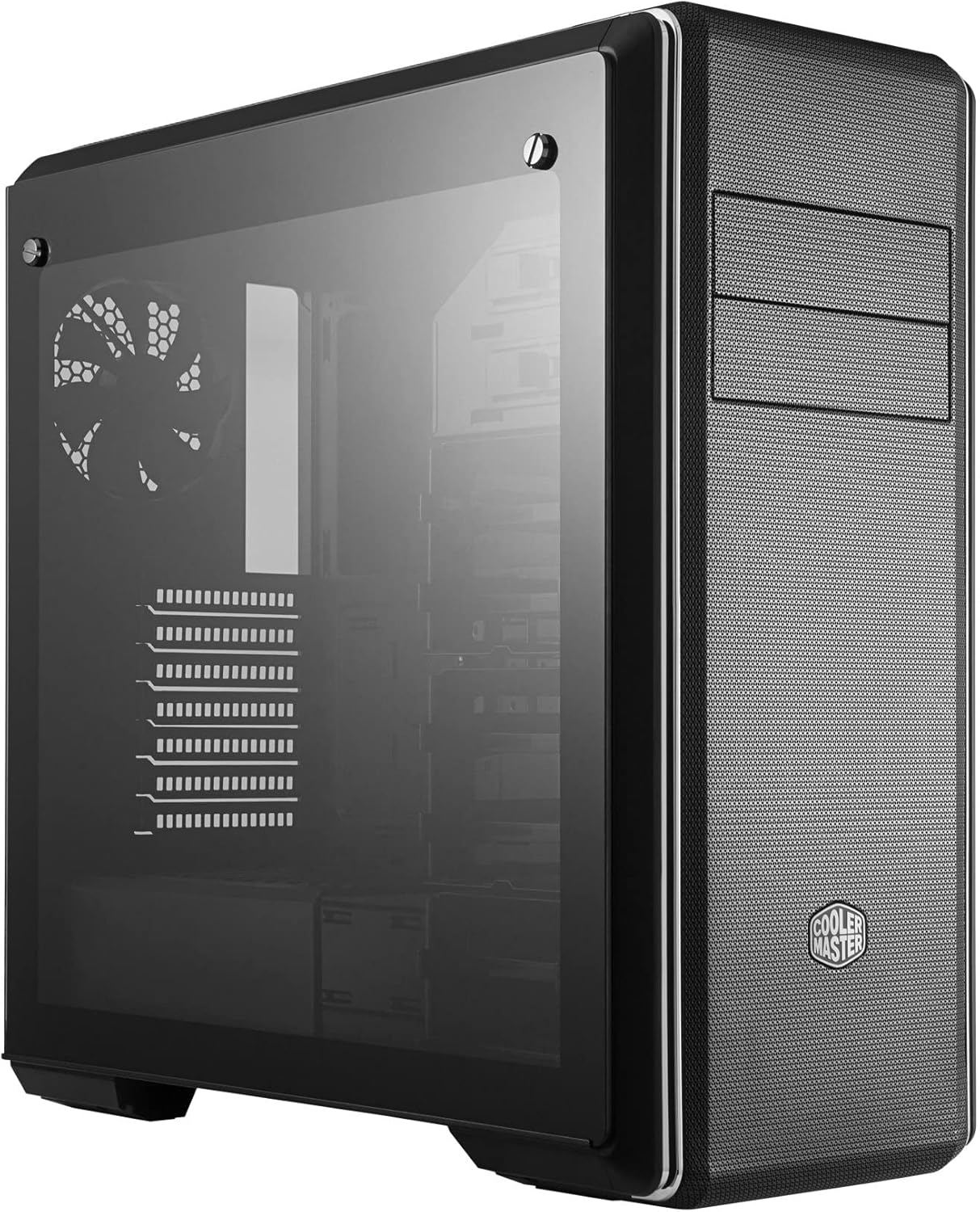
Rysunek 2: Strona view of the PC case featuring the tempered glass panel.
3. Instalacja płyty głównej
Install the appropriate standoffs for your motherboard form factor (E-ATX, ATX, microATX, Mini-ITX). Carefully place your motherboard onto the standoffs and secure it with screws.

Rysunek 3: Wnętrze view of the PC case, showing the motherboard tray and drive bays.
4. Instalacja zasilania
Mount your ATX power supply in the designated compartment at the bottom rear of the case. Secure it with screws from the exterior.
5. Instalacja napędu
Utilize the modular drive cages for 2.5" SSDs and 3.5" HDDs. The case also features two 5.25" bays for optical drives or other accessories. Refer to the specific drive cage mechanism for tool-less or screw-based installation.

Rysunek 4: Szczegółowe wnętrze view highlighting the modular drive cages.
6. Instalacja karty graficznej i karty rozszerzeń
Install your graphics card and other expansion cards into the PCIe slots on the motherboard. Use the included graphics card stabilizer for larger cards to prevent sagging.
7. Konfiguracja układu chłodzenia
The MasterBox CM694 TG supports various cooling configurations. Install additional fans or liquid cooling radiators as needed. The case supports up to 360mm radiators.

Figure 5: Diagram illustrating fan and radiator mounting locations and sizes.
8. Zarządzanie kablami
Utilize the cable routing cutouts and tie-down points behind the motherboard tray to manage cables for improved airflow and a clean aesthetic.
Operacyjny
Po zainstalowaniu i zabezpieczeniu wszystkich komponentów podłącz urządzenia peryferyjne i kabel zasilający. Naciśnij przycisk zasilania na przednim panelu I/O, aby uruchomić system.
Przedni panel I/O
- Przycisk zasilania: Initiates system startup.
- Przycisk resetowania: Restartuje system.
- Porty USB 3.0 (x2): Do szybkiego przesyłu danych przy użyciu kompatybilnych urządzeń.
- USB 3.1 (Gen 2) Type-C Port (x1): For fast data transfer and device connectivity.
- 4-Pole Headset Jack: Supports simultaneous audio input and output for headsets.

Rysunek 6: Góra view of the PC case, showing the front I/O panel with various ports and buttons.
Konserwacja
Czyszczenie filtra przeciwpyłowego
The MasterBox CM694 TG features mesh panels that act as dust filters. Regularly clean these panels to maintain optimal airflow and prevent dust buildup inside the case. Gently remove the panels and use compressed air or a soft brush to clear dust.
Ogólne sprzątanie
Użyj miękkiego, damp cloth to wipe down the exterior of the case. Avoid abrasive cleaners or solvents that could damage the finish. For the tempered glass panel, use a glass cleaner and a microfiber cloth.
Rozwiązywanie problemów
- System się nie włącza:
- Sprawdź, czy zasilacz jest włączony i prawidłowo podłączony do gniazdka ściennego i płyty głównej.
- Check all front panel connectors (power switch, reset switch) are correctly attached to the motherboard.
- Brak wyjścia wyświetlacza:
- Verify that your monitor is connected to the graphics card (not the motherboard integrated graphics, unless intended).
- Ponownie zamontuj kartę graficzną i moduły pamięci RAM.
- Przegrzanie:
- Ensure all case fans are spinning and properly oriented for optimal airflow.
- Clean dust filters and internal components regularly.
- Verify CPU cooler and thermal paste application.
Specyfikacje
| Funkcja | Szczegół |
|---|---|
| Marka | Mistrz chłodnicy |
| Numer modelu | MCB-CM694-KG5N-S00 |
| Typ sprawy | Wieża środkowa |
| Zgodność płyty głównej | E-ATX, ATX, Micro-ATX, Mini-ITX |
| Tworzywo | Stal, szkło hartowane |
| Wymiary (dł. x szer. x wys.) | 19.41 x 8.66 x 19.92 cala |
| Waga przedmiotu | 4.4 funta (2 kilograma) |
| Porty wejścia/wyjścia | 2x USB 3.0, 1x USB 3.1 (Gen 2) Type-C, 1x 4-Pole Headset Jack |
| Zatoki na dyski 5.25" | 2 |
| Graphics Card Clearance | Do 410 mm |
| Wsparcie płynnego chłodzenia | Up to 360mm radiators |
Gwarancja i wsparcie
Aby uzyskać informacje dotyczące gwarancji i pomocy technicznej, odwiedź oficjalną stronę internetową Cooler Master webOdwiedź witrynę lub skontaktuj się z lokalnym sprzedawcą. Zachowaj dowód zakupu na wypadek roszczeń gwarancyjnych.
Zasoby internetowe: www.coolermaster.com