
Fazley FSP-500
Fazley FSP-500-W Digital Piano User Manual
Model: FSP-500-W
1. Wprowadzenie
Dziękujemy za zakupasing the Fazley FSP-500-W Digital Piano. This instrument is designed to provide a rich and authentic piano playing experience, suitable for both beginners and experienced musicians. It features 88 Hammer Action keys, 16 distinct sounds, and various practical functions such as Layer mode, a built-in metronome, and multiple effects. This manual provides essential information for the safe and effective use of your digital piano.
2. Instrukcje bezpieczeństwa
- Zasilanie: Używaj wyłącznie określonego zasilacza. Upewnij się, że napięcietage odpowiada wymaganiom Twojego regionu.
- Woda i wilgoć: Do not expose the instrument to rain, moisture, or excessive humidity. Avoid placing objects containing liquids on the piano.
- Wentylacja: Zapewnij odpowiednią wentylację wokół urządzenia. Nie blokuj otworów wentylacyjnych.
- Umieszczenie: Place the piano on a stable, level surface to prevent accidental falls. Avoid direct sunlight or heat sources.
- Czyszczenie: Przed czyszczeniem odłącz zasilanie. Użyj miękkiej, suchej ściereczki. Nie używaj płynnych środków czyszczących ani rozpuszczalników.
- Serwisowanie: Nie próbuj samodzielnie naprawiać urządzenia. Wszelkie prace serwisowe zlecaj wykwalifikowanemu personelowi.
3. Konfiguracja
3.1 Rozpakowanie
Ostrożnie wyjmij pianino cyfrowe i wszystkie akcesoria z opakowania. Zachowaj opakowanie do transportu lub przechowywania w przyszłości.
3.2 Umieszczenie
Place the Fazley FSP-500-W on a sturdy, flat surface. Ensure there is enough space for comfortable playing and access to the rear panel connections.

Rycina 1: Przód view of the Fazley FSP-500-W digital piano with the included music rest.
3.3 Połączenie zasilania
- Connect the power adapter to the DC IN jack on the rear panel of the piano.
- Podłącz zasilacz do odpowiedniego gniazdka elektrycznego.
3.4 Podłączanie akcesoriów
Tylny panel zapewnia różne możliwości połączeń:

Figure 2: Rear panel connections including USB, audio out, and pedal inputs.
- pedały: Connect sustain pedals or a pedal unit to the designated pedal input jacks.
- Słuchawki: For private practice, connect standard stereo headphones to the headphone jack. This will mute the internal speakers.
- USB: Use a USB cable to connect the piano to a computer for MIDI data transfer.
- Wyjście dzwięku: Połącz z zewnętrznym amplification systems or recording devices using the audio output jacks.
4. Instrukcja obsługi
4.1 Włączanie/wyłączanie
Naciśnij MOC button located on the control panel to turn the piano on or off. A brief startup sequence will occur when powering on.
4.2 Regulacja głośności
Adjust the master volume using the dedicated volume knob or buttons on the control panel. Start with a low volume and increase it gradually.
4.3 Wybór dźwięku
The FSP-500-W offers 16 different instrument sounds, including various grand piano tones. Use the DŹWIĘK buttons or a dedicated dial to cycle through and select your desired sound.

Figure 3: Detail of the 88 Hammer Action keys, providing an authentic piano feel.
4.4 Tryb warstwy
Layer mode allows you to play two different sounds simultaneously. Refer to the control panel markings or the quick start guide for specific button combinations to activate and adjust layered sounds.
4.5 metronom
The built-in metronome provides a steady beat for practice. Activate the metronome function and adjust its tempo and beat signature using the dedicated controls.
4.6 Efekty
The FSP-500-W includes various digital effects to enhance the sound. Explore the control panel to activate and adjust effects such as reverb or chorus.
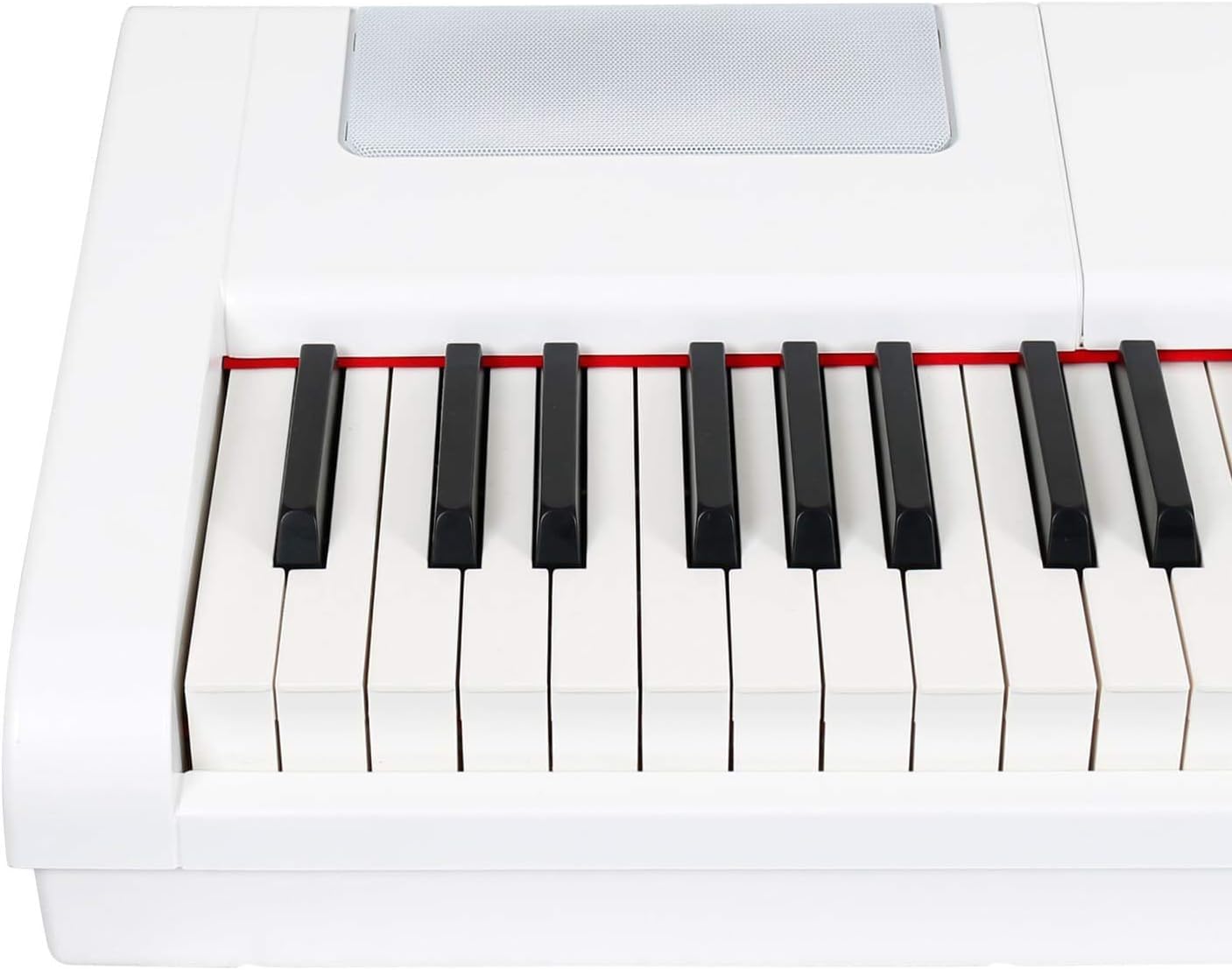
Figure 4: Integrated speaker grille for sound output.
5. Konserwacja
5.1 Czyszczenie
To clean the piano, wipe the surface with a soft, dry cloth. For stubborn dirt, slightly dampen the cloth with water and then wipe dry immediately. Avoid abrasive cleaners, waxes, or solvents.
5.2 Przechowywanie
When not in use for extended periods, store the piano in a cool, dry place, away from direct sunlight and extreme temperatures. If possible, cover the keys to protect them from dust.
6. Rozwiązywanie Problemów
- Brak dźwięku:
- Sprawdź, czy zasilanie jest włączone i czy głośność jest ustawiona na odpowiednim poziomie.
- Ensure headphones are not connected, as they mute the internal speakers.
- Zweryfikuj zewnętrzne amplification is properly connected and powered on if used.
- Klawisze nie reagują:
- Wyłącz i ponownie włącz urządzenie.
- Upewnij się, że między klawiszami nie znajdują się żadne obce przedmioty.
- Zniekształcony dźwięk:
- Zmniejsz poziom głośności.
- Check connections to external audio equipment for proper seating.
- Metronom nie działa:
- Ensure the metronome function is activated and its volume is audible.
Jeśli problem nadal występuje, skontaktuj się z obsługą klienta.
7. Specyfikacje
| Funkcja | Specyfikacja |
|---|---|
| Marka | Fazley |
| Numer modelu | FSP 500 |
| Rodzaj instrumentu | Pianino cyfrowe |
| Kolor | Biały |
| Liczba kluczy | 88 |
| Typ klucza | Działanie młota |
| Liczba dźwięków | 16 (including grand piano sounds) |
| Polifonia | 64 notatki |
| Cechy specjalne | Layer Mode, Metronome, Effects, Portable |
| Technologia łączności | USB |
| Źródło zasilania | Kabel elektryczny |
| Wymiary produktu (dł. x szer. x wys.) | Wymiary 147 x 46 x 23 cm |
| Waga przedmiotu | 17.5 kilograma |
| Body Material Type | Syntetyczny |
| Poziom umiejętności | Zaawansowany |
| Zakres wiekowy (opis) | Dorosły |
8. Gwarancja i wsparcie
For warranty information and customer support, please refer to the documentation provided at the time of purchase or visit the official Fazley webZachowaj dowód zakupu na wypadek roszczeń gwarancyjnych.