
1. Wprowadzenie
This manual provides essential information for the safe and efficient use of your TCL 32B400 32-inch HD LCD TV. Please read it thoroughly before operating the television and retain it for future reference.
The TCL 32B400 features a direct-lit LED backlight for uniform high brightness and image quality. Its VA panel technology delivers superior contrast, allowing for natural expression of subtle light and dark details. Equipped with a dual tuner, this TV supports terrestrial digital, BS digital, and 110-degree CS digital broadcasts, enabling simultaneous recording of one program while watching another. It supports various recording functions including instant, scheduled, daily/weekly repeat, and event recording. Connectivity options include two HDMI Ver1.4a input terminals (Port 1 supports ARC) and one USB2.0 input/output terminal, allowing connection to Blu-ray/DVD players/recorders and external speakers via ARC.

Rycina 1: Przód view of the TCL 32B400 TV.
2. Konfiguracja
2.1 Rozpakowywanie i sprawdzanie komponentów
Ostrożnie wyjmij wszystkie elementy z opakowania. Upewnij się, że wszystkie wymienione poniżej elementy są obecne:
- Pilot zdalnego sterowania x1
- Baterie AAA x2
- miniB-CAS card x1
- Przewód zasilający x1
- Tip-over prevention parts set x1
- Stojak x2
- Screws (ST4, 20mm) x4 (for 32-inch model)
- Instrukcja obsługi
- Krótki przewodnik
- Karta gwarancyjna

Rysunek 2: Dołączone akcesoria.
2.2 Instalacja stojaka
- Aby zapobiec uszkodzeniu telewizora, należy go położyć ekranem do dołu na miękkiej, płaskiej powierzchni.
- Dopasuj podstawki do odpowiednich otworów na spodzie telewizora.
- Secure each stand using the provided screws (ST4, 20mm).
2.3 Kable połączeniowe
Connect the necessary cables to the appropriate ports on the TV. Refer to the connection diagram below.
- Przewód zasilający: Podłącz przewód zasilający do gniazda zasilania telewizora, a następnie do gniazdka ściennego.
- Antena: Connect your terrestrial digital antenna cable to the 'Antenna Input' port. For BS/CS broadcasts, connect the satellite antenna cable to the 'BS/CS 110°' port.
- Urządzenia HDMI: Connect external devices like Blu-ray players or game consoles to the HDMI input ports. HDMI Port 1 supports Audio Return Channel (ARC).
- Urządzenia USB: Connect external USB storage devices for recording to the USB port.
- miniB-CAS Card: Insert the miniB-CAS card into its dedicated slot.

Figure 3: Connection terminals overview.
2.4 Konfiguracja początkowa
After connecting all cables and powering on the TV, follow the on-screen instructions to complete the initial setup, including channel tuning and network configuration (if applicable).
3. Instrukcja obsługi
3.1 Podstawowa obsługa
- Włączanie/wyłączanie: Naciśnij przycisk zasilania na pilocie lub telewizorze.
- Wybór kanału: Use the 'CH +/-' buttons or number buttons on the remote control.
- Regulacja głośności: Use the 'VOL +/-' buttons on the remote control.
- Źródło sygnału wejściowego: Press the 'Input' button on the remote to select between HDMI, TV, and other connected sources.
3.2 Recording Programs
Your TCL 32B400 TV supports recording to an external USB Hard Disk Drive (HDD) thanks to its dual tuner. This allows you to record one program while watching another.
- Connect a compatible external USB HDD to the TV's USB port.
- Format the HDD if prompted by the TV.
- To record, select the desired program and use the recording options in the TV menu (e.g., instant recording, scheduled recording via EPG).

Figure 4: Dual tuner allows watching one program while recording another.
3.3 Ustawienia obrazu i dźwięku
Access the TV's menu to adjust picture (brightness, contrast, color, sharpness) and sound (bass, treble, balance, sound mode) settings to your preference.
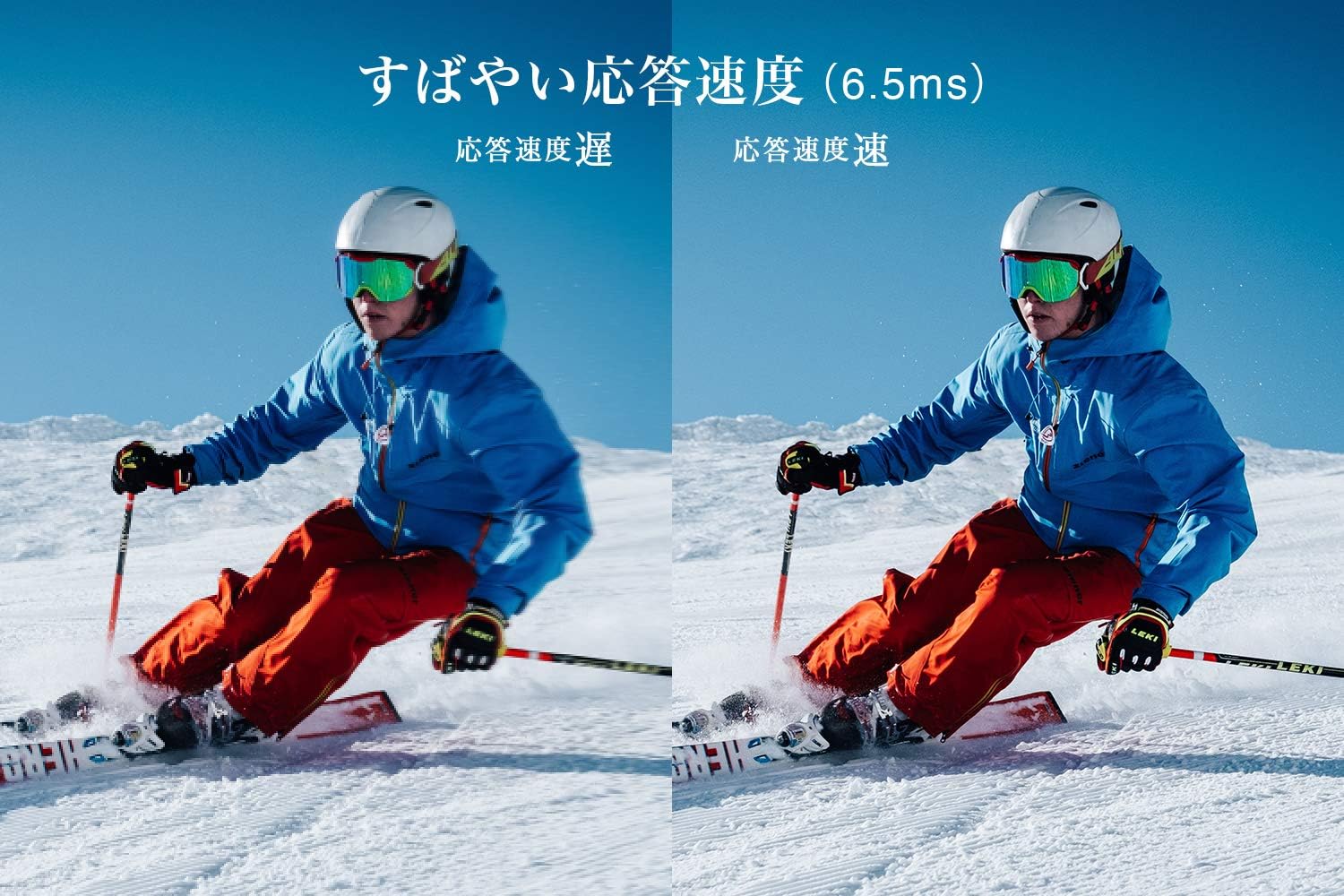
Figure 5: The TV features a fast response speed of 6.5ms for clear motion.
4. Konserwacja
4.1 Czyszczenie ekranu
Delikatnie przetrzyj ekran miękką, suchą, niepozostawiającą włókien ściereczką. W przypadku uporczywych zabrudzeń delikatnie przetrzyj.ampen the cloth with water or a specialized screen cleaner (ensure it's suitable for LCD screens) and wipe carefully. Avoid applying excessive pressure.
4.2 Czyszczenie obudowy telewizora
Wipe the TV body with a soft, dry cloth. Do not use abrasive cleaners, waxes, or solvents as they can damage the finish.
4.3 Ogólna opieka
- Unikaj wystawiania telewizora na bezpośrednie działanie promieni słonecznych i ekstremalnych temperatur.
- Aby zapobiec przegrzaniu, należy zapewnić odpowiednią wentylację wokół telewizora.
- Odłączaj telewizor od gniazdka elektrycznego podczas burzy z piorunami lub jeśli nie będziesz go używać przez dłuższy czas.
5. Rozwiązywanie Problemów
If you encounter issues with your TV, refer to the following common troubleshooting steps. If the problem persists, contact customer support.
5.1 Brak zasilania
- Sprawdź, czy przewód zasilający jest prawidłowo podłączony do telewizora i gniazdka ściennego.
- Sprawdź, czy gniazdko ścienne działa prawidłowo, podłączając do niego inne urządzenie.
- Naciśnij przycisk zasilania na samym telewizorze, a nie tylko na pilocie.
5.2 No Picture/No Signal
- Sprawdź, czy wybrano prawidłowe źródło sygnału wejściowego (np. HDMI 1, TV).
- Sprawdź wszystkie połączenia kablowe (HDMI, antenowe) pod kątem luzu i uszkodzeń.
- Jeśli używasz urządzenia zewnętrznego, upewnij się, że jest ono włączone i działa prawidłowo.
- Perform a channel scan if you are watching broadcast TV.
5.3 Brak dźwięku
- Sprawdź poziom głośności i upewnij się, że telewizor nie jest wyciszony.
- Jeśli używasz zewnętrznych głośników, upewnij się, że są prawidłowo podłączone i włączone.
- Sprawdź ustawienia dźwięku w menu telewizora.
5.4 Pilot zdalnego sterowania nie działa
- Wymień baterie na nowe.
- Upewnij się, że między pilotem a czujnikiem podczerwieni telewizora nie ma żadnych przeszkód.
6. Specyfikacje
| Funkcja | Specyfikacja |
|---|---|
| Rozmiar wyświetlacza | 32 cali |
| Technologia wyświetlania | LCD |
| Rezolucja | Rozdzielczość HD (1366x768) |
| Częstotliwość odświeżania | 60 Hz |
| Proporcje obrazu | 16:9 |
| Współczynnik kontrastu | 3000:1 |
| Viewing kąt | 178/178 degrees (JEITA standard, CR>=10) |
| Typ podświetlenia | Dioda świecąca bezpośrednio |
| Prędkość reakcji | 6.5 ms |
| Wymiary (z podstawką) | Szerokość 731 x wysokość 491 x głębokość 186 mm |
| Wymiary (bez podstawki) | Szerokość 731 x wysokość 436 x głębokość 76 mm |
| Waga (z podstawką) | 4.4 kg |
| Waga (bez stojaka) | 4.3 kg |
| Uchwyt ścienny (VESA) | 100x100mm |
| Roczne zużycie energii | 45 kWh/rok |
| Porty HDMI | 2 (HDMI Ver1.4a, Port 1 supports ARC) |
| Porty USB | 1 (USB2.0) |
| Typ tunera | Terrestrial Digital, BS Digital, 110-degree CS Digital (Dual Tuner) |
| Rok modelowy | 2019 |

Figure 6: TV dimensions and recommended viewodległość.

Figure 7: VA panel technology provides superior contrast and depth.
7. Gwarancja i wsparcie
7.1 Gwarancja producenta
Produkt objęty jest roczną gwarancją producenta od daty zakupu. Prosimy zachować dowód zakupu na wypadek roszczeń gwarancyjnych.
7.2 Obsługa klienta
For any inquiries, technical assistance, or repair requests, please contact TCL customer support. Our dedicated Japanese staff are available to assist you.
- Telefon: 0120-955-517
- Godziny otwarcia: 9:00 - 18:00 (Weekdays and Holidays, excluding year-end and New Year holidays)
- Webstrona: https://www.tcl.com/jp/ja/services.html
Nationwide repair service is available.
Figure 8: TCL Customer Support details.