
Wstęp
This manual provides detailed instructions for the safe and efficient operation, maintenance, and troubleshooting of your Amazon Basics 18-Sheet Cross-Cut Paper, CD, and Credit Card Shredder. Please read this manual thoroughly before using the shredder and retain it for future reference.
The Amazon Basics 18-Sheet Cross-Cut Shredder is designed to shred paper, CDs, DVDs, and credit cards, providing a secure way to dispose of sensitive information. It features a cross-cut mechanism for enhanced security, turning documents into small confetti-like pieces.
Informacje dotyczące bezpieczeństwa
Aby zminimalizować ryzyko pożaru, porażenia prądem lub obrażeń ciała, należy zawsze przestrzegać podstawowych zasad bezpieczeństwa podczas korzystania z tego produktu.
- Przechowywać w miejscu niedostępnym dla dzieci i zwierząt domowych.
- Keep loose clothing, jewelry, hair, and other small items away from the shredder opening.
- Do not place hands or fingers into the shredder opening.
- Always unplug the shredder when not in use or before moving, cleaning, or emptying the waste bin.
- Do not operate the shredder with a damaged power cord or plug.
- Nie niszcz etykiet samoprzylepnych, formularzy ciągłych ani plastiku innego niż karty kredytowe.
- Nie rozpylać na niszczarkę żadnych łatwopalnych produktów i nie używać jej w pobliżu materiałów łatwopalnych.
- Produkt ten zawiera substancje chemiczne, o których władze stanu Kalifornia wiedzą, że mogą powodować raka, wady wrodzone lub inne szkody reprodukcyjne.
Organizować coś
Rozpakowywanie
- Ostrożnie wyjmij niszczarkę z opakowania.
- Remove all packing materials, including any protective films or inserts.
- Inspect the shredder for any signs of damage. If damaged, do not operate and contact customer support.
Umieszczenie
- Niszczarkę należy ustawić na płaskiej i stabilnej powierzchni.
- Ensure there is adequate space around the shredder for ventilation and access to the waste bin.
- The shredder is equipped with casters for easy mobility. Lock the casters once the shredder is in its desired position.

Ogólnie view of the Amazon Basics 18-Sheet Cross-Cut Shredder, showing its compact design and casters.
Podłączenie zasilania
- Ensure the shredder is in the 'OFF' position (or unplugged) before connecting to power.
- Podłącz przewód zasilający do standardowego gniazdka elektrycznego.
Instrukcja obsługi
Elementy sterujące i wskaźniki
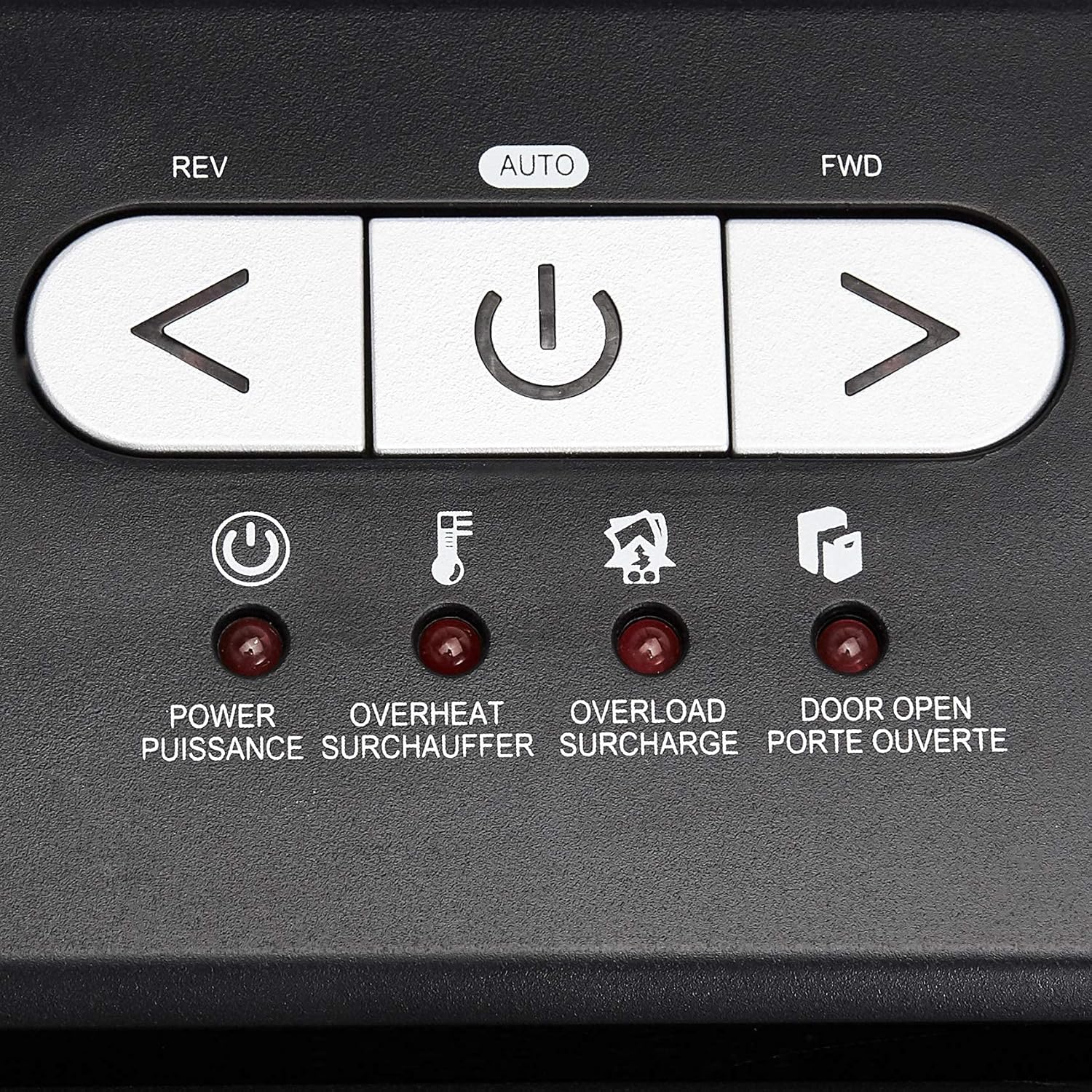
Z bliska view of the shredder's control panel, showing the REV, AUTO, FWD buttons and LED indicators.
| Kontrola/wskaźnik | Opis |
|---|---|
| REV (Reverse) Button | Moves the shredder blades in reverse to clear paper jams. |
| AUTO (Power/Auto) Button | Activates the shredder's automatic shredding function. The shredder will start when paper is inserted. |
| FWD (Forward) Button | Moves the shredder blades forward continuously. Useful for clearing small debris. |
| Power LED | Indicates the shredder is powered on. |
| Dioda przegrzania | Illuminates when the shredder has exceeded its maximum continuous run time and needs to cool down. |
| Dioda LED przeciążenia | Illuminates when too much material is inserted, causing the motor to strain. |
| Door Open LED | Indicates that the shredder head is not properly seated on the waste bin, or the bin is not fully closed. |
Podstawowa operacja niszczenia
- Ensure the shredder is plugged in and the power switch on the back (if present) is ON.
- Naciśnij AUTOMATYCZNY button on the control panel. The Power LED will illuminate.
- Do papieru: Insert up to 18 sheets of 20-pound bond paper into the paper entry slot. The shredder will automatically start and stop once the paper has passed through. Staples and small paper clips do not need to be removed.
- For CDs/DVDs: Insert one CD or DVD into the dedicated CD/DVD slot. The shredder will process the disc.
- W przypadku kart kredytowych: Insert one credit card into the dedicated credit card slot. The shredder will process the card.
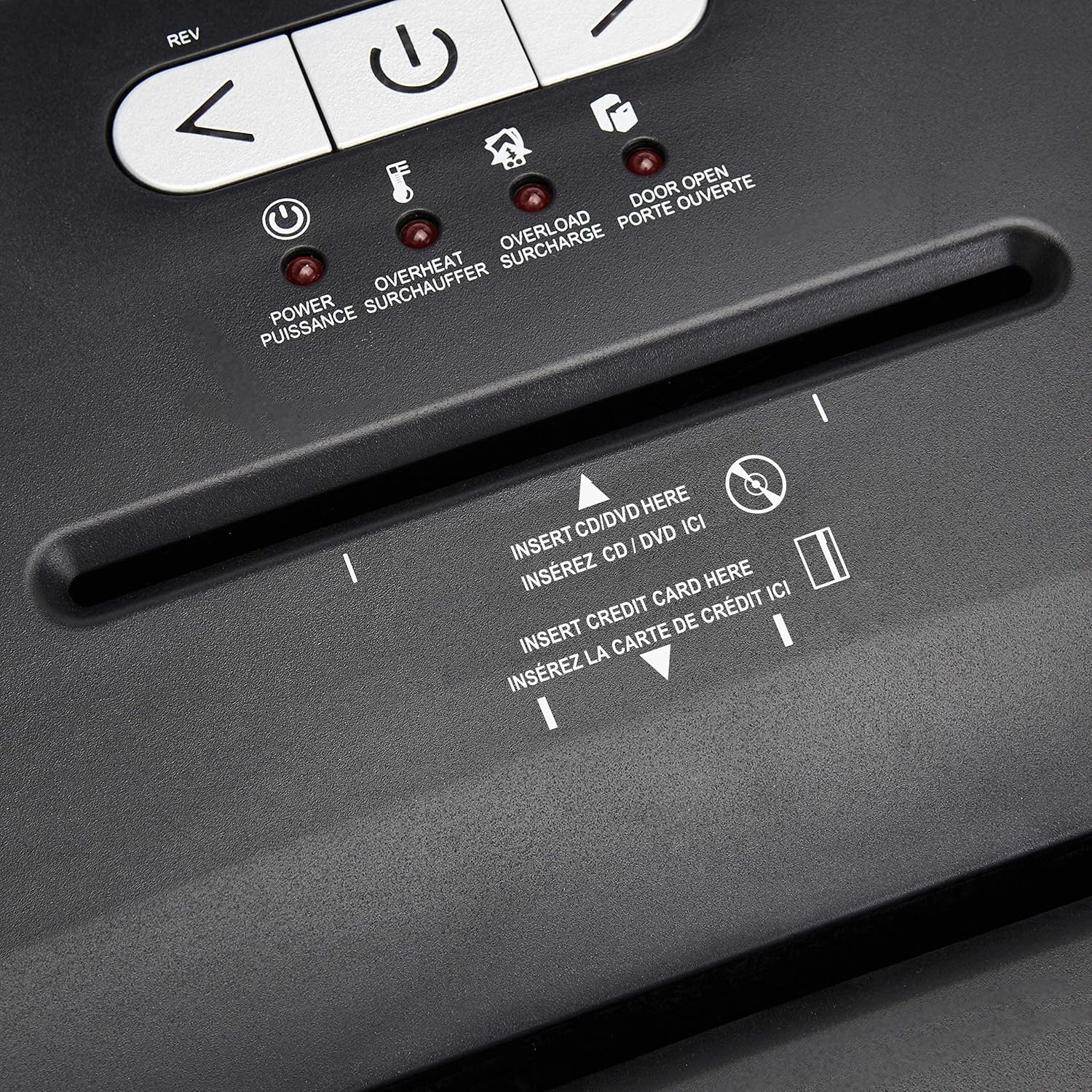
Szczegółowy view of the dedicated slots for shredding CDs/DVDs and credit cards.
Continuous Run Time and Overheat Protection
The shredder is designed for a continuous run time of 30 minutes, followed by a 10-minute cool-down period. If the shredder operates continuously beyond its maximum run time, it will automatically shut off to protect the motor from overheating. The Overheat LED will illuminate. Allow the shredder to cool down for at least 10 minutes before resuming operation. The shredder will automatically reset once cooled.
Zabezpieczenie przed przeciążeniem
If too many sheets of paper or an item too thick is inserted, the shredder may jam and the Overload LED will illuminate. To clear an overload, press the OBRÓT SILNIKA button to reverse the blades and remove the excess material. Reduce the amount of material and re-insert.
Konserwacja
Emptying the Shredder Bin
- Always unplug the shredder before emptying the waste bin.
- The 6-gallon bin has a window to monitor the fill level.
- Carefully pull out the waste bin from the front of the shredder.
- Przesyp rozdrobniony materiał do odpowiedniego pojemnika na odpady nadające się do recyklingu lub na śmieci.
- Slide the waste bin back into place, ensuring it is fully seated. The Door Open LED should turn off.
Czyszczenie
- Unplug the shredder before cleaning.
- Przetrzyj zewnętrzną część niszczarki miękką, suchą ściereczką. Nie używaj środków czyszczących o właściwościach ściernych ani rozpuszczalników.
- Periodically clean the shredder blades by running a shredder lubricant sheet or applying shredder oil to a sheet of paper and shredding it. This helps maintain optimal performance and extends the life of the blades.
Rozwiązywanie problemów
| Problem | Możliwa przyczyna | Rozwiązanie |
|---|---|---|
| Niszczarka nie włącza się. | Not plugged in; Power switch OFF; Waste bin not properly seated; Overheated. | Ensure power cord is securely plugged in. Turn the power switch ON. Push the waste bin firmly into place. Allow shredder to cool down if Overheat LED is on. |
| Zacięcie papieru. | Za dużo włożonego papieru; Papier nie został włożony prosto. | Naciśnij OBRÓT SILNIKA button to clear the jam. Remove excess paper. Reduce the amount of paper per pass. |
| Niszczarka zatrzymuje się w trakcie pracy i świeci się dioda LED informująca o przegrzaniu. | Przekroczono ciągły czas pracy. | Allow the shredder to cool down for at least 10 minutes. The shredder will automatically reset. |
| Shredder stops and Overload LED is on. | Too much material inserted. | Naciśnij OBRÓT SILNIKA button to remove the material. Reduce the amount of material and re-insert. |
| Door Open LED is on. | Waste bin not fully inserted or shredder head not properly seated. | Ensure the waste bin is pushed all the way in and the shredder head is correctly positioned on top. |
Specyfikacje
| Funkcja | Szczegół |
|---|---|
| Numer modelu | C218-A |
| Rodzaj niszczenia | Przekop |
| Rozdrabniany rozmiar | 4x35mm |
| Poziom bezpieczeństwa | P-3 |
| Pojemność arkusza | Up to 18 sheets (20-pound bond paper) |
| Strzępy | Papier, płyty CD, płyty DVD, karty kredytowe |
| Pojemność pojemnika | 6 galony |
| Ciągły czas pracy | 30 minut |
| Czas wyciszenia | 10 minut |
| Wymiary (dł. x szer. x wys.) | 10.35 x 14.45 x 20.47 cala |
| Waga przedmiotu | 24.4 funta |
| Kolor | Czarny |
| Typ materiału | Stal stopowa, metal, tworzywo sztuczne |
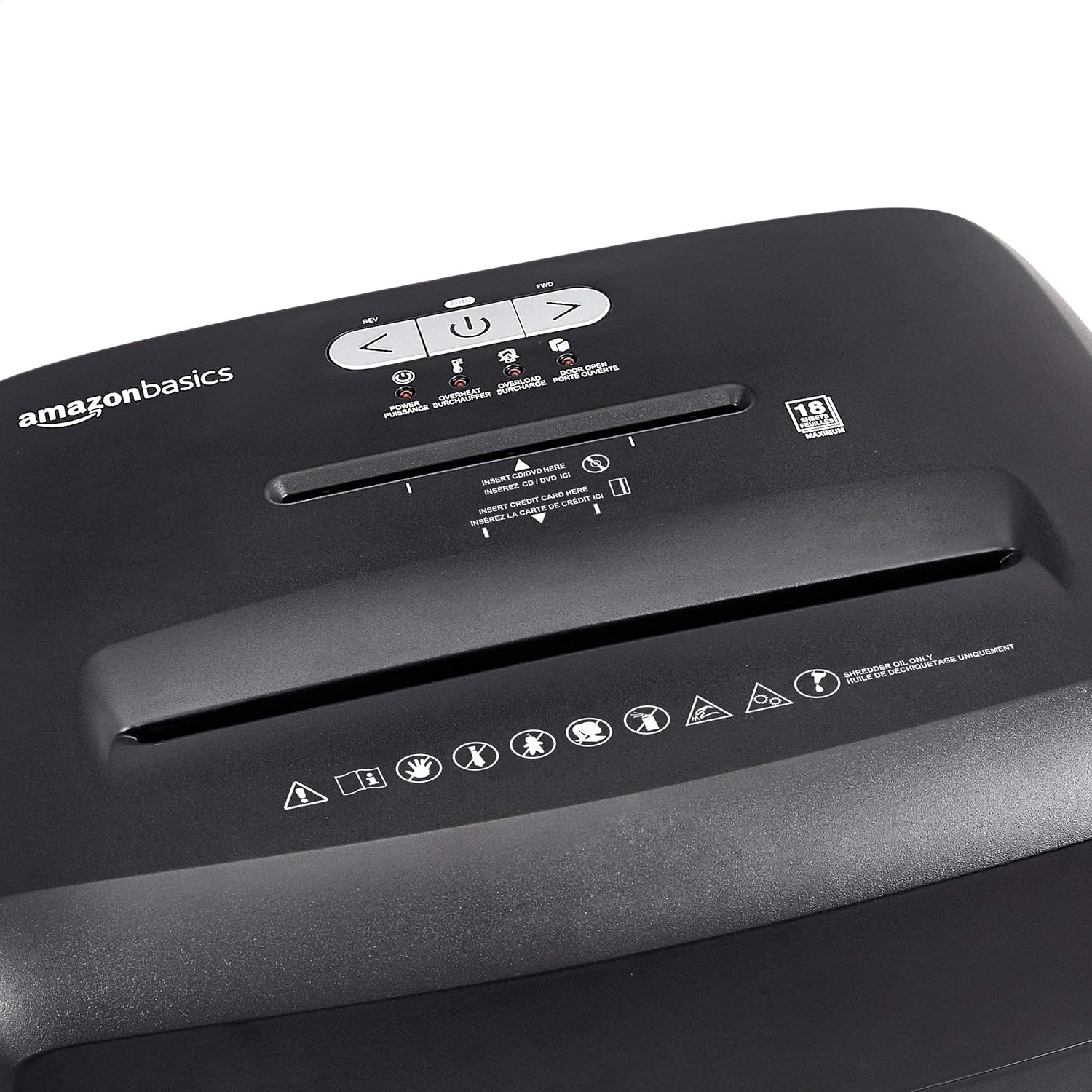
Diagram illustrating the dimensions of the shredder: 20.47 inches (51.51 cm) in height.
Informacje o gwarancji
This Amazon Basics product is backed by a limited warranty. For specific details regarding warranty coverage, duration, and terms, please refer to the warranty document included with your purchase or visit the official Amazon Basics webZachowaj dowód zakupu na wypadek roszczeń gwarancyjnych.
Obsługa klienta
For any questions, assistance, or troubleshooting not covered in this manual, please contact Amazon Basics Customer Service. You can typically find contact information on the Amazon website under the 'Help' or 'Customer Service' sections, or by visiting the Amazon Basics Store.