
Wstęp
Thank you for choosing Obbug True Wireless Earbuds. These earbuds are designed for comfort, durability, and high-quality audio, featuring an ergonomic design, IPX7 waterproof rating, and advanced Bluetooth 5.1 technology for stable connections and long battery life. This manual provides essential information for setup, operation, maintenance, and troubleshooting to ensure you get the best experience from your new earbuds.
Co jest w pudełku
- 1 x Pair of Wireless Earbuds
- 1 x przenośny futerał ładujący
- 1 x kabel typu C
- 4 x końcówki douszne (różne rozmiary)
- 1 x Instrukcja obsługi
Produkt ponadview

The Obbug True Wireless Earbuds come with a sleek, portable charging case. The earbuds feature a compact design for a comfortable and secure fit.

Słuchawki douszne zaprojektowano tak, aby można je było sparować jednym ruchem – łączą się automatycznie z urządzeniem po wyjęciu z etui ładującego.

Weighing only 4g each, these earbuds offer a super lightweight design for hassle-free listening and extended comfort.
Organizować coś
Ładowanie słuchawek dousznych
Before first use, fully charge the earbuds and the charging case. Place the earbuds into their respective slots in the charging case. The indicator lights on the case will show the charging status. Connect the Type-C cable to the charging case and a USB power source.

The charging case provides up to 120 hours of standby time and can fully recharge the earbuds 2-3 times, offering up to 5 hours of talk/play time per charge.
Official product video demonstrating the charging case and earbuds. This video highlights the design and charging functionality of the pink wireless earbuds.
Oficjalny film prezentujący produktasing the Mini Wireless Earbuds and their TWS Bluetooth Headset Charging Case. This video provides a visual guide to the product's features and charging capabilities.
Parowanie z urządzeniem
- Otwórz etui ładujące. Słuchawki automatycznie włączą się i przejdą w tryb parowania.
- Włącz Bluetooth na swoim urządzeniu (smartfonie, tablecie itp.).
- Szukaj "Q13S TWS" in the list of available Bluetooth devices and select it to connect.
- Po nawiązaniu połączenia usłyszysz komunikat potwierdzający, a kontrolki na słuchawkach zaczną się świecić.
The earbuds offer one-step pairing, compatible with iOS, Android, and Windows devices for seamless connection.
Wybór odpowiednich końcówek dousznych
The earbuds come with three different sizes of ear tips to ensure a comfortable and secure fit. Experiment with the different sizes to find the best fit for your ears. A proper fit enhances sound quality and noise isolation.
The ergonomic design and lightweight nature of the earbuds ensure a snug and comfortable fit for various activities, including sports and exercise.
Instrukcja obsługi
Podstawowe sterowanie
The Obbug True Wireless Earbuds feature intuitive touch controls for easy management of your audio and calls.

Control your music and calls with simple finger taps on the earbuds.
| Funkcjonować | Działanie |
|---|---|
| Odtwórz/Pauza | Pojedyncze dotknięcie dowolnej słuchawki |
| Volume + | Tap and hold right earbud |
| Tom - | Tap and hold left earbud |
| Następny utwór | Dwukrotnie dotknij prawej słuchawki |
| Poprzedni utwór | Dwukrotnie dotknij lewej słuchawki |
| Odbierz/Zakończ połączenie | Pojedyncze dotknięcie dowolnej słuchawki |
| Rozłącz połączenie | Dotknij i przytrzymaj dowolną słuchawkę |
| Asystent głosowy | Trzykrotne stuknięcie w dowolną słuchawkę |
Tryb pojedynczej słuchawki
Both earbuds can be used independently. Simply take one earbud out of the charging case, and it will automatically connect to your device. This allows for flexible usage, such as sharing one earbud with a friend or using one while the other charges.

Each earbud can be used independently, offering flexibility for various listening scenarios.
Konserwacja
Czyszczenie
To maintain optimal performance and hygiene, regularly clean your earbuds and charging case. Use a soft, dry, lint-free cloth to wipe down the surfaces. For ear tips, remove them and clean with a mild soap solution, then rinse thoroughly and dry completely before reattaching. Avoid using harsh chemicals or abrasive materials.
Odporność na wodę
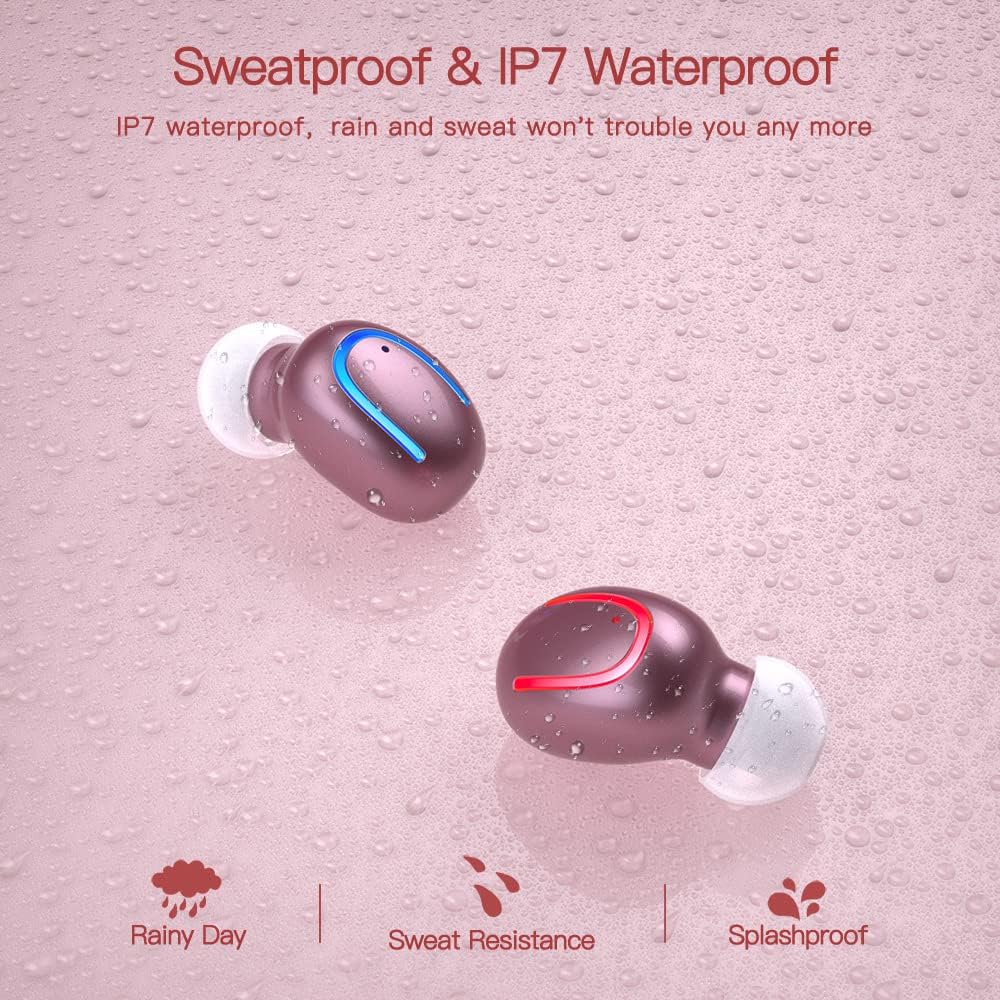
The earbuds are IPX7 waterproof, meaning they can withstand heavy rain and sweat during intense workouts. This protection is ideal for sports and all-weather conditions. Uwaga: Etui ładujące nie jest wodoodporne. Avoid submerging the charging case in water.

IPX7 water and sweat resistant nano-coating protects the earbuds from heavy rain or sweat during intense workouts.
Rozwiązywanie problemów
- Słuchawki nie łączą się: Ensure both earbuds are charged and removed from the case. Turn off and on your device's Bluetooth. If issues persist, try resetting the earbuds (refer to the full manual for specific reset instructions if available).
- Brak dźwięku lub niski poziom głośności: Check the volume levels on both your device and the earbuds. Ensure the earbuds are properly seated in your ears and that the ear tips are clean and correctly sized.
- Problemy z rozłączaniem: Upewnij się, że Twoje urządzenie znajduje się w zasięgu Bluetooth 12 metrów. Unikaj przeszkód, które mogą zakłócać sygnał.
- Problemy z ładowaniem: Verify the Type-C cable is securely connected to both the case and the power source. Check if the charging indicators on the case are active.
- Mikrofon nie działa: Ensure the earbuds are properly connected and selected as the audio input device on your phone during calls.
For further assistance, please consult the customer service for 24-hour after-sales support.
Specyfikacje
| Funkcja | Szczegół |
|---|---|
| Marka | Obbug |
| Nazwa modelu | Obbq13 / Q13S TWS |
| Technologia łączności | Bezprzewodowa (Bluetooth 5.1) |
| Poziom wodoodporności | Wodoodporność IPX7 |
| Czas pracy baterii (słuchawki douszne) | Up to 5 hours talk/play time |
| Czas pracy baterii (z etui) | Łączny czas odtwarzania do 20 godzin |
| Czas ładowania | Około 1-2 godzin |
| Pojemność etui ładującego | 600mAh |
| Typ sterowania | Sterowanie dotykowe |
| Umieszczenie ucha | W uchu |
| Waga przedmiotu | 0.64 uncji |
| Tworzywo | Plastikowy |
| Kompatybilne urządzenia | Android, iPhone, iPad, Samsung Galaxy, iPod Nano, Laptops & Tablets, etc. |
Gwarancja i wsparcie
Obbug products are manufactured with high-quality standards. For any product-related inquiries, technical support, or warranty claims, please contact Obbug customer service. Refer to your purchase documentation for specific warranty terms and contact information.
Customer service is available for 24 hours after-sales support to assist you with any concerns or issues you may encounter.