
Wprowadzenie i koniecview
The Roomba E5 (5150) Robot Vacuum is designed to provide powerful and efficient cleaning for your home. Equipped with a 3-Stage Cleaning System and Dual Multi-Surface Rubber Brushes, it effectively pulls in dust, dirt, and pet hair from various floor types. Its intelligent sensors allow for seamless navigation, while Wi-Fi connectivity enables control via the iRobot Home App or voice assistants like Amazon Alexa and Google Assistant.

Figure 1: The iRobot Roomba E5 Robot Vacuum and its accompanying smartphone application.
Cechy produktu
- Mocne ssanie: Delivers 5X the air power for deep cleaning.
- Inteligentna łączność: Kompatybilny z Amazon Alexa i Google Assistant umożliwiającymi sterowanie głosowe.
- Ideal for Pet Owners: Effectively cleans dirt, hair, and allergens, trapping 99% of cat and dog dander allergens.
- Inteligentna nawigacja: Sensors intelligently navigate the robot under and around objects, avoiding obstacles and preventing falls down stairs.
- Automatyczne czyszczenie: Auto-adjusts to different floor types (carpets, rugs, tile, hardwood) and automatically recharges after cleaning.

Figure 2: The Roomba E5 demonstrating its power-lifting suction on a wooden floor.

Figure 3: An illustration of the Roomba E5's underside, highlighting its 5X power-lifting suction system.
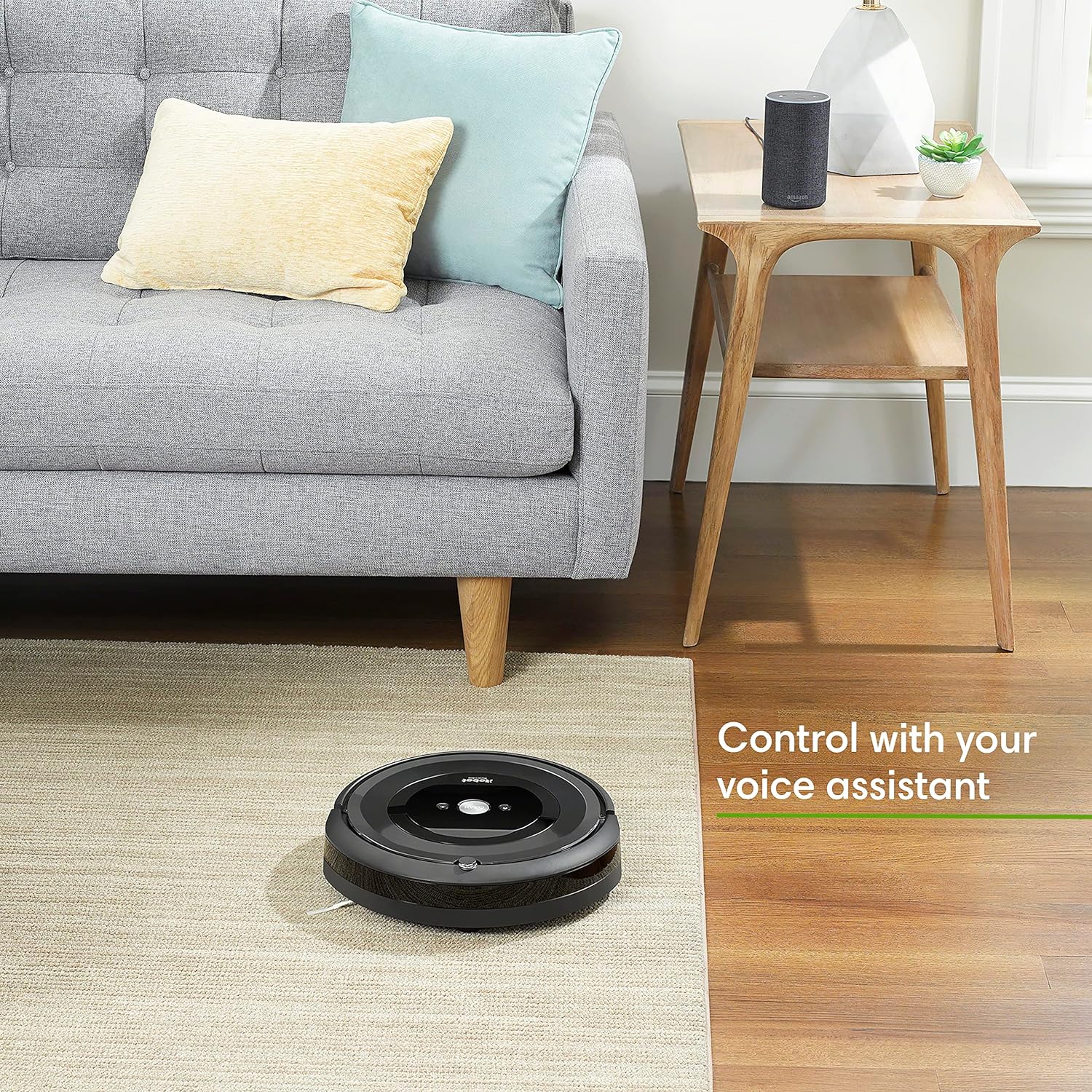
Figure 4: The Roomba E5 can be controlled using voice commands through compatible devices like Amazon Alexa.

Figure 5: The Roomba E5 utilizes Dirt Detect Technology to identify and focus on dirtier areas.
Wideo 1: Sędziaview of the iRobot Roomba E5 (5150) Robot Vacuum, highlighting its features and capabilities.
Specyfikacje
| Marka | iRobot |
| Nazwa modelu | Pokój |
| Numer modelu przedmiotu | e515020 |
| Kolor | Czarny |
| Wymiary produktu | 13.45" dł. x 13.39" szer. x 3.65" wys. |
| Waga przedmiotu | 7.23 funta |
| Żywotność baterii | 90 minut |
| Typ filtra | Dysk |
| Zawarte komponenty | Filter, Docking station, Cleaning pad |
Organizować coś
Before first use, ensure your Roomba E5 is fully charged. Place the Home Base charging station on a level surface against a wall, ensuring there are no obstacles for at least 1.5 feet (0.5 meters) on either side and 4 feet (1.2 meters) in front. Plug the Home Base into a power outlet. Place your Roomba E5 onto the Home Base, ensuring the charging contacts align. The battery indicator will show charging status. Download the iRobot Home App to connect your Roomba to your Wi-Fi network and access smart features like scheduling and remote control.
Instrukcja obsługi
To start a cleaning cycle, simply press the 'CLEAN' button on the robot or use the iRobot Home App. The Roomba E5 will automatically navigate your home, cleaning until its battery is low, at which point it will return to its Home Base to recharge. For targeted cleaning of a specific area, place the Roomba E5 on the desired spot and press the 'SPOT CLEAN' button. The robot will clean in a spiral pattern. You can also set up cleaning schedules via the iRobot Home App to automate daily or weekly cleaning tasks.
Konserwacja
Regular maintenance is crucial for optimal performance of your Roomba E5. After each cleaning cycle, empty the dust bin. The dust bin is washable; remove the filter before rinsing the bin under water. Allow the dust bin to dry completely before reinserting the filter and placing it back into the robot. Regularly check and clean the Dual Multi-Surface Rubber Brushes and the side brush to remove any tangled hair or debris. The filter should be replaced approximately every 2 months, or more frequently if you have pets.

Figure 6: The washable dust bin of the Roomba E5 can be easily rinsed for cleaning.
Rozwiązywanie problemów
If your Roomba E5 encounters an issue, it will typically provide an audible alert and an indicator light. Refer to the iRobot Home App for specific error messages and troubleshooting steps. Common issues include the robot getting stuck (clear obstacles from its path), the dust bin being full (empty and clean the bin), or the brushes needing cleaning (remove hair and debris). Ensure the Home Base is properly plugged in and free of obstructions if the robot is not returning to charge.
Gwarancja i wsparcie
The iRobot Roomba E5 (5150) Robot Vacuum comes with a 1-year limited warranty. For detailed warranty information, technical support, or to order replacement parts, please refer to the official documents below or visit the iRobot support webstrona.
- Instrukcja obsługi (PDF): Pobierz tutaj
- Gwarancja (PDF): Pobierz tutaj