
1. Wprowadzenie
The Klein Tools ET20 Wi-Fi Borescope is designed for visual inspection in hard-to-reach areas. It transmits video and images wirelessly to your smartphone or tablet, providing a clear view with its 9 mm waterproof camera and adjustable LED lights. The durable 6-foot armored gooseneck cable allows for flexible maneuvering through various spaces. This manual provides essential information for the safe and effective use of your ET20 borescope.
2. Co znajduje się w pudełku
Sprawdź, czy w przesyłce znajdują się wszystkie wymienione poniżej elementy:
- ET20 Wi-Fi Borescope
- Kabel ładujący USB
- Mocowanie haka
- Etui transportowe
- Instrukcja obsługi
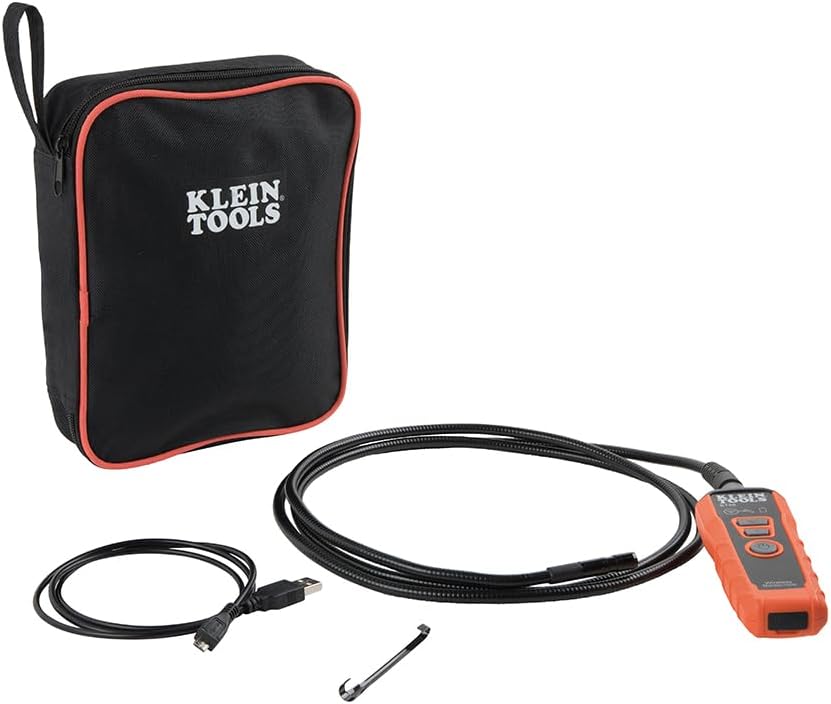
Image: Klein Tools ET20 Borescope, USB charging cable, hook attachment, and carrying case.
3. Funkcje produktu
- Bezprzewodowa transmisja wideo: Connects to your smartphone or tablet via Wi-Fi, transmitting video and images up to 30 feet (9 m) away.
- Waterproof 9 mm Camera: Captures high-quality 640 x 480 images and video. Equipped with 6 adjustable LED lights for optimal illumination.
- Durable Gooseneck Cable: Features a 6-foot (1.8 m) armored, flexible, and waterproof gooseneck cable for navigating obstacles.
- Adjustable LED Output: Control camera LED brightness directly on the borescope unit or through the companion app.
- Multi-Functional App: The Klein Borescope App allows for live viewing, recording, storing, and sharing of images and videos.
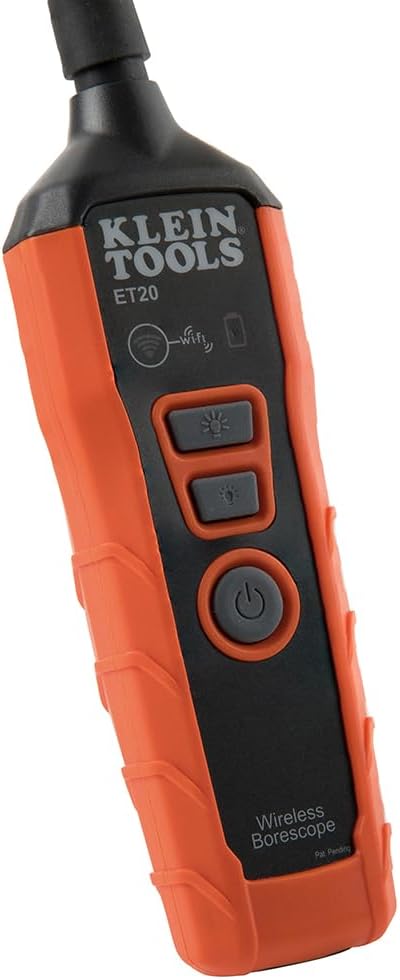
- Akumulator: Integrated lithium-ion battery with a status indicator for convenient power management.
Obraz: Zbliżenie view of the 9 mm camera head with integrated LED lights.
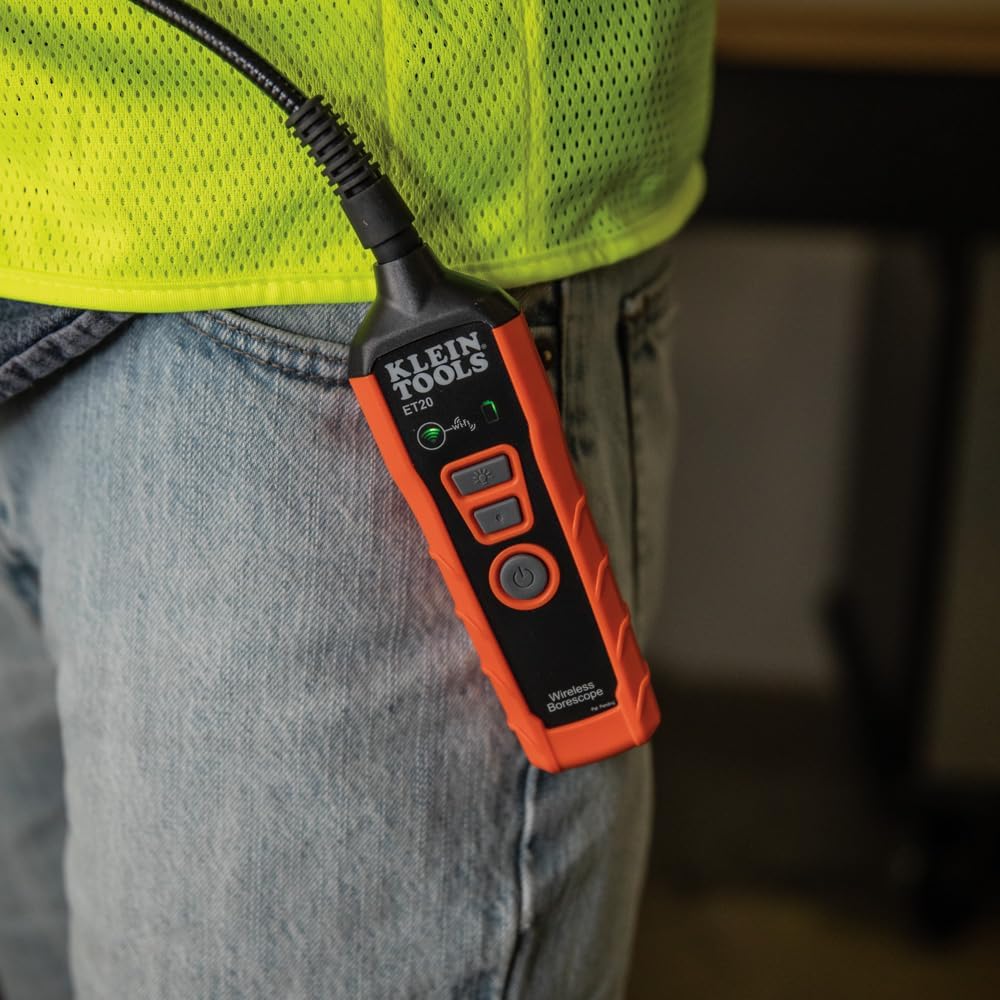
Image: The borescope unit with visible Wi-Fi and battery status indicators.
4. Instrukcje konfiguracji
- Charge the Borescope: Before first use, fully charge the borescope using the provided USB charging cable. Connect the micro-USB end to the borescope and the standard USB end to a compatible USB power source (e.g., computer, wall adapter). The battery status indicator will show charging progress.
- Pobierz aplikację: Download the "Klein Tools Wi-Fi Borescope" app from your device's app store (available for iOS and Android).
- Włączanie: Press and hold the power button on the borescope unit until the power indicator light illuminates.
- Połącz się z Wi-Fi: On your smartphone or tablet, go to Wi-Fi settings and connect to the Wi-Fi network broadcast by the borescope (e.g., "Klein_Borescope_XXXX"). No password is required.
- Uruchom aplikację: Open the Klein Tools Wi-Fi Borescope app. The live camera feed from the borescope should appear on your device screen.
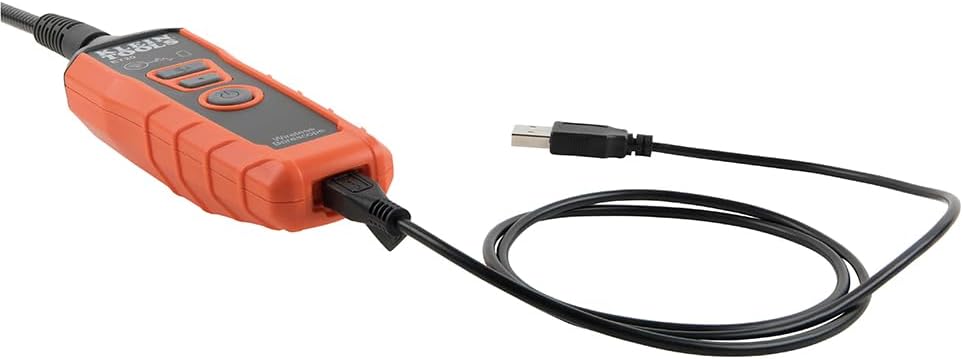
Image: The borescope unit connected to its USB charging cable.
5. Instrukcja obsługi
- Regulacja świateł LED: Use the dedicated LED light buttons on the borescope unit or the controls within the app to increase or decrease the brightness of the camera's LED lights. This helps illuminate dark inspection areas.
- Maneuver the Gooseneck: Carefully guide the armored gooseneck cable and camera head into the desired inspection area. The flexible yet rigid design allows for precise positioning.
- View Przekaz na żywo: Observe the live video feed on your connected smartphone or tablet.
- Przechwytuj obrazy/filmy: Use the photo and video recording buttons within the app to capture still images or record video footage of your inspection. Captured media is saved directly to your device.
- Zapisz i udostępnij: Access saved images and videos through the app's gallery. From there, you can save them to your device's photo library or share them via email or messaging applications.
- Wyłączone: After use, press and hold the power button on the borescope unit to turn it off. Disconnect the Wi-Fi connection on your device.
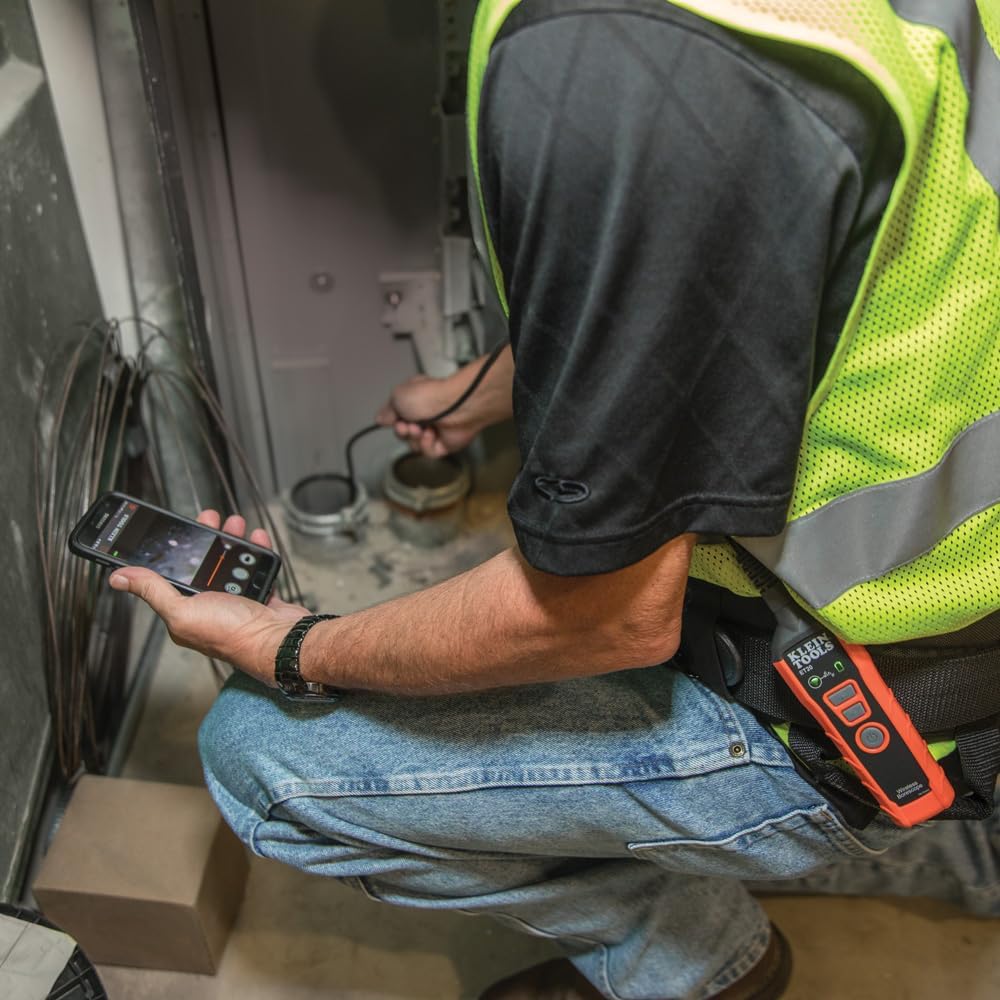
Image: User operating the borescope, viewoglądanie transmisji na żywo na smartfonie.
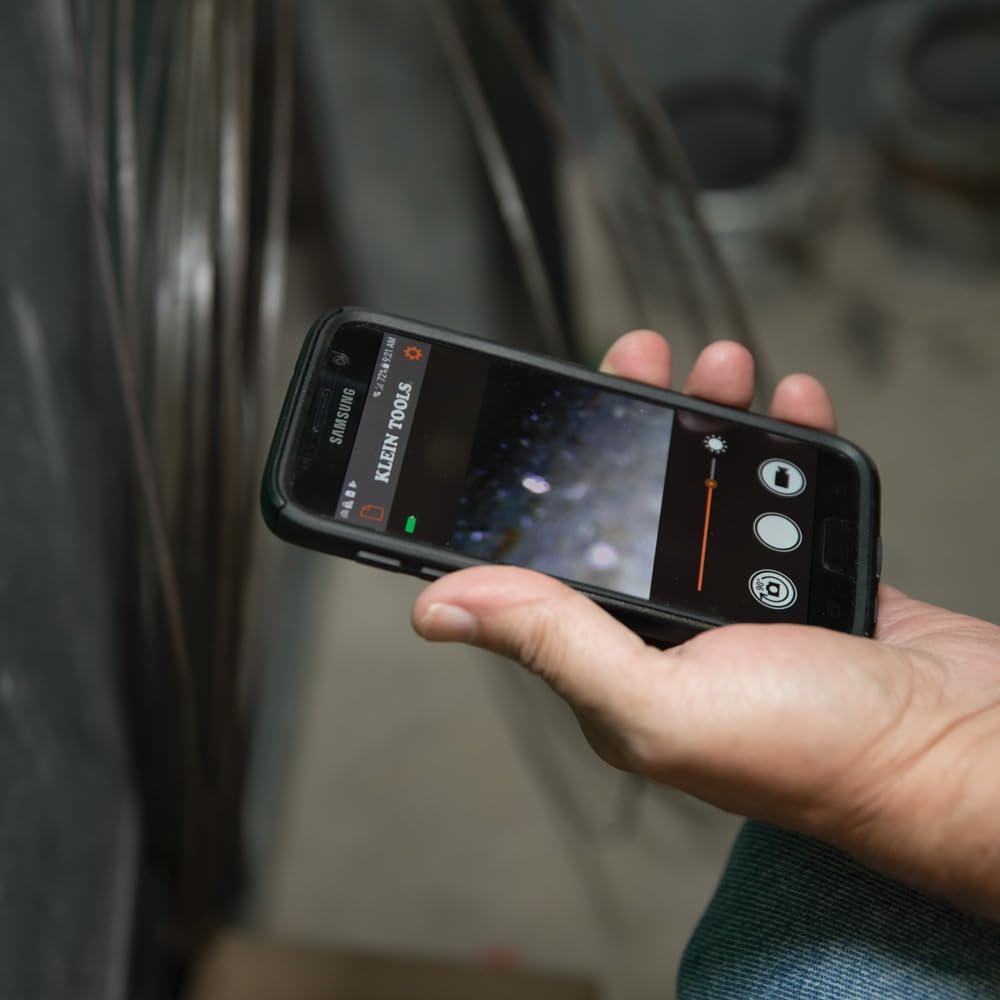
Image: The Klein Tools borescope app interface on a smartphone, showing the live camera view i kontrole.
6. Konserwacja
- Czyszczenie obiektywu aparatu: Gently wipe the camera lens with a soft, lint-free cloth. For stubborn dirt, use a small amount of lens cleaning solution. Ensure the lens is dry before storage.
- Cleaning the Gooseneck: The gooseneck cable is waterproof. After use in dirty or wet environments, wipe it clean with a damp płótno. Unikaj ostrych środków chemicznych.
- Pielęgnacja baterii: To prolong battery life, avoid fully discharging the battery frequently. Recharge the borescope regularly, especially if it will be stored for extended periods. Store in a cool, dry place.
- Składowanie: Store the borescope and its accessories in the provided carrying case to protect them from damage and dust.
7. Rozwiązywanie Problemów
- Brak obrazu w aplikacji:
- Ensure the borescope is powered on and the Wi-Fi indicator is active.
- Verify your smartphone/tablet is connected to the borescope's Wi-Fi network.
- Restart both the borescope and the app.
- Check if your phone's power-saving mode is interfering with the Wi-Fi connection.
- Słaba jakość obrazu:
- Adjust the LED light brightness using the buttons on the unit or within the app.
- Clean the camera lens if it appears dirty.
- Ensure the camera is within its optimal focus range (macro focus range: 9 millimeters).
- Borescope Not Powering On:
- Charge the battery. The battery may be fully discharged.
- Upewnij się, że przycisk zasilania jest wciśnięty i przytrzymany wystarczająco długo.
- App Freezes or Disconnects:
- Upewnij się, że system operacyjny Twojego urządzenia jest aktualny.
- Zamknij i ponownie otwórz aplikację.
- Sprawdź dostępność aktualizacji aplikacji w sklepie z aplikacjami na swoim urządzeniu.
- Minimize other applications running in the background that might consume resources.
8. Specyfikacje
| Funkcja | Specyfikacja |
|---|---|
| Nazwa modelu | ET20 |
| Marka | NARZĘDZIA KLEINA |
| Technologia łączności | Wi-Fi |
| Średnica kamery | 9 mm |
| Długość gęsiej szyi | 6 stóp (1.8 m) |
| Poziom wodoodporności | Wodoodporny |
| Rozdzielczość przechwytywania wideo | 640x480 |
| Efektywna rozdzielczość obrazu nieruchomego | 0.3 MP |
| Typ baterii | Akumulator litowo-jonowy |
| Średnia żywotność baterii | 5.5 godzin |
| Kompatybilne urządzenia | Smartfon, Tablet |
| File Format | JPG, MP4 |
| Waga przedmiotu | 567 gram |
9. Gwarancja i wsparcie
Aby uzyskać szczegółowe informacje dotyczące gwarancji i obsługi klienta, zapoznaj się z oficjalną stroną Klein Tools webOdwiedź stronę internetową lub skontaktuj się bezpośrednio z działem obsługi klienta. Zachowaj paragon zakupu na wypadek reklamacji.
Producent: Narzędzia Kleina
Kod UPC: 092644692314


