
1. Wprowadzenie
Thank you for choosing the Targus W620 Wireless Optical Mouse. This manual provides detailed instructions for setting up, operating, and maintaining your mouse to ensure optimal performance and longevity. The Targus W620 offers reliable 2.4 GHz wireless connectivity, a precise 1600 DPI optical sensor, and a compact design suitable for both office and mobile use.
2. Zawartość opakowania
Proszę sprawdzić, czy w paczce znajdują się następujące elementy:
- Targus W620 Wireless Optical Mouse
- Odbiornik USB
- 2 baterie AAA
3. Koniec produktuview
Familiarize yourself with the components of your Targus W620 Wireless Optical Mouse.
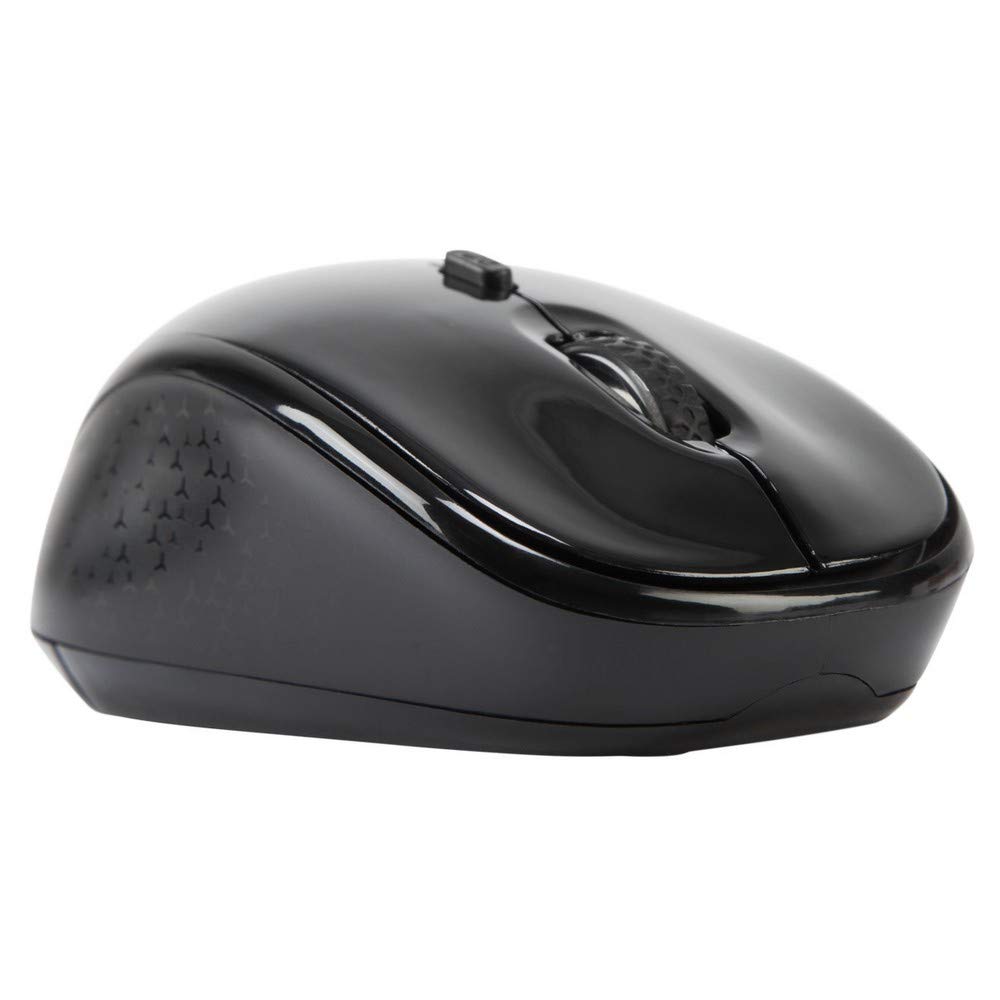
Obraz 3.1: Szczyt view of the Targus W620 Wireless Optical Mouse. This image displays the primary buttons and scroll wheel.
- Lewy przycisk myszy: Standardowa funkcja kliknięcia podstawowego.
- Przycisk prawego przycisku myszy: Standardowa funkcja dodatkowego kliknięcia.
- Kółko przewijania: Do przewijania w pionie i obsługi środkowym przyciskiem myszy.
- Przycisk DPI: Dostosowuje czułość myszy (DPI).
- Czujnik optyczny: Located on the bottom, detects mouse movement.
- Komora baterii: Located on the bottom, holds two AAA batteries.
- Miejsce do przechowywania odbiornika USB: A dedicated slot on the bottom for storing the USB receiver when not in use.

Obraz 3.2: Spód view of the mouse, highlighting the battery compartment and optical sensor.
4. Instrukcje konfiguracji
Follow these steps to set up your Targus W620 Wireless Optical Mouse:
- Zainstaluj baterie:
- Znajdź pokrywę komory baterii znajdującą się na spodzie myszy.
- Otwórz pokrywę.
- Włóż dwie baterie AAA, zwracając uwagę na prawidłową biegunowość (+/-).
- Dokładnie zamknij pokrywę komory baterii.
- Podłącz odbiornik USB:
- The USB receiver is typically stored in a slot on the bottom of the mouse for transport. Gently remove it.
- Podłącz odbiornik USB do dostępnego portu USB w komputerze.

Obraz 4.1: The mouse with its USB receiver, ready for connection.
- Włączanie:
- There is no explicit power switch on this model; the mouse activates upon movement and connection.
- Twój komputer powinien automatycznie wykryć i zainstalować niezbędne sterowniki. Może to potrwać chwilę.
- Once drivers are installed, the mouse is ready for use.
5. Instrukcja obsługi
The Targus W620 Wireless Optical Mouse is designed for intuitive use. Here are its primary functions:
- Podstawowa nawigacja: Przesuwaj myszkę po płaskiej powierzchni, aby sterować kursorem na ekranie.
- Lewy przycisk myszy: Use for selecting items, opening files lub aktywowanie funkcji.
- Kliknij prawym przyciskiem myszy: Use for accessing context menus or secondary functions.
- Kółko przewijania: Rotate the wheel to scroll vertically through documents and web pages. Press the scroll wheel for a middle-click function, often used for opening links in new tabs or auto-scrolling.
- Regulacja DPI: Press the DPI button (located behind the scroll wheel) to cycle through the available DPI settings (800, 1200, 1600 DPI). This changes the sensitivity of the mouse cursor. A higher DPI means the cursor moves further with less physical mouse movement.
6. Konserwacja
Proper maintenance ensures the longevity and performance of your mouse.
- Czyszczenie: Do czyszczenia zewnętrznej części myszy użyj miękkiej, suchej i niepozostawiającej włókien ściereczki. W przypadku uporczywych zabrudzeń delikatnie przetrzyjampPrzetrzyj szmatkę wodą. Unikaj stosowania silnych środków chemicznych i ściernych środków czyszczących.
- Czujnik optyczny: Utrzymuj obszar czujnika optycznego na spodzie myszy w czystości i zapobiegaj gromadzeniu się kurzu lub zanieczyszczeń, aby zapewnić precyzyjne śledzenie ruchów.
- Wymiana baterii: When the mouse performance degrades or stops responding, it is likely time to replace the batteries. Follow the steps in Section 4.1 to replace the two AAA batteries.
- Składowanie: When transporting or storing the mouse, always place the USB receiver back into its dedicated storage slot on the bottom of the mouse to prevent loss.
7. Rozwiązywanie Problemów
If you encounter issues with your Targus W620 mouse, try the following solutions:
| Problem | Możliwe rozwiązanie |
|---|---|
| Mouse not responding or cursor not moving. |
|
| Ruch kursora jest chaotyczny lub przerywany. |
|
| Przycisk DPI nie zmienia czułości. |
|
| Problemy z połączeniem bezprzewodowym. |
|
8. Specyfikacje
| Marka | Targus |
| Numer modelu | AMW620AP |
| Technologia łączności | 2.4 GHz bezprzewodowo (częstotliwość radiowa) |
| Technologia wykrywania ruchu | Optical (BlueTrace Technology) |
| Poziomy DPI | 800 / 1200 / 1600 DPI (regulowana) |
| Liczba przycisków | 4 (Left, Right, Scroll Wheel, DPI) |
| Orientacja dłoni | Right (Comfortable for ambidextrous use) |
| Źródło zasilania | 2 baterie AAA (w zestawie) |
| Waga przedmiotu | 26 gram |
| Zgodność z systemem operacyjnym | Linux, Windows XP (Compatible with modern Windows and macOS) |
| Platforma sprzętowa | Mac, PC |
| Kolor | Czarny |
9. Gwarancja i wsparcie
Informacje o gwarancji: The Targus W620 Wireless Optical Mouse comes with a 3-letnia gwarancja producenta od daty zakupu. Niniejsza gwarancja obejmuje wady materiałowe i wykonawcze wynikające z normalnego użytkowania. Prosimy zachować dowód zakupu na wypadek roszczeń gwarancyjnych.
Obsługa klienta: For technical assistance, troubleshooting beyond this manual, or warranty inquiries, please visit the official Targus website or contact their customer support service. Refer to the contact information provided with your product packaging or on the Targus official webstrona.