
Wstęp
Dziękujemy za zakupasing the MCombo L-Shaped Corner Desk. This manual provides detailed instructions for the assembly, operation, maintenance, and troubleshooting of your new desk. Please read this manual carefully before assembly and retain it for future reference.
Informacje dotyczące bezpieczeństwa
- Aby zapobiec porysowaniu, zawsze montuj biurko na miękkiej i czystej powierzchni.
- Ensure all parts are present before beginning assembly. Refer to the 'Package Contents' section.
- Do not overtighten screws during initial assembly. Fasten all screws securely only after all parts are in place.
- Małe części należy trzymać z dala od dzieci, aby uniknąć ryzyka zadławienia.
- Do not stand or sit on the desk during or after assembly.
- Regularly check and tighten all screws and bolts every 6 months to ensure stability.
- Adhere to the maximum weight recommendation of 110 pounds (50 kg).
Zawartość opakowania
Przed montażem należy sprawdzić, czy w opakowaniu znajdują się wszystkie elementy wymienione poniżej:
- L-Shaped Desk components (desktop panels, frame legs, support bars)
- Free CPU Stand
- Śrubokręt
- Instrukcja montażu (niniejsza instrukcja)
- Hardware pack (screws, bolts, adjustable foot pads)
Instrukcja montażu i instalacji
Assembly typically takes about 15 minutes for one person. Follow these steps carefully:
- Rozpakuj i zidentyfikuj części: Carefully unpack all components and lay them out on a clean, soft surface. Identify each part by comparing it with the parts list in your package. Ensure all screws and tools are present.
- Złóż ramę: Begin by attaching the frame legs to the main support bars. Do not fully tighten the screws at this stage. This allows for minor adjustments during assembly.
- Zamontuj panele biurkowe: Carefully place the L-shaped desktop panels onto the assembled frame. Align the pre-drilled holes in the desktop with the holes in the frame. Secure the desktop panels to the frame using the provided screws.
- Montaż regulowanych podkładek na nogi: Screw the non-slip adjustable round foot pads into the bottom of each leg. These pads help keep the table steady and prevent floor damage. Adjust them as needed to level the desk on uneven surfaces.
- Montaż podstawki pod procesor: Place the free CPU stand in your desired location under the desk. This stand is designed to hold your CPU unit without scratching the floor.
- Ostateczne dokręcanie: Once all parts are in place and the desk is correctly aligned, securely tighten all screws and bolts. Ensure the desk is stable and does not wobble.

Obraz: Desk Dimensions. This diagram illustrates the overall dimensions of the L-shaped desk, including the length of each side (66.13 inches and 47.24 inches), depth (18.89 inches), and height (29.13 inches), along with the CPU stand dimensions.

Obraz: Sturdy Frame Construction. A close-up view highlighting the thickened steel legs and the robust mechanical design of the desk's frame, ensuring stability and durability.

Obraz: Adjustable Leg Pads. This image shows the non-slip adjustable round foot pads attached to the bottom of the desk legs, designed to provide stability and protect your floor.
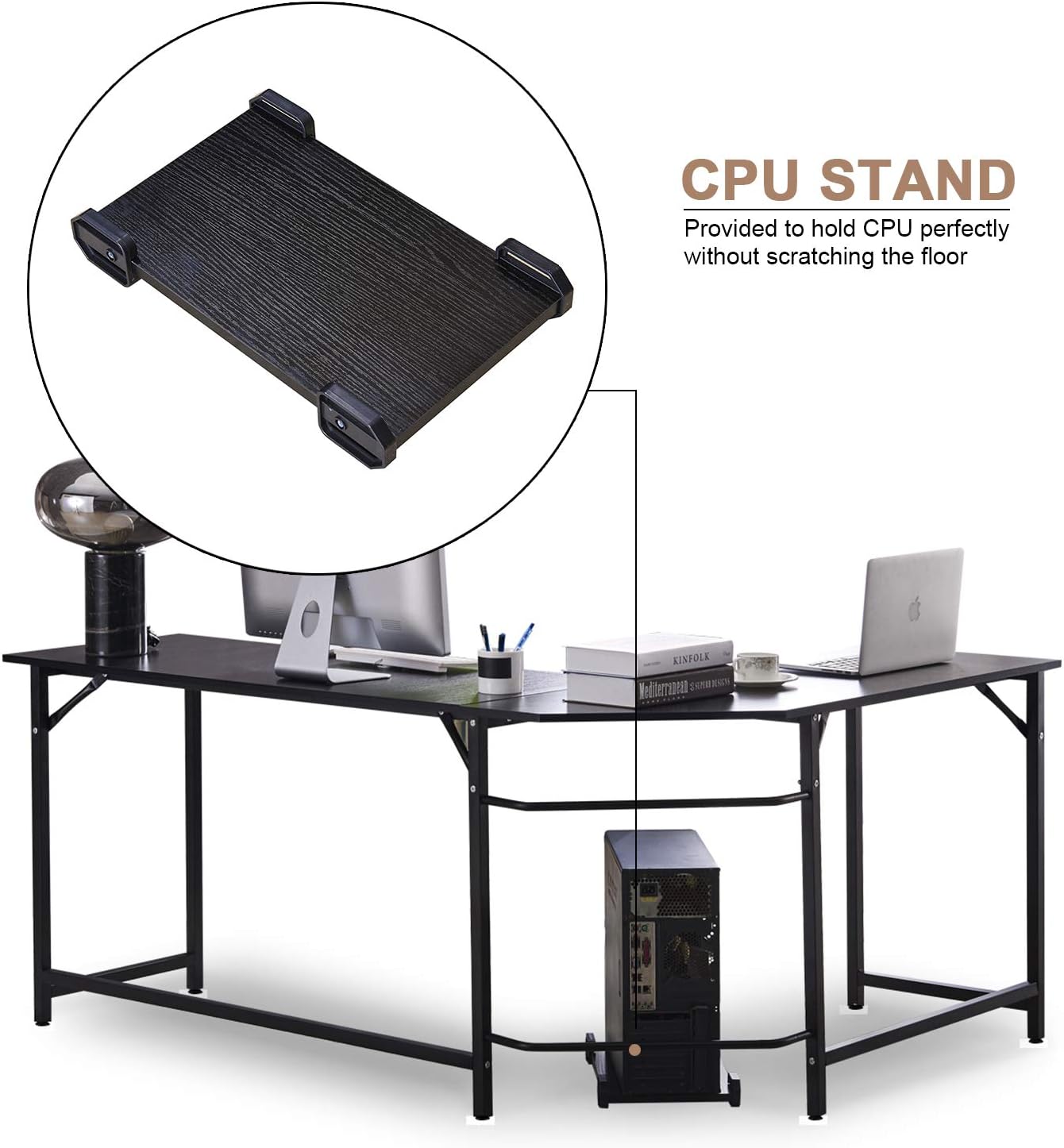
Obraz: CPU Stand. An illustration of the included CPU stand positioned under the desk, providing a dedicated space for your computer tower and preventing floor scratches.
Instrukcja obsługi
Your MCombo L-Shaped Corner Desk is designed for versatile use in home or office environments. While a desk does not have complex operational steps, consider the following for optimal use:
- Umieszczenie: Position the L-shaped desk in a corner to maximize space efficiency. Ensure there is adequate room for an office chair and movement.
- Rozkład masy: Distribute weight evenly across the desktop. Avoid placing heavy items solely on one section. The maximum weight capacity is 110 lbs.
- Podstawka pod procesor: Utilize the provided CPU stand to keep your computer tower off the floor, improving airflow and protecting it from dust and accidental kicks.
- Footrest Feature: The lower support bar can serve as a convenient footrest, offering comfort during long periods of sitting.
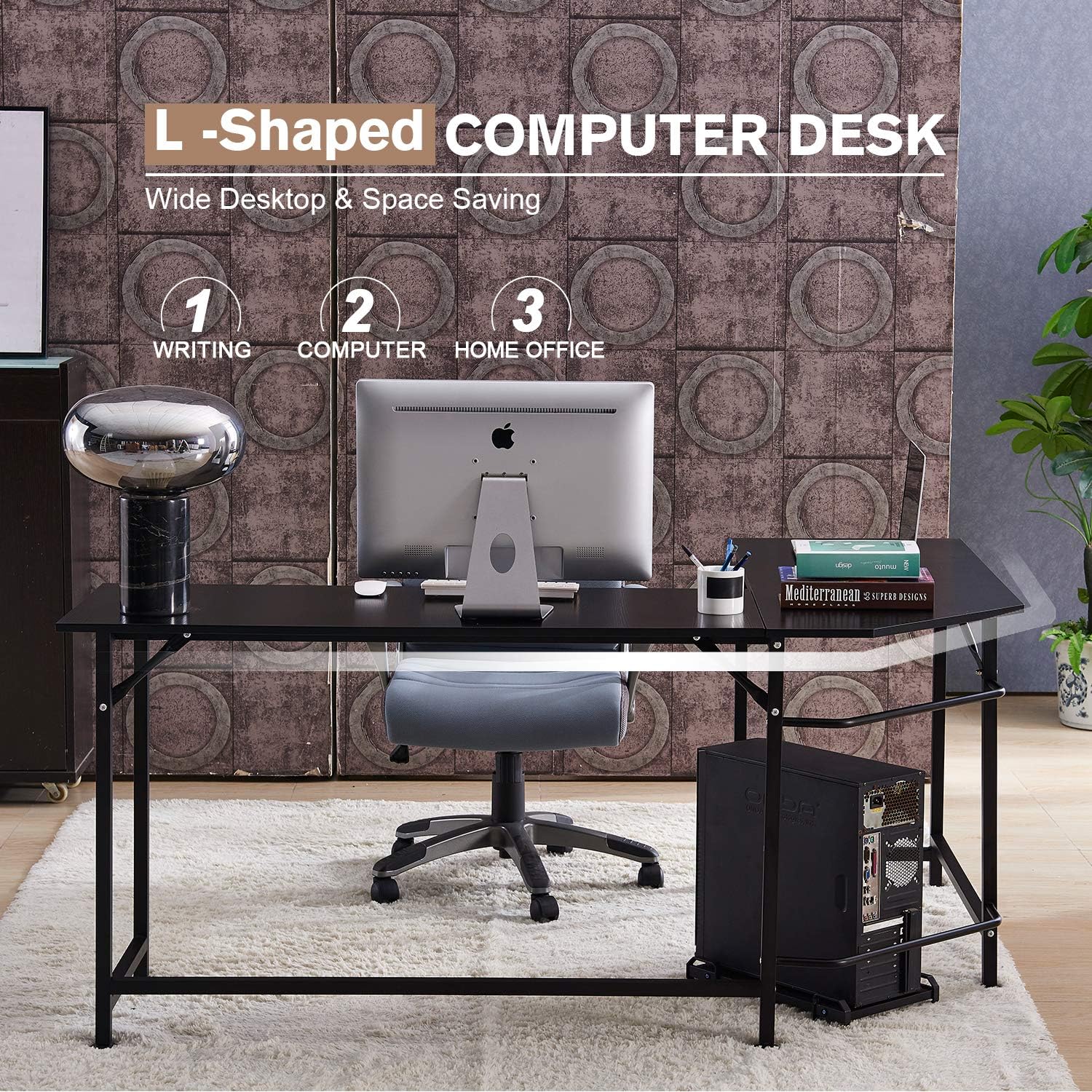
Obraz: Desk in Use. This image demonstrates the L-shaped desk configured in a home office setting, showcasing jego ample desktop area for a computer, accessories, and office supplies.

Obraz: Footrest Feature. A visual representation of the desk's lower bar being used as a footrest, providing ergonomic support and comfort during use.
Konserwacja
- Czyszczenie: Przetrzyj powierzchnie biurka miękką,amp szmatką. Unikaj silnych środków chemicznych i ściernych środków czyszczących, które mogłyby uszkodzić wykończenie.
- Regularne kontrole: Periodically inspect all screws and bolts. Tighten them every 6 months to maintain the desk's stability and structural integrity.
- Unikaj wilgoci: Do not expose the desk to excessive moisture or direct sunlight for prolonged periods, as this can cause warping or discoloration.
Rozwiązywanie problemów
- Biurko chwieje się po złożeniu:
- Ensure all screws and bolts are fully tightened. Adjust the non-slip adjustable foot pads on each leg to compensate for uneven floor surfaces.
- Brakujące części lub uszkodzone podzespoły:
- If you find any parts missing or damaged upon opening the package, please contact MCombo customer support immediately. Provide pictures of the damaged parts if applicable.
- Difficulty aligning parts during assembly:
- Ensure that no screws are fully tightened until all major components are loosely assembled. This allows for flexibility to align holes correctly before final tightening.
Specyfikacje
| Marka | MCombo |
| Numer modelu | 6090-7121CW |
| Kształt | Kształt litery L. |
| Wymiary produktu (Gł. x Szer. x Wys.) | 47.24" x 66.13" x 29.13" |
| Tworzywo | E1 Class Particle Board (Desktop), Thickened Steel (Frame & Legs) |
| Kolor | Black (as depicted in product images) |
| Maksymalna zalecana waga | 110 funtów (50 kg) |
| Wymagany montaż | Tak |
| Zawarte komponenty | L Shaped Desk, Free CPU Stand, Screwdriver, Instructions |
Note: While some product data may indicate 'White Oak' as a color option, this manual refers to the black version as primarily depicted.

Obraz: E1 Class Particle Board. This image highlights the desktop material, an E1 class environment-protecting particle board, emphasizing its quality and environmental consideration.
Gwarancja i wsparcie
MCombo provides a 1-letnia gwarancja producenta dla tego produktu. Dodatkowo, 30-dniowa polityka zwrotów is offered. If you encounter any issues, require assistance, or have questions regarding your desk, please contact MCombo customer support. When contacting support, please have your model number (6090-7121CW) and purchase information ready.
For support, please refer to the contact information provided with your purchase or visit the official MCombo webstrona.