
1. Wprowadzenie
The SENSSUN Nourish Digital Kitchen Food Scale (Model EK-IN7201B) is designed to assist you in precise food measurement and nutritional tracking. This smart scale connects via Bluetooth to a dedicated app, allowing you to monitor calorie intake and nutritional data for various foods. It features a capacity of 5kg (11lb) with a division of 0.1oz (1g), making it suitable for a wide range of kitchen tasks.

Image 1.1: The SENSSUN Nourish Digital Kitchen Food Scale, Model EK-IN7201B. This image shows the scale's sleek design and stainless steel platform.
2. Informacje dotyczące bezpieczeństwa
- Nie zanurzaj wagi w wodzie ani innych płynach.
- Wyczyść wagę za pomocą adamp ściereczka; unikaj środków czyszczących o właściwościach ściernych.
- Aby uzyskać dokładne pomiary, należy ustawić wagę na płaskiej i stabilnej powierzchni.
- Nie przeciążaj wagi ponad jej maksymalny udźwig 5 kg (11 funta).
- Trzymaj baterie poza zasięgiem dzieci. Zużyte baterie utylizuj w sposób odpowiedzialny.
- Avoid exposing the scale to extreme temperatures or direct sunlight.
- To urządzenie jest przeznaczone wyłącznie do użytku domowego.
3. Zawartość opakowania
Proszę sprawdzić, czy w paczce znajdują się następujące elementy:
- SENSSUN Nourish Digital Kitchen Food Scale
- Vegetable Peeler (accessory)
- Instrukcja obsługi
- AAA Batteries (may be included or required separately)
4. Konfiguracja
4.1 Instalacja baterii
- Znajdź komorę baterii na spodzie wagi.
- Otwórz pokrywę komory baterii.
- Włóż dwie (2) baterie AAA, zwracając uwagę na prawidłową biegunowość (+/-).
- Dokładnie zamknij pokrywę komory baterii.
4.2 Instalacja aplikacji
The SENSSUN Nourish scale operates with the "Senssun Healthfood" application. Download the app from your device's app store (Apple App Store for iOS or Google Play Store for Android).
- Szukaj "Senssun Healthfood".
- Zainstaluj aplikację na swoim smartfonie lub tablecie.
4.3 parowanie Bluetooth
- Sprawdź, czy Bluetooth jest włączony na Twoim smartfonie lub tablecie.
- Open the "Senssun Healthfood" app.
- Turn on the SENSSUN Nourish scale by pressing the power button.
- Aplikacja powinna automatycznie wykryć wagę i połączyć się z nią. Postępuj zgodnie z instrukcjami wyświetlanymi na ekranie, aby dokończyć proces parowania.
5. Instrukcja obsługi
5.1 Podstawowe ważenie
- Ustaw wagę na twardej, płaskiej powierzchni.
- Press the power button to turn on the scale. The display will show "0".
- Place the item to be weighed directly onto the center of the scale platform.
- Waga zostanie wyświetlona na ekranie LCD.

Image 5.1: The scale displaying a weight measurement with food on its platform. The display is designed for clear visibility.
5.2 Konwersja jednostek
Press the "UNIT" button on the scale to cycle through available measurement units: grams (g), ounces (oz), pounds (lb), and milliliters (ml). The scale can also measure water and milk volume.
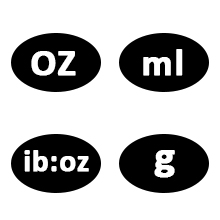
Image 5.2: Diagram illustrating the unit conversion options on the scale, including grams, ounces, pounds, and milliliters for water and milk.
5.3 Funkcja tary
Funkcja tarowania umożliwia ważenie przedmiotów w pojemniku poprzez odjęcie ciężaru pojemnika.
- Umieść pusty pojemnik na wadze.
- Press the "ZERO" or "TARE" button. The display will reset to "0".
- Add the food item into the container. The display will show only the weight of the food.
5.4 Using the Senssun Healthfood App
The app enhances the scale's functionality by providing nutritional analysis and tracking.
- Food Search and Nutrition Facts:
Place food on the scale. In the app, search for the food item. The app will display nutritional data such as fats, cholesterol, fiber, protein, vitamins, carbohydrates, and sugar for up to 1999 foods.

Image 5.3: The Senssun Healthfood app interface displaying food search results and nutritional information for a weighed item.

Image 5.4: The Senssun Healthfood app displaying a detailed breakdown of nutritional facts for various food components.
- Customize Diary Recipes:
Use the app to customize and analyze your breakfast, lunch, dinner, and snack recipes. This helps in calculating your daily nutritional intake to achieve health goals.

Image 5.5: The app's interface for customizing and tracking daily meal entries and nutritional goals.
- Śledź swoje postępy:
The app records your intake data on a daily, weekly, monthly, and yearly basis. You can review historical data to monitor your progress towards your dietary and health objectives.
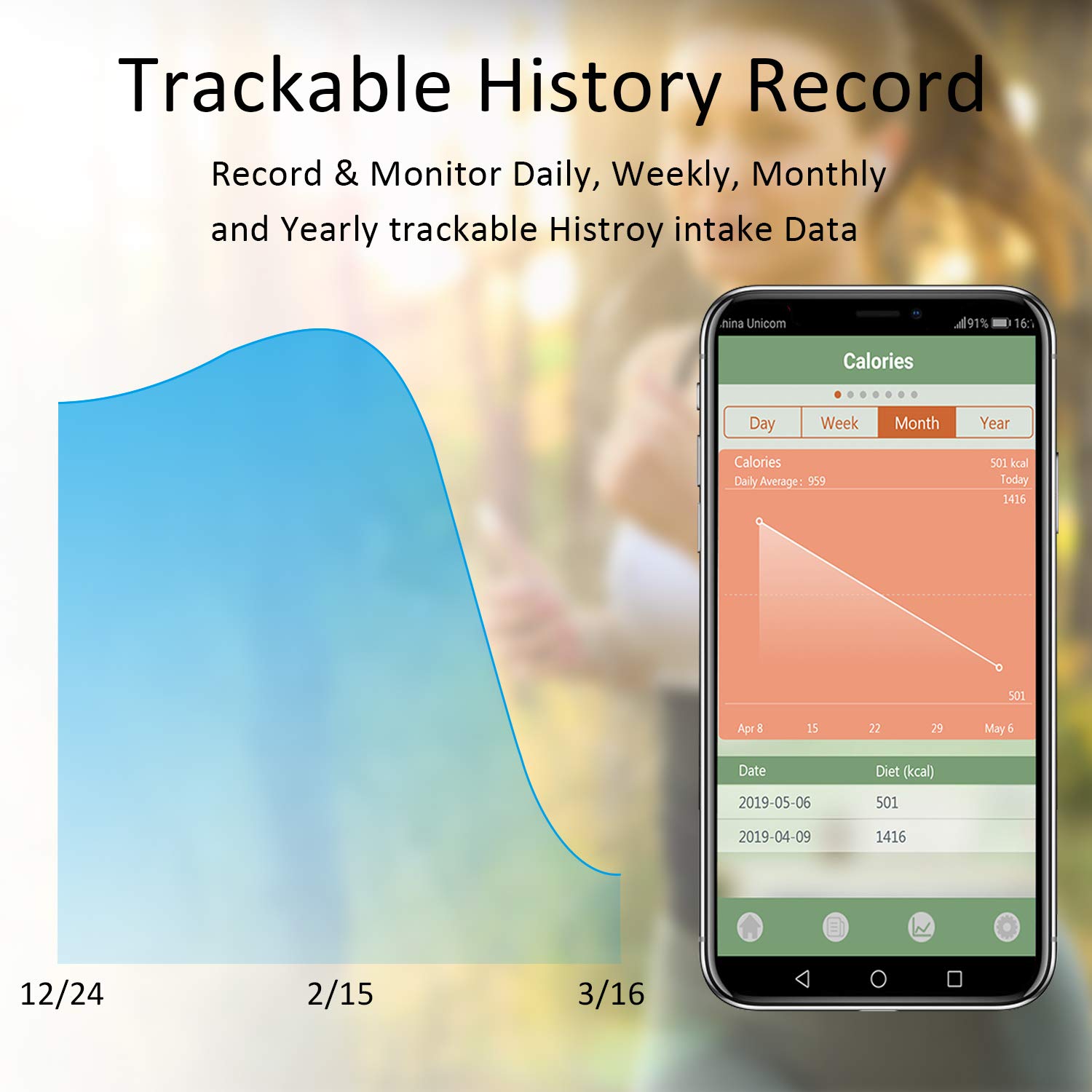
Image 5.6: The Senssun Healthfood app displaying a graph and data table of historical calorie intake, allowing users to track progress over time.
6. Konserwacja
6.1 Czyszczenie
The scale features a durable stainless steel platform with an anti-fingerprint coating for easy cleaning. Wipe the surface with a soft, damp ściereczką. Nie używaj środków czyszczących o właściwościach ściernych ani nie zanurzaj wagi w wodzie.
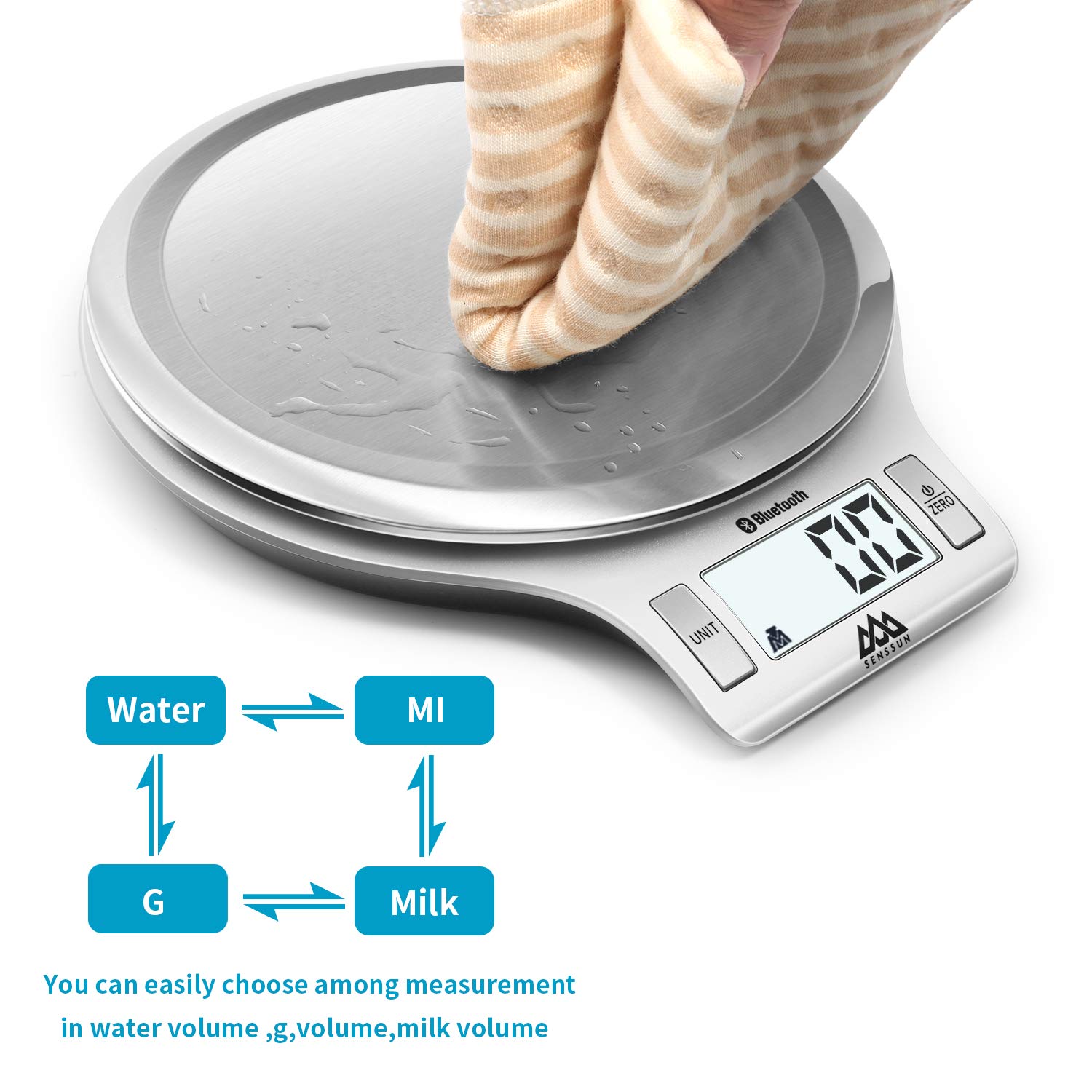
Image 6.1: A hand wiping the stainless steel surface of the scale, demonstrating its easy-to-clean design.
6.2 Przechowywanie
The scale's mini slim and sleek design allows for convenient storage. It can be stored flat in a drawer or hung on a wall hook to save kitchen space.
7. Rozwiązywanie Problemów
| Problem | Możliwa przyczyna | Rozwiązanie |
|---|---|---|
| Waga nie włącza się. | Niski poziom naładowania baterii lub rozładowane baterie; nieprawidłowa instalacja baterii. | Replace batteries with new AAA batteries. Ensure batteries are inserted with correct polarity. |
| Niedokładne odczyty. | Waga nie stoi na płaskiej, stabilnej powierzchni; jest przeciążona; czujniki są brudne. | Place scale on a firm, level surface. Do not exceed 5kg/11lb. Clean the scale surface. Recalibrate if possible (refer to app for calibration options). |
| Połączenie Bluetooth nie powiodło się. | Bluetooth off on device; app not open; scale too far from device; interference. | Ensure Bluetooth is enabled on your phone/tablet. Open the "Senssun Healthfood" app. Bring the scale closer to your device. Restart both the scale and your device. |
| App not displaying nutrition data. | Food item not found in database; app error; no internet connection. | Ensure the food item is correctly searched. Check your internet connection. Update the app to the latest version. Restart the app. |
8. Specyfikacje
- Marka: SENSUN
- Model: EK-IN7201B
- Pojemność: 5 kg / 11 funtów
- Dział: 1 g / 0.1 uncji
- Jednostki: g, oz, lb, ml (water/milk)
- Tworzywo: Stal nierdzewna
- Wymiary: 8 x 7 x 1 cala (20.3 x 17.8 x 2.5 cm)
- Waga przedmiotu: 12 uncji (0.34 kg)
- Moc: 2 x AAA Batteries (not always included)
- Łączność: Bluetooth
- Zgodność aplikacji: "Senssun Healthfood" (iOS & Android)
- Cechy szczególne: Auto Shut Off, Tare Function, Nutrition Tracking, Recipe Customization, Progress Monitoring
- Kod UPC: 753936140288
9. Gwarancja i pomoc techniczna
For warranty information, please refer to the product packaging or the official SENSSUN website. For technical support or customer service inquiries, please contact SENSSUN customer support directly through their website or the contact information provided in the product documentation.