
Ważne informacje dotyczące bezpieczeństwa
Przed użyciem produktu prosimy o przeczytanie i zrozumienie wszystkich instrukcji. Zachowaj instrukcję do wykorzystania w przyszłości.
- Ryzyko uduszenia: Keep cords out of reach of children. Never place the camera or cords within 3 feet (1 meter) of the crib or playpen. Secure cords to a wall or floor using clips to prevent entanglement.
- Ryzyko zadławienia: Ten produkt zawiera małe części. Trzymać poza zasięgiem dzieci.
- Przegrzanie: Nie zakrywaj monitora ani kamery odzieżą, kocami ani innymi przedmiotami. Zapewnij odpowiednią wentylację.
- Woda i wilgoć: Nie wystawiać produktu na działanie deszczu ani wilgoci. Nie używać w pobliżu wody (np. wanny, umywalki).
- Źródło zasilania: Use only the AC power adapters provided. Using other adapters may damage the device and void the warranty.
- Ingerencja: This product operates on a 2.4 GHz frequency. Keep away from other 2.4 GHz devices (e.g., Wi-Fi routers, microwaves) to avoid interference.
- Temperatura: Operate and store the product within the recommended temperature range (0°C to 40°C / 32°F to 104°F).
Zawartość opakowania
Sprawdź, czy w przesyłce znajdują się wszystkie elementy:
- Jednostka rodzicielska (monitor)
- Jednostka dziecka (kamera)
- Zasilacz do jednostki rodzicielskiej
- Zasilacz do jednostki dziecięcej
- Krótki przewodnik referencyjny

Image: All components included in the Dragon Touch DT40 baby monitor package, including the monitor, camera, two power adapters, and a quick reference guide.
Produkt ponadview
Jednostka rodzicielska (monitor)
The parent unit features a 4.3-inch color LCD screen for clear video monitoring. It includes controls for volume, brightness, menu navigation, two-way audio, and lullaby playback.
Jednostka dziecka (kamera)
The baby unit is equipped with a camera that provides video and audio feedback. It includes infrared LEDs for automatic night vision, a temperature sensor, and a microphone for two-way communication. The camera can be manually adjusted for optimal viewkąty.

Image: The baby unit camera, illustrating its ability for manual rotation of 360 degrees horizontally and 60 degrees vertically for flexible positioning.
Organizować coś
1. Ładowanie jednostki głównej
- Connect the small end of the parent unit power adapter to the DC input port on the side of the parent unit.
- Podłącz drugi koniec adaptera do standardowego gniazdka elektrycznego.
- Charge the parent unit for at least 8 hours before first use to ensure optimal battery performance. The battery icon on the screen will indicate charging status.
2. Włączanie jednostki dziecięcej
- Connect the small end of the baby unit power adapter to the DC input port on the back of the baby unit.
- Plug the other end of the adapter into a standard electrical outlet. The baby unit will power on automatically.
3. Umiejscowienie kamery
Place the baby unit on a flat surface, such as a dresser or shelf, or mount it on a wall. Ensure it is at least 3 feet (1 meter) away from the baby's crib or playpen. Adjust the camera angle manually to get the best view twojego dziecka.

Image: An illustrative floor plan showing how multiple cameras can be strategically placed in different rooms for comprehensive monitoring.
4. Pairing (If Necessary)
The parent and baby units are pre-paired at the factory. If the connection is lost or you are adding additional cameras, follow these steps:
- Na jednostce nadrzędnej naciśnij przycisk Menu przycisk.
- Przejdź do Kamera ikonę i wybierz Dodaj kamerę.
- Naciśnij Para button on the back of the baby unit within 10 seconds.
- The parent unit will display a confirmation message once pairing is successful.
Instrukcja obsługi
Włączanie/wyłączanie zasilania
- Aby włączyć jednostkę nadrzędną, naciśnij i przytrzymaj przycisk Moc Naciskaj przycisk, aż ekran się zaświeci.
- Aby wyłączyć, naciśnij i przytrzymaj Moc przycisk, aż ekran się wyłączy.
- Jednostka dla dziecka włącza się automatycznie po podłączeniu do zasilania.
Regulacja głośności
Użyj Zwiększanie głośności (+) I Ściszanie (-) Przyciski na jednostce rodzicielskiej służące do regulacji głośności słuchania.
Regulacja jasności
Access the menu on the parent unit and navigate to the Jasność setting to adjust the screen's illumination.
Dwukierunkowy dźwięk
Naciśnij i przytrzymaj Rozmawiać button on the parent unit to speak to your baby through the camera's speaker. Release the button to hear your baby again.

Image: A couple in a kitchen, with an inset showing a baby in a room and the monitor displaying the baby, illustrating the two-way talk audio feature.
Lullabies
Naciśnij Kołysanka button on the parent unit to play soothing melodies. Press again to cycle through available lullabies or turn them off.
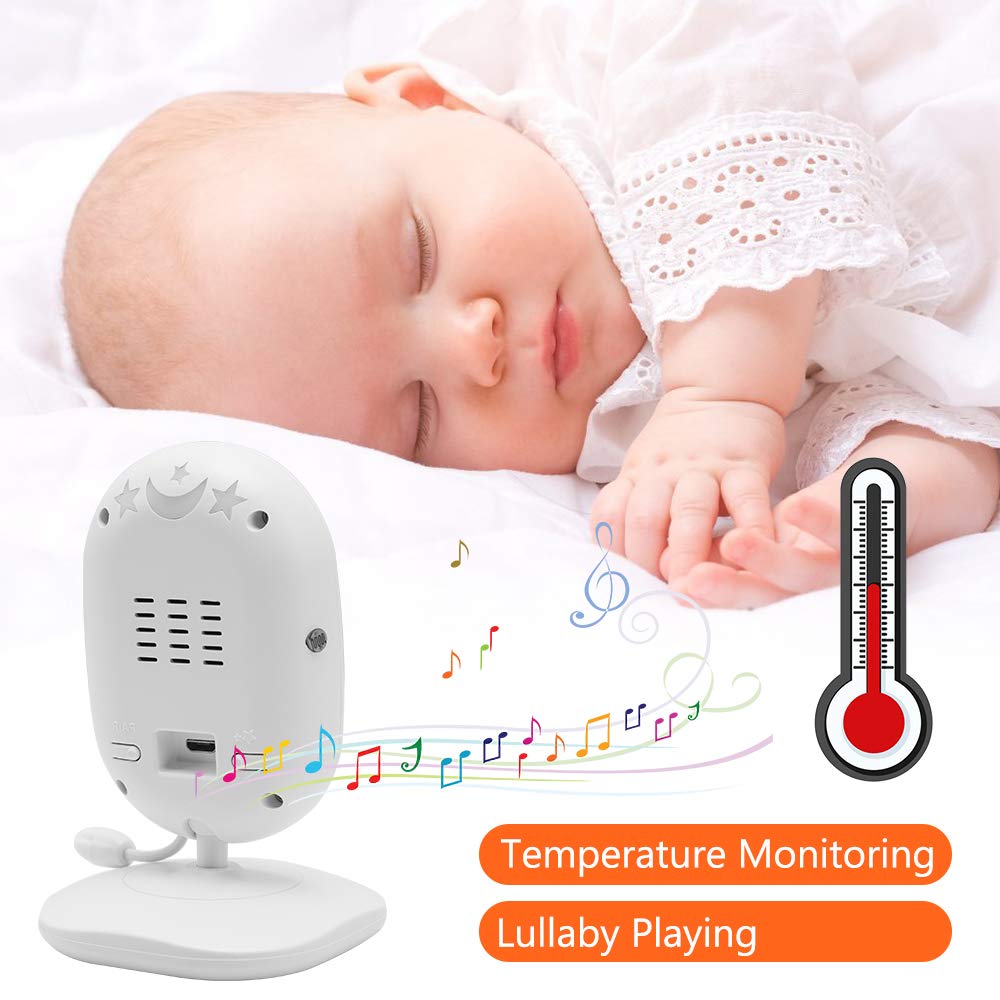
Image: A sleeping baby with the baby unit camera, musical notes, and a thermometer icon, highlighting the lullaby playing and temperature monitoring features.
VOX Mode (Voice Operated Exchange)
VOX mode conserves battery by turning off the screen when no sound is detected from the baby unit. The screen will automatically turn on when sound is detected.
- To activate/deactivate VOX mode, press the GŁOS button on the parent unit or navigate through the menu.
- You can adjust the VOX sensitivity level in the menu settings.

Image: A split image showing the monitor screen in VOX ON mode (screen off with sleeping baby) and VOX OFF mode (screen on with active baby), demonstrating the voice activation feature.
Wizja nocna
W warunkach słabego oświetlenia jednostka dla dziecka automatycznie włącza noktowizor na podczerwień, zapewniając wyraźny czarno-biały obraz na ekranie jednostki dla rodzica.

Image: A comparison of the monitor display in night vision (black and white, sleeping baby) and day vision (color, sleeping baby), highlighting the automatic night vision capability.
Monitorowanie temperatury
The baby unit's built-in temperature sensor monitors the room temperature and displays it on the parent unit's screen. You can set temperature alerts in the menu.
Wiele kamer View (Jeśli dotyczy)
If you have multiple cameras paired, use the Skandować button or navigate through the menu to switch between camera views or activate auto-scan mode.
Konserwacja
- Czyszczenie: Use a soft, dry cloth to clean the surfaces of the parent and baby units. Do not use cleaning sprays or liquid cleaners.
- Pielęgnacja baterii: To prolong battery life, fully charge the parent unit before first use. Avoid completely draining the battery frequently. If storing the unit for an extended period, charge it periodically.
- Składowanie: Przechowywać produkt w chłodnym, suchym miejscu, z dala od bezpośredniego światła słonecznego i ekstremalnych temperatur.
Rozwiązywanie problemów
| Problem | Możliwa przyczyna | Rozwiązanie |
|---|---|---|
| Brak obrazu/dźwięku na jednostce rodzicielskiej | Parent unit is off or battery is low. Baby unit is not powered on. Units are out of range. | Ensure parent unit is charged and powered on. Verify baby unit is plugged in and powered. Move parent unit closer to baby unit. |
| Niska jakość obrazu/dźwięku | Interference from other devices. Units are too far apart. Obstructions between units. | Move units away from other 2.4 GHz devices. Reduce distance between units. Remove obstacles like thick walls. |
| Bateria jednostki rodzicielskiej szybko się rozładowuje | VOX mode is off. Screen brightness is too high. Battery degradation over time. | Activate VOX mode. Reduce screen brightness. Ensure initial full charge. Consider battery replacement if unit is old. |
| Cannot pair camera | Pairing process not followed correctly. | Repeat pairing steps carefully, ensuring the pair button on the camera is pressed within the time limit. |
Specyfikacje
- Model: DT40
- Rozmiar ekranu: 4.3 cali
- Technologia łączności: Bezprzewodowa (2.4 GHz FHSS)
- Rozdzielczość przechwytywania wideo: 720p
- Cechy szczególne: Night Vision, Two-Way Audio, Temperature Monitoring, Lullabies, VOX Mode
- Pobór mocy: 5 wolty
- Wymagane baterie: Yes (for Parent Unit)
- Typ montażu: Wall Mount (for Camera)
- Waga przedmiotu: Około 1.1 funtów
- Kod UPC: 818537028769
Gwarancja i wsparcie
Dragon Touch products come with a limited warranty. For detailed warranty information, technical support, or customer service inquiries, please refer to the warranty card included in your package or visit the official Dragon Touch website. Please have your model number (DT40) and purchase information ready when contacting support.