
1. Wprowadzenie
The TP-Link Archer T2U Plus is an AC600 High Gain Wireless Dual Band USB Adapter designed to provide high-speed Wi-Fi connectivity for desktop PCs and laptops. It supports both 2.4 GHz and 5 GHz bands, offering flexible connectivity options and enhanced range with its 5dBi high-gain antenna. This manual provides instructions for setting up, operating, and maintaining your adapter.

Image: The TP-Link Archer T2U Plus AC600 High Gain Wireless Dual Band USB Adapter.
2. Zawartość opakowania
Sprawdź, czy w przesyłce znajdują się następujące elementy:
- AC600 High Gain Wireless Dual Band USB Adapter (Archer T2U Plus)
- Szybki przewodnik instalacji
- Płyta CD z zasobami (dla sterowników i narzędzi)

Image: The retail packaging for the Archer T2U Plus, showing the adapter and its key features.
3. Wymagania systemowe
Before installation, ensure your system meets the following requirements:
- An available USB port (USB 2.0 or higher recommended).
- Operating System: Windows 11/10/8.1/8/7/XP or Mac OS 10.15 and earlier.
- CD-ROM drive (for driver installation from Resource CD) or internet access (for driver download).

Image: Icons representing compatible operating systems: Windows 10, Windows 8.1, Windows 8, Windows 7, Windows XP, and Mac OS.
4. Instalacja i konfiguracja sterownika
4.1 Instalacja sprzętu
- Włóż adapter: Plug the Archer T2U Plus USB adapter into an available USB port on your computer. Ensure it is securely seated.
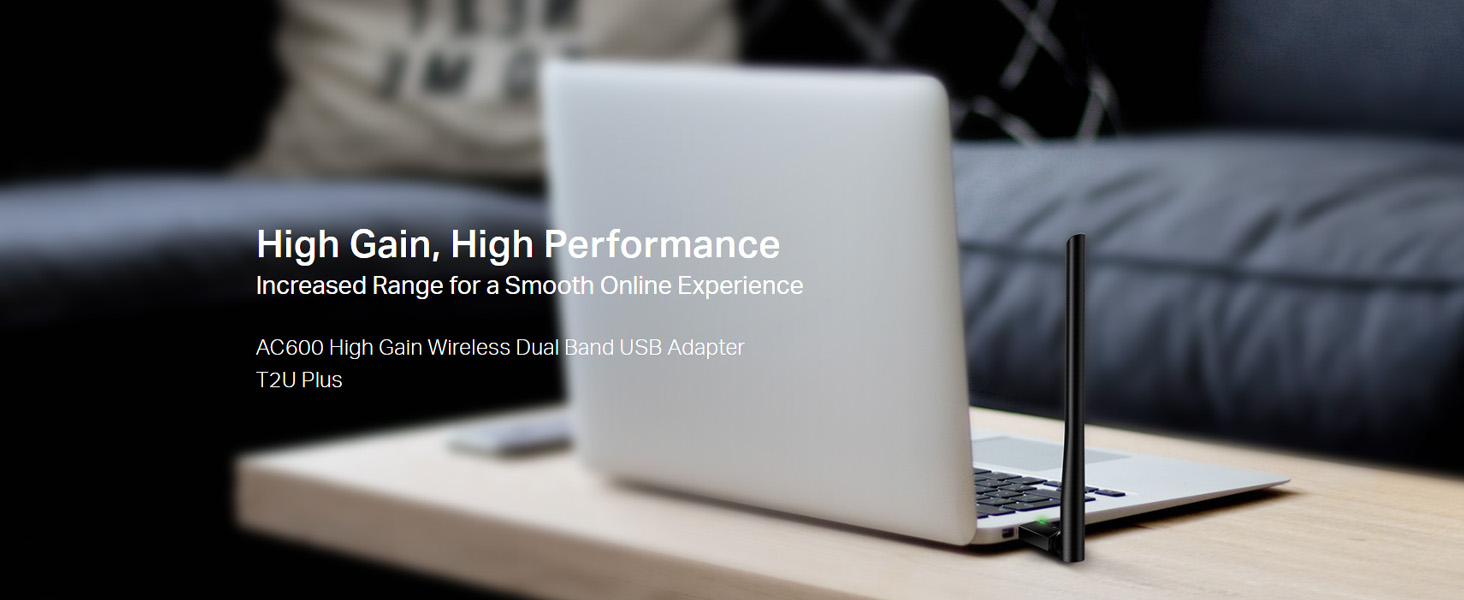
Image: The Archer T2U Plus adapter connected to a laptop's USB port, demonstrating its compact form factor.
4.2 Instalacja sterownika
The adapter requires a driver to function correctly. You can install it using the provided Resource CD or by downloading it from the TP-Link webstrona.
Option A: Using the Resource CD
- Włóż płytę CD z zasobami do napędu CD-ROM komputera.
- Follow the on-screen instructions to run the setup wizard.
- Select the Archer T2U Plus model and proceed with the driver installation.
- Jeśli zostaniesz o to poproszony, uruchom ponownie komputer.
Option B: Downloading Drivers Online
- Odwiedź oficjalną pomoc techniczną TP-Link webStrona (www.tp-link.com/support/download/).
- Szukaj "Archer T2U Plus" and download the latest driver compatible with your operating system.
- Rozpakuj pobrany file (if compressed) and run the setup executable.
- Follow the installation wizard and restart your computer if required.
5. Instrukcja obsługi
5.1 Łączenie z siecią Wi-Fi
- After successful driver installation, the adapter will be detected by your operating system.
- Click the Wi-Fi icon in your system tray (Windows) or menu bar (Mac OS).
- Select your desired Wi-Fi network (SSID) from the list of available networks.
- Enter the network password (security key) if prompted and click Łączyć.
- The adapter will establish a connection to the Wi-Fi network.
5.2 Dual Band Functionality
The Archer T2U Plus supports both 2.4 GHz and 5 GHz Wi-Fi bands. The 5 GHz band offers faster speeds and less interference, ideal for streaming and gaming, while the 2.4 GHz band provides wider coverage.
- Pasmo 2.4 GHz: Up to 200 Mbps data rate, suitable for general web przeglądanie i e-mail.
- Pasmo 5 GHz: Up to 433 Mbps data rate, ideal for HD video streaming and online gaming.
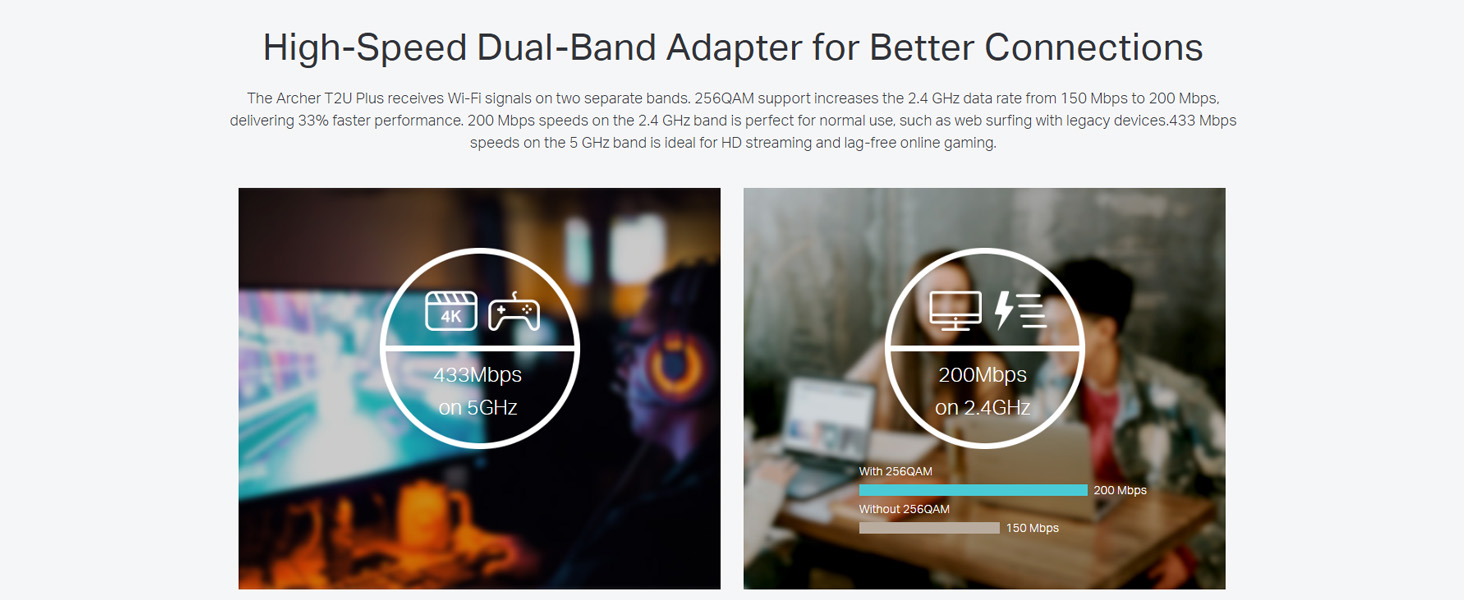
Image: A visual representation comparing the data rates and typical uses for the 2.4 GHz (200 Mbps) and 5 GHz (433 Mbps) bands.
5.3 Regulacja anteny
The adapter features an adjustable, multi-directional 5dBi high-gain antenna to optimize signal reception and transmission.
- Rotate and adjust the antenna in various directions to find the optimal position for signal strength and performance in your environment.
- Experiment with different angles to achieve the best possible Wi-Fi range and stability.

Image: The Archer T2U Plus adapter illustrating its adjustable antenna, capable of rotating up to 180 degrees and tilting 90 degrees for optimal signal.
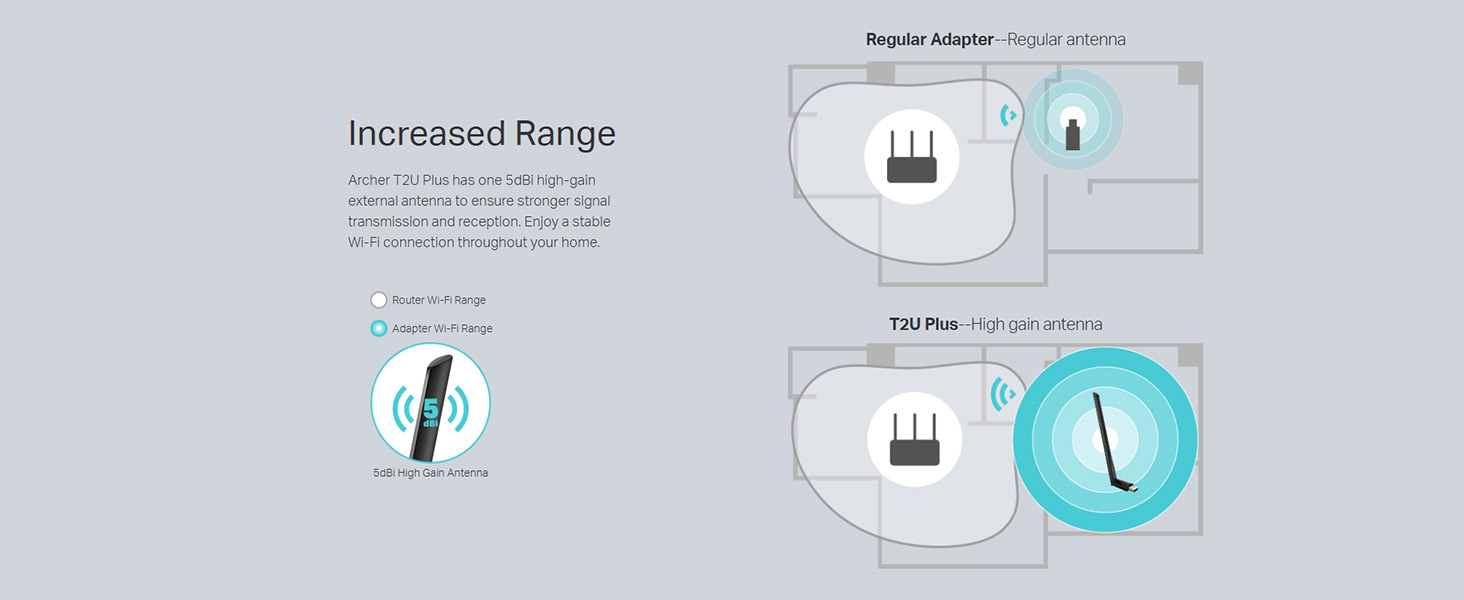
Image: A diagram comparing the Wi-Fi coverage area of a regular adapter with a standard antenna versus the extended range provided by the Archer T2U Plus's high-gain antenna.
6. Konserwacja
6.1 Aktualizacje sterowników
Regularnie sprawdzaj wsparcie TP-Link website for updated drivers. Keeping your drivers current ensures optimal performance, compatibility, and security.
6.2 Czyszczenie
To maintain the adapter's performance, keep it clean and free from dust. Use a soft, dry cloth to wipe the device. Avoid using liquid cleaners or solvents.
7. Rozwiązywanie Problemów
If you encounter issues with your Archer T2U Plus adapter, refer to the following common troubleshooting steps:
- Brak połączenia Wi-Fi:
- Sprawdź, czy adapter jest prawidłowo podłączony do portu USB.
- Sprawdź, czy sterowniki są poprawnie zainstalowane. W razie potrzeby zainstaluj je ponownie.
- Sprawdź, czy router jest włączony i nadaje sygnał Wi-Fi.
- Spróbuj podłączyć do innego portu USB.
- Niska prędkość Wi-Fi:
- Ensure you are connected to the 5 GHz band if your router supports it, for faster speeds.
- Adjust the antenna position for better signal reception.
- Aby ograniczyć zakłócenia, odsuń adapter od innych urządzeń elektronicznych.
- Zaktualizuj sterowniki adaptera do najnowszej wersji.
- Adapter nie został wykryty:
- Try plugging the adapter into another USB port.
- Uruchom ponownie komputer.
- Manually install the drivers from the Resource CD or TP-Link webstrona.
8. Specyfikacje
| Marka | TP-Link |
| Model | Łucznik T2U Plus |
| Interfejs sprzętowy | USB2.0 |
| Szybkość przesyłu danych | 600 Megabits Per Second (200 Mbps on 2.4 GHz, 433 Mbps on 5 GHz) |
| Typ anteny | 5dBi High-Gain External Antenna |
| Kompatybilne systemy operacyjne | Windows 11/10/8.1/8/7/XP, Mac OS 10.15 and earlier |
| Wymiary produktu (dł. x szer. x wys.) | 5.8L x 1.8W x 17.3H centymetrów |
| Waga przedmiotu | 12 gram |
| Kolor | Czarny |
9. Gwarancja i wsparcie
9.1 Informacje o gwarancji
Ten produkt jest dostarczany z 3-letnia gwarancja od daty zakupu. Prosimy zachować dowód zakupu na wypadek roszczeń gwarancyjnych. Gwarancja obejmuje wady produkcyjne i usterki powstałe w normalnych warunkach użytkowania.
9.2 Wsparcie techniczne
For technical assistance, driver downloads, or further inquiries, please contact TP-Link support:
- Bezpłatne wsparcie: 1800-209-4168
- Wsparcie e-mailowe: support.in@tp-link.com
- Webstrona: www.tp-link.com/in/support/