
MASTER & DYNAMIC MW07PB
Master & Dynamic MW07 True Wireless Earphones
Model: MW07PB | Brand: MASTER & DYNAMIC
Wstęp
The Master & Dynamic MW07 True Wireless Earphones are designed to deliver a premium audio experience with a focus on aesthetics, strength, comfort, and exceptional sound. These noise-isolating, in-ear wireless earbuds feature advanced acoustics, best-in-class connectivity, and innovative comfort technology for an immersive listening experience.
Crafted with a luxurious handcrafted marbled acetate design, the MW07 earphones are both modern and timeless, transforming the way you listen to your favorite music.
Co jest w pudełku
Your Master & Dynamic MW07 True Wireless Earphones package includes the following components:
- MW07 True Wireless Earphones (Left and Right)
- Stainless Steel Charging Case
- Kabel do ładowania z USB-C na USB-A
- Adapter USB-A
- 5 Pairs of Silicone Ear Tips (XS, S, M, L, XL)
- 2 Pairs of Silicone Fit Wings (Small, Large)
- Canvas Pouch for accessories
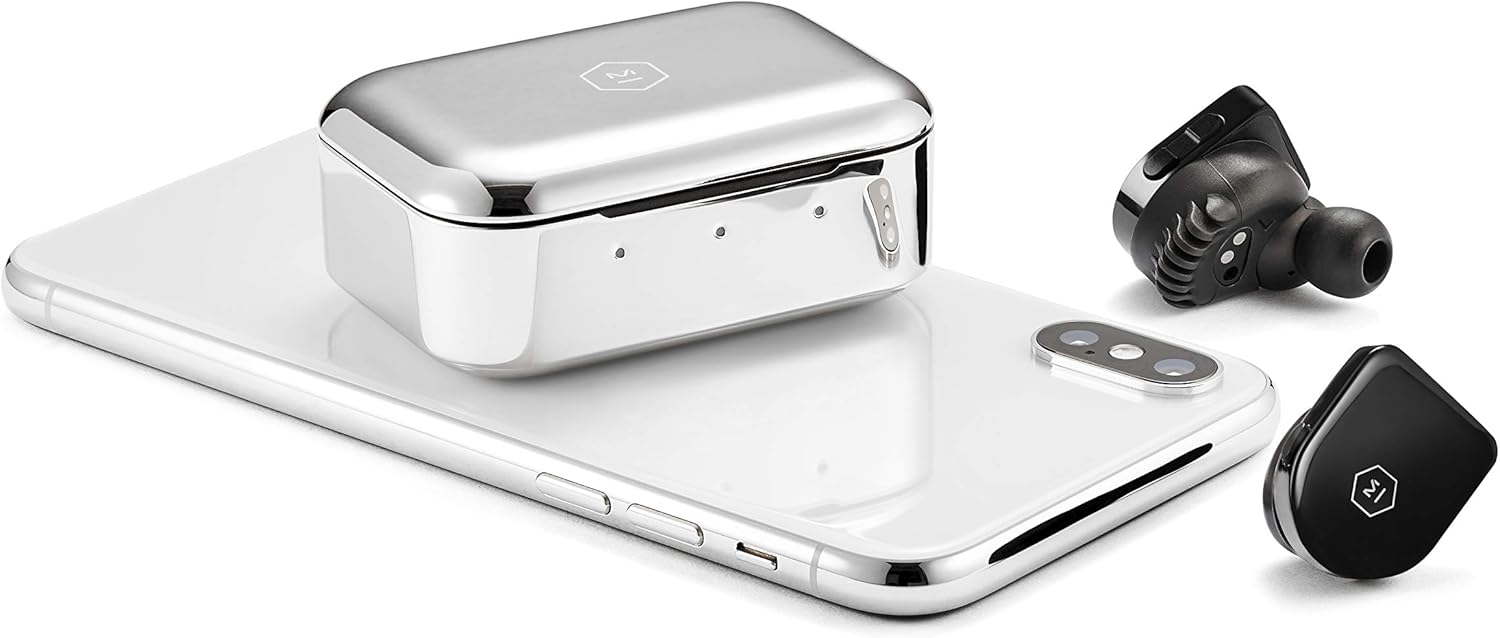
Figure 1: Included components of the MW07 True Wireless Earphones.
Produkt ponadview
The MW07 earphones are engineered for superior sound and user convenience. Key features include:
- 10mm High-Performance Beryllium Drivers: Deliver rich, expansive sound across all music genres.
- Noise-Isolating Design: Provides a snug fit that reduces ambient noise for an immersive audio experience.
- Lightweight Slim Profile: Designed for comfortable, extended wear and easy portability.
- Handcrafted Marbled Acetate Construction: Offers a durable and aesthetically pleasing wykończenie.
- Hand-Polished Stainless Steel Charging Case: Provides elegant mobility and additional charges.
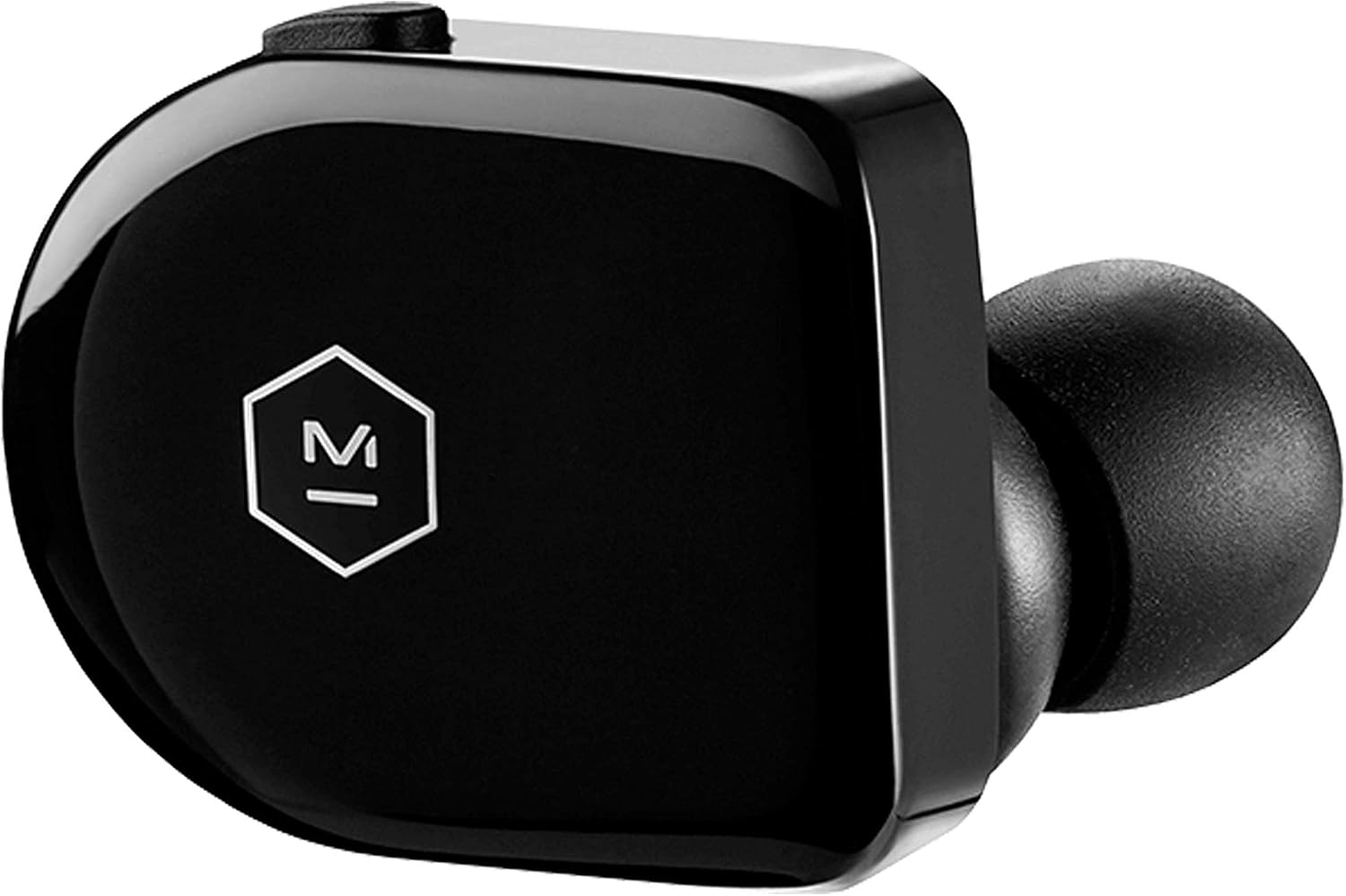
Rysunek 2: Zbliżenie view of a single MW07 earbud.

Figure 3: MW07 earbuds and charging case with a smartphone.
Organizować coś
1. Ładowanie słuchawek i etui
Before first use, fully charge your MW07 earphones and the charging case. The case holds 3 additional charges, providing a total of 14 hours of listening time.
- Connect the provided USB-C to USB-A charging cable to the charging case and a power source.
- The indicator lights on the case will show the charging status:
- Czerwony: Niski poziom baterii
- Bursztyn: Średnia bateria
- Zielony: Pełna bateria
- Place the earphones into the charging case. The earphone indicator lights will illuminate to show their charging status.
- A full charge for the earphones takes approximately 1.5 hours. The charging case can be charged to 50% in 15 minutes and 100% in 40 minutes.

Figure 4: Charging instructions (refer to the "充電方法" section).
2. Zakładanie słuchawek
Proper fit is crucial for optimal sound quality and noise isolation. The MW07 comes with various ear tips and patented silicone "fit wings" to ensure a secure and comfortable fit.
- Experiment with the 5 sizes of silicone ear tips to find the best seal for your ear canal.
- Select either the small or large silicone fit wings. These wings are designed to rest securely in the outer part of your ear.
- Gently insert the earphone into your ear, rotating it slightly until the fit wing sits comfortably and securely.

Figure 5: MW07 earbud with a silicone fit wing.

Figure 6: MW07 earbud properly seated in an ear.
3. Parowanie z urządzeniem
The MW07 earphones feature quick pairing Bluetooth 4.2 technology with a range of over 20 meters.
- Sprawdź, czy słuchawki są naładowane i umieszczone w etui ładującym.
- Otwórz etui ładujące. Słuchawki automatycznie przejdą w tryb parowania.
- Na swoim urządzeniu (smartfonie, tablecie, komputerze) przejdź do ustawień Bluetooth.
- Select "MW07" from the list of available devices.
- Once connected, the indicator light on the right earbud will turn solid blue.
- For subsequent uses, simply remove the earphones from the charging case, and they will automatically connect to the last paired device.
Figure 7: Pairing instructions (refer to the "ペアリング" section).
Obsługa słuchawek
1. Sterowanie
The MW07 earphones feature intuitive controls for media playback and calls:
- Right Earbud (Multifunction Button):
- Pojedyncze naciśnięcie: Odtwórz/wstrzymaj muzykę.
- Podwójne naciśnięcie: Przejdź do następnego utworu.
- Potrójne naciśnięcie: Przejdź do poprzedniego utworu.
- Naciśnij i przytrzymaj: Activate voice assistant (Siri, Google Assistant, etc.).
- Left Earbud (Volume Control):
- Przycisk zwiększania głośności: Zwiększ głośność.
- Przycisk zmniejszania głośności: Zmniejsz głośność.
Figure 8: Earphone controls (refer to the "本体操作" section).
2. Automatic Play and Pause
The MW07 earphones are equipped with optical sensors that detect in-ear placement. This enables an automatic play and pause function:
- Music will automatically pause when you remove one or both earphones from your ears.
- Music will automatically resume when you place both earphones back into your ears.
3. Wykonywanie i odbieranie połączeń
The built-in microphone allows for clear communication during calls.
- Odbieranie/kończenie połączenia: Single press the multifunction button on the right earbud.
- Odrzucenie połączenia: Press and hold the multifunction button on the right earbud.
Konserwacja
To ensure the longevity and optimal performance of your MW07 earphones, follow these maintenance guidelines:
- Czyszczenie: Regularnie przecieraj słuchawki i etui ładujące miękką, suchą i niepozostawiającą włókien ściereczką. Nie używaj silnych środków chemicznych ani materiałów ściernych.
- Ear Tips and Fit Wings: Remove and clean the silicone ear tips and fit wings with mild soap and water. Ensure they are completely dry before reattaching.
- Składowanie: When not in use, always store the earphones in their charging case to protect them and keep them charged. Store the case in a cool, dry place away from extreme temperatures.
- Wodoodporność: The MW07 earphones are water-resistant. However, they are not waterproof. Avoid submerging them in water or exposing them to heavy rain. Dry them thoroughly if they get wet.
Rozwiązywanie problemów
If you encounter issues with your MW07 earphones, try the following troubleshooting steps:
| Problem | Rozwiązanie |
|---|---|
| Słuchawki nie łączą się/nie parują. |
|
| Brak dźwięku lub niski poziom głośności. |
|
| Słuchawki się nie ładują. |
|
| Automatic play/pause not working. |
|
Specyfikacje
| Funkcja | Szczegół |
|---|---|
| Nazwa modelu | MW07PB |
| Technologia łączności | Bluetooth |
| Technologia komunikacji bezprzewodowej | Bluetooth |
| Wersja Bluetooth | 4.2 |
| Zasięg Bluetooth | 20+ metrów |
| Typ sterownika audio | Dynamiczny sterownik |
| Rozmiar sterownika audio | 10 milimetrów |
| Kontrola hałasu | Izolacja akustyczna |
| Czas pracy baterii (słuchawki) | 3.5 godzin |
| Total Listening Time (with Case) | 14 godzin |
| Czas ładowania | 1.5 Hours (Earphones), 40 minutes (Case to 100%) |
| Waga przedmiotu | 9 Grams (each earbud) / 0.317 ounces |
| Wymiary produktu | 0.98 x 0.89 x 1.11 cala |
| Tworzywo | Handcrafted Marbled Acetate (Earphones), Stainless Steel (Charging Case) |
| Poziom wodoodporności | Wodoodporny |
| Zawarte komponenty | Earphones, Case, Ear Tips, Fit Wings |
Oficjalny film o produkcie
Video 1: Master & Dynamic MW07 True Wireless Earphones Overview. This video highlights key features such as 10mm beryllium drivers, quick pairing, noise isolation, optical sensors for automatic play/pause, handcrafted marbled acetate design, and the stainless steel charging case.
Gwarancja i wsparcie
For detailed warranty information and customer support, please refer to the official Master & Dynamic webstronie internetowej lub w instrukcji obsługi dołączonej do produktu.
A digital version of the user guide can be found here: Master & Dynamic MW07 User Guide (PDF)
Aby uzyskać dalszą pomoc, możesz również odwiedzić stronę MASTER & DYNAMIC Store on Amazon.
Ask a question about this manual
Ask about setup, troubleshooting, compatibility, parts, safety, or missing instructions. Manuals+ will review the question and use this page’s manual context to help answer it.