
XVIM US-D8-8AHD7-1T-205-3D
XVIM 8CH 1080P Wired Security Camera System User Manual
Model: US-D8-8AHD7-1T-205-3D | Brand: XVIM
Wstęp
This user manual provides comprehensive instructions for the installation, operation, and maintenance of your XVIM 8CH 1080P Wired Security Camera System. Please read this manual thoroughly before using the product to ensure proper setup and functionality. Keep this manual for future reference.
Co jest w pudełku
Sprawdź, czy w opakowaniu znajdują się wszystkie komponenty:
- 8 x aparaty fotograficzne
- 1 x DVR
- 2 x kabel rozdzielający 1 do 4
- 2 x Camera power supply
- 1 x DVR power supply
- 1 x 1TB dysk twardy (wstępnie zainstalowany)
- 8 x 60ft BNC Cable
- Mysz 1 x USB
- 8 x Śruby

Image: All components included in the XVIM 8CH 1080P Wired Security Camera System package.
Przewodnik po konfiguracji
1. Początkowe połączenie sprzętowe
- Connect the cameras to the DVR using the provided BNC cables. Ensure a secure connection for both video and power.
- Connect the camera power supplies to the 1-to-4 splitter cables, then connect the splitter cables to the cameras.
- Connect the DVR power supply to the DVR.
- Podłącz monitor do rejestratora DVR za pomocą portu VGA lub HDMI.
- Connect the USB mouse to the DVR for navigation.
- Aby uzyskać dostęp zdalny, podłącz rejestrator DVR do routera za pomocą kabla Ethernet.

Obraz: Szczegółowy view of the DVR's rear panel with labeled ports for cameras, audio, video output, and network connection.

Image: Step-by-step connection diagram for the DVR, cameras, power supplies, and router.
2. Remote Access Setup (3 Easy Steps)
- Połącz się z Internetem: Upewnij się, że Twój dekoder DVR jest podłączony do domowego routera za pomocą kabla Ethernet.
- Pobierz darmową aplikację: Szukaj "HoMeYe Pro" in your mobile device's app store (available for Android and iOS).
- Add Device ID & View: Open the "HoMeYe Pro" app, add your device ID (found on the DVR or packaging), and you can monitor your cameras anytime, anywhere via your mobile device.

Image: Visual guide for downloading the HoMeYe Pro app and setting up remote viewing.
Instrukcja obsługi
Recording Modes & Storage
The H.265 security camera system includes a pre-installed 1TB hard drive for immediate recording. You can select from the following recording modes:
- Tryb automatyczny: Continuous recording based on a set schedule.
- Tryb ręczny: Ręczne rozpoczynanie i zatrzymywanie nagrywania.
- Motion-Detection Mode: Nagrywanie rozpoczyna się tylko po wykryciu ruchu, co pozwala zaoszczędzić miejsce na dysku.
Nagrane footagmoże być viewed or played back remotely via the exclusive HoMeYe Pro app at any time.
HD Image & Night Vision
The system is equipped with 8 x 1080P waterproof outdoor cameras, providing clear 1920x1080 resolution images during both day and night. The cameras feature a night vision range of up to 65 feet and a 75° viewing angle, ensuring comprehensive property protection.
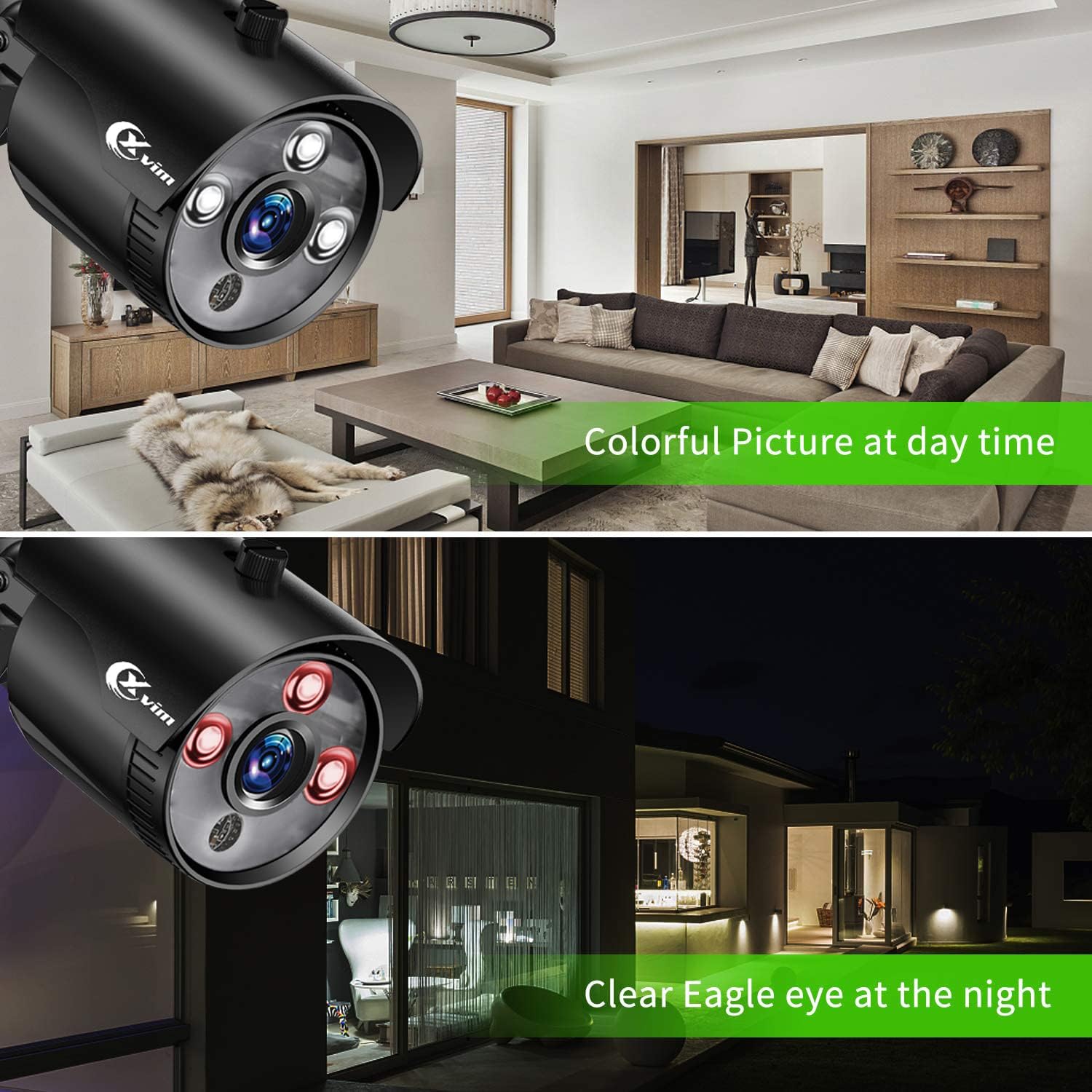
Image: Visual comparison demonstrating clear day vision and infrared night vision capabilities.
Precise Motion Detection & Timely Alerts
You can freely set specific motion-detection areas on the DVR to minimize false alarms. When motion is detected within these defined zones, the HoMeYe Pro app will send instant push notifications to your mobile device.

Obraz: Byłyample of a motion detection alert received on a mobile phone.
Konserwacja
Camera Durability
The cameras are IP66-rated, ensuring they are waterproof and dust-proof. This robust protection allows them to withstand harsh weather conditions and operate stably in various outdoor environments such as courtyards and doorways, as well as indoor settings like warehouses and corridors.

Obraz: Byłyamples of camera placement in indoor (kitchen, living room) and outdoor (doorway, courtyard) settings.
Rozwiązywanie problemów
For common issues, please refer to the official Installation Manual (PDF) linked in the support section. Basic troubleshooting steps often include:
- Brak sygnału wideo: Check all cable connections (BNC, power). Ensure cameras and DVR are powered on. Verify correct input selection on your monitor.
- Brak dostępu zdalnego: Confirm DVR is connected to the internet. Check network settings on the DVR and ensure the "HoMeYe Pro" app is correctly configured with the device ID.
- Problemy z nagrywaniem: Verify hard drive status. Check recording schedules and motion detection settings.
Specyfikacje
| Funkcja | Szczegół |
|---|---|
| Marka | XVIM |
| Technologia łączności | Przewodowy |
| Rozdzielczość przechwytywania wideo | 1080p |
| Funkcja specjalna | High Efficiency Video Coding, Motion Sensor |
| Liczba kanałów | 8 |
| Pojemność pamięci masowej | 1 TB |
| Kolor | Black 8-camera |
| Źródło zasilania | AC |
| Wymiary przedmiotu Dł. x Szer. x Wys. | 17.44 x 12.68 x 6.85 cala |
| Format sygnału | Analog |
| Technologia słabego oświetlenia | Wizja nocna |
| Zakres noktowizora | 65 stóp |
| Szybkość klatek | 15fps, 30fps |
| Tryb nagrywania | manual, motion detection |
| Technologia czujnika optycznego | CMOS |
| Łączna liczba portów USB | 1 |
| Interfejs sprzętowy | Sieć Ethernetowa |
| Typ soczewki | Naprawił |
| Wejście wideo | BNC |
| Viewing kąt | 75 stopni |
| Producent | XVIM |
| UPC | 675234631926 |
| Waga przedmiotu | 12.82 funta |
| ASIN | B07MZPV6BW |
| Numer modelu przedmiotu | US-D8-8AHD7-1T-205-3D |
| Data pierwszej dostępności | 21 stycznia 2019 r. |
Gwarancja i wsparcie
For detailed warranty information and further support, please refer to the official Installation Manual (PDF) provided by XVIM. You can access it directly via the link below:
Pobierz instrukcję instalacji (PDF)
For additional software downloads and resources, visit the XVIM download page: http://www.topslink.net/download/xvr.html
Ask a question about this manual
Ask about setup, troubleshooting, compatibility, parts, safety, or missing instructions. Manuals+ will review the question and use this page’s manual context to help answer it.