
1. Wprowadzenie
Thank you for choosing the conecto CC50013 Professional TV Stand. This mobile TV stand is designed for flat screens ranging from 37 to 70 inches, supporting VESA patterns up to 600x400. It features height adjustment, tilt, and swivel capabilities, along with integrated cable management and lockable casters for secure and flexible placement. This manual provides essential information for safe installation, operation, and maintenance of your TV stand.
2. Informacje dotyczące bezpieczeństwa
- Przed montażem i użyciem należy uważnie przeczytać wszystkie instrukcje.
- Przed montażem upewnij się, że wszystkie elementy są kompletne i nieuszkodzone. Nie używaj, jeśli brakuje którejkolwiek części lub jest ona uszkodzona.
- This TV stand is designed for screens weighing up to 50 kg (110 lbs). Do not exceed this weight limit.
- Ensure the VESA mounting pattern of your TV is compatible (200x200 to 600x400).
- Assembly should be performed by at least two people to prevent injury or damage.
- Dokręć wszystkie śruby mocno, ale nie przekręcaj ich.
- Always engage the wheel locks when the stand is in a stationary position to prevent accidental movement.
- Trzymaj dzieci i zwierzęta z daleka podczas montażu.
3. Zawartość opakowania
Sprawdź, czy w opakowaniu znajdują się wszystkie poniższe elementy:
- 1x conecto LM-FS02GB Professional TV Stand
- 1x Storage shelf for peripheral devices
- 1x Storage shelf for camera
- Assembly hardware kit (screws, washers, spacers, tools)
- Instrukcja obsługi
4. Funkcje produktu
The conecto CC50013 TV Stand offers a range of features for optimal viewi wygoda:
- Maximum Flexibility: Features tilt (+5° to -10°) and swivel (360° on casters) functions for ideal viewkąty.
- Zintegrowane zarządzanie kablami: Keeps cables tidy and organized within the stand's column.
- Easy Lateral Shifting: Allows for horizontal adjustment of the TV to accommodate various screen sizes.
- Tool-Free Height Adjustment: Effortlessly adjust the TV height for an optimal viewzdobywania doświadczenia.
- Height-Adjustable Shelves: Includes a peripheral shelf and a camera shelf, both adjustable to suit your needs.
- Blokowane kółka: Provides a solid and secure base, allowing for easy mobility and stable positioning.
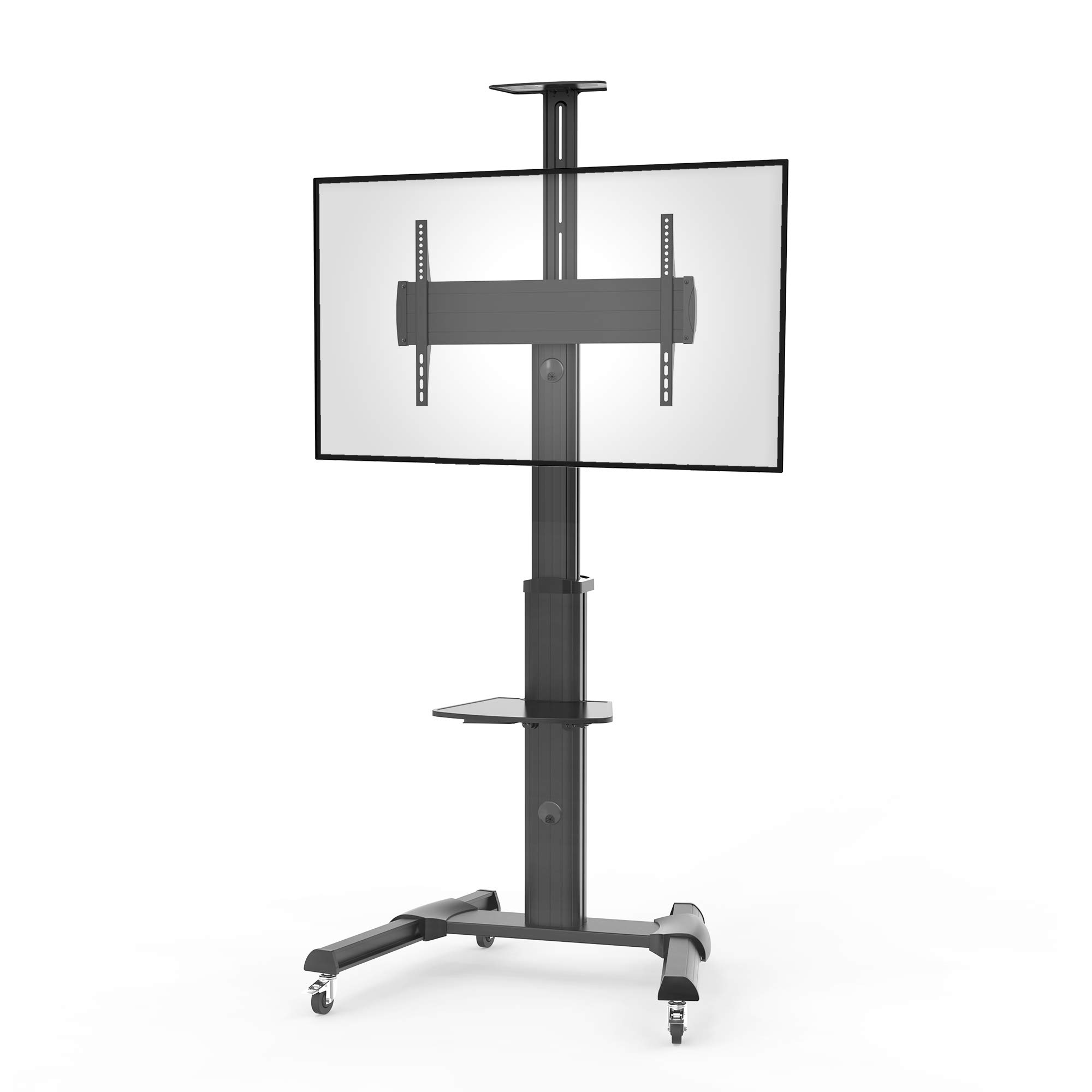
Rysunek 1: Nadview of conecto TV Stand features. This diagram highlights key functionalities such as maximum flexibility with tilt and adjustment, integrated cable management, easy lateral shifting for various TV sizes, tool-free height adjustment, height-adjustable shelves for peripherals and cameras, and lockable casters for stability and mobility.
5. Specyfikacje
| Funkcja | Specyfikacja |
|---|---|
| Numer modelu | LM-FS02GB |
| Marka | połączyć |
| Tworzywo | Aluminium |
| Kolor | Czarny |
| Kompatybilne rozmiary ekranu | 37 - 70 cala (94 - 178 cm) |
| Maksymalna ładowność | 50 kg (110 funta) |
| Zgodność ze standardem VESA | 200x200 do 600x400 mm |
| Kąt nachylenia | +5° do -10° |
| Obrót | 0° to +90° (screen orientation) |
| Obracać | 360° (via casters) |
| Typ montażu | Floor Mount (Mobile) |
| Kółka | 4-inch shock-absorbing, lockable |
| Gwarancja producenta | 2 lata |

Rysunek 2: Detailed dimensions of the conecto LM-FS02GB TV Stand. This technical drawing provides precise measurements for the stand's overall height (min. 1200mm - max. 2069mm), base dimensions (828mm x 700mm), VESA mounting range (min. 200mm - max. 600mm horizontally, min. 200mm - max. 408mm vertically), and shelf dimensions.
6. Instalacja i montaż
Follow these steps to assemble your conecto Professional TV Stand. It is recommended to have at least two people for assembly.
- Rozpakuj komponenty: Ostrożnie wyjmij wszystkie części z opakowania i rozłóż je na czystej, miękkiej powierzchni, aby zapobiec zarysowaniom. Sprawdź, czy wszystkie części są zgodne z listą zawartości opakowania.
- Złóż podstawę: Attach the support legs to the central base column. Ensure the casters are securely fastened to the legs.
- Attach the Main Column: Przymocuj główną kolumnę pionową do zmontowanej podstawy.
- Montaż uchwytu montażowego telewizora: Attach the VESA mounting bracket to the main column at the desired height.
- Mount TV Rails to Television: Secure the vertical TV rails to the back of your television using the appropriate screws, washers, and spacers for your TV's VESA pattern. Ensure the rails are centered and level.
- Hang Television: With assistance, carefully lift your television and hook the mounted rails onto the TV mounting bracket on the stand. Secure the TV to the bracket using the provided locking mechanisms.
- Zainstaluj półki: Attach the peripheral and camera shelves to the main column at your preferred heights. Tighten them securely.
- Zarządzanie kablami: Route all necessary cables through the integrated cable management system within the stand's column for a neat and organized setup.

Rysunek 3: Tył view of the TV stand, illustrating the VESA mounting plate where the television rails attach, and the access points for integrated cable management.

Rysunek 4: Top-down perspective of the TV stand, highlighting the two adjustable shelves for peripheral devices and cameras, and the robust structure of the main column and base.
7. Instrukcja obsługi
Once assembled, your conecto TV stand offers various adjustments for optimal use:
- Regulacja wysokości: Loosen the height adjustment knobs on the main column, carefully raise or lower the TV and bracket to the desired height, then securely tighten the knobs.
- Tilting the Screen: Loosen the tilt adjustment screws on the TV mounting bracket. Adjust the screen to the desired tilt angle (+5° to -10°), then retighten the screws firmly.
- Rotating the Screen: The TV mounting bracket allows for rotation of the screen from 0° to +90° (landscape to portrait). Loosen the rotation mechanism, adjust the screen, and then secure it.
- Przenoszenie stojaka: Unlock the casters on the base. Carefully push the stand to its new location. Once positioned, engage the caster locks to secure the stand.
- Regulacja półek: Loosen the locking mechanism on each shelf, slide the shelf to the desired height, and then tighten the mechanism to secure it.

Rysunek 5: The conecto TV stand in operation with a television mounted. This image shows the stand's stable base, the mounted screen, and the peripheral shelf in use, illustrating its practical application.
8. Konserwacja
Regular maintenance ensures the longevity and safe operation of your TV stand:
- Czyszczenie: Przetrzyj podstawkę miękką, suchą ściereczką. W przypadku uporczywych zabrudzeń użyj lekko zwilżonej ściereczki.amp Wytrzyj szmatką z łagodnym detergentem, a następnie dokładnie osusz. Unikaj środków czyszczących o działaniu ściernym i rozpuszczalników.
- Kontrola: Okresowo sprawdzaj dokręcenie wszystkich śrub i nakrętek. W razie potrzeby dokręć je.
- Pielęgnacja kół: Utrzymuj kółka w czystości, bez kurzu i zanieczyszczeń, aby zapewnić płynny ruch.
- Limit wagowy: Always adhere to the maximum weight capacity of 50 kg.
9. Rozwiązywanie Problemów
Jeśli napotkasz jakiekolwiek problemy ze stojakiem pod telewizor, zapoznaj się z poniższymi typowymi problemami i ich rozwiązaniami:
- Stojak jest niestabilny:
- Sprawdź, czy wszystkie śruby montażowe są mocno dokręcone.
- Verify the casters are locked when the stand is stationary.
- Check that the TV weight does not exceed the maximum load capacity.
- TV does not fit the mounting bracket:
- Confirm your TV's VESA pattern is within the supported range (200x200 to 600x400 mm).
- Upewnij się, że używasz właściwych śrub, podkładek i dystansów do swojego modelu telewizora.
- Cables are not tidy:
- Re-route cables through the integrated cable management channels in the main column.
- Trudności z regulacją wysokości/pochylenia:
- Ensure adjustment knobs/screws are sufficiently loosened before attempting to adjust.
- Do not force adjustments; if resistance is met, recheck the locking mechanisms.
10. Gwarancja i wsparcie
The conecto CC50013 Professional TV Stand comes with a 2-letnia gwarancja producenta od daty zakupu. Niniejsza gwarancja obejmuje wady materiałowe i wykonawcze przy normalnym użytkowaniu.
For warranty claims, technical support, or any questions regarding your product, please contact your retailer or the manufacturer directly. Please have your purchase receipt and model number (LM-FS02GB) available when contacting support.