
1. Wprowadzenie
This manual provides essential instructions for the safe and effective use of your Sony Alpha a6400 mirrorless interchangeable-lens camera. Please read this manual thoroughly before operating the camera and retain it for future reference. The Sony Alpha a6400 features a 24.2MP APS-C Exmor CMOS sensor, 4K UHD video recording, and 11 frames per second continuous shooting, paired with the versatile E 18-135mm F/3.5-5.6 OSS lens.
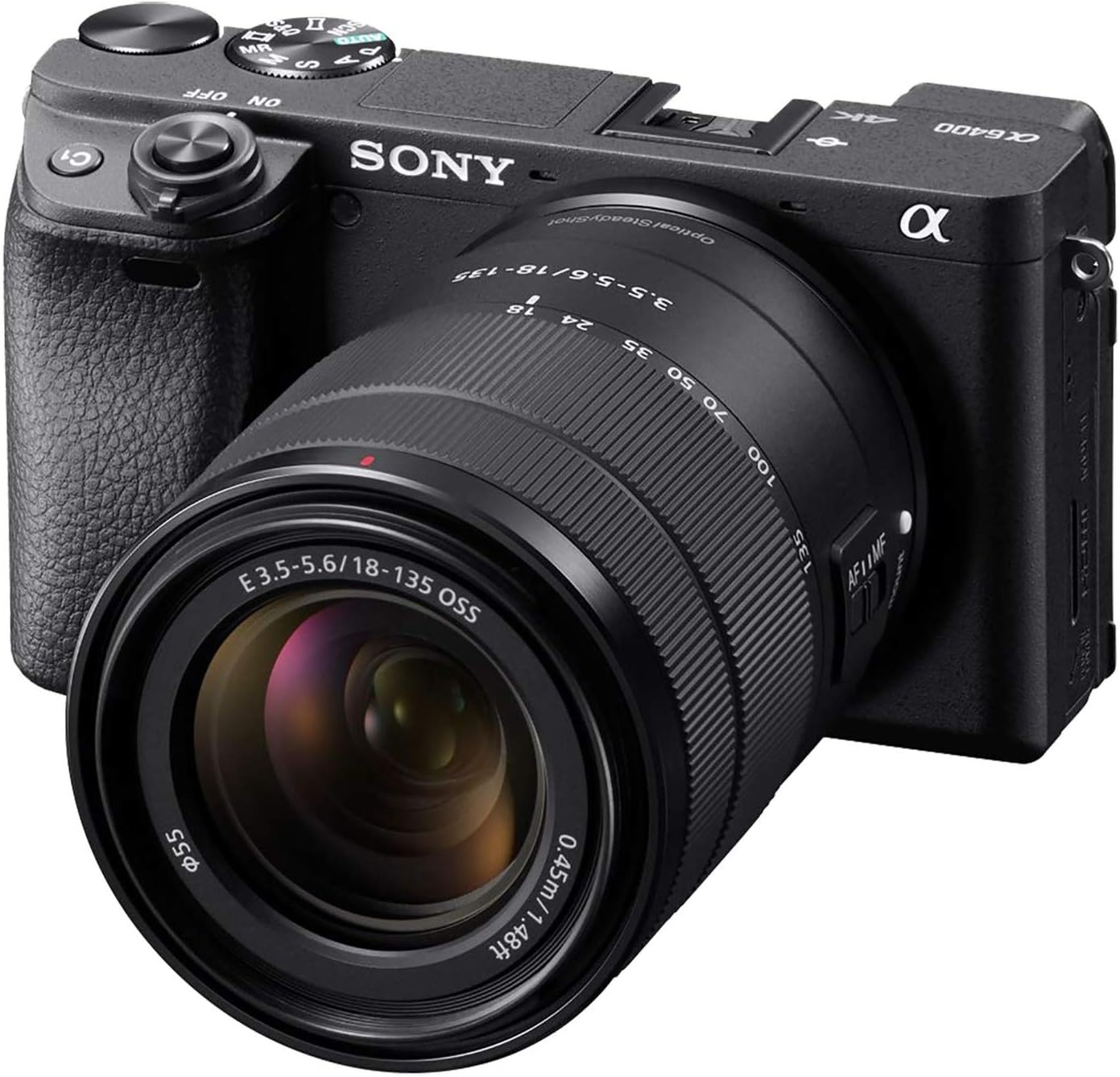
Figure 1: Sony Alpha a6400 Mirrorless Camera with E 18-135mm F/3.5-5.6 OSS Lens.
2. Co znajduje się w pudełku
Verify that all the following items are included in your camera kit:
- Sony Alpha a6400 Camera Body
- E 18-135mm F/3.5-5.6 OSS Lens
- Akumulator (NP-FW50)
- Zasilacz sieciowy (AC-UUD12)
- Pasek na ramię
- Nakładka na korpus
- Czapka na buty akcesoryjne
- Muszla okularowa
- Kabel Micro USB
3. Koniec kameryview
3.1 Przód View

Rycina 2: Przód view of the camera, showing the lens mount, grip, and front dial.
3.2 na górze View

Rysunek 3: Góra view of the camera, highlighting the mode dial, hot shoe, and power switch.
3.3 Tył View and Tilting LCD Screen

Rysunek 4: Tył view of the camera, showing the LCD screen in a tilted position, ideal for various shooting angles.
4. Konfiguracja
4.1 Mocowanie obiektywu
- Zdejmij pokrywkę korpusu aparatu i tylną pokrywkę obiektywu.
- Dopasuj biały znacznik na obiektywie do białego znacznika na korpusie aparatu.
- Zamontuj soczewkę, obracając ją zgodnie z ruchem wskazówek zegara, aż do kliknięcia.
4.2 Inserting the Battery and Charging
- Open the battery cover on the bottom of the camera.
- Insert the NP-FW50 battery with the correct orientation until it locks.
- Zamknij pokrywę baterii.
- Connect the camera to the AC adaptor using the micro USB cable to charge the battery. The charging lamp rozświetli się.
4.3 Wkładanie karty pamięci
- Open the memory card cover.
- Insert a compatible SD/SDHC/SDXC or Memory Stick Duo card into the slot with the contacts facing the correct direction until it clicks.
- Zamknij pokrywę karty pamięci.
4.4 Ustawienia początkowe
Po pierwszym włączeniu urządzenia postępuj zgodnie z instrukcjami wyświetlanymi na ekranie, aby ustawić język, datę, godzinę i region.
5. Podstawowa obsługa
5.1 Włączanie/wyłączanie
Przesuń przełącznik ON/OFF znajdujący się wokół przycisku migawki, aby włączyć lub wyłączyć aparat.
5.2 Shooting Still Images
The camera offers various shooting modes, including Program Auto, Aperture Priority, Shutter Priority, and Manual. Use the mode dial on top of the camera to select your desired mode.
- Autofokus: The camera features a fast 0.02-second autofocus system with 425 phase-detection and 425 contrast-detection points covering 84% of the sensor area.
- Ciągłe strzelanie: Capture fast-moving subjects with up to 11 frames per second (fps) continuous shooting.

Figure 5: The camera's capability for 11 frames per second continuous shooting.
5.3 Nagrywanie filmów
The Sony Alpha a6400 supports 4K UHD (2160p) video recording. Press the MOVIE button to start and stop recording.
- Special Movie Functions: Create time-lapse movies or slow/quick motion videos directly in-camera without requiring post-processing.

Figure 6: The camera's ability to record high-quality 4K video.
5.4 Korzystanie z ekranu LCD
The 3-inch LCD screen is tiltable up to 180 degrees, making it suitable for various shooting angles, including vlogging and low-angle shots. It also features touch screen functionality for intuitive control.

Figure 7: The LCD screen tilted 180 degrees for flexible viewing.
6. Zaawansowane funkcje
6.1 Real-Time Eye AF and Tracking
The camera incorporates advanced Real-Time Eye AF and Real-Time Tracking technologies for precise and reliable subject focus, even with fast-moving subjects.

Figure 8: Demonstration of the Real-Time Eye AF feature, ensuring sharp focus on the subject's eyes.
6.2 Łączność
The camera supports Wi-Fi and Bluetooth connectivity for seamless transfer of images and remote control via a smartphone or tablet.
7. Konserwacja i pielęgnacja
7.1 Czyszczenie aparatu i obiektywu
- Do czyszczenia korpusu aparatu należy używać miękkiej, suchej ściereczki.
- For the lens, use a lens brush to remove dust, then gently wipe with a lens cleaning cloth and solution if necessary. Avoid touching the lens surface directly.
- Do czyszczenia aparatu nie należy używać rozpuszczalników organicznych, takich jak alkohol lub rozcieńczalnik.
7.2 Pielęgnacja baterii
- Całkowicie naładuj akumulator przed użyciem.
- Gdy nie używasz baterii, przechowuj ją w chłodnym i suchym miejscu.
- Unikaj wystawiania baterii na działanie ekstremalnych temperatur.
8. Rozwiązywanie Problemów
| Problem | Możliwa przyczyna / rozwiązanie |
|---|---|
| Kamera się nie włącza. | Upewnij się, że bateria jest prawidłowo włożona i całkowicie naładowana. |
| Bateria szybko się rozładowuje. | Frequent use of Wi-Fi, continuous shooting, or video recording can consume battery faster. Consider carrying spare batteries. |
| Camera becomes warm during use. | It is normal for the camera to become warm during extended video recording or continuous shooting. If it overheats, it may shut down automatically to protect internal components. Allow it to cool down. |
| Obrazy są niewyraźne. | Check focus settings. Ensure the lens is clean. Use a higher shutter speed or image stabilization (if available on lens) in low light. |
| Nie można połączyć się z siecią Wi-Fi/Bluetooth. | Ensure Wi-Fi/Bluetooth is enabled on both the camera and the connecting device. Refer to the camera's network settings. |
9. Specyfikacje
| Funkcja | Szczegół |
|---|---|
| Nazwa modelu | ILCE6400M/B |
| Typ czujnika | APS-C type (23.5 x 15.6 mm), Exmor CMOS sensor |
| Efektywna rozdzielczość obrazu nieruchomego | 24.2 MP |
| Rozdzielczość wideo | 2160p (4K UHD) |
| Ciągłe fotografowanie | 11 klatek na sekundę |
| Punkty autofokusa | 850 (425 Phase Detection, 425 Contrast Detection) |
| Typ soczewki | E 18-135mm F/3.5-5.6 OSS Zoom Lens |
| Rozmiar ekranu | 3 cali |
| Typ wyświetlacza | Tilting LCD, Touch Screen |
| Łączność | Wi-Fi, Bluetooth |
| Typ baterii | NP-FW50 Rechargeable Battery |
| Nośniki pamięci | Pojedyncze gniazdo: SD/SDHC/SDXC/Memory Stick Duo Hybrid (UHS-I) |
| Waga przedmiotu | 1.61 Pounds (body with lens) |
10. Gwarancja i wsparcie
10.1 Gwarancja producenta
This Sony Alpha a6400 camera is covered by a 1-letnia gwarancja producentaProsimy zachować dowód zakupu na wypadek roszczeń gwarancyjnych. Gwarancja obejmuje wady materiałowe i wykonawcze powstałe w wyniku normalnego użytkowania.
10.2 Obsługa klienta
For further assistance, technical support, or detailed information not covered in this manual, please visit the official Sony support webodwiedź witrynę firmy Sony lub skontaktuj się z działem obsługi klienta firmy Sony.
You can also refer to the official User Guide (PDF) available for download from the Sony support page for comprehensive details.


