
1. Wprowadzenie
Thank you for choosing the KWANWA Digital Alarm Clock, Model KW616-3N. This manual provides detailed instructions for setting up, operating, and maintaining your new clock. Designed for clear visibility and convenience, this battery-operated clock features an 8-inch extra-large LED display with 3-inch digits, adjustable brightness, and versatile placement options.

Figure 1: KWANWA Digital Alarm Clock (Model KW616-3N) with large red LED display.
2. Funkcje produktu
- Łatwy do odczytania wyświetlacz: 3-inch huge LED time display against a large black backlit screen for excellent visibility.
- Zasilany bateryjnie: Operates on 2 D-cell batteries (not included), eliminating messy cords and allowing flexible placement.
- Wszechstronne rozmieszczenie: Features two unfoldable stand legs for table-top use and three wall-mounting hang holes for wall installation.
- Regulowana jasność: Offers 3-level manual brightness adjustment and an automatic night mode (8 PM - 6 AM) to dim the display.
- Wysoka dokładność: Maintains time accuracy within ±30 seconds per month.
- Codzienny alarm: Includes a daily alarm with a gradually increasing volume for up to 2 minutes.
3. Zawartość opakowania
- KWANWA Digital Alarm Clock (Model KW616-3N)
- Instrukcja obsługi
4. Konfiguracja
4.1. Instalacja baterii
- Znajdź komorę baterii z tyłu zegara.
- Otwórz pokrywę komory baterii.
- Insert two (2) D-cell alkaline batteries (not included), ensuring correct polarity (+/-).
- Dokładnie zamknij pokrywę komory baterii.
4.2. Umieszczenie
The clock offers two convenient placement options:
- Table-top: Unfold the two stand legs located on the back of the clock to place it on a desk, table, bedside, or nightstand.
- Montaż na ścianie: Use the three wall-mounting hang holes on the back of the clock to securely hang it on a wall.
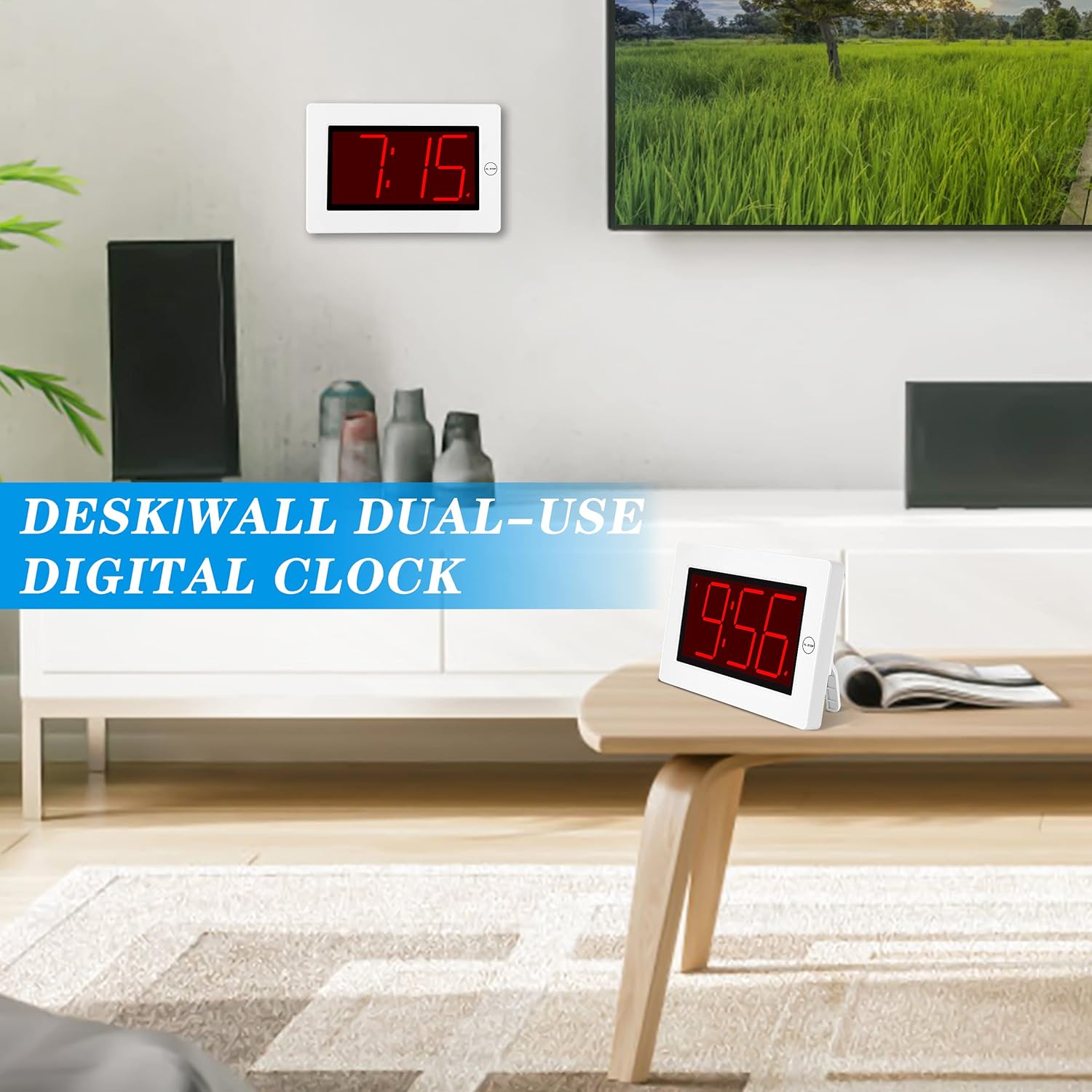
Figure 2: The clock can be used as a table-top or wall-mounted device.
5. Instrukcja obsługi
All control buttons are located on the back of the clock for easy access.

Rysunek 3: Tył view of the clock with labeled control buttons.
5.1. Ustawienie czasu
- Naciśnij i przytrzymaj USTAWIENIE CZASU Naciśnij przycisk przez 2 sekundy, aby wejść w tryb ustawiania czasu. Cyfry godzin zaczną migać.
- Naciśnij GODZINA przycisk, aby ustawić godzinę.
- Naciśnij MIN przycisk, aby ustawić minuty.
- Naciskać USTAWIENIE CZASU ponownie, aby potwierdzić i wyjść.
5.2. Ustawienie alarmu
- Naciśnij i przytrzymaj ZESTAW ALARMU button for 2 seconds to enter alarm setting mode. The alarm hour digits will flash.
- Naciśnij GODZINA przycisk, aby ustawić godzinę alarmu.
- Naciśnij MIN przycisk, aby dostosować minuty alarmu.
- Naciskać ZESTAW ALARMU ponownie, aby potwierdzić i wyjść.
5.3. Alarm On/Off & Snooze
- Włączanie/wyłączanie alarmu: Naciśnij WŁĄCZANIE / WYŁĄCZANIE ALARMU button on the back to activate or deactivate the alarm. An alarm icon will appear/disappear on the display.
- Drzemka: Gdy zabrzmi alarm, naciśnij duży przycisk AL STOP button on the top of the clock to activate snooze. The alarm will pause for a short period and sound again later.
- Zatrzymaj alarm: To stop the alarm for the day, press any button on the back of the clock.

Figure 4: Interacting with the alarm and snooze button.
5.4. Regulacja jasności
The clock offers both manual and automatic brightness control:
- Ściemniacz ręczny: Naciśnij MANUAL DIMMER button on the back to cycle through 3 brightness levels (High, Medium, Low) or turn the display OFF.
- Auto Dimmer: The clock automatically dims the LED display between 8 PM and 6 AM to protect your eyes and save energy. This feature can be toggled ON/OFF using the AUTO DIMMER ON/OFF guzik z tyłu.

Figure 5: Visual representation of the three brightness levels.
5.5. Czas letni (DST)
Naciśnij Czas letni button on the back to adjust the time for Daylight Saving Time. This will advance or set back the time by one hour.
5.6. Regulacja głośności
Użyj TOM button on the back to adjust the alarm volume to your preference.
6. Konserwacja
- Clean the clock's exterior with a soft, dry cloth. Avoid using abrasive cleaners or solvents.
- Jeżeli zegar nie będzie używany przez dłuższy czas, należy wyjąć baterie, aby zapobiec ich wyciekowi.
7. Rozwiązywanie Problemów
- Wyświetlacz jest przyciemniony lub wyłączony: Check battery levels and replace if necessary. Ensure the manual dimmer is not set to 'OFF' or the lowest setting.
- Alarm nie działa: Verify that the alarm is activated (alarm icon visible on display). Check the alarm volume setting.
- Nieprawidłowy czas: Re-set the time following the instructions in section 5.1. Ensure DST setting is correct for your region.
8. Specyfikacje
| Funkcja | Szczegół |
|---|---|
| Marka | KWANWA |
| Numer modelu | KW616-3N |
| Typ wyświetlacza | Cyfrowa dioda LED |
| Rozmiar wyświetlacza | 8 inches (3-inch digits) |
| Wymiary produktu | 8.7" szer. x 5.6" wys. |
| Źródło zasilania | Battery Powered (2 D batteries required) |
| Typ montażu | Table-top/Wall-mounted |
| Tworzywo | Plastikowy |
| Waga przedmiotu | 11.7 uncji |
| Funkcja specjalna | Cordless, Adjustable Brightness, Alarm |
9. Gwarancja i wsparcie
This product comes with a limited warranty. For warranty claims, technical support, or any inquiries regarding your KWANWA Digital Alarm Clock, please contact KWANWA customer service at sales@us-myhome.com.