
1. Wprowadzenie
This manual provides detailed instructions for the Redragon K503 Gaming Keyboard. Please read this guide thoroughly to ensure proper setup, operation, and maintenance of your device. The Redragon K503 is a multimedia gaming keyboard featuring RGB LED backlighting and a comfortable wrist rest, designed for use with Windows and MacOS PC systems.
2. Konfiguracja
2.1 Zawartość opakowania
- Redragon K503 Gaming Keyboard
- Kabel USB (zintegrowany)
2.2 Podłączanie klawiatury
- Znajdź dostępny port USB na swoim komputerze.
- Podłącz złącze USB klawiatury Redragon K503 do portu USB.
- Your operating system (Windows or MacOS) should automatically detect and install the necessary drivers. No additional software installation is typically required for basic functionality.
- The keyboard's RGB backlighting will illuminate upon successful connection.
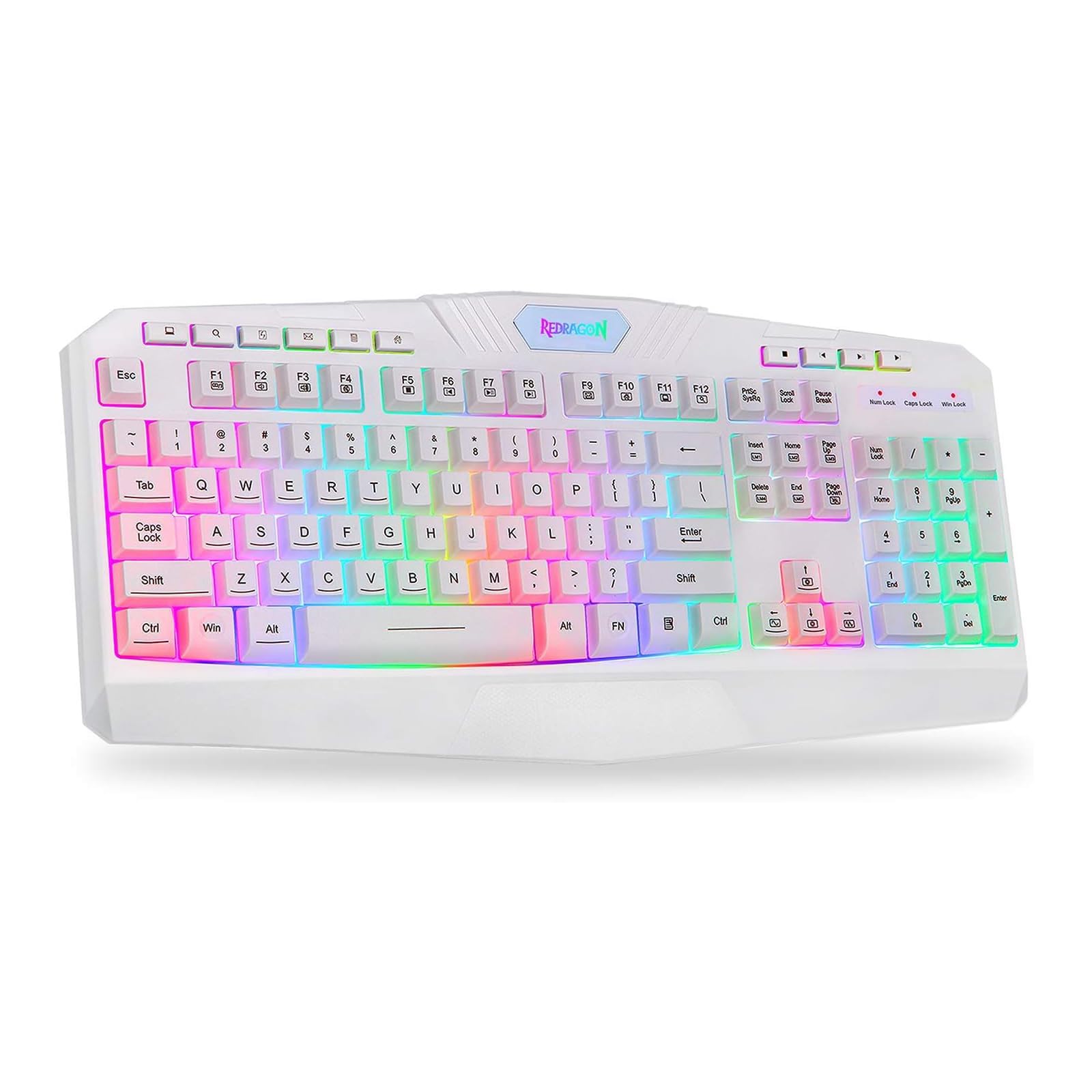
This image shows the Redragon K503 Gaming Keyboard, highlighting its full layout and white finish. The keys feature RGB backlighting, visible around the keycaps.
3. Instrukcja obsługi
3.1 Podstawowe funkcje
The Redragon K503 functions as a standard QWERTY keyboard for typing and input. All standard keys operate as labeled.
3.2 klawiszy multimedialnych
The keyboard includes dedicated multimedia keys for convenient control of media playback and system functions. These keys are typically located above the function keys (F1-F12) or integrated with them via the 'Fn' key. Common functions include:
- Regulacja głośności: Increase, decrease, or mute audio.
- Odtwarzanie multimediów: Play/pause, stop, previous track, next track.
- Web Przeglądarka: Launch default web przeglądarka.
- E-mail: Launch default email client.
Podświetlenie LED 3.3 RGB
The K503 features customizable RGB LED backlighting. The lighting modes and brightness can be adjusted directly on the keyboard using specific key combinations. Refer to the keycap legends for specific lighting control keys, often involving the 'Fn' key combined with other function keys (e.g., Fn + Scroll Lock, Fn + Home/End, or dedicated lighting keys).
- Zmiana trybów oświetlenia: Press the designated key combination to cycle through various lighting effects (e.g., static, breathing, wave).
- Regulacja jasności: Use the specified key combination to increase or decrease the backlight intensity.
- Zmiana kolorów: Some modes allow for color customization using specific key presses.
4. Konserwacja
4.1 Czyszczenie klawiatury
Aby zachować optymalną wydajność i wygląd klawiatury, należy ją regularnie czyścić:
- Przed czyszczeniem odłącz klawiaturę od komputera.
- Użyj miękkiej, niestrzępiącej się ściereczki, lekko wyczyśćampPrzetrzyj klawisze i powierzchnię wodą lub łagodnym środkiem czyszczącym.
- Do usuwania kurzu i zanieczyszczeń spomiędzy klawiszy należy użyć sprężonego powietrza.
- Nie należy używać silnych środków chemicznych ani środków czyszczących o właściwościach ściernych, ani zanurzać klawiatury w płynach.
5. Rozwiązywanie Problemów
5.1 Klawiatura nie odpowiada
- Sprawdź, czy kabel USB jest prawidłowo podłączony do klawiatury i komputera.
- Spróbuj podłączyć klawiaturę do innego portu USB w komputerze.
- Przetestuj klawiaturę na innym komputerze, aby ustalić, czy problem dotyczy klawiatury czy portu USB/sterowników komputera.
- Uruchom ponownie komputer.
5.2 Backlighting Not Working or Incorrect
- Check if the backlighting has been turned off or set to the lowest brightness level using the keyboard's lighting control keys.
- Sprawdź, czy klawiatura jest prawidłowo podłączona do komputera.
- If a specific key's backlight is not working, it may indicate a hardware issue.
5.3 Specific Keys Not Functioning
- Clean around and under the affected keycap to remove any debris that might be obstructing its movement.
- Jeśli problem nadal występuje, może to oznaczać awarię sprzętu.
6. Specyfikacje
| Marka | Czerwony smok |
| Numer modelu | K503W-RGB |
| Technologia łączności | USB |
| Kompatybilne urządzenia | PC (Windows, MacOS) |
| Opis klawiatury | Multimedia |
| Funkcja specjalna | Lighting (RGB LED Backlit) |
| Kolor | Biały |
| Wymiary produktu | 17.6" dł. x 7.9" szer. x 1.2" wys. |
| Tworzywo | Akrylonitryl Butadienowo-styrenowy |
| Zawarte komponenty | Kabel USB |
7. Informacje o gwarancji
Redragon products are typically covered by a limited manufacturer's warranty. The specific terms and duration of the warranty may vary by region and retailer. Please retain your proof of purchase for warranty claims. For detailed warranty information, refer to the warranty card included with your product or visit the official Redragon webstrona.
8. Obsługa klienta
If you encounter any issues not covered in this manual or require further assistance, please contact Redragon customer support. Contact information can usually be found on the official Redragon website or on the product packaging. When contacting support, please have your product model number (K503) and proof of purchase ready.


