
1. Wprowadzenie
This manual provides comprehensive instructions for the proper use and maintenance of your Zerone Replacement TV Remote Control, model BN59-01199G. This remote is designed as a direct replacement for compatible Samsung Smart TVs, ensuring seamless operation without complex setup.

Image 1.1: The Zerone Replacement TV Remote Control, showcasinze względu na układ przycisków i ergonomiczną konstrukcję.
2. Zawartość opakowania
- 1 x Zerone Replacement TV Remote Control (Model: BN59-01199G)
3. Specyfikacje
| Funkcja | Szczegół |
|---|---|
| Materiał skorupy | ABS |
| Odległość zdalnego sterowania | Greater than 8 meters (actual distance may vary based on TV model and environment) |
| Model baterii | 2 baterie AA (brak w zestawie) |
| Wymiary produktu | Około 175 x 45 x 20 mm (6.9 x 1.8 x 0.8 cala) |
| Waga przedmiotu | Około. 67 g (2.46 uncji) |
| Kompatybilne urządzenia | Samsung Smart TVs requiring BN59-01199G remote |

Image 3.1: Dimensions of the remote control: 175mm (6.9in) length, 45mm (1.8in) width, and 20mm (0.8in) thickness.
4. Konfiguracja
4.1 Instalacja baterii
- Znajdź komorę baterii z tyłu pilota.
- Przesuń pokrywę baterii w dół, aby ją otworzyć.
- Włóż dwie (2) baterie AA, upewniając się, że bieguny dodatni (+) i ujemny (-) są prawidłowo ustawione względem oznaczeń wewnątrz komory.
- Wsuń pokrywę baterii z powrotem na miejsce, aż zaskoczy.
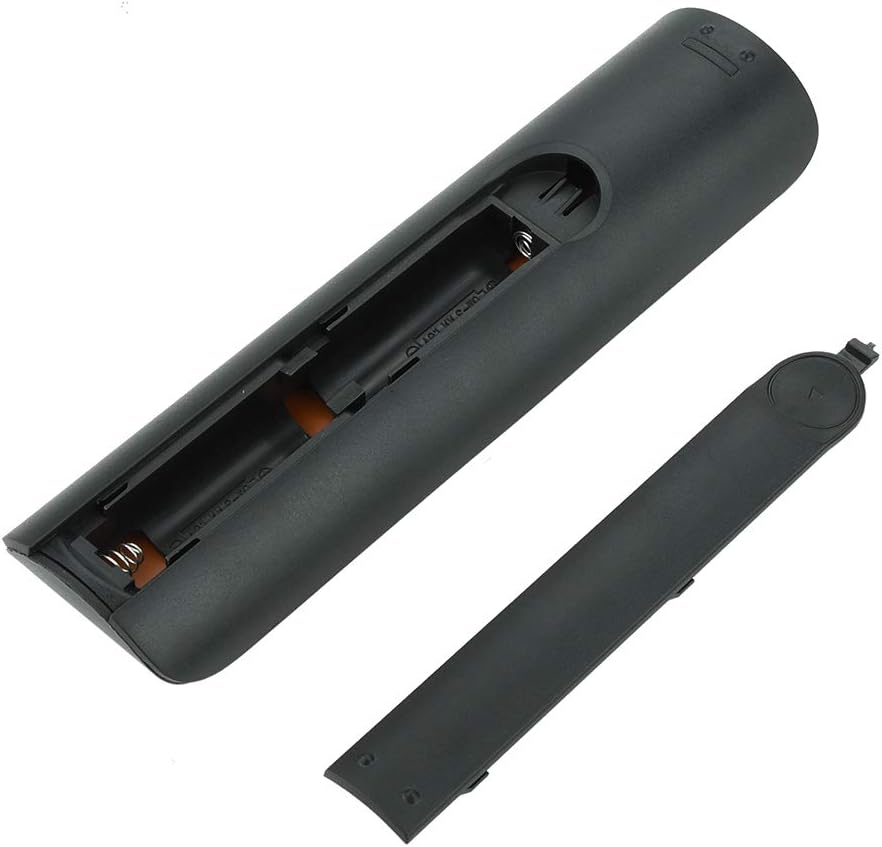
Obraz 4.1: View of the remote control with the battery cover removed, showing the two AA battery slots.
4.2 Pierwsze użycie
This remote control is designed to work directly with compatible Samsung Smart TVs that originally used the BN59-01199G model. No programming or pairing is typically required. Simply install the batteries and point the remote towards your television.

Image 4.2: The remote control positioned near a television, illustrating its intended use with compatible Samsung models.
5. Instrukcja obsługi
The remote control features standard buttons for TV operation. Refer to the image below for a visual guide to the button layout.

Rysunek 5.1: Szczegółowy view of the remote control's buttons, including power, number pad, volume, channel, and smart functions.
- Przycisk zasilania (czerwony): Włącza lub wyłącza telewizor.
- Klawiatura numeryczna (0-9): Do bezpośredniego wprowadzania kanału.
- Zwiększanie/zmniejszanie głośności (+/-): Regulacja głośności telewizora.
- Zmiana kanału w górę/w dół (CH +/-): Zmienia kanały telewizyjne.
- Niemy: Wycisza dźwięk telewizora.
- Inteligentny Hub: Accesses the Smart Hub interface for apps and streaming services.
- Menu: Otwiera główne menu telewizora.
- Narzędzia: Provides quick access to common TV functions.
- Informacja: Wyświetla informacje o bieżącym programie lub wejściu.
- Panel nawigacyjny (góra, dół, lewo, prawo, Enter): Służy do poruszania się po menu i wybierania opcji.
- Powrót: Wraca do poprzedniego ekranu lub menu.
- Wyjście: Closes the current menu or application.
- Kolorowe przyciski (A, B, C, D): Functionality varies by TV model and application.
- Sterowanie odtwarzaniem: Play, Pause, Stop, Fast Forward, Rewind for media playback.
6. Konserwacja
6.1 Czyszczenie
Aby wyczyścić pilota, delikatnie przetrzyj go miękką, suchą ściereczką. W przypadku uporczywych zabrudzeń delikatnie przetrzyj.ampen the cloth with water or a mild, non-abrasive cleaner. Avoid using harsh chemicals or excessive moisture, as these can damage the remote's electronics.
6.2 Wymiana baterii
Replace batteries when the remote control's response becomes sluggish or stops working. Always replace both AA batteries at the same time with new ones. Do not mix old and new batteries, or different types of batteries.
7. Rozwiązywanie Problemów
- Pilot nie odpowiada:
- Sprawdź, czy baterie zostały włożone prawidłowo, z zachowaniem właściwej polaryzacji.
- Wymień baterie na nowe.
- Upewnij się, że między pilotem zdalnego sterowania a odbiornikiem podczerwieni telewizora nie ma żadnych przeszkód.
- Sprawdź, czy pilot jest skierowany bezpośrednio na telewizor.
- Short remote control distance:
- This can indicate low battery power; replace the batteries.
- Environmental factors or strong light sources can interfere with the infrared signal. Try using the remote in different lighting conditions.
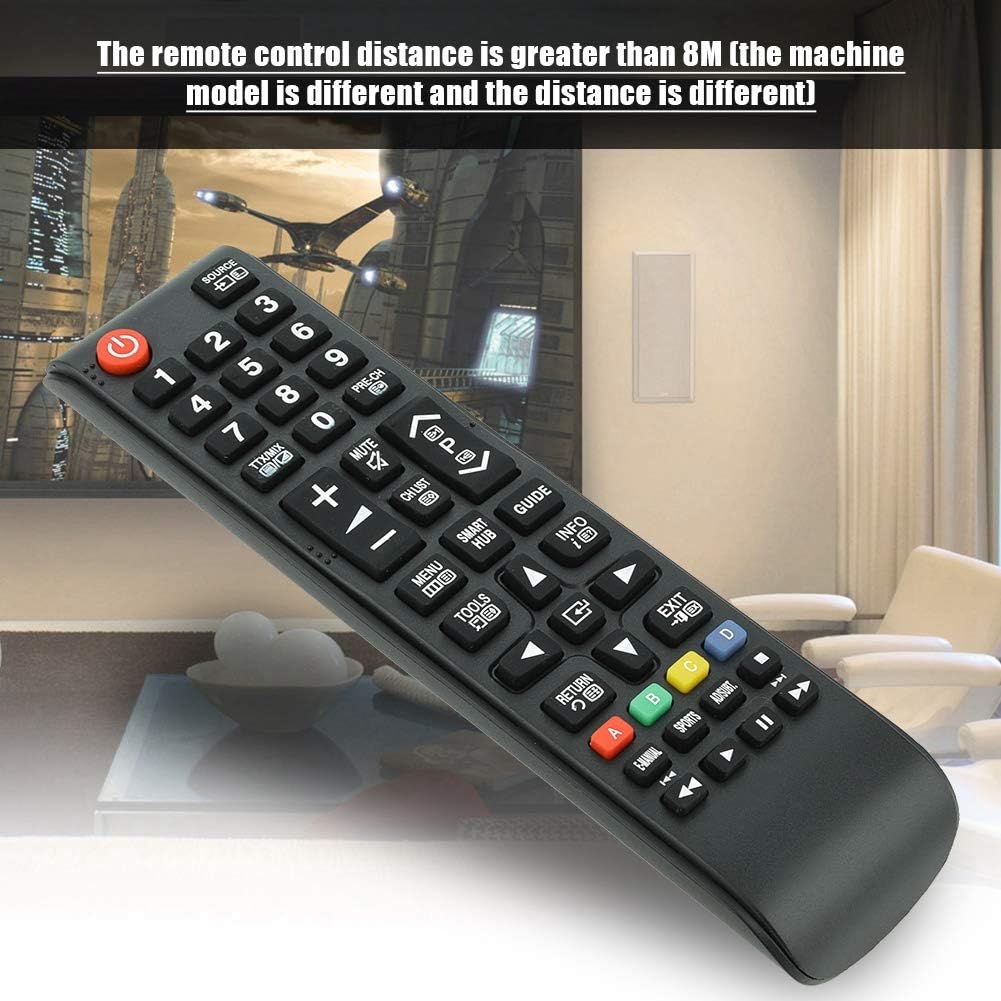
Image 7.1: The remote control in a typical home environment, demonstrating its effective range for TV operation.
8. Gwarancja i wsparcie
Zerone products are manufactured with quality in mind. If you encounter any issues or are not satisfied with your product, please contact the seller or manufacturer for support. Refer to your purchase documentation for specific warranty terms and contact information.


