
1. Wprowadzenie
This manual provides instructions for the SAFFUN 2.4 GHz Wireless USB Controller, designed for a retro gaming experience. This controller is compatible with various platforms including Windows PC, Mac, Linux, and Raspberry Pi systems. Please read this manual thoroughly before use to ensure proper setup and operation.
2. Koniec produktuview
The SAFFUN Wireless USB Controller offers a classic SNES-style design with modern wireless connectivity. It features a 2.4 GHz wireless RF connection, providing a range of up to 10 meters for flexible gameplay.
Główne cechy:
- Łączność bezprzewodowa 2.4 GHz: Offers a stable connection with up to 10 meters range.
- Podłącz i graj: Generic USB controller that requires no additional setup for most compatible systems.
- Sensitive Buttons: Designed for precision control.
- Dłuższa żywotność baterii: Up to 3 years battery life with a 240mA capacity.
- Szybkie ładowanie: Około 1 godziny do pełnego naładowania.
Komponenty kontrolera:
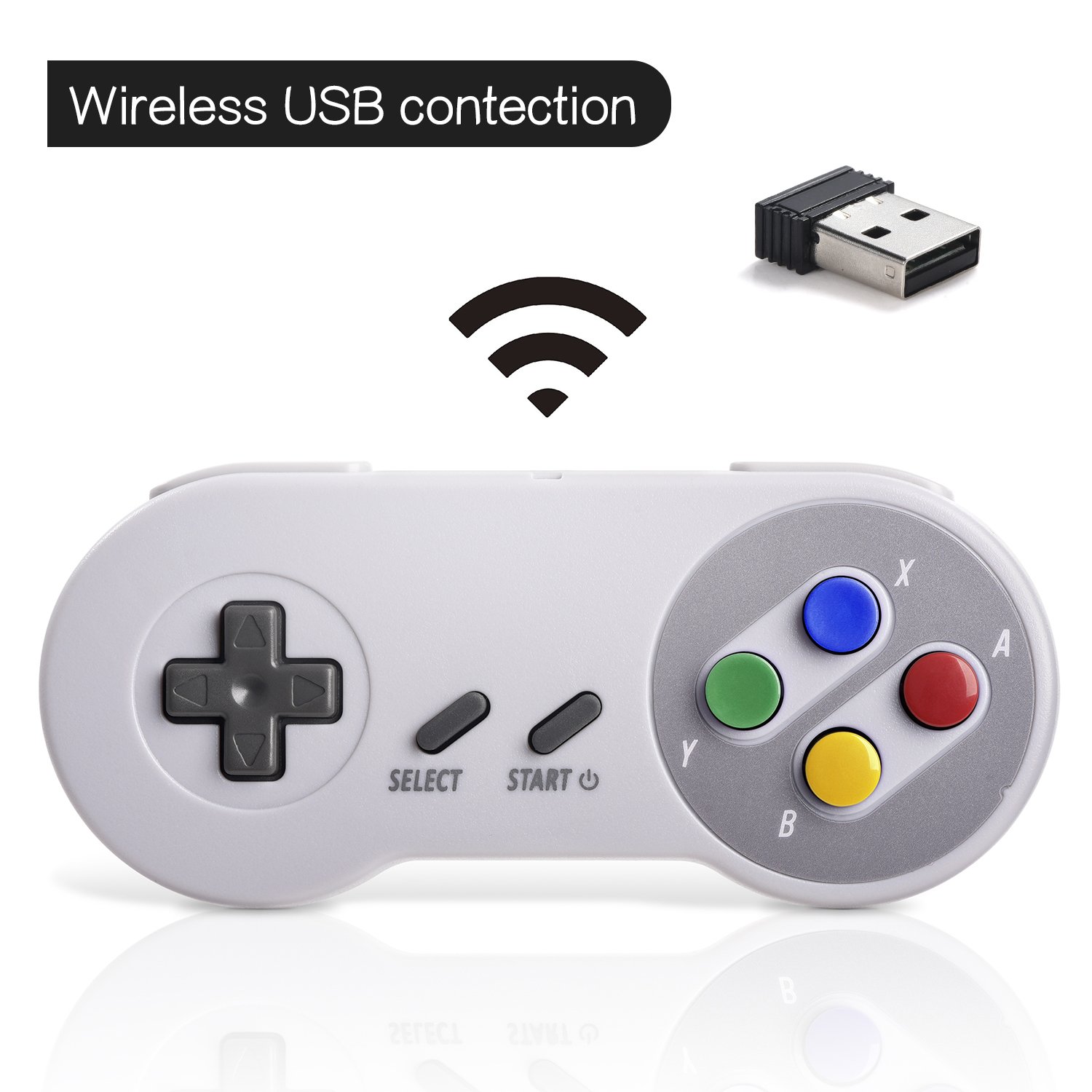

3. Konfiguracja
Początkowe połączenie:
- Insert the 2.4 GHz USB receiver into an available USB port on your PC, Mac, Linux device, or Raspberry Pi.
- Press the 'START' button on the controller to power it on. The controller should automatically connect to the USB receiver. A red indicator light on the controller will confirm connection status.
- If your program or application accepts USB controller input, the controller should be ready for use.
Pairing and Resetting:
If the controller does not pair automatically or experiences connection issues, you may need to reset it:
- Sprawdź, czy odbiornik USB jest prawidłowo podłączony do urządzenia.
- Naciśnij i przytrzymaj WYBIERAĆ, START, I D-PAD DOWN buttons simultaneously on the controller to initiate a reset and re-pairing sequence.
- The controller should then attempt to re-establish a connection with the USB receiver.

4. Instrukcja obsługi
The controller functions similarly to a classic SNES controller. The buttons are mapped as follows:
- Pad kierunkowy: Directional control (Up, Down, Left, Right).
- Przycisk WYBIERZ: Typically used for menu selections or secondary functions.
- Przycisk Start: Used to pause games, confirm selections, or power on/off the controller.
- Action Buttons (Y, X, A, B): Podstawowe przyciski akcji w rozgrywce.
- Guziki na ramionach (L, P): Located on the top edge of the controller for additional in-game actions.
For specific button assignments within games or emulators, refer to the in-game settings or emulator configuration options.
5. Zgodność
Obsługiwane systemy operacyjne:
- Windows (98, ME, 2000, 2003, XP, Vista, 7, 8, 8.1, 10)
- Linux (Ubuntu, Linux Mint, Android Linux via USB OTG cable)
- Mac OS X and beyond
- Retrogaming operating systems (RetroPie, Recalbox, Happi Game Center, Lakka, ChameleonPi, Piplay)
Obsługiwane urządzenia:
- PC, Notebook Computer, Laptop Computer
- Android Smartphone (via USB OTG cable)
- Raspberry Pi (RPI, Raspberry pie): Raspberry Pi 1 Model B, Model A, Raspberry Pi 1 Model B+, Raspberry Pi Zero, Raspberry Pi 2, Raspberry Pi 3 Model B, Raspberry Pi 3, Retro Pie

Urządzenia nieobsługiwane:
- Android TV Box
- C64 (Commodore 64)
- Chromebook Google'a
- Ogień TV
- Para
- Tesla
- Nintendo NES Classic Edition Console, NES Mini Console, Nintendo SNES Classic Edition Console, SNES Mini Console

Obsługiwane emulatory gier:
- NES, SNES, Snes9x, ZSNES, Higan
- Handheld GBA emulator
- Sega Genesis emulator
- Sega OpenEmu (Only supports OS X)
- RetroArch (Works well on Android)
- BSNES (Ideal for two-player action)
6. Ładowanie i żywotność baterii
The controller is equipped with a rechargeable battery. To charge the controller:
- Connect the provided charging cable to the micro USB port on the top edge of the controller.
- Connect the other end of the cable to a standard USB power source (e.g., computer USB port, USB wall adapter).
- The red indicator light on the controller will flash while charging and remain solid when fully charged.
Specyfikacja baterii:
- Pojemność baterii: 240mA
- Czas ładowania: około 1 godziny
- Objętość ładowaniatage: 3.7 V
- Usage time: Up to 3 hours on a full charge
- Wskaźnik poziomu naładowania baterii: Tak
7. Rozwiązywanie Problemów
Problemy z połączeniem:
- Kontroler nie odpowiada: Ensure the USB receiver is properly inserted into a working USB port. Verify the controller is powered on by pressing the 'START' button.
- Przerywane połączenie: Move closer to the USB receiver to ensure you are within the 10-meter range. Check for potential interference from other 2.4 GHz wireless devices.
- Ponowne parowanie: If connection is lost or unstable, perform the reset procedure by holding SELECT + START + D-PAD DOWN simultaneously.
Input/Button Mapping Problems:
- Nieprawidłowe funkcje przycisków: Check the in-game or emulator settings to ensure the controller buttons are correctly mapped. Some emulators may require manual configuration.
- Controller not recognized as SNES type: Some systems or games might incorrectly identify the controller. If possible, manually select a generic USB gamepad or SNES controller profile within the software settings.
Problemy z ładowaniem:
- Kontroler się nie ładuje: Ensure the charging cable is securely connected to both the controller and the power source. Try a different USB port or charging adapter. Check if the red indicator light flashes during charging.
8. Specyfikacje
| Funkcja | Szczegół |
|---|---|
| Numer modelu | 8541667389 |
| Łączność | 2.4 GHz Wireless RF |
| Zasięg bezprzewodowej | Do 10 metrów |
| Wymiary produktu | 5.51 x 2.36 x 0.79 cala |
| Waga przedmiotu | 8.1 uncji |
| Typ baterii | Rechargeable (1 A battery included) |
| Pojemność baterii | 240mA |
| Czas ładowania | 1 godzin |
| Objętość ładowaniatage | 3.7 V |
| Czas użytkowania | 3 godziny |
| Producent | SZAFUNA |
| Data pierwszej dostępności | 8 maja 2018 r. |
9. Gwarancja i wsparcie
SAFFUN is registered with the United States Patent and Trademark Office. We are committed to 100% customer satisfaction.
- Gwarancja: We provide a hassle-free 12-month replacement warranty.
- Obsługa klienta: For any questions or support, please feel free to contact us.
