
Wstęp
This manual provides detailed instructions for the installation, operation, and maintenance of your NEC SL2100 IP7WW-12TXH-B1 12-Button Display Speaker Telephone. Please read this manual thoroughly before using the telephone to ensure proper functionality and to prevent damage.
Informacje dotyczące bezpieczeństwa
Podczas korzystania z tego produktu należy zawsze przestrzegać podstawowych zasad bezpieczeństwa, aby zmniejszyć ryzyko pożaru, porażenia prądem elektrycznym i obrażeń ciała.
- Nie należy używać tego produktu w pobliżu wody, np.ample, w pobliżu wanny, umywalki, zlewu kuchennego lub pralki, w wilgotnej piwnicy lub w pobliżu basenu.
- Unikaj korzystania z telefonu podczas burzy. Istnieje niewielkie ryzyko porażenia prądem elektrycznym.
- Nie zgłaszaj wycieku gazu przez telefon w pobliżu miejsca wycieku.
- Use only the power source specified in this manual or marked on the product. This telephone is powered by the phone system.
- Odłącz ten produkt od gniazdka ściennego przed czyszczeniem. Nie używaj płynnych ani aerozolowych środków czyszczących. Użyj adamp ściereczka do czyszczenia.
Zawartość opakowania
Sprawdź, czy w opakowaniu znajdują się wszystkie elementy:
- NEC SL2100 IP7WW-12TXH-B1 12-Button Display Speaker Telephone (Black)
- Słuchawka
- Przewód słuchawki
- Base Stand (for desk or wall mounting)
- Ethernet Cable (if applicable for IP connection)
Produkt ponadview
The NEC SL2100 IP7WW-12TXH-B1 is a corded 12-button display speaker telephone designed for use with NEC SL2100 systems. It features a clear display for call information and menu navigation, a built-in speakerphone for hands-free communication, and 12 programmable function keys.
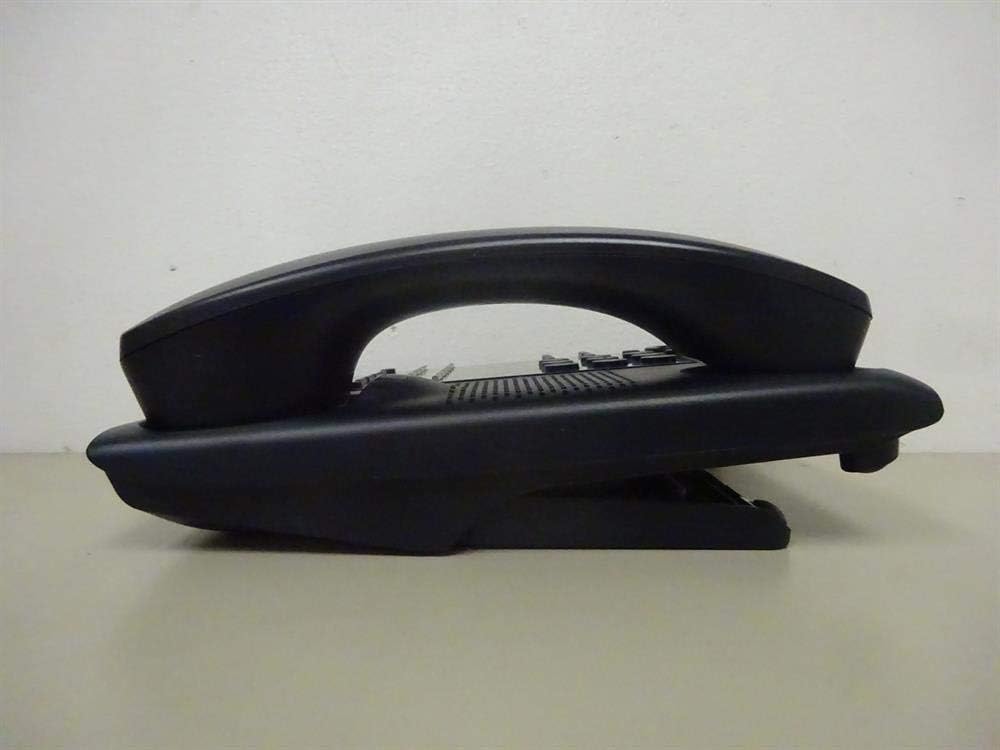
Rysunek 1: Strona view of the NEC SL2100 IP7WW-12TXH-B1 telephone, showing the ergonomic design of the handset and base unit.

Rysunek 2: Tył view of the telephone, illustrating the various connection ports for the handset and network, as well as the integrated wall-mounting slots.
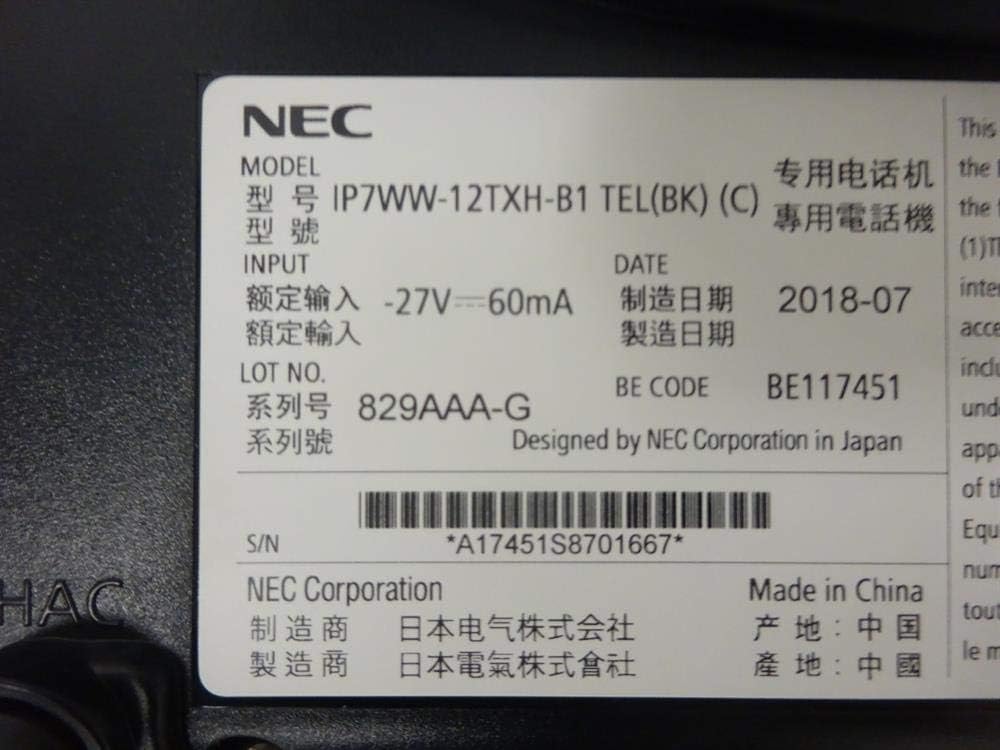
Rysunek 3: Close-up of the product label, displaying model number IP7WW-12TXH-B1, input specifications, and manufacturer details.
Organizować coś
1. Assembling the Telephone
- Zamocuj podstawę: Align the base stand with the slots on the bottom of the telephone. Slide it into place until it clicks securely. The stand can be adjusted for different viewing angles or reversed for wall mounting.
- Podłącz słuchawkę: Plug one end of the coiled handset cord into the handset and the other end into the designated port on the side of the telephone base.
2. Connecting to the System
This telephone is designed to connect to an NEC SL2100 system. Ensure your SL2100 system is properly installed and configured.
- Podłącz kabel sieciowy: Plug one end of an Ethernet cable into the LAN port on the back of the telephone. Plug the other end into an available port on your NEC SL2100 system or a network switch connected to the system.
- Włączanie: The telephone receives power directly from the NEC SL2100 system (Power over Ethernet - PoE) or via a separate power adapter (not included, if PoE is not available). Once connected, the telephone should power on automatically.
- Konfiguracja wstępna: The telephone will typically register with the SL2100 system automatically. If prompted, follow the on-screen instructions or consult your system administrator for specific extension number assignment or network settings.
Instrukcja obsługi
Wykonywanie połączeń
- Podnieś słuchawkę: Podnieś słuchawkę i posłuchaj sygnału wybierania.
- Wybrać numer: Wybierz żądany numer telefonu za pomocą klawiatury.
- Zestaw głośnomówiący: Naciśnij GŁOŚNIK button to activate the speakerphone, then dial the number.
Odbieranie połączeń
- Podnieś słuchawkę: Gdy zadzwoni telefon, podnieś słuchawkę, aby odebrać.
- Zestaw głośnomówiący: Naciśnij GŁOŚNIK button to answer the call hands-free.
Korzystanie z wyświetlacza
The display shows call information, menu options, and system status. Use the navigation buttons (usually arrow keys) to scroll through menus and the WCHODZIĆ or WYBIERAĆ przycisk, aby potwierdzić wybór.
Programmable Function Keys (12 Buttons)
The 12 buttons on the telephone can be programmed for various functions such as speed dial, line access, feature activation, or direct station selection. Consult your system administrator for the specific programming of these keys.
Konferencje telefoniczne
The telephone supports 3-way conference calls. To initiate a conference call:
- Nawiąż połączenie z pierwszą osobą.
- Naciśnij CONF (Conference) button or the designated programmable key. The first party will be put on hold.
- Wybierz numer drugiej osoby.
- Po połączeniu z drugą stroną naciśnij CONF Kliknij przycisk ponownie, aby dołączyć do wszystkich trzech stron.
Identyfikator dzwoniącego
When an incoming call is received, the caller's information (name and number, if available) will be displayed on the screen.
Operacja wieloliniowa
This telephone supports multi-line operation, allowing you to manage multiple calls simultaneously. Use the designated line keys or programmable keys to switch between active lines or place calls on hold.
Konserwacja
Czyszczenie
To clean the telephone, unplug it from the network connection. Use a soft, slightly damp cloth. Do not use harsh chemicals, abrasive cleaners, or excessive moisture. Avoid spraying cleaners directly onto the telephone.
Składowanie
If storing the telephone for an extended period, ensure it is clean and dry. Store it in a cool, dry place away from direct sunlight and extreme temperatures.
Rozwiązywanie problemów
- Brak sygnału wybierania:
- Check all cable connections, especially the network cable to the SL2100 system.
- Ensure the SL2100 system is powered on and functioning correctly.
- If using a separate power adapter (not PoE), ensure it is properly connected and receiving power.
- Wyświetlacz nie działa:
- Verify the telephone is receiving power.
- Try disconnecting and reconnecting the network cable.
- Nie można wykonywać/odbierać połączeń:
- Sprawdź sygnał wybierania.
- Ensure the telephone is properly registered with the SL2100 system.
- Contact your system administrator to verify line assignments and system status.
- Słaba jakość dźwięku:
- Check handset and network cable connections.
- Upewnij się, że nie występują żadne zakłócenia ze strony innych urządzeń elektronicznych.
- Test with another telephone if possible to isolate the issue.
Specyfikacje
| Funkcja | Specyfikacja |
|---|---|
| Marka | NEC |
| Numer modelu | IP7WW-12TXH-B1 (Mfr Part Number: BE117451) |
| Kolor | Czarny |
| Typ telefonu | Sznurowy |
| Tworzywo | Plastikowy |
| Źródło zasilania | Phone System (PoE compatible) |
| Typ dialera | Pojedyncza klawiatura |
| Pozycja Wymiary (dł. x szer. x wys.) | 15 x 12 x 6 cala |
| Typ systemu odbierającego | Cyfrowy (zależny od systemu) |
| Kompatybilne urządzenia | NEC SL2100 Systems, NEC SL2100 IP7WW-082U-B1 8 Port Digital Station Card |
| Możliwość prowadzenia rozmów konferencyjnych | 3-drożny |
| Operacja wieloliniowa | Tak |
| Identyfikator dzwoniącego | Tak |
Gwarancja i wsparcie
For warranty information, please refer to the documentation provided with your NEC SL2100 system or contact your NEC authorized dealer. For technical support, please contact your system administrator or NEC customer service.
Korporacja NEC
For further assistance, please visit the official NEC website or contact your local support representative.