
Wstęp
Thank you for choosing the MARVO KG925G Mechanical Gaming Keyboard. This manual provides essential information for setting up, operating, maintaining, and troubleshooting your new keyboard. Please read this manual carefully before use to ensure optimal performance and longevity of your device.
Zawartość opakowania
Sprawdź, czy w opakowaniu znajdują się wszystkie elementy:
- MARVO KG925G Mechanical Gaming Keyboard
- Instrukcja obsługi (ten dokument)
Organizować coś
Wymagania systemowe
- System operacyjny: Windows 8 lub nowszy
- Dostępny port USB 2.0
Podłączanie klawiatury
- Znajdź dostępny port USB 2.0 w swoim komputerze.
- Plug the USB connector of the MARVO KG925G keyboard into the USB port.
- System operacyjny automatycznie wykryje i zainstaluje niezbędne sterowniki. Ten proces może potrwać chwilę.
- Once the drivers are installed, the keyboard's backlighting will illuminate, indicating it is ready for use.
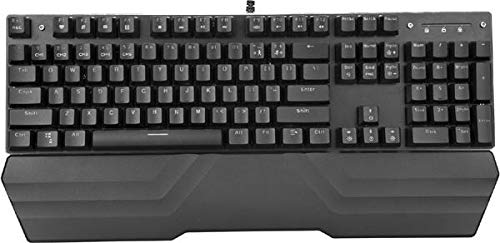
Image: The MARVO KG925G Mechanical Gaming Keyboard with its USB cable connected, ready for use. The keyboard features a wrist rest and illuminated keys.
Instrukcja obsługi
Podstawowe funkcje klawiatury
The MARVO KG925G functions as a standard QWERTY keyboard for typing and general computer use.
Klawisze multimedialne
The keyboard includes dedicated multimedia functions, typically accessed via the Fn key combined with the F-keys (F1-F12). Refer to the keycap legends for specific functions such as volume control, media playback, and launching applications.
- Fn + F1-F12: Access various multimedia and system functions.
Kontrola podświetlenia
The MARVO KG925G features customizable backlighting. Specific key combinations are used to change lighting modes, brightness, and speed. Consult the keyboard's keycap legends or the manufacturer's website for detailed instructions on advanced lighting customization.
- Tryby oświetlenia: Typically cycled using a dedicated key or Fn + a specific key (e.g., Scroll Lock, Pause Break, or a dedicated lighting key).
- Regulacja jasności: Often controlled by Fn + Up/Down arrow keys.
Konserwacja i pielęgnacja
Właściwa konserwacja zapewnia długowieczność i wydajność klawiatury.
- Czyszczenie: Do przecierania powierzchni klawiatury używaj miękkiej, suchej ściereczki. Do dokładniejszego czyszczenia użyj sprężonego powietrza w puszce, aby usunąć kurz i zanieczyszczenia spomiędzy klawiszy. Unikaj stosowania silnych środków chemicznych i materiałów ściernych.
- Wycieki: In case of liquid spills, immediately unplug the keyboard from your computer. Turn it upside down to drain any liquid and allow it to dry completely for at least 24-48 hours before reconnecting. Do not attempt to use the keyboard while it is wet.
- Składowanie: Przechowuj klawiaturę w chłodnym, suchym miejscu, z dala od bezpośredniego światła słonecznego i ekstremalnych temperatur.
Rozwiązywanie problemów
If you encounter issues with your MARVO KG925G keyboard, refer to the following common solutions:
| Problem | Możliwe rozwiązanie |
|---|---|
| Klawiatura nie odpowiada. |
|
| Backlighting is not working. |
|
| Keys are not registering correctly. |
|
Specyfikacje
- Model: KG925G
- Marka: MARVO
- Łączność: USB 2.0
- Typ klawiatury: Mechaniczna klawiatura do gier
- Cechy: Illumination, Wrist Rest, Multimedia Keys
- Kompatybilny system operacyjny: Windows 8 i nowsze
- Wymiary: Około 47.5 x 18.7 x 8.4 cm (18.7 x 7.4 x 3.3 cala)
Gwarancja i wsparcie
Aby uzyskać informacje dotyczące gwarancji i pomocy technicznej, zapoznaj się z kartą gwarancyjną dołączoną do produktu lub odwiedź oficjalną stronę internetową MARVO webZachowaj dowód zakupu na wypadek roszczeń gwarancyjnych.