
1. Wprowadzenie
This manual provides essential information for the proper use and maintenance of your Speedlink Competition Pro Extra USB Joystick (Model SL-650212-BKRD). This joystick is designed for use with PCs and Android devices, offering a retro arcade gaming experience. Please read these instructions carefully before using the product.
2. Ważne instrukcje bezpieczeństwa
Failure to observe these instructions can cause product damage, explosion, fire, and/or electric shock.
- Use this device only as indicated in the user guide. Do not open or repair it.
- Nie wystawiaj urządzenia na działanie płynów, ciepła lub zimna.
- Nie używaj urządzenia w reklamieamp środowisko.
- Wyczyść urządzenie suchą szmatką.
- Trzymaj urządzenie i wszystkie luźne części z dala od dzieci, zwierząt domowych i osób nieupoważnionych.
- Use only with the appropriate provided accessories/cables.
- Disconnect the charging cable from the device if it will not be used for a long time. When disconnecting the cable, don't pull on the cable but on the plug.
- Don't use the cables in any way other than mentioned in the user guide; don't bend, cut, extend, or knot up them.
- Nie wkładaj żadnych obcych przedmiotów do otworów urządzenia.
- Jeśli urządzenie jest w jakikolwiek sposób uszkodzone lub za bardzo się nagrzewa, natychmiast przestań z niego korzystać.
- Take caution when using the device if you have a pacemaker or are dependent on other sensitive electronic aids, as the device emits radio signals.
Safety instructions in further languages can be found at www.speedlink.com.
3. Zawartość opakowania
The Speedlink Competition Pro Extra USB Joystick package includes:
- Speedlink Competition Pro Extra USB Joystick (Model SL-650212-BKRD)
- Zintegrowany kabel USB
- Information on how to download the included 20 retro games
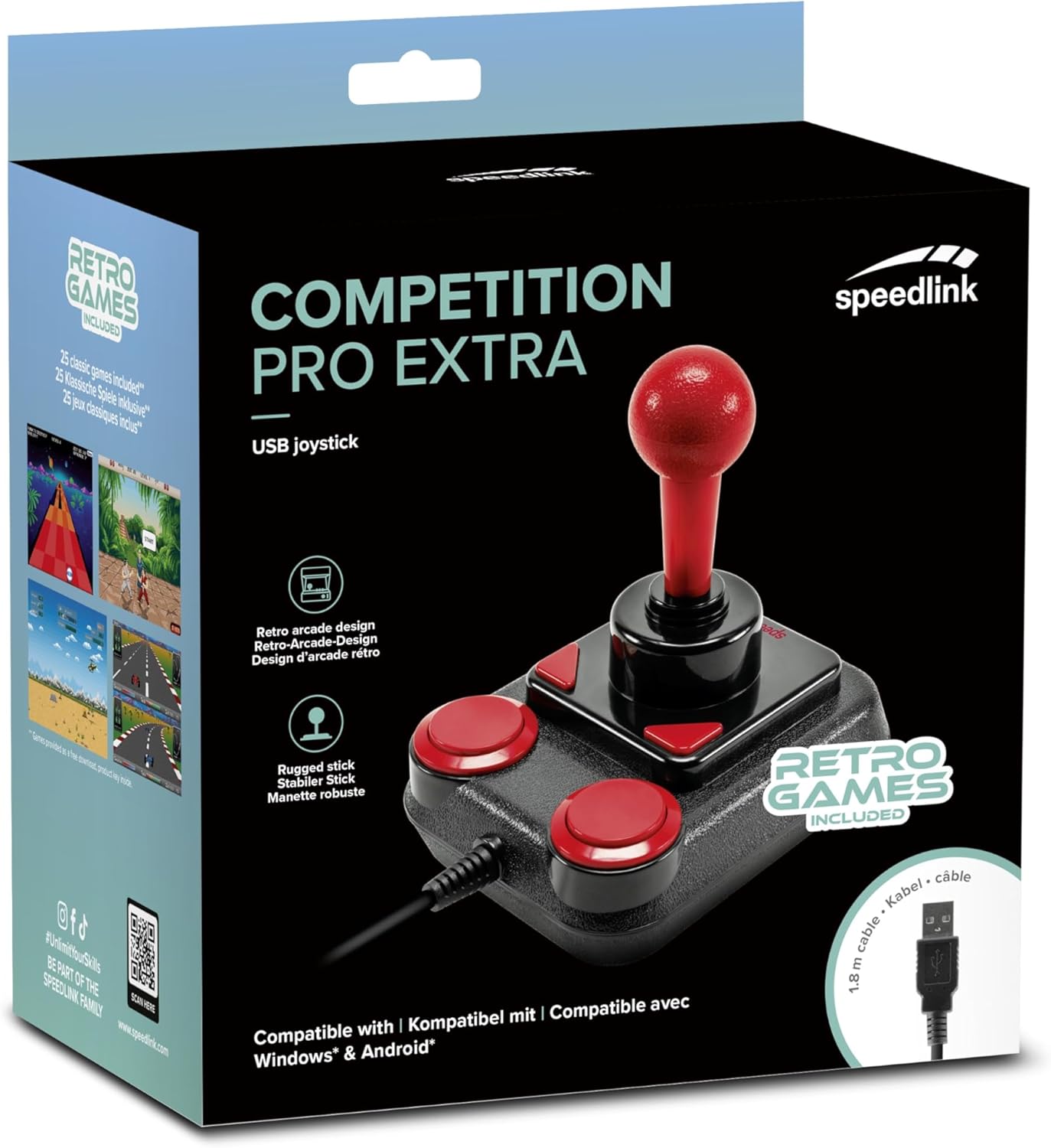
Image: Retail packaging for the Speedlink Competition Pro Extra USB Joystick, showing the product and "Retro Games Included" label.
4. Koniec produktuview
The Competition Pro Extra USB Joystick features a classic arcade design with a robust stick and responsive buttons.

Obraz: widok z góry view of the joystick, highlighting the red ball-top stick and red circular fire buttons.

Obraz: kątowy view showing the joystick's main stick, two circular fire buttons, and two triangular fire buttons.
The joystick includes:
- Arcade Stick: A classic red ball-top joystick for directional control.
- Przyciski ognia: Two large circular red buttons and two smaller triangular red buttons for in-game actions.
- Rapid-Fire Switch: A switch located on the underside of the joystick to enable or disable rapid-fire functionality for the main fire buttons.

Image: Underside of the joystick, showing the "ON" and "OFF" positions for the rapid-fire switch.
5. Konfiguracja
5.1 Łączenie z komputerem PC
- Znajdź dostępny port USB na swoim komputerze.
- Plug the USB connector of the Competition Pro Extra joystick into the USB port.
- The operating system (Windows 7 or later) will automatically detect and install the necessary drivers. No manual driver installation is typically required.
- Once installed, the joystick is ready for use with compatible games and emulators. You may need to configure joystick settings within individual game or emulator software.
5.2 Connecting to an Android Device
For Android devices, an OTG (On-The-Go) adapter is required (not included).
- Connect the USB connector of the joystick to an OTG adapter.
- Plug the OTG adapter into the USB port of your Android device.
- The Android device should recognize the joystick. Compatibility may vary depending on the Android device and game/application.
6. Instrukcja obsługi
6.1 Sterowanie podstawowe
- Drążek sterowy: Use the main stick for directional movement (up, down, left, right, and diagonals).
- Przyciski ognia: Press any of the four red buttons to perform in-game actions such as firing, jumping, or selecting.
6.2 Rapid-Fire Mode
The joystick features a rapid-fire function for enhanced gameplay in certain titles.
- To activate rapid-fire, locate the switch on the underside of the joystick and slide it to the "ON" position.
- To deactivate rapid-fire, slide the switch to the "OFF" position.
6.3 Included Games
The Anniversary Edition includes a collection of 20 retro games available for download. Refer to the instructions provided with your product for details on how to access and download these games.

Image: Screenshot of the game launcher interface, displaying a list of classic games such as Bomberwarrior, Summer Games, and River Attack.
7. Konserwacja
- Czyszczenie: Use a soft, dry cloth to clean the surface of the joystick. Do not use liquid cleaners or abrasive materials.
- Składowanie: Store the joystick in a dry place away from direct sunlight and extreme temperatures.
- Pielęgnacja kabli: Avoid bending or twisting the USB cable excessively. Do not pull on the cable to disconnect it; always grasp the plug.
8. Rozwiązywanie Problemów
- Joystick not recognized by PC:
- Sprawdź, czy kabel USB jest prawidłowo podłączony do działającego portu USB.
- Wypróbuj inny port USB.
- Uruchom ponownie komputer.
- Check Device Manager (Windows) to see if the device is listed and if there are any driver issues.
- Joystick not recognized by Android device:
- Ensure your Android device supports USB OTG functionality.
- Verify the OTG adapter is functioning correctly.
- Try a different OTG adapter or Android device if possible.
- Buttons or stick unresponsive:
- Ensure the joystick is properly connected.
- Test the joystick in a different game or application to rule out software-specific issues.
- Calibrate the joystick through your operating system's game controller settings if available.
- Rapid-fire not working:
- Check that the rapid-fire switch on the underside of the joystick is set to "ON".
9. Specyfikacje
| Funkcja | Szczegół |
|---|---|
| Nazwa modelu | SL-650212-BKRD |
| Marka | Łącze prędkości |
| Technologia łączności | USB |
| Kompatybilne urządzenia | PC (Windows 7 or later), Android (via OTG adapter) |
| Typ kontrolera | Drążek sterowy |
| Kolor | Czarny, czerwony |
| Waga przedmiotu | 3.53 uncji (około 100 g) |
| Wymiary produktu (dł. x szer. x wys.) | 4.65 x 3.78 x 5.12 cala (ok. 11.8 x 9.6 x 13 cm) |
| Źródło zasilania | Przewodowy elektryczny (zasilany przez USB) |
| Tomtage | 5 wolty |
10. Informacje o zgodności
10.1 Oświadczenie FCC
To urządzenie jest zgodne z częścią 15 przepisów FCC. Jego działanie podlega następującym dwóm warunkom: (1) To urządzenie nie może powodować szkodliwych zakłóceń i (2) to urządzenie musi akceptować wszelkie odbierane zakłócenia, w tym zakłócenia, które mogą powodować niepożądane działanie.
To urządzenie zostało przetestowane i uznane za zgodne z limitami dla urządzeń cyfrowych klasy B, zgodnie z częścią 15 przepisów FCC. Limity te mają na celu zapewnienie rozsądnej ochrony przed szkodliwymi zakłóceniami w instalacjach mieszkalnych. To urządzenie generuje, wykorzystuje i może emitować energię o częstotliwości radiowej i jeśli nie zostanie zainstalowane i używane zgodnie z instrukcją, może powodować szkodliwe zakłócenia w komunikacji radiowej. Nie ma jednak gwarancji, że zakłócenia nie wystąpią w konkretnej instalacji. Jeśli to urządzenie powoduje szkodliwe zakłócenia w odbiorze radia lub telewizji, co można ustalić, wyłączając i włączając urządzenie, zachęca się użytkownika do podjęcia próby skorygowania zakłóceń za pomocą jednego lub kilku z następujących środków:
- Zmiana orientacji lub położenia anteny odbiorczej.
- Zwiększ odległość między urządzeniem i odbiornikiem.
- Podłącz urządzenie do gniazdka w innym obwodzie niż ten, do którego podłączony jest odbiornik.
- Aby uzyskać pomoc, należy zwrócić się do sprzedawcy lub doświadczonego technika radiowo-telewizyjnego.
Note: Modifications to this product will void the user's authority to operate this equipment.
10.2 CE, UKCA, EAC Compliance
Produkt jest zgodny z następującymi dyrektywami:
- Kompatybilność elektromagnetyczna: 2014/30/UE
- RoHS: 2011/65/UE
Pełną deklarację zgodności, najnowszą instrukcję obsługi, często zadawane pytania lub dalsze informacje można znaleźć na stronie www.speedlink.com.

Image: Excerpt from the product manual showing safety instructions, warnings, FCC statement, and conformity information in multiple languages.
11. Gwarancja i wsparcie
For warranty information, technical support, and frequently asked questions, please visit the official Speedlink webstrona:
Prosimy zachować te informacje do wykorzystania w przyszłości.