
Produkt ponadview
The Vitafit VT571 Digital Kitchen Food Scale is designed for precise measurement of food ingredients. It features a clear LED display, a durable tempered glass surface, and a slim, elegant design for easy storage.
- Duża pojemność: Measures up to 10 kg (22 lbs).
- Precyzja: Minimum weighing of 2g, with 1g exact increments.
- Wiele jednostek: Displays measurements in grams (g), kilograms (kg), ounces (oz), and pounds:ounces (lb:oz).
- Wyczyść wyświetlacz: Large and bright LED display (50x30mm) with white digits for easy readability.
- Funkcja tary: Allows for measurement of multiple ingredients in the same bowl.
- Energooszczędny: Features an auto-off function, low battery, and overload indications.

Obraz: Góra view of the Vitafit VT571 Digital Kitchen Food Scale, showcasindzięki eleganckiemu wzornictwu i wyświetlaczowi LED.
Organizować coś
- Montaż baterii:
Locate the battery compartment on the underside of the scale. Open the compartment cover and insert 3 AAA batteries, ensuring correct polarity (+/-). Close the cover securely.

Image: The underside of the scale, highlighting the battery compartment and non-slip rubber feet.
- Umieszczenie:
Place the scale on a hard, flat, and level surface. Uneven surfaces can affect measurement accuracy.
Instrukcja obsługi
- Włączanie/wyłączanie:
Naciśnij WŁ./WYŁ./TARA button (power symbol) to turn the scale on. The display will show '0' or '0.0' when ready. Press and hold the WŁ./WYŁ./TARA Aby wyłączyć wagę, naciśnij przycisk przez kilka sekund.

Image: A close-up of the scale's surface, showing the ON/OFF/TARE button and the UNIT button, along with various unit displays.
- Konwersja jednostek:
Naciśnij JEDNOSTKA button to cycle through the available measurement units: g, kg, oz, and lb:oz.
- Ważenie składników:
Place the item to be weighed directly onto the center of the scale platform. The weight will be displayed on the LED screen. Wait a few seconds for the reading to stabilize.
- Funkcja tarowania (dodawanie i ważenie):
To weigh multiple ingredients in the same container or to subtract the weight of a container:
- Umieść pusty pojemnik na wadze.
- Naciśnij WŁ./WYŁ./TARA przycisk. Wyświetlacz zresetuje się do „0”.
- Add the first ingredient to the container. The scale will display its weight.
- Aby dodać kolejny składnik, naciśnij przycisk WŁ./WYŁ./TARA Naciśnij przycisk ponownie, aby zresetować wyświetlacz do „0”, a następnie dodaj kolejny składnik. Powtarzaj w razie potrzeby.

Image: The scale in use, demonstrating the tare function with a bowl containing ingredients, and a hand pressing the tare button.
- Funkcja automatycznego wyłączania:
The scale will automatically turn off after approximately 2 minutes of inactivity to conserve battery life.
Konserwacja
- Czyszczenie:
Powierzchnia ze szkła hartowanego jest łatwa w czyszczeniu. Przetrzyj wagę wodą.amp cloth. Do not immerse the scale in water or use abrasive cleaning agents. Ensure the bottom side of the unit does not get wet.
- Składowanie:
Due to its slim design (23x17x2.2cm), the scale can be easily stored in a kitchen drawer or cabinet when not in use.
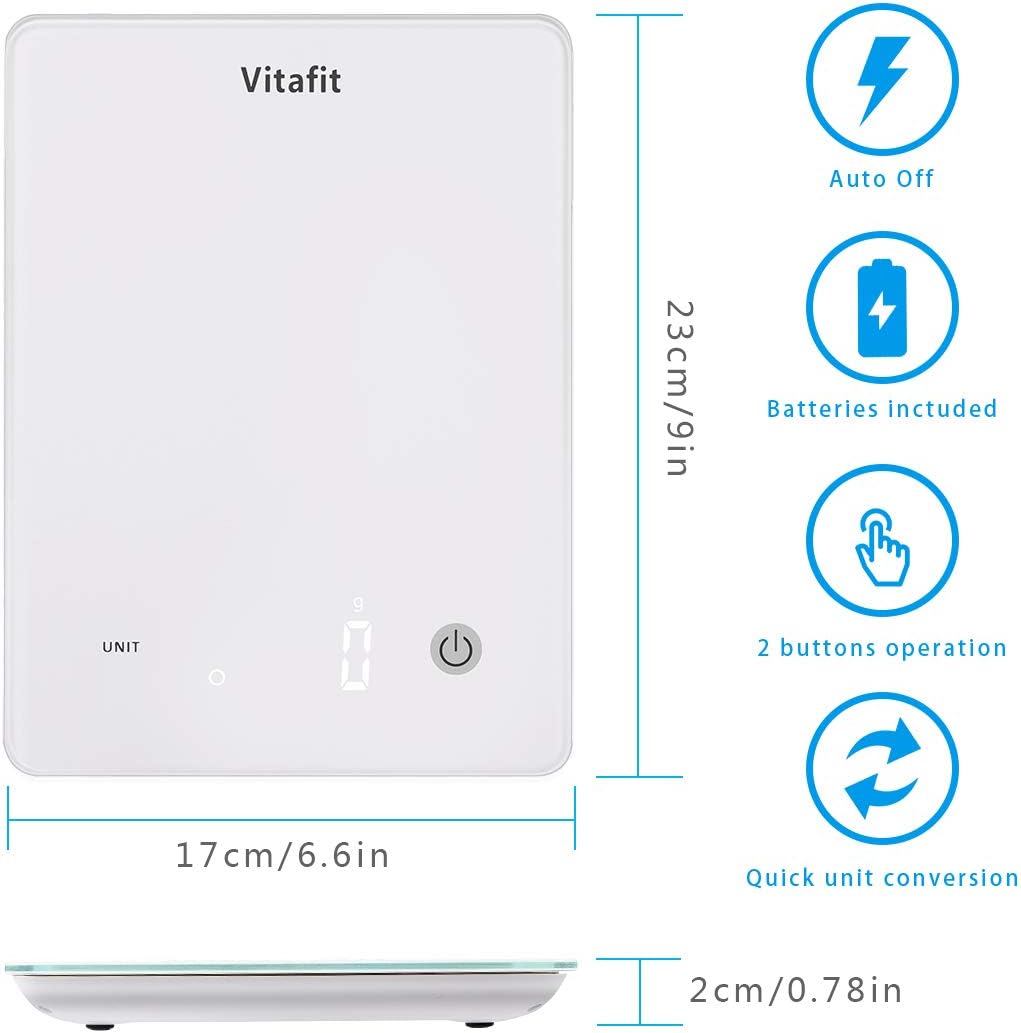
Image: Diagram showing the dimensions of the Vitafit VT571 scale (23cm x 17cm x 2cm) and icons for auto-off, batteries included, 2-button operation, and quick unit conversion.
- Wymiana baterii:
When the 'Lo' indicator appears on the display, it is time to replace the batteries. Refer to the 'Battery Installation' section under Setup.
Rozwiązywanie problemów
- Niedokładne odczyty:
- Ensure the scale is placed on a hard, flat, and level surface.
- Avoid placing the scale near strong air currents or vibrations.
- Wait a few seconds for the reading to stabilize after placing an item.
- Wyświetlacz 'Lo':
Wskazuje niski poziom naładowania baterii. Wymień 3 baterie AAA.
- 'O-Ld' Display:
Indicates overload. The weight on the scale exceeds its maximum capacity (10 kg / 22 lbs). Remove the item immediately to prevent damage.
- Waga nie włącza się:
Check if the batteries are installed correctly and are not depleted. Replace if necessary.
Specyfikacje
| Funkcja | Specyfikacja |
|---|---|
| Marka | Vitafit |
| Model | VT571 |
| Kolor | Biały |
| Nośność | 10 kg (22 funta) |
| Minimum Weighing | 2 gramów |
| Dokładność odczytu | 1 gramów |
| Jednostki miary | g, kg, uncja, funt:oz |
| Typ wyświetlacza | LED, Cyfrowy |
| Tworzywo | Szkło hartowane |
| Wymiary (dł. x szer. x wys.) | 23 cm x 17 cm x 2.2 cm (9 cala x 6.6 cala x 0.78 cala) |
| Źródło zasilania | 3 baterie AAA |
| Cechy specjalne | Auto Shut Off, Backlit Display, Tare Function |
| UPC | 659103933120 |
Informacje o gwarancji
This Vitafit Digital Kitchen Food Scale is covered by a 5-letnia gwarancja od daty zakupu. Niniejsza gwarancja obejmuje wady produkcyjne i materiałowe powstałe w wyniku normalnego użytkowania. Prosimy zachować dowód zakupu na wypadek roszczeń gwarancyjnych.
Gwarancja nie obejmuje uszkodzeń powstałych na skutek niewłaściwego użytkowania, wypadku, nieautoryzowanej modyfikacji lub nieprzestrzegania instrukcji zawartych w niniejszej instrukcji.
Obsługa klienta
For any questions, technical assistance, or warranty claims, please contact Vitafit customer support through the retailer's platform or visit the official Vitafit webstrona dla danych kontaktowych.