
Zerone H980
Zerone Mini Portable LED Projector User Manual
Model: H980
Wstęp
Dziękujemy za zakupasing the Zerone Mini Portable LED Projector. This compact and versatile projector is designed to provide an immersive home theater experience, allowing you to enjoy movies, videos, and games in a dark environment, whether at home or outdoors. With its multiple input interfaces and long-life LED light source, it offers a convenient and environmentally friendly solution for your entertainment needs.
This manual provides essential information on setting up, operating, and maintaining your projector to ensure optimal performance and longevity. Please read it thoroughly before use and keep it for future reference.
Zawartość opakowania
Po otwarciu opakowania prosimy sprawdzić, czy wszystkie wymienione poniżej elementy znajdują się w opakowaniu i są w dobrym stanie:
- 1 x Zerone Mini Portable LED Projector
- 1 x Remote Control (batteries not included)
- 1 x zasilacz (wtyczka amerykańska)
- Kabel 1 x AV
- 1 x Instrukcja obsługi (ten dokument)

Figure 1: Zerone Mini Portable LED Projector and its accessories. The image shows the compact white and yellow projector, a black remote control, a black power adapter with a US plug, and a black AV cable with red, white, and yellow connectors.
Produkt ponadview
The Zerone Mini Portable LED Projector is designed for ease of use and portability. It features a compact form factor, making it suitable for various environments. Below is an overview jego kluczowych komponentów i funkcji.

Rysunek 2: Widok z góry na dół view of the projector's input and control panel. Visible ports include MicroSD, AV, and a 3.5mm earphone port. Control buttons are also visible on the top surface.
Główne cechy:
- 1500lm High Brightness: Zapewnia wyraźne i żywe obrazy.
- Rozdzielczość natywna: 320 x 240P, supporting up to 1080P HD input.
- Long-Life LED Light Source: 30,000 hours of operation, environmentally friendly.
- Wiele interfejsów wejściowych: HDMI, USB, AV, VGA, Micro Secure Digital, 3.5mm Earphone Port.
- Przenośna konstrukcja: Mały i lekki, łatwy do transportu.

Figure 3: Connectivity options for the projector. This diagram illustrates how various devices such as laptops, desktop PCs, U disks/TF cards, DVD/VCD players, game consoles, TV boxes, and HDMI players can connect to the projector via its HDMI, AV, USB, VGA, and Micro SD inputs.
Organizować coś
1. Podłączenie zasilania:
- Connect the provided power adapter to the "DC IN" port on the projector.
- Podłącz zasilacz do standardowego gniazdka elektrycznego.
- Na projektorze zaświeci się kontrolka zasilania.
2. Positioning the Projector:
Place the projector on a stable, flat surface. Ensure there is adequate ventilation around the unit to prevent overheating. The ideal projection distance ranges from 1.0 to 2.8 meters (approximately 3.3 to 9.2 feet) to achieve a screen size of 24 to 60 inches.
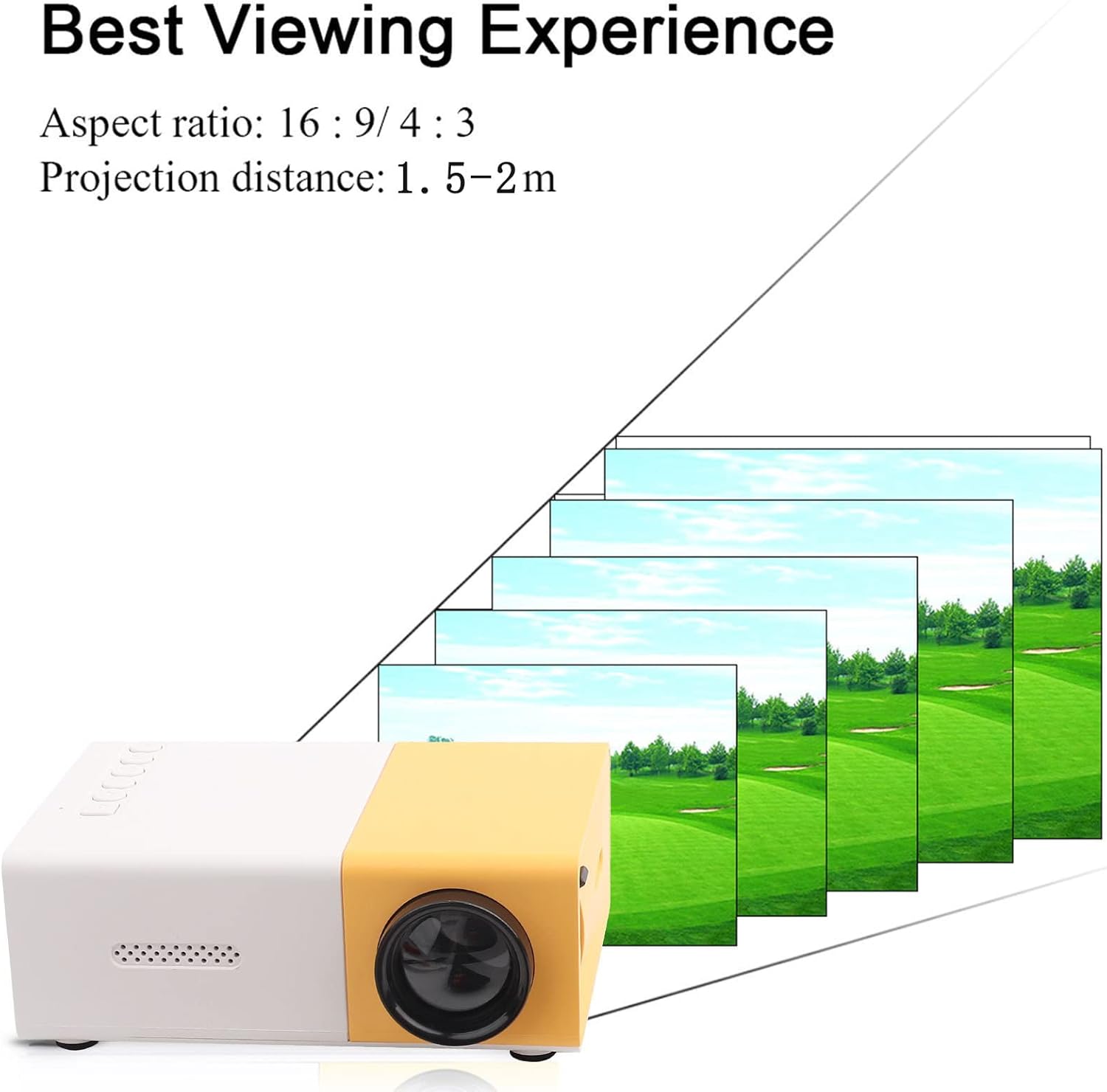
Rysunek 4: Najlepszy Viewing Experience. This image shows the projector projecting onto a screen, with text indicating an aspect ratio of 16:9/4:3 and a projection distance of 1.0-2.8m. It visually represents how the image size changes with distance.
3. Podłączanie urządzeń wejściowych:
Connect your desired media device (e.g., laptop, TV box, game console, USB drive) to the appropriate port on the projector:
- HDMI: Do obrazu i dźwięku wysokiej rozdzielczości.
- USB: Do odtwarzania multimediów filebezpośrednio z dysku flash USB.
- AV: For connecting devices using the included AV cable (e.g., older DVD players).
- VGA: For connecting computers.
- Micro Secure Digital (MicroSD): Do odtwarzania multimediów files directly from a MicroSD card.
- Gniazdo słuchawkowe 3.5 mm: Do podłączenia zewnętrznych słuchawek lub głośników.
Instrukcja obsługi
1. Włączanie/wyłączanie:
Naciśnij przycisk zasilania na projektorze lub pilocie, aby włączyć lub wyłączyć urządzenie.
2. Focusing the Image:
The projector features manual focusing. Rotate the focus ring on the lens until the projected image appears clear and sharp on the screen.
3. Wybór źródła wejściowego:
Use the "Source" button on the projector or remote control to cycle through the available input sources (HDMI, USB, AV, VGA, MicroSD) until your connected device's content is displayed.
4. Adjusting Aspect Ratio:
The projector supports aspect ratios of 16:9 and 4:3. You can adjust this setting via the projector's menu or remote control to best suit your content.
5. Odtwarzanie multimediów:
When playing media from USB or MicroSD, navigate through files using the remote control's directional buttons and "OK" button. The projector supports a wide range of formats:
- Audio Files: MP3, WMA, OGG, AAG, FLAC, APE, WAV
- Obraz Files: JPEG, BMP, PNG
- Wideo Files: Supports Full Format Files
- Tekst Files: Tekst
Konserwacja
1. Czyszczenie obiektywu:
Do delikatnego przecierania soczewki projektora należy używać miękkiej, niepozostawiającej włókien ściereczki przeznaczonej specjalnie do soczewek optycznych. Unikaj stosowania środków ściernych i nadmiernej siły, ponieważ może to porysować soczewkę.
2. Cleaning the Projector Body:
Przetrzyj zewnętrzną część projektora miękką, suchą ściereczką. Nie używaj płynnych środków czyszczących ani rozpuszczalników.
3. Wentylacja:
Ensure that the ventilation vents on the projector are not blocked. Proper airflow is crucial to prevent overheating and maintain the lifespan of the LED light source.
4. Przechowywanie:
When not in use for extended periods, store the projector in a cool, dry place, away from direct sunlight and excessive dust. It is recommended to use the original packaging or a protective case.
Rozwiązywanie problemów
| Problem | Możliwa przyczyna | Rozwiązanie |
|---|---|---|
| Brak projekcji obrazu. |
|
|
| Obraz jest rozmazany. |
|
|
| Brak dźwięku. |
|
|
| Projektor przegrzewa się lub wyłącza. |
|
|
Specyfikacje
| Funkcja | Szczegół |
|---|---|
| Źródło światła | LED, 30,000 hours lifespan |
| Rozdzielczość natywna | 320x240P |
| Jasność | 1500lm |
| Współczynnik kontrastu | 800:1 |
| Tryb skupiania | Ręczne ustawianie ostrości |
| Wyświetlane kolory | 1.67 mln |
| Proporcje obrazu | 16:9 / 4:3 |
| Odległość projekcji | 1.0 - 2.8 m |
| Rozmiar ekranu projekcyjnego | 24 - 60 cali |
| Moc wejściowa | Prąd stały 12 V-2 A |
| Wymiary | Około 127 x 81.5 x 48.5 mm (5 x 3.2 x 1.9 cala) |
| Waga | Około 500 g (1.1 funta) |
| Interfejsy | 1 x HDMI, 1 x USB, 1 x AV, 1 x VGA, 1 x Micro Secure Digital, 1 x 3.5mm Earphone Port |
Gwarancja i wsparcie
Aby uzyskać informacje o gwarancji i pomocy technicznej, zapoznaj się z dokumentacją zakupu lub skontaktuj się ze sprzedawcą. Zachowaj dowód zakupu na wypadek roszczeń gwarancyjnych.
For further assistance, you may also visit the official Zerone store on Amazon: Zerone Store.