
Wstęp
Thank you for choosing the BOBLOV PD50 Body Camera. This manual provides detailed instructions for the setup, operation, and maintenance of your device. Please read this manual thoroughly before using the camera to ensure proper functionality and to maximize its performance.
The BOBLOV PD50 is a high-definition body-worn camera designed for various applications, featuring 1296P WDR recording, night vision capabilities, a wide-angle lens, and a durable design. It is equipped with a 2400mAh battery for extended recording times and supports a dashcam mode for vehicle use.
Zawartość opakowania
Po rozpakowaniu należy sprawdzić zawartość opakowania, aby upewnić się, że znajdują się w nim wszystkie elementy:
- BOBLOV PD50 Body Camera (32GB internal memory)
- Klips na ramię
- Klips do paska
- Ładowarka (zasilacz)
- Kabel danych USB
- Instrukcja obsługi

Image: BOBLOV PD50 Body Camera and its included accessories.
Produkt ponadview
Familiarize yourself with the various components and controls of your BOBLOV PD50 Body Camera:

Image: Detailed diagram of the BOBLOV PD50 Body Camera's components and controls.
- Mikrofon: Przechwytuje dźwięk podczas nagrywania.
- Światło LED: Zapewnia oświetlenie.
- Wskaźnik ładowania: Pokazuje stan ładowania.
- Wskaźnik pracy: Indicates device operation status.
- Location Pointing Light: Laser pointer for aiming.
- Światło podczerwone: Diody LED podczerwieni do widzenia w nocy.
- Głośnik: Do odtwarzania dźwięku.
- Przycisk resetowania: Aby zresetować urządzenie.
- Ekran LCD: Displays menu, live viewi odtwarzanie.
- Przycisk menu: Dostęp do ustawień urządzenia.
- Playback/Confirm Button: Initiates playback or confirms selections.
- Przycisk powrotu: Umożliwia powrót do menu.
- Przycisk nagrywania wideo: Rozpoczyna/zatrzymuje nagrywanie wideo.
- Przycisk nagrywania dźwięku: Starts/stops audio recording.
- Przyciski w górę/w dół: Poruszaj się po opcjach menu.
- Photo Shooting Button: Rejestruje nieruchome obrazy.
- Port HDMI: Do podłączania zewnętrznych wyświetlaczy.
- Port USB: Do ładowania i przesyłania danych.
- Przycisk zasilania: Włącza/wyłącza urządzenie.
Organizować coś
1. Ładowanie akumulatora
Before first use, fully charge the camera's battery. The 2400mAh battery supports approximately 6 hours of continuous 1080p recording. Using the original cable and 3.8V DC adapter, a full charge takes about 1 hour with Qualcomm Quick Charge 3.0 technology.
- Connect the USB data cable to the camera's USB port.
- Podłącz drugi koniec kabla USB do dostarczonej ładowarki.
- Podłącz ładowarkę do gniazdka elektrycznego.
- The charging indicator will illuminate. It will turn off or change color once charging is complete.

Image: Charging the BOBLOV PD50 Body Camera.
2. Włączanie/wyłączanie zasilania
To power on the camera, press and hold the Power Switch until the screen illuminates. To power off, press and hold the Power Switch again until the device shuts down.
3. Podłączanie do komputera
The camera supports plug-and-play functionality with Windows 7/8/10 and Mac operating systems for easy data transfer.
- Upewnij się, że kamera jest włączona.
- Podłącz kamerę do komputera za pomocą dołączonego kabla USB.
- The camera will be recognized as a removable disk. You can then access and transfer recorded files.

Image: Connecting the BOBLOV PD50 Body Camera to a computer.
Instrukcja obsługi
1. Nagrywanie wideo
The camera supports 1296P, 1080P, and 720P HD resolutions with a 150-degree wide-angle lens and WDR for clear video capture.
- To start video recording, press the dedicated Video Recording button.
- The working indicator will change to indicate recording is in progress.
- Aby zatrzymać nagrywanie, naciśnij ponownie przycisk nagrywania wideo.
- You can select video resolution (1296P, 1080P, 720P) through the camera's menu settings.
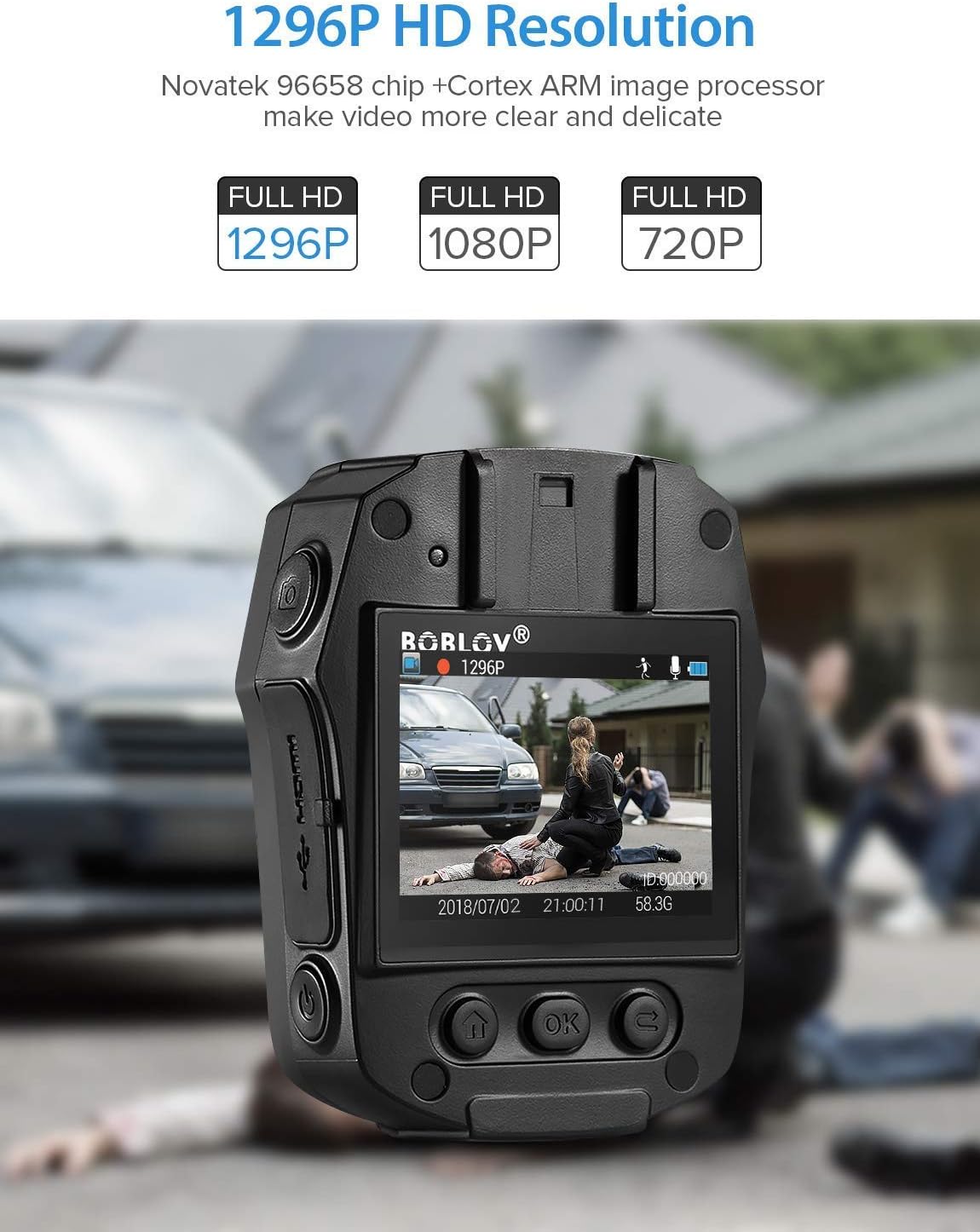
Image: High-definition video recording at 1296P resolution.

Image: The camera's 150-degree wide-angle lens capturing a broad field of view.
2. Nagrywanie dźwięku
Aby nagrać tylko dźwięk:
- Press the dedicated Audio Recording button to start.
- Naciśnij go ponownie, aby zatrzymać.
3. Sesja zdjęciowa
Aby uchwycić nieruchome obrazy:
- Press the dedicated Photo Shooting button.
- The camera will capture a still image.
4. Night Vision (IR LED)
The camera features 850nm high-intensity dual infrared LEDs for night vision, allowing recording up to 30-40 feet in total darkness.
- To activate or deactivate IR night vision, press the IR Light button.
- The IR LEDs will illuminate when active.
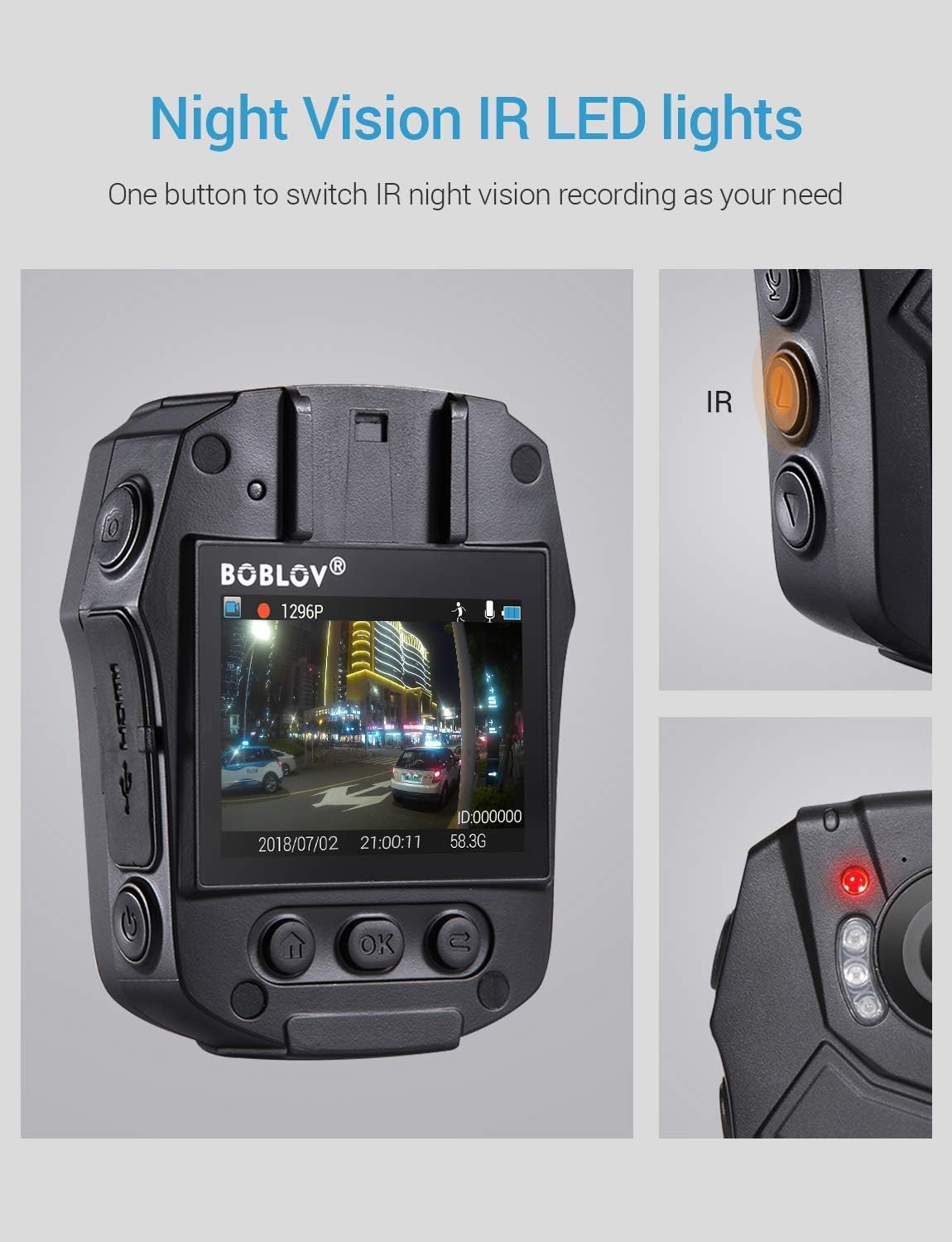
Image: Activating night vision with IR LED lights.
5. Tryb kamery samochodowej
In Dashcam mode, the camera automatically starts recording when powered on and saves videos when the engine is turned off (when connected to a vehicle's power supply).
- Enable Dashcam mode in the camera's menu settings.
- Mount the camera securely in your vehicle.
- Connect the camera to your vehicle's power supply.
6. Odtwarzanie
Aby ponownieview nagrano footage and photos:
- Press the Playback/Confirm button to enter playback mode.
- Use the Up/Down buttons to navigate through files.
- Press Playback/Confirm again to view wybrany file.
- Press the Return button to exit playback mode.
7. Nawigacja po menu
To access and adjust camera settings:
- Naciśnij przycisk Menu, aby wejść do menu ustawień.
- Use the Up/Down buttons to scroll through options.
- Press the Playback/Confirm button to select an option or enter a sub-menu.
- Press the Return button to go back to the previous menu or exit the menu.
Konserwacja
1. Czyszczenie
Regularly clean the camera lens and body to ensure optimal performance. Use a soft, dry cloth for the body and a lens cleaning cloth for the lens. Avoid abrasive materials or harsh chemicals.
2. Przechowywanie
Store the camera in a cool, dry place away from direct sunlight and extreme temperatures. Ensure the battery is partially charged (around 50%) if storing for extended periods to prolong battery life.
3. Antivirus Protection
The camera features an antivirus design to detect and destroy viruses within the internal memory. Regularly check for firmware updates from the manufacturer to ensure the latest protection.
Rozwiązywanie problemów
| Problem | Możliwa przyczyna / rozwiązanie |
|---|---|
| Kamera się nie włącza. |
|
| Nagrywanie zostaje nieoczekiwanie przerwane. |
|
| Słaba jakość wideo. |
|
| Komputer nie rozpoznaje kamery. |
|
| Wizja nocna nie działa. |
|
Specyfikacje
| Funkcja | Szczegół |
|---|---|
| Chip sterowania | Nowateka 96658 |
| Czujnik CMOS | Sony IMX291 |
| Piksel | 32 MP |
| Video Recording Frame Rate | 30 FPS / 60 FPS |
| Format nagrywania wideo | MOV / H.264 |
| Obsługiwany format audio | AAC |
| Synchronous Sound Recording | Utrzymany |
| Ekran | 2.0-calowy wyświetlacz LCD o wysokiej rozdzielczości |
| Nagrywanie wideo w pętli | Utrzymany |
| Internal Memory Capacity | 32 GB |
| Pojemność baterii | 2400 mAh |
| Czas ładowania | Approx. 1 hour (Quick Charge 3.0) |
| Czas trwania nagrania wideo | Approx. 6 hours (continuous 1080p) |
| Tryb kamery samochodowej | Utrzymany |
| Cechy specjalne | Infrared Night Vision, LED Light Compensation, Laser Positioning, Portable |
| Wymiary produktu (dł. x szer. x wys.) | 80 mm x 60 mm x 32 mm (Body only) |
| Główna masa ciała | 112 gramów |
| Technologia łączności | Przewodowy (USB) |

Image: Compact size and lightweight design of the BOBLOV PD50 Body Camera.
Gwarancja i wsparcie
Aby uzyskać informacje dotyczące gwarancji i pomocy technicznej, zapoznaj się z oficjalną stroną BOBLOV webOdwiedź stronę internetową lub skontaktuj się bezpośrednio z działem obsługi klienta. Zachowaj paragon jako dowód zakupu na wypadek ewentualnych roszczeń gwarancyjnych.
Uwaga: Informacje dotyczące dostępności części zamiennych są obecnie niedostępne.