1. Wprowadzenie
Welcome to the user manual for your new Acer Predator Orion 3000 PO3-600-UR18 Gaming Desktop PC. This manual provides essential information for setting up, operating, maintaining, and troubleshooting your system. The Predator Orion 3000 is designed for high-performance computing and gaming, featuring an 8th Generation Intel Core i5-8400 Processor, NVIDIA GeForce GTX 1060 Graphics, 8GB DDR4 RAM, and 16GB Intel Optane Memory for enhanced responsiveness.
Główne cechy obejmują:
- Procesor Intel Core i5-8400 8. generacji (do 4.0 GHz)
- NVIDIA GeForce GTX 1060 Graphics with 6GB GDDR5 Video Memory
- 8GB DDR4 2666MHz RAM Memory & 16GB Intel Optane Memory
- 1TB 7200RPM HDD for ampmiejsce do przechowywania
- Creative Sound BlasterX 720° for immersive audio
- Intel Wireless-AC 9560 802.11ac Gigabit Wi-Fi and Realtek Dragon Giga LAN
- Multiple USB ports including USB 3.1 Type C Gen 2 and USB 3.1 Gen 2

Figure 1.1: Acer Predator Orion 3000 PO3-600-UR18 Desktop PC, shown with the included keyboard and mouse. The desktop tower features blue LED lighting accents.
2. Konfiguracja
2.1 Rozpakowanie i zawartość
Ostrożnie wypakuj wszystkie elementy z pudełka. Upewnij się, że wszystkie wymienione poniżej elementy są obecne:
- Acer Predator Orion 3000 Desktop PC
- Predator Gaming Keyboard
- Predator Gaming Mouse
- Przewód zasilający
- Dokumentacja (niniejsza instrukcja, karta gwarancyjna, itp.)
2.2 Podłączanie urządzeń peryferyjnych
Follow these steps to connect your peripherals:
- Podłącz monitor: Connect your monitor to the graphics card's output ports (DisplayPort, HDMI, or DVI) on the rear of the desktop. Ensure the cable is securely fastened.
- Podłącz klawiaturę i mysz: Plug the USB cables from the Predator Gaming Keyboard and Mouse into any available USB ports on the desktop. For optimal performance, use USB 3.0 or 3.1 ports.
- Podłącz zasilanie: Connect the power cord to the power supply unit (PSU) on the rear of the desktop, then plug the other end into a grounded electrical outlet.
- Połącz sieć (opcjonalnie): For a wired internet connection, connect an Ethernet cable from your router/modem to the RJ-45 port on the rear of the desktop. For wireless, ensure Wi-Fi antennas are properly connected if external.

Rysunek 2.1: Przód kątowy view of the Acer Predator Orion 3000 Desktop PC, highlighting the front panel design and ventilation.
2.3 Pierwsze uruchomienie
After connecting all peripherals, press the power button located on the top of the desktop. The system will boot into Windows 10 Home. Follow the on-screen instructions to complete the initial Windows setup, including language, region, network connection, and user account creation.
3. Korzystanie z komputera stacjonarnego
3.1 Windows 10 Home Overview
Your Predator Orion 3000 comes pre-installed with Windows 10 Home. Familiarize yourself with the Windows interface, including the Start Menu, Taskbar, and File Eksplorator. Regularne aktualizacje systemu Windows są kluczowe dla bezpieczeństwa i wydajności.
3.2 Wydajność i gry
The desktop is equipped with powerful components for gaming and demanding applications:
- Edytor: The Intel Core i5-8400 provides strong multi-core performance for gaming and multitasking.
- Karta graficzna: The NVIDIA GeForce GTX 1060 with 6GB GDDR5 memory is capable of running most modern games at high settings with smooth frame rates.
- Pamięć: 8GB DDR4 RAM is sufficient for most tasks, and the 16GB Intel Optane Memory accelerates HDD performance, reducing load times for frequently accessed filei aplikacji.
3.3 Predator Sense Software
The Predator Sense software, pre-installed on your system, allows you to monitor system performance, adjust fan speeds, and potentially customize lighting effects (features may vary by software version). It is recommended to explore this application for optimizing your gaming experience.
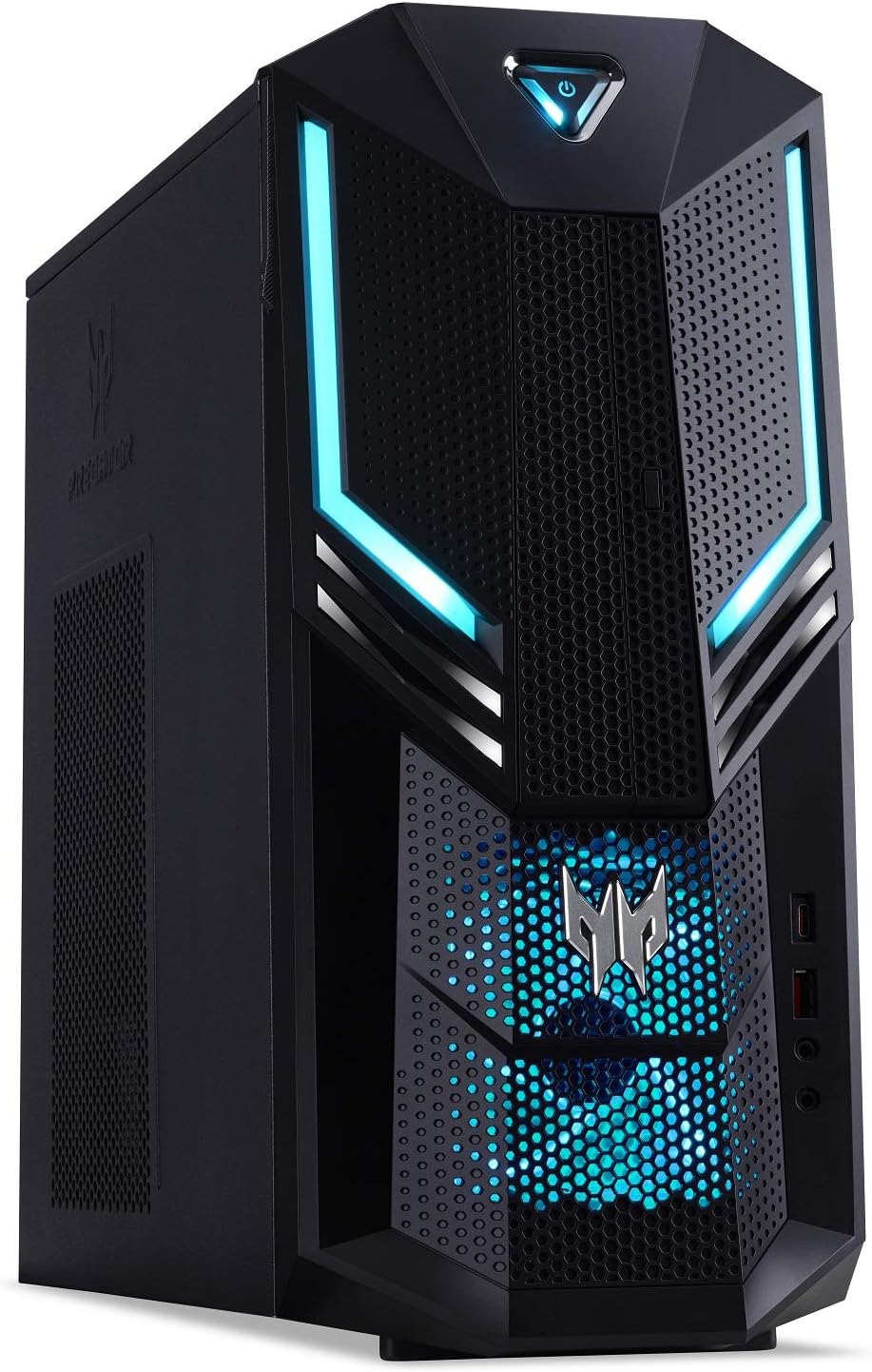
Figure 3.1: A closer angled view of the Acer Predator Orion 3000 Desktop PC, emphasizing the Predator logo and front panel details.
4. Konserwacja
Proper maintenance ensures the longevity and optimal performance of your desktop.
- Utrzymuj czystość: Regularly clean dust from the exterior vents and surfaces using compressed air or a soft cloth. Avoid blocking air vents.
- Aktualizacje oprogramowania: Keep your Windows operating system, graphics drivers (NVIDIA), and other software updated to the latest versions. This improves security, performance, and compatibility.
- Monitorowanie systemu: Use Predator Sense or other system monitoring tools to keep an eye on CPU and GPU temperatures, especially during intensive tasks. While the system is designed for efficient cooling, ensuring good airflow around the case is important.
- Kopia zapasowa danych: Regularnie twórz kopie zapasowe ważnych danych na dysku zewnętrznym lub w chmurze, aby zapobiec ich utracie.
5. Rozwiązywanie Problemów
W tej sekcji omówiono typowe problemy, na które możesz natrafić.
5.1 No Display Signal
If your monitor shows "No Signal":
- Sprawdź kable: Ensure the display cable (HDMI, DisplayPort, DVI) is securely connected to both the graphics card on the desktop and the monitor.
- Correct Input: Sprawdź, czy monitor jest ustawiony na właściwe źródło sygnału wejściowego.
- Wypróbuj inny port/kabel: If possible, try a different display port on the graphics card or a different cable to rule out a faulty connection or cable.
- Cykl zasilania: Turn off both the desktop and monitor, unplug them from the power outlet for a minute, then plug them back in and restart.
5.2 Obawy związane z przegrzaniem
While the Predator Orion 3000 is designed with cooling in mind, prolonged high loads can increase temperatures:
- Zapewnij odpowiednią wentylację: Make sure the desktop is placed in an area with good airflow, not enclosed in a cabinet.
- Czyszczenie otworów wentylacyjnych: Dust buildup can restrict airflow. Refer to the Maintenance section for cleaning.
- Monitoruj temperatury: Use Predator Sense to monitor CPU and GPU temperatures. If temperatures consistently exceed safe operating limits (typically above 85-90°C under load), reduce system load or contact support.
5.3 Diody LED nie działają
If the LED lights on the desktop are not functioning as expected:
- Check Predator Sense: Verify if there are lighting control options within the Predator Sense software.
- Uruchom ponownie system: A simple restart can sometimes resolve minor software glitches.
- Skontaktuj się z pomocą techniczną: If the issue persists, it may indicate a hardware problem requiring professional assistance.

Rysunek 5.1: Strona view of the Acer Predator Orion 3000 Desktop PC, showing the ventilation grilles.
6. Specyfikacje
Detailed technical specifications for the Acer Predator Orion 3000 PO3-600-UR18 Desktop PC:
| Funkcja | Specyfikacja |
|---|---|
| Marka | klon |
| Szereg | Drapieżnik |
| Numer modelu | PO3-600-UR18 |
| Platforma sprzętowa | PC |
| System operacyjny | Windows 10 Home |
| Edytor | Intel Core i5-8400 8. generacji (do 4.0 GHz) |
| BARAN | 8 GB DDR4 2666 MHz |
| Optane Memory | 16 GB Intel Optane Memory |
| Dysk twardy | 1 TB 7200RPM SATA HDD |
| Koprocesor graficzny | NVIDIA GeForce GTX 1060 |
| Rozmiar pamięci RAM karty graficznej | 6 GB pamięci GDDR5 |
| Typ napędu optycznego | Dwuwarstwowy napęd nagrywarki DVD 8X (DVD-RW) |
| Typ bezprzewodowy | Intel Wireless-AC 9560 802.11ac Gigabit Wi-Fi (Dual-Band 2.4GHz and 5GHz) |
| Sieć Ethernetowa | Realtek Dragon Giga LAN 10/100/1000 Ethernet (RJ-45 port) |
| Bluetooth | Bluetooth 5.0 |
| USB 3.1 typu C drugiej generacji | 1 (przód) |
| USB 3.1 pierwszej generacji | 1 (przód) |
| USB 3.1 pierwszej generacji | 2 (z tyłu) |
| Porty USB 2.0 | 4 (z tyłu) |
| Porty wyświetlacza | 3 |
| Port HDMI | 1 |
| Port DVI | 1 |
| Audio | Creative Sound BlasterX 720° |
| Zasilacz | 500 W |
| Waga przedmiotu | 18.35 funta (8.32 kg) |
| Wymiary produktu (dł. x szer. x wys.) | 13.78 x 6.42 x 13.39 cala |
7. Gwarancja i wsparcie
7.1 Ograniczona gwarancja
Your Acer Predator Orion 3000 PO3-600-UR18 Desktop PC comes with a 2 rok ograniczonej gwarancji na części i robociznę. This warranty covers defects in materials and workmanship under normal use. Please refer to the separate warranty card included with your product for full terms and conditions.
7.2 Wsparcie techniczne
For technical assistance, troubleshooting beyond this manual, or warranty claims, please contact Acer's official technical support. Toll-free tech support is available. Have your product's serial number (located on the side and bottom of the desktop) ready when contacting support.
For the most up-to-date support information, including contact numbers and online resources, please visit the official Acer support webstrona.