
1. Wprowadzenie
This manual provides comprehensive instructions for the assembly, operation, and maintenance of your FLEXISPOT Standing Desk Frame (Model E1). Designed for home and office use, this electric sit-stand desk base offers adjustable height, an integrated power strip, and a cable management tray for an efficient and organized workspace.

The FLEXISPOT Standing Desk Frame provides a versatile foundation for your workstation, allowing for both sitting and standing positions.
2. Informacje dotyczące bezpieczeństwa
Ważne środki ostrożności:
- Ensure the desk is securely anchored when used as a standing desk.
- Nie należy przekraczać maksymalnej zalecanej wagi wynoszącej 154 funtów (70 kg).
- Handle electrical components with care to avoid any risk of electric shock.
- Podczas pracy urządzenia należy trzymać dzieci i zwierzęta z dala od biurka.
- Avoid placing liquids directly on the control panel or motor.
3. Lista części
Before assembly, verify that all components are present and undamaged. Refer to the diagram below for identification.

All components included in the FLEXISPOT Standing Desk Frame package.
Zawartość zestawu:
- Desk Frame (Legs and Crossbeam)
- Biurko Clamp Power Strip (3 AC Outlets, 2 USB Ports)
- Taca do zarządzania kablami
- Memory Controller/Keypad
- Pręt transmisyjny
- Narzędzia montażowe (klucz imbusowy, klucz płaski)
- Śruby i elementy złączne
4. Konfiguracja i instalacja
FLEXISPOT provides detailed assembly instructions and all necessary tools. The setup process typically takes less than 30 minutes. For a visual guide, please refer to the official installation video below.
Official FLEXISPOT Standing Desk Frame Installation Guide. This video demonstrates each step of the assembly process, from inserting the motor to attaching the desktop.
Kroki montażu powyżejview:
- Insert the coupling into the motor: Ensure correct direction as shown in the video.
- Insert the motor and the right column: Secure the motor within the column.
- Install the crossbeam: Align the protrusions with the holes and secure with screws.
- Install the support plates: Attach the support plates to the frame.
- Install the desk foot: Secure the feet to the bottom of the columns.
- Adjust the crossbeam: Ensure the crossbeam is properly aligned and tightened.
- Install table board (customer provided): Secure your chosen desktop to the frame using the provided screws.
- Install the transmission rod: Connect the transmission rod between the motor and the other lifting column.
- Tighten the transmission rod nut: Ensure the rod is securely fastened.
- Install the keypad: Attach the control keypad to the underside of the desk.
- Zainstaluj hak: Attach the headphone hook to the side of the desk.
- Podłącz wszystkie kable: Ensure all motor, power, and control cables are properly connected and managed.
DIY Desktop Workstation: The adjustable desk legs are compatible with various desktop sizes, providing maximum flexibility for your DIY setup. Recommended desktop sizes: width of 39.3" to 63", depth of 19.7" to 31.5".

The desk frame is designed to accommodate various desktop sizes, allowing for personalized customization.
5. Działanie
Your FLEXISPOT Standing Desk Frame features an electric lifting mechanism and a memory controller for easy height adjustments.
Funkcje panelu sterowania:

The programmable control panel allows for precise height adjustments and memory settings.
- Strzałki w górę/w dół: Press and hold to continuously adjust the desk height. The adjustable height range is 28.1''-45.7''.
- Panel wyświetlacza LED: Pokazuje aktualną wysokość biurka w calach.
- Memory Settings (1, 2, 3, 4): Press a numbered button to move the desk to a pre-saved height. To save a height, adjust the desk to your desired position, then press and hold one of the numbered buttons until the display flashes or beeps.
Integrated Power Strip and Cable Management:
The desk comes with a clamp power strip for convenient access to power outlets and USB ports, reducing clutter. The integrated cable management tray helps keep your cords organized and out of sight.
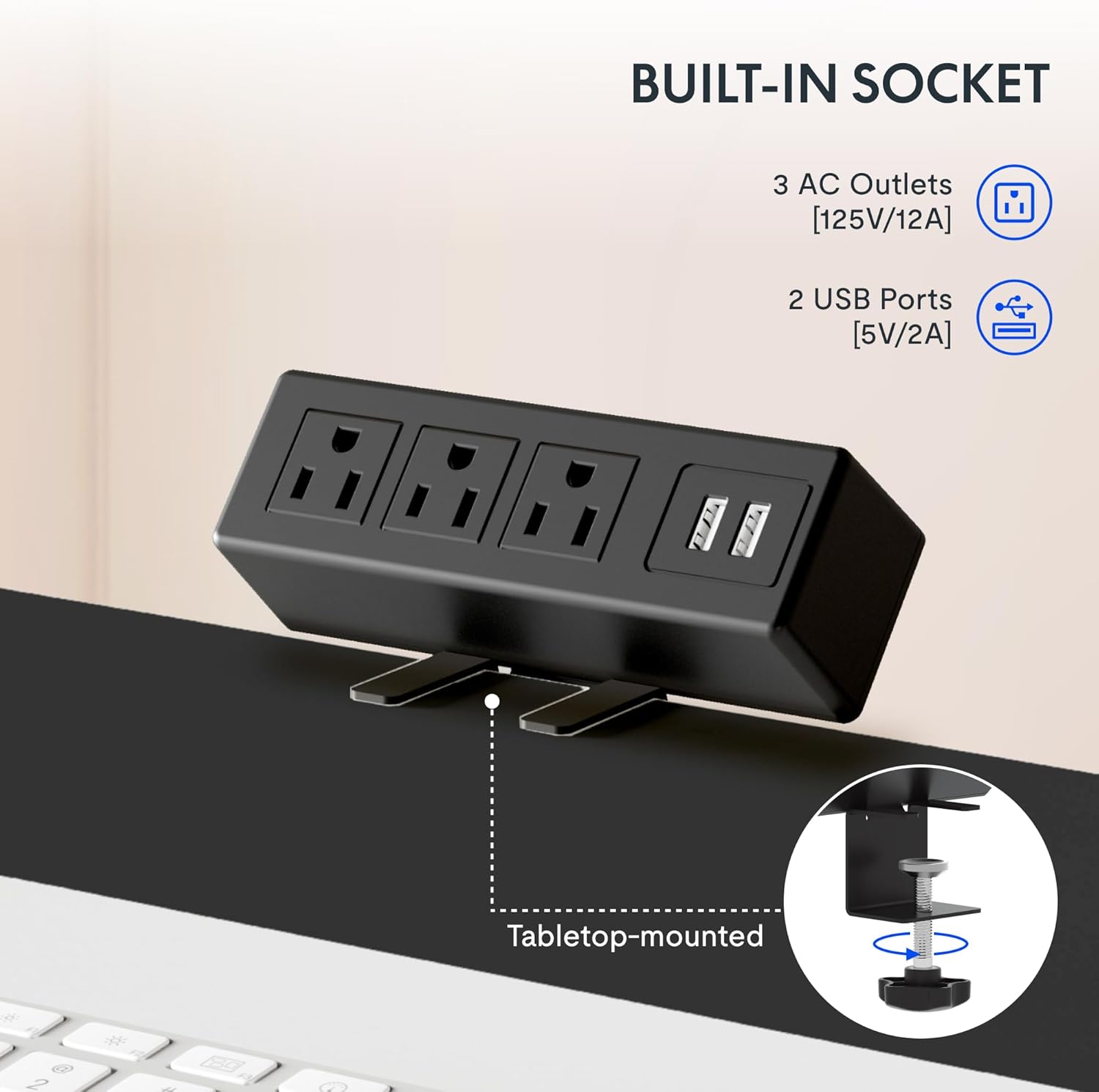
The integrated power strip provides easy access to power for your devices.
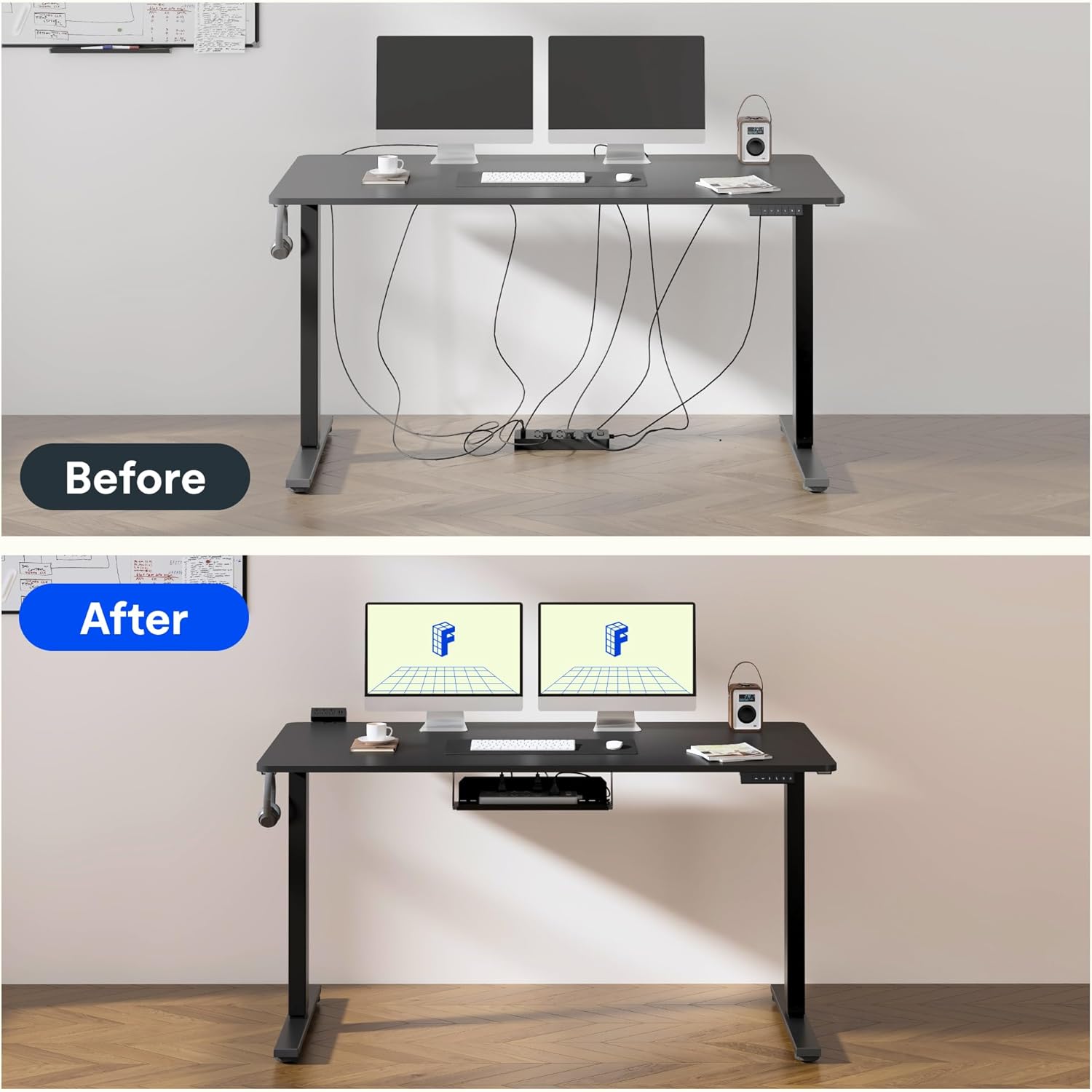
Effective cable management helps maintain a clean and clutter-free workspace.
6. Quality and Testing
FLEXISPOT products undergo rigorous testing to ensure durability and stability. The desk frame features dual-stage legs for continuous height adjustment and enhanced stability.

Podwójne-stage legs provide a wide range of continuous height adjustment for optimal ergonomics.
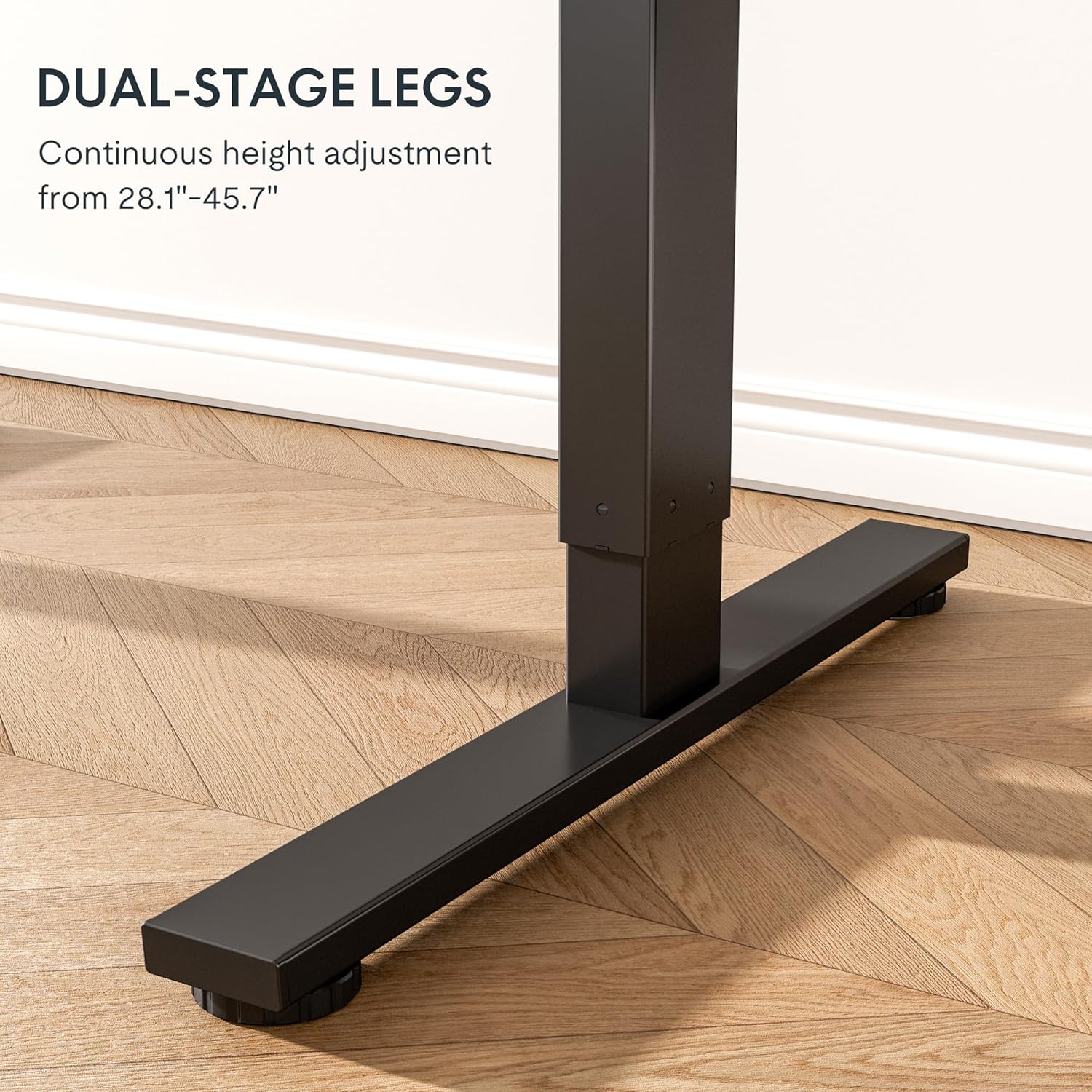
The robust design with bigger flanks, thicker columns, and wider feet ensures superior stability.
This video demonstrates the rigorous testing procedures for FlexiSpot standing desks, including durability and stability tests.
A demonstration of the computer workstation table's stability and functionality under various conditions.
Ponadview pokaz wideoasing the features and benefits of the FLEXISPOT Standing Desk.
7. Konserwacja
To ensure the longevity and optimal performance of your FLEXISPOT Standing Desk Frame, follow these simple maintenance guidelines:
- Regularly wipe down the frame with a soft, damp Ściereczką usuń kurz i zanieczyszczenia. Unikaj silnych środków chemicznych.
- Check all screws and fasteners periodically to ensure they are tight. Retighten if necessary.
- Keep the electrical components (motor, control panel, power strip) dry and free from spills.
- Zadbaj o to, aby kable były uporządkowane i nie były ściśnięte ani splątane, zwłaszcza podczas regulacji wysokości.
- Do not overload the desk beyond its maximum weight capacity of 154 pounds (70 kg).
8. Rozwiązywanie Problemów
If you encounter any issues with your FLEXISPOT Standing Desk Frame, refer to the common troubleshooting tips below. If the problem persists, please contact customer support.
| Problem | Możliwa przyczyna | Rozwiązanie |
|---|---|---|
| Desk not moving or unresponsive. | Power cable disconnected; overload protection activated; motor error. | Check power connections. Reduce weight on the desk. Unplug for 10 seconds and plug back in to reset. |
| Nierównomierna regulacja wysokości. | Loose screws; uneven weight distribution. | Check and tighten all assembly screws. Redistribute weight evenly on the desktop. |
| Nietypowe dźwięki podczas pracy. | Loose components; motor wear. | Ensure all parts are securely fastened. If noises persist, contact customer support. |
| Ustawienia pamięci nie działają. | Nieprawidłowe programowanie. | Reprogram the memory settings by adjusting to desired height, then pressing and holding the numbered button until confirmation. |
9. Specyfikacje
| Funkcja | Szczegół |
|---|---|
| Marka | ELASTYCZNI |
| Numer modelu | E1 |
| Kolor | Czarny |
| Zakres regulacji wysokości | 28.1'' - 45.7'' |
| Recommended Desktop Width | od 39.3" do 63" |
| Recommended Desktop Depth | od 19.7" do 31.5" |
| Maksymalna zalecana waga | 154 funtów (70 kg) |
| Materiał bazowy | Stal stopowa |
| Mechanizm podnoszący | Elektryczny |
| Zawarte komponenty | Biurko Clamp Power Strip, Cable Management Tray |
| Wymagany montaż | Tak |
| Zawiera wszystkie narzędzia montażowe | Tak |

Detailed dimensions of the FLEXISPOT Standing Desk Frame.
10. Gwarancja i wsparcie
Informacje o gwarancji:
The FLEXISPOT Standing Desk Frame is covered by a comprehensive warranty:
- 5-letnia gwarancja: Covers the frame, motor, and other mechanical mechanisms.
- 2-letnia gwarancja: Covers the controller, switch, and electronics.
Proszę zachować dowód zakupu na potrzeby roszczeń gwarancyjnych.
Obsługa klienta:
For further assistance, technical support, or warranty inquiries, please visit the official FLEXISPOT webna stronie lub skontaktuj się z działem obsługi klienta. Więcej informacji i dane kontaktowe znajdziesz na stronie Sklep FLEXISPOT na Amazon.