
BYL SQ03
Instrukcja obsługi systemu soundbara BESTISAN 120 W z 2.1 kanałami
Modele: SQ03
Wstęp
Dziękujemy za zakupasing the BESTISAN 120W 2.1 Channel Sound Bar System. This manual provides essential information for setting up, operating, and maintaining your new sound system. Please read this manual thoroughly before use to ensure proper operation and to maximize your listening experience.
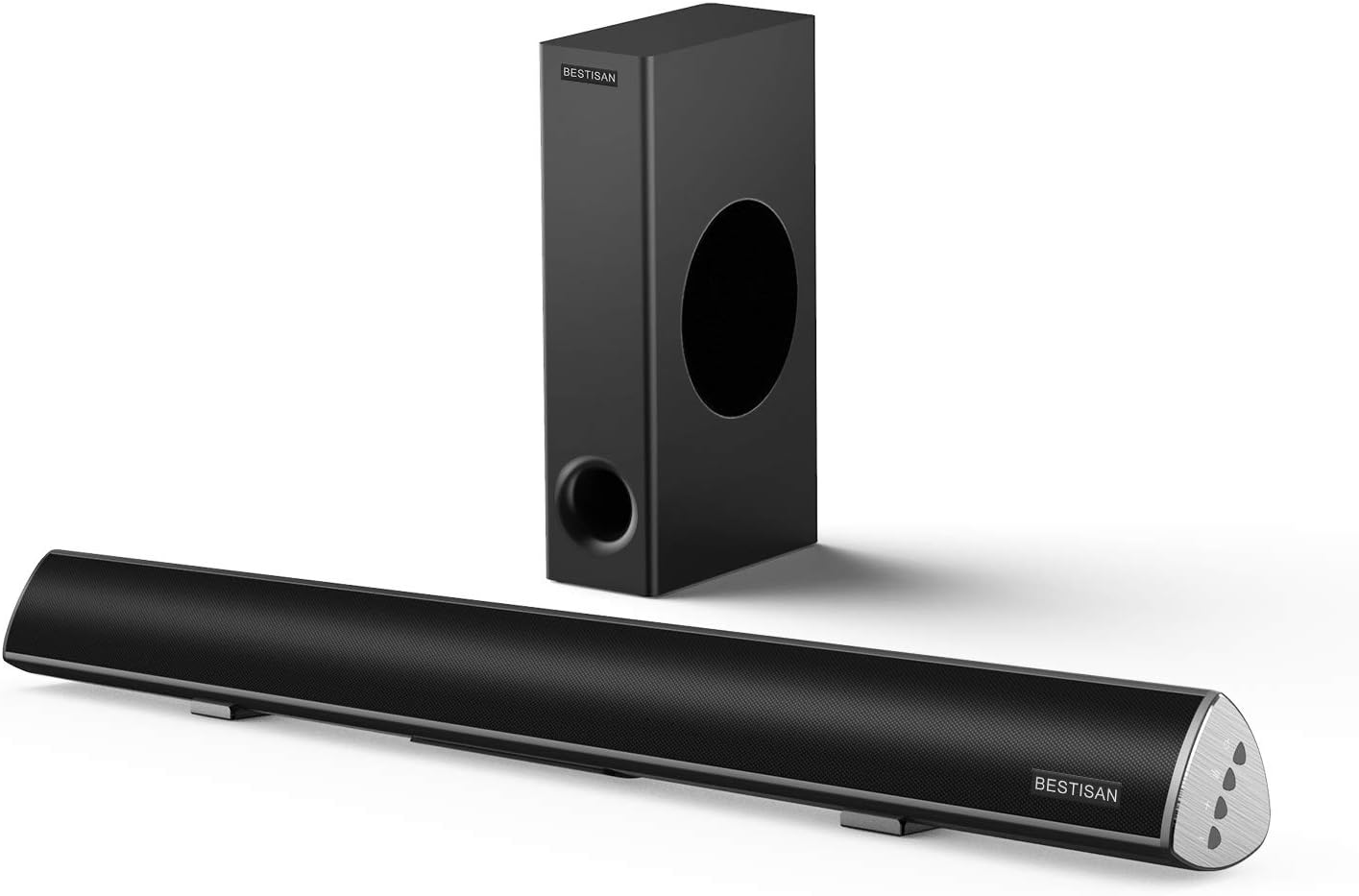
Image: The BESTISAN 120W 2.1 Channel Sound Bar and its wired subwoofer.
Informacje dotyczące bezpieczeństwa
- Nie wystawiaj urządzenia na działanie deszczu, wilgoci ani ekstremalnych temperatur.
- Należy zapewnić odpowiednią wentylację wokół listwy dźwiękowej i subwoofera.
- Nie blokuj żadnych otworów wentylacyjnych.
- Używaj wyłącznie dodatków/akcesoriów wskazanych przez producenta.
- Odłączaj urządzenie od zasilania podczas burzy z piorunami lub jeśli nie używasz go przez dłuższy czas.
- Wszelkie prace serwisowe należy powierzać wykwalifikowanemu personelowi.
Zawartość opakowania
Sprawdź, czy w przesyłce znajdują się wszystkie elementy:
- Pasek dźwiękowy
- Subwoofer przewodowy
- Zdalne sterowanie
- Zasilacz
- Instrukcja użytkownika
- Cyfrowy kabel optyczny
- Kabel audio stereo RCA do 3.5 mm
- SUB OUT Cable (for subwoofer connection)

Obraz: Wizualna reprezentacja wszystkich elementów zawartych w opakowaniu produktu.
Produkt ponadview
Sound Bar Controls and Remote
The sound bar features integrated controls on its side panel for basic functions, and a comprehensive remote control for full functionality.

Obraz: Szczegółowy view of the sound bar's side panel controls and the included remote control.
Porty łączności
The sound bar offers multiple connectivity options to integrate with various devices.
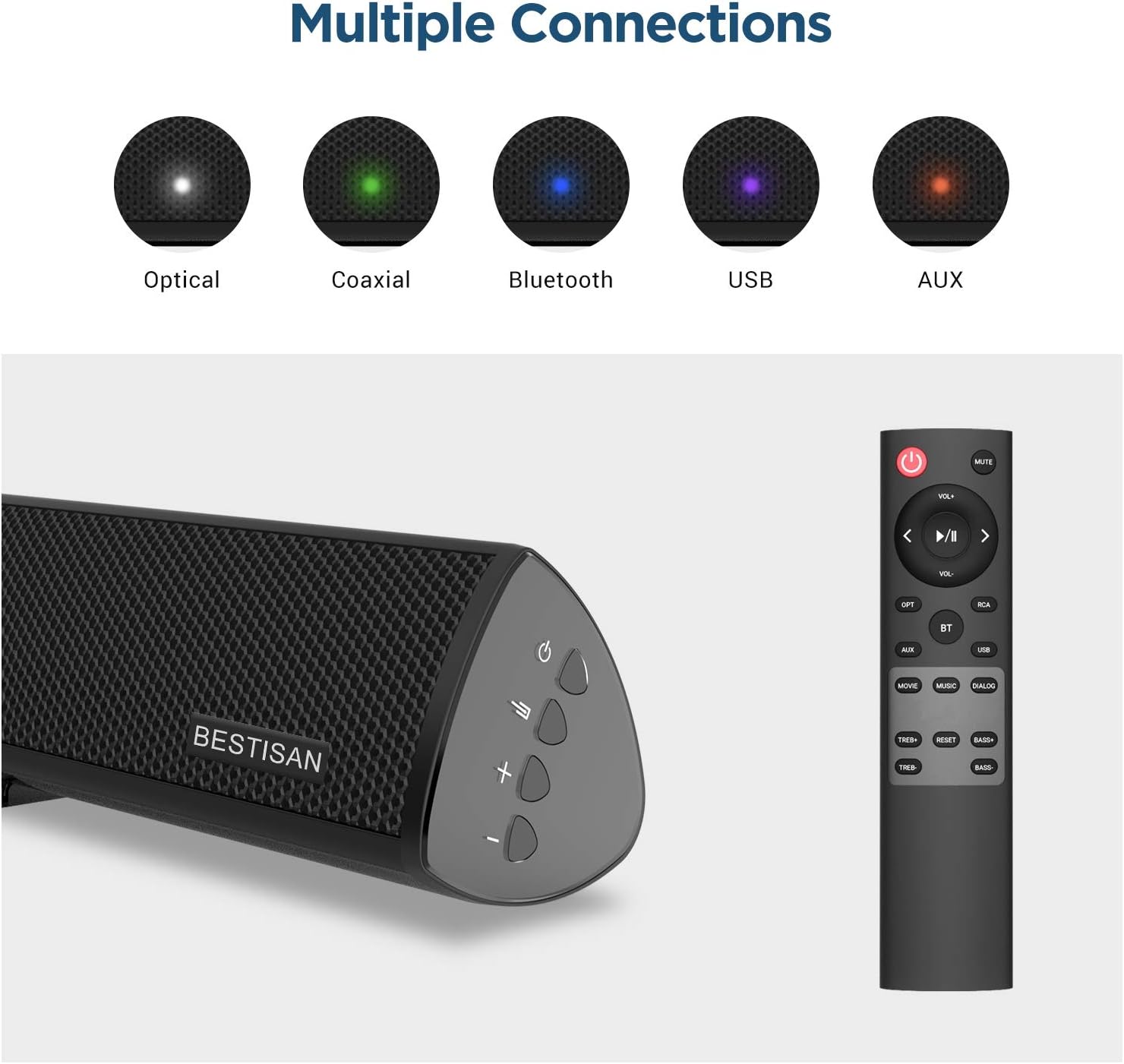
Image: Visual representation of the various input options available on the sound bar, including Optical, Coaxial, Bluetooth, USB, and AUX.
Organizować coś
Umieszczenie
For optimal audio performance, place the sound bar centrally below your television. The subwoofer can be placed on the floor near the sound bar, ensuring it has adequate space for sound dispersion.

Image: The sound bar positioned directly below a television, demonstrating typical placement.
Podłączanie subwoofera
Connect the wired subwoofer to the sound bar using the provided SUB OUT cable. Ensure the connection is secure.
Connecting to Your TV or Audio Source
Wybierz jedną z następujących metod połączenia:
- Połączenie optyczne: Use the supplied optical cable to connect the sound bar's OPTICAL IN port to your TV's Optical Out port. This is recommended for high-quality digital audio.
- Połączenie koncentryczne: Use a coaxial cable (not supplied) to connect the sound bar's COAXIAL IN port to your TV's Coaxial Out port.
- Połączenie AUX: Use the supplied Stereo RCA to 3.5mm audio cable to connect the sound bar's AUX IN port to your TV's 3.5mm audio output or RCA audio outputs.
- Połączenie USB: Włóż dysk USB do portu USB, aby odtwarzać dźwięk filebezpośrednio z dysku.
Podłączenie zasilania
Connect the power adapter to the DC IN port on the sound bar, then plug the adapter into a wall outlet.
Instrukcja obsługi
Włączanie/wyłączanie zasilania
Naciśnij Moc button on the remote control or the sound bar to turn the unit on or off.
Wybór wejścia
Naciśnij Wejście button (OPT, COAX, AUX, USB, BT) on the remote control to switch between different audio sources.
Kontrola głośności
Użyj Objętość + I TOM- buttons on the remote or sound bar to adjust the volume level.
Sound Modes (DSP Technology)
The sound bar features Digital Signal Processing (DSP) technology with optimized sound modes for various content types. Press the corresponding button on the remote to select:
- Tryb filmu: Enhances cinematic sound, providing crisp and clear audio for films.
- Tryb muzyczny: Optimizes audio for music playback, delivering rich and dynamic sound.
- Tryb dialogowy: Improves vocal clarity, making speech in TV shows and news broadcasts more audible.

Image: A visual representation of the DSP Audio Modes (Movie, Music, Dialog) and their effects on sound.

Image: An illustration highlighting the internal speaker configuration for champion stereo sound.
Parowanie Bluetooth
Aby połączyć urządzenie mobilne przez Bluetooth:
- Naciśnij BT button on the remote control to switch to Bluetooth mode. The indicator light on the sound bar will flash.
- Enable Bluetooth on your mobile device and search for "SQ03" or "BESTISAN".
- Select the sound bar from the list of available devices to pair. Once connected, the indicator light will turn solid.
- You can now play audio from your device through the sound bar. The effective range for Bluetooth connection is up to 33 feet (10 meters).

Image: A user's hand holding a smartphone, illustrating the process of connecting to the sound bar via Bluetooth.
Konserwacja
To ensure the longevity and optimal performance of your sound bar system:
- Czyszczenie: Do czyszczenia powierzchni soundbara i subwoofera używaj miękkiej, suchej ściereczki. Nie używaj płynów czyszczących ani aerozoli.
- Wentylacja: Utrzymuj otwory wentylacyjne w czystości, bez kurzu i zanieczyszczeń.
- Składowanie: Jeśli urządzenie będzie przechowywane przez dłuższy czas, należy odłączyć je od gniazdka elektrycznego i przechowywać w chłodnym, suchym miejscu.
Rozwiązywanie problemów
| Problem | Możliwa przyczyna | Rozwiązanie |
|---|---|---|
| Brak zasilania | Przewód zasilający nie jest podłączony; gniazdko elektryczne nie jest aktywne. | Ensure the power cord is securely connected. Try a different power outlet. |
| Brak dźwięku | Wybrano niewłaściwe wejście; Głośność jest zbyt niska; Kable nie są prawidłowo podłączone. | Select the correct input source. Increase the volume. Check all audio cable connections. Ensure TV audio output is set correctly. |
| Połączenie Bluetooth nie działa | Soundbar nie jest w trybie parowania; Urządzenie jest za daleko; Zakłócenia. | Ensure the sound bar is in Bluetooth pairing mode. Move your device closer to the sound bar. Avoid placing the sound bar near other wireless devices. |
| Pilot nie działa | Baterie są rozładowane lub nieprawidłowo włożone; Przeszkoda między pilotem a listwą dźwiękową. | Replace batteries. Ensure line of sight between remote and sound bar. |
Specyfikacje
| Funkcja | Szczegół |
|---|---|
| Nazwa modelu | SQ03 |
| Typ głośnika | Subwoofer (2.1 Channel System) |
| Maksymalna moc wyjściowa głośnika | 120 watów |
| Technologia łączności | Bluetooth 5.0, Optical, Coaxial, USB, AUX |
| Technologia komunikacji bezprzewodowej | Bluetooth |
| Technologia łączności z subwooferem | Przewodowy |
| Zalecane zastosowania | Muzyka, kino domowe, filmy |
| Kompatybilne urządzenia | Laptop, telewizor, tablet, smartfon |
| Metoda kontroli | Zdalne sterowanie |
| Waga przedmiotu | 8.82 funtów |
| Wymiary (pakiet) | 30.5 x 13 x 9 cala |
| UPC | 680613284600 |
Gwarancja i wsparcie
BYL provides comprehensive customer support for your product.
- Gwarancja: This product comes with a Limited Warranty, typically up to 12 months. Please refer to your purchase documentation for specific warranty terms.
- Zasady zwrotu: A 30-day free return policy is generally available.
- Obsługa klienta: For any questions, technical support, or warranty claims, please contact BYL customer service. 24/7 E-mail assistance is available.

Image: The BYL Model SQ03 sound bar and subwoofer, designed to deliver enhanced audio.
Ask a question about this manual
Ask about setup, troubleshooting, compatibility, parts, safety, or missing instructions. Manuals+ will review the question and use this page’s manual context to help answer it.