
Wstęp
This manual provides detailed instructions for the setup, operation, maintenance, and troubleshooting of your SAMSUNG AKG Y500 On-Ear Wireless Bluetooth Headphones. Please read this manual thoroughly to ensure proper use and to maximize your listening experience.

Figure 1: AKG Y500 On-Ear Wireless Bluetooth Headphones
Co jest w pudełku
Carefully unpack your new AKG Y500 headphones and ensure all items listed below are present:
- AKG Y500 On-Ear Wireless Bluetooth Headphones
- Kabel ładujący USB
- 3.5mm Audio Cable with 1-Button Remote and Microphone
- Ochronny pokrowiec

Figure 2: Included accessories with the AKG Y500 headphones
Organizować coś
1. Ładowanie początkowe
Before first use, fully charge your headphones. A full charge provides up to 33 hours of playback. A quick 5-minute charge can provide an additional hour of listening time.
- Connect the micro-USB end of the charging cable to the charging port on the headphone earcup.
- Connect the USB-A end of the charging cable to a compatible USB power source (e.g., computer USB port, USB wall adapter).
- The LED indicator on the headphone will show charging status. It will typically turn off or change color when fully charged.
2. Parowanie Bluetooth
Pair your AKG Y500 headphones with your Bluetooth-enabled device to enjoy wireless audio.
- Upewnij się, że słuchawki są wyłączone.
- Press and hold the Power button on the headphone until the LED indicator flashes blue and red, indicating pairing mode.
- Włącz na swoim urządzeniu Bluetooth i wyszukaj dostępne urządzenia.
- Select "AKG Y500" from the list of available devices.
- Once connected, the LED indicator will turn solid blue or flash blue periodically.

Figure 3: Headphone controls and ports
Instrukcja obsługi
1. Włączanie/wyłączanie zasilania
- Włączanie: Naciśnij i przytrzymaj przycisk zasilania, aż zaświeci się kontrolka LED.
- Aby wyłączyć: Naciśnij i przytrzymaj przycisk zasilania, aż dioda LED zgaśnie.
2. Odtwarzanie muzyki
Use the on-ear controls for managing your audio playback:
- Odtwórz/Pauza: Naciśnij raz przycisk wielofunkcyjny.
- Zwiększanie/zmniejszanie głośności: Użyj przełącznika głośności.
- Następny utwór: Naciśnij dwukrotnie przycisk wielofunkcyjny.
- Poprzedni utwór: Naciśnij trzykrotnie przycisk wielofunkcyjny.

Figure 4: On-ear control buttons
3. Zarządzanie połączeniami
Manage phone calls using the on-ear controls:
- Odbieranie/kończenie połączeń: Naciśnij raz przycisk wielofunkcyjny.
- Odrzuć połączenie: Naciśnij i przytrzymaj przycisk wielofunkcyjny.
4. Łączność wielopunktowa
The AKG Y500 headphones support multi-point connectivity, allowing you to pair with two Bluetooth devices simultaneously. The headphones will intuitively switch between devices, ensuring you never miss a call while listening to music on another device.
5. Auto Play/Pause Automation
Your headphones feature an intelligent auto play/pause function. Music will automatically pause when you take the headphones off your ears and resume playing when you place them back on.
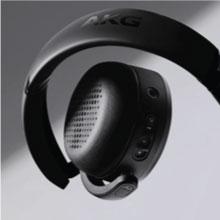
Figure 5: Headphones with auto play/pause functionality
6. Ambient Aware Technology
Activate Ambient Aware technology to stay connected to your surroundings without removing your headphones. This feature allows you to hear ambient sounds while still enjoying your audio.
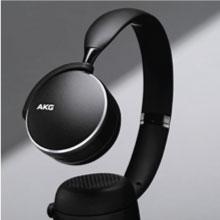
Figure 6: Ambient Aware feature in use
7. Oficjalny film o produkcie
Video 1: This video demonstrates the key benefits and features of the AKG Y500 Wireless Headphones, including controls, auto play/pause, and multi-point connectivity.
Konserwacja
1. Czyszczenie
Aby utrzymać słuchawki w dobrym stanie i zapewnić ich wydajność:
- Wytrzyj nauszniki i pałąk miękką, suchą ściereczką.
- Nie należy używać płynnych środków czyszczących ani aerozoli bezpośrednio do czyszczenia słuchawek.
- Avoid moisture in the charging port or audio jack.
2. Przechowywanie
When not in use, store your headphones in the provided protective carrying pouch to prevent scratches and damage. Keep them in a cool, dry place away from extreme temperatures.
Rozwiązywanie problemów
If you encounter any issues with your AKG Y500 headphones, refer to the table below for common problems and solutions.
| Problem | Rozwiązanie |
|---|---|
| Słuchawki się nie włączają | Ensure the battery is charged. Connect the headphones to a power source using the USB charging cable. |
| Nie można sparować z urządzeniem Bluetooth | Ensure headphones are in pairing mode (LED flashing blue/red). Verify Bluetooth is enabled on your device and it is within 10 meters range. Forget previous pairings on your device and try again. |
| Brak dźwięku lub niska głośność | Check the volume levels on both the headphones and your connected device. Ensure the headphones are properly connected via Bluetooth or the 3.5mm audio cable. |
| Poor sound quality or intermittent connection | Move your device closer to the headphones to reduce interference. Avoid obstacles between the headphones and the device. Ensure no other devices are interfering with the Bluetooth signal. |
| Auto Play/Pause not working | Ensure the headphones are worn correctly on your ears. Check for any obstructions on the sensors. |
Specyfikacje
Key technical specifications for the AKG Y500 On-Ear Wireless Bluetooth Headphones:
| Funkcja | Szczegół |
|---|---|
| Numer modelu | GP-Y500HAHHCAC |
| Łączność | Bluetooth 4.2, gniazdo audio 3.5 mm |
| Zasięg Bluetooth | Do 10 metrów (33 stóp) |
| Żywotność baterii | Do 33 godzin |
| Czas ładowania | 5 minutes for 1 hour playback (Speed Charge) |
| Kontrola hałasu | Adaptacyjna redukcja szumów |
| Współczynnik kształtu | Nauszne, składane |
| Waga przedmiotu | 8.1 uncji (230 grama) |
| Wymiary produktu | 7.2 x 2.87 x 8.66 cala |
| Producent | SAMSUNG |
Gwarancja i wsparcie
Your SAMSUNG AKG Y500 headphones are covered by a manufacturer's warranty. For specific warranty terms and conditions, please refer to the warranty card included in your product packaging or visit the official Samsung support webstrona.
For technical assistance, troubleshooting, or to inquire about additional support options, please contact Samsung Customer Service or visit their official support portal. Extended protection plans may also be available for purchase.