
1. Wprowadzenie
Thank you for choosing the Sygonix PYO-813 Wired Video Intercom System. This manual provides detailed instructions for the safe and efficient installation, operation, and maintenance of your new intercom system. Please read this manual thoroughly before use and retain it for future reference.
2. Instrukcje bezpieczeństwa
- Ensure all electrical connections are made by a qualified electrician to prevent electric shock or fire hazards.
- Do not expose the outdoor unit to extreme temperatures, direct sunlight for prolonged periods, or heavy rain/snow beyond its water-resistant rating.
- Nie otwierać urządzenia casings. Refer all servicing to qualified personnel.
- Keep the indoor monitor away from water and high humidity.
- Należy używać wyłącznie zasilacza dołączonego do systemu.
- Before cleaning, disconnect the power supply. Use a soft, dry cloth for cleaning.
3. Zawartość opakowania
Sprawdź zawartość paczki, aby upewnić się, że wszystkie przedmioty znajdują się w niej i nie są uszkodzone:
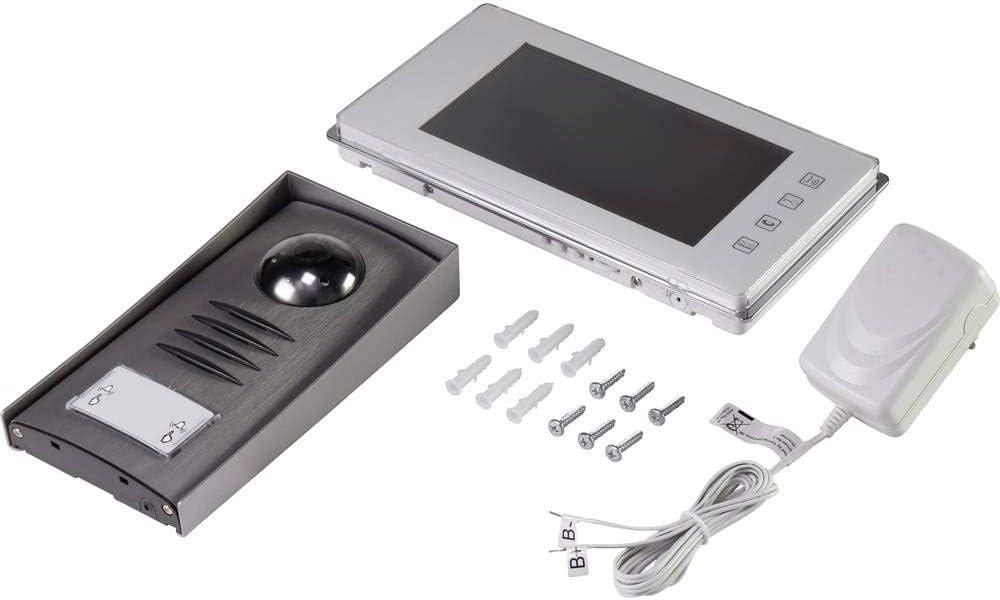
- 1x Outdoor Camera Unit
- 1x Indoor Monitor Unit (7" TFT LCD)
- 1x Zasilacz
- Śruby montażowe i kołki ścienne
- Instrukcja obsługi (ten dokument)
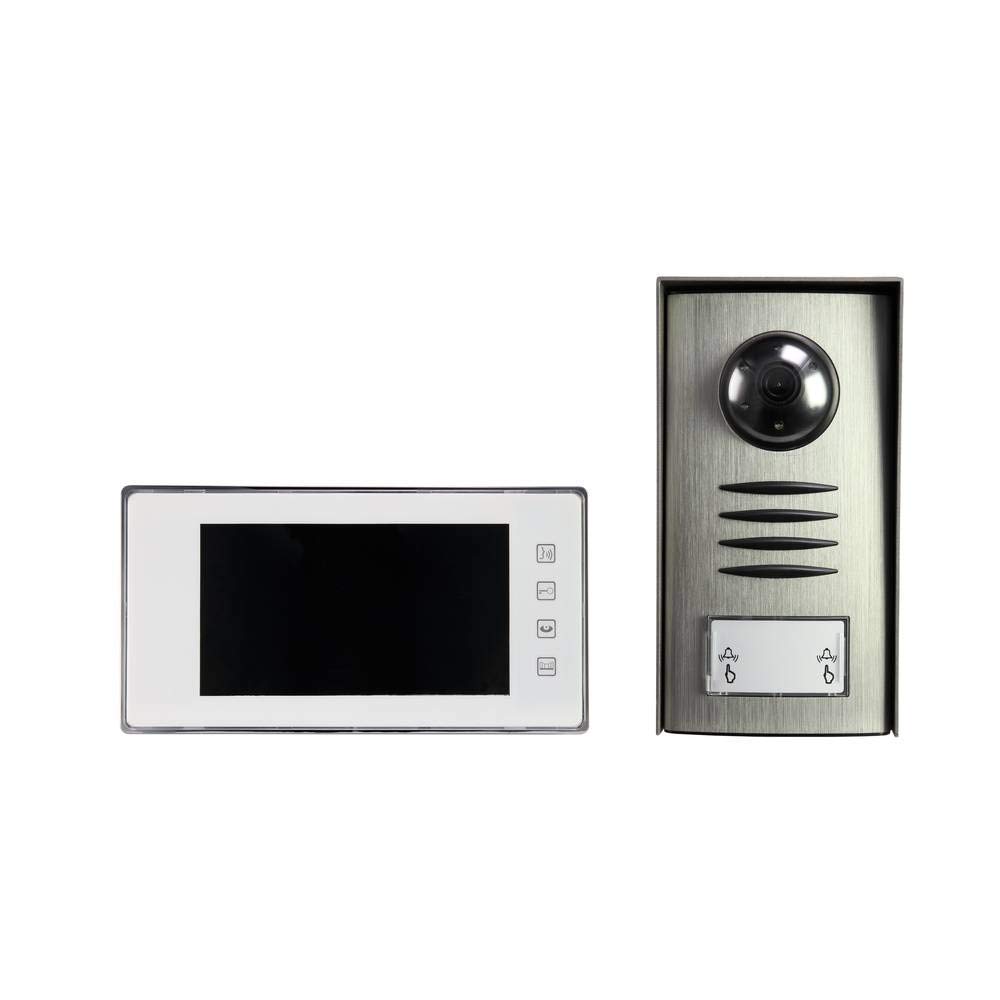
Image: Complete package contents of the Sygonix PYO-813 intercom system.
4. Koniec produktuview
The Sygonix PYO-813 is a wired video intercom system designed for secure and convenient communication with visitors at your door. It features a hands-free system for clear two-way communication.
4.1 Jednostka kamery zewnętrznej
- Adjustable Angle Camera: Umożliwia optymalne viewliczba odwiedzających.
- Zintegrowany głośnik i mikrofon: Umożliwia dwukierunkową komunikację audio.
- Water-Resistant Casing: Protects components from splashes.
- Zintegrowane diody LED: Automatically illuminate in low light conditions for night vision.
- Przycisk dzwonienia: For visitors to initiate a call to the indoor monitor.
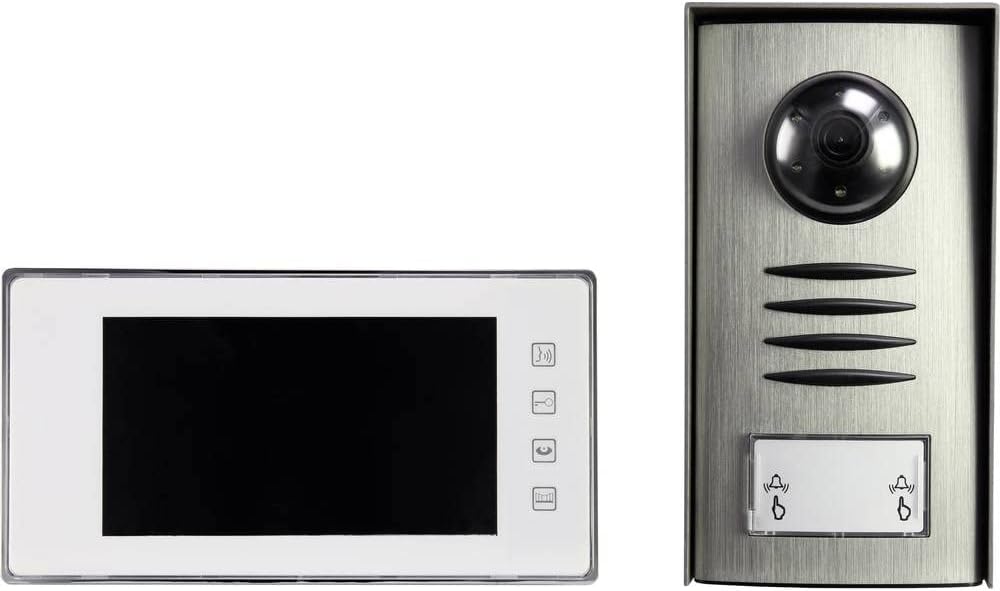
Image: The outdoor camera unit (right) and indoor monitor (left) of the Sygonix PYO-813.
4.2 Jednostka monitorująca wewnętrzna
- Ekran TFT LCD 7": Provides a clear display of the visitor.
- Przyciski dotykowe: For intuitive control of the system functions.
- Zintegrowany głośnik i mikrofon: For hands-free two-way communication.
Obraz: Zbliżenie view of the Sygonix PYO-813 indoor monitor and outdoor camera unit.
5. Konfiguracja i instalacja
Proper installation is crucial for optimal performance. It is recommended that installation be performed by a qualified technician.
5.1 Montaż jednostki kamery zewnętrznej
- Choose a suitable location near your entrance, ensuring it is protected from direct heavy weather and at an appropriate height for visitors.
- Mark the drilling points using the unit as a template.
- Wywierć otwory i włóż kołki rozporowe.
- Przymocuj jednostkę zewnętrzną do ściany za pomocą dołączonych śrub.
- Adjust the camera angle as needed for the best view of your entrance area.
5.2 Montaż jednostki monitorującej wewnętrznej
- Select a convenient indoor location, typically near the main entrance or in a central living area.
- Mark and drill holes, then insert wall plugs.
- Secure the mounting bracket (if separate) or the monitor directly to the wall.
5.3 połączeń przewodów
Connect the outdoor camera unit to the indoor monitor unit using appropriate wiring (not explicitly listed as included, but implied by "wired intercom"). Ensure all connections are secure and correctly polarized according to the wiring diagram in the full product manual (if available, otherwise general advice).
Connect the power adapter to the indoor monitor unit and then plug it into a suitable power outlet.
Ważny: Upewnij się, że podczas wszelkich czynności związanych z podłączaniem przewodów zasilanie jest odłączone.6. Instrukcja obsługi
6.1 Odbieranie połączenia
- Gdy gość naciśnie przycisk wywołania na jednostce zewnętrznej, monitor wewnętrzny zadzwoni i wyświetli obraz gościa.
- Naciśnij Odpowiedź button (typically a phone icon) on the indoor monitor to establish two-way communication.
6.2 Komunikacja dwukierunkowa
Once the call is answered, you can speak with the visitor hands-free through the integrated speakers and microphones on both units.
- Aby zakończyć rozmowę, naciśnij Zakończ połączenie button (typically a hang-up icon) or wait for the call to automatically disconnect after a set period.
6.3 Monitorowanie wejścia
Możesz ręcznie view the outdoor camera feed at any time without a visitor pressing the call button.
- Naciśnij Monitor button (typically an eye or camera icon) on the indoor monitor to activate the outdoor camera view.
- The integrated LEDs on the outdoor unit will automatically activate in dark conditions to provide clear night vision.
6.4 Dostosowywanie ustawień
The indoor monitor may have touch buttons for adjusting settings such as ringtone volume, display brightness, and contrast. Refer to the icons on your monitor for specific functions.
7. Konserwacja
- Czyszczenie: Use a soft, dry, lint-free cloth to clean the indoor monitor screen and the outdoor unit lens. Do not use abrasive cleaners or solvents.
- Kontrola: Periodically check all wiring connections for wear or damage.
- Ochrona środowiska: Ensure the outdoor unit's water-resistant seals are intact.
8. Rozwiązywanie Problemów
| Problem | Możliwa przyczyna | Rozwiązanie |
|---|---|---|
| Brak obrazu na monitorze wewnętrznym. |
|
|
| Brak dźwięku podczas komunikacji. |
|
|
| Słaba jakość obrazu w nocy. |
|
|
9. Specyfikacje
| Marka: | Sygonix |
| Numer modelu: | SY-3313340 (1656670) |
| Ekran monitora wewnętrznego: | 7-calowy wyświetlacz TFT LCD |
| Kolor: | Srebrny |
| Tworzywo: | Aluminium |
| Typ zasilania: | Mains Powered (via included adapter) |
| Wymiary opakowania: | Wymiary 32.5 x 32.5 x 7 cm |
| Waga: | 9.07 gramów |
10. Gwarancja i wsparcie
For warranty information, please refer to the documentation provided with your purchase or contact your retailer. For technical support or service inquiries, please contact Sygonix customer service or your local distributor.
Producent: Sygonix