
1. Wprowadzenie
The Zerone K-1028E is a universal remote control designed for use with a wide range of air conditioning units. This remote offers comprehensive functionality, including temperature adjustment, mode selection, fan speed control, and timer settings, providing a convenient replacement for lost or damaged original air conditioner remotes. Its compact design and clear LCD screen ensure ease of use.
2. Informacje dotyczące bezpieczeństwa
- Nie należy mieszać starych i nowych baterii.
- Nie należy mieszać baterii alkalicznych, standardowych (węglowo-cynkowych) ani akumulatorów (niklowo-kadmowych).
- Jeżeli pilot nie będzie używany przez dłuższy czas, wyjmij baterie, aby zapobiec wyciekowi.
- Trzymaj pilota z dala od bezpośredniego światła słonecznego, źródeł ciepła i wilgoci.
- Unikaj upuszczania pilota i narażania go na silne uderzenia.
3. Koniec produktuview
The K-1028E remote control features an ergonomic design with clearly labeled buttons and a large LCD display for easy readability. It includes essential functions such as power, mode, temperature control, fan speed, and a dedicated light button.

This image displays the front of the Zerone K-1028E universal air conditioner remote control, highlighting its compact size with approximate dimensions of 13.3 cm in length, 5 cm in width, and 2.3 cm in thickness. The LCD screen and primary control buttons are visible.

A hand is shown holding the remote control, with the LCD screen clearly visible. The display shows a temperature setting of 26°C, along with icons indicating various modes and functions, demonstrating the remote in active use.
4. Konfiguracja
4.1 Instalacja baterii
- Otwórz pokrywę komory baterii z tyłu pilota.
- Włóż dwie baterie AAA, zwracając uwagę na prawidłową biegunowość (+ i -).
- Dokładnie zamknij pokrywę komory baterii.
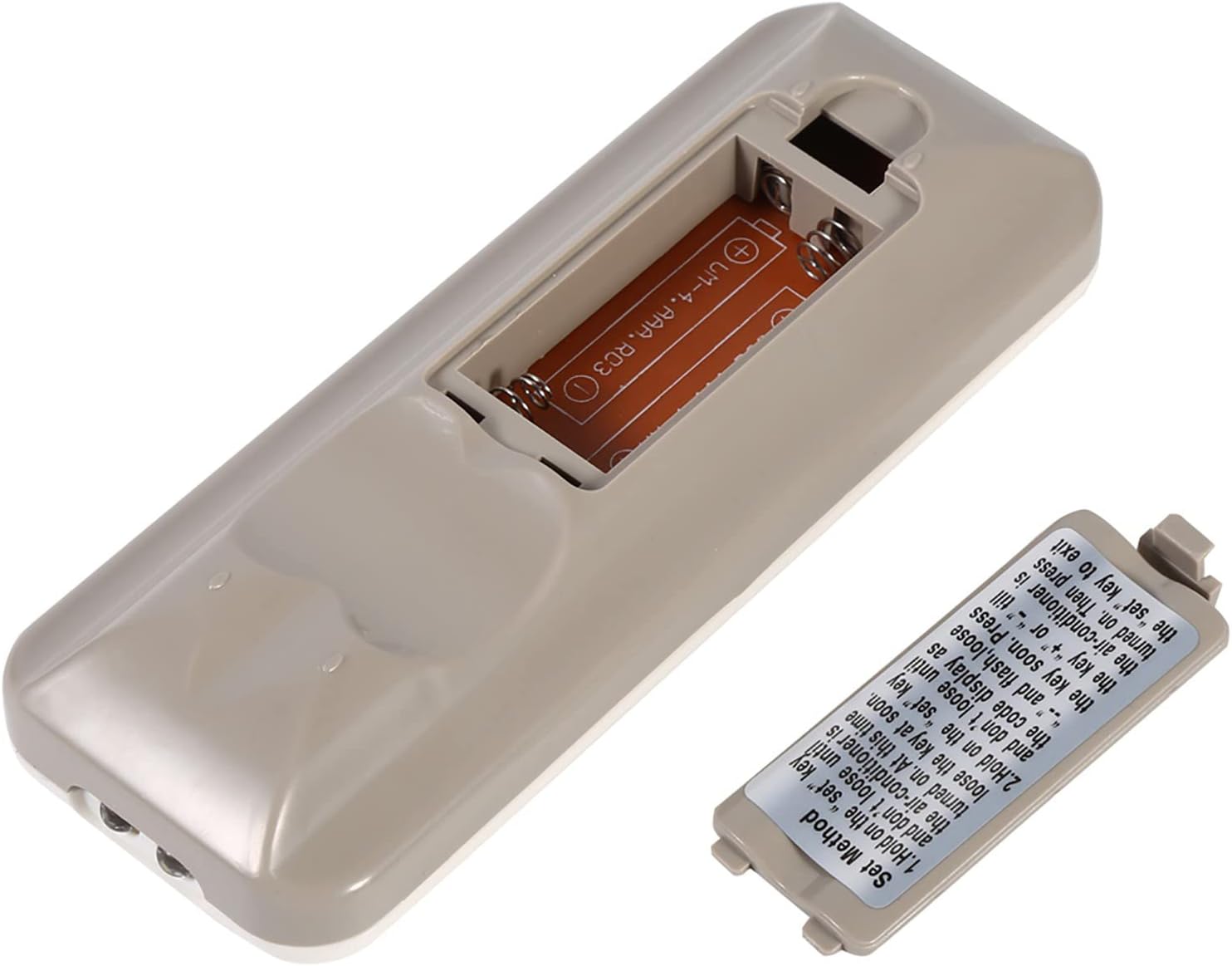
The back of the remote control is shown with the battery compartment cover removed, revealing the slot for two AAA batteries. This illustrates where to insert or replace the power source.
4.2 Programming the Remote (Automatic Search Method)
This method allows the remote to automatically search for the correct code for your air conditioner.
- Ensure your air conditioner unit is powered off.
- Naciśnij i przytrzymaj USTAWIĆ button on the remote control. Continue holding until your air conditioner unit turns on. Once the air conditioner turns on, immediately release the USTAWIĆ przycisk.
- Alternatively, if the above step does not work, press and hold the USTAWIĆ button until the code display on the remote's LCD screen shows "--" and begins to flash. Release the USTAWIĆ przycisk.
- While the code is flashing, press the + or - buttons repeatedly until your air conditioner unit turns on.
- Once the air conditioner turns on, press the USTAWIĆ button again to confirm the code and exit the programming mode.
- Test all functions of the remote control to ensure proper operation. If some functions do not work, repeat the programming process to find a more compatible code.

Na tym obrazie przedstawiono szczegółowo view of the 'Set Method' instructions sticker located on the back of the remote control. It outlines the steps for automatically programming the remote to an air conditioner unit.
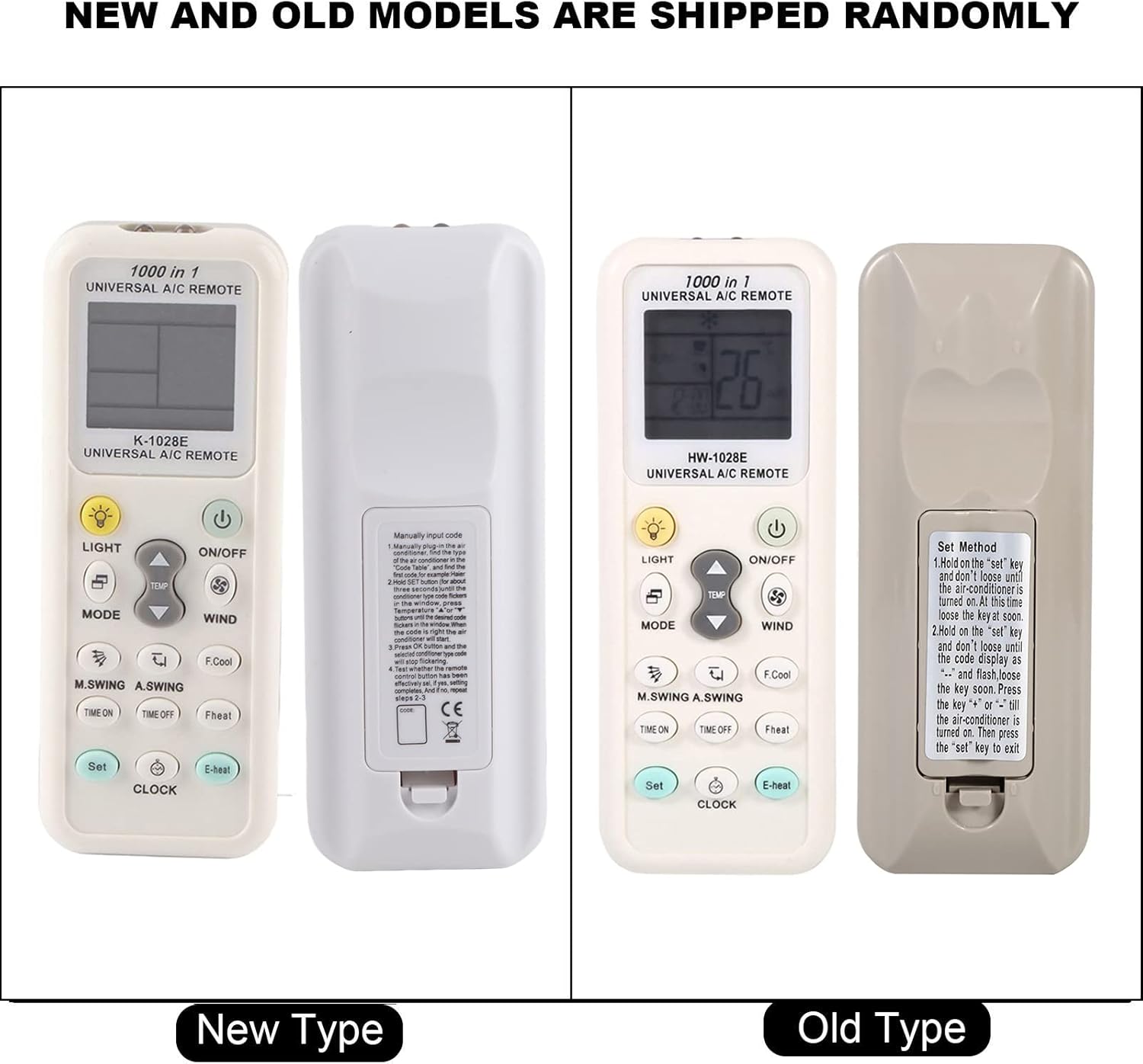
This image compares two versions of the K-1028E remote control, labeled 'New Type' and 'Old Type'. It illustrates slight variations in button arrangement and the instruction sticker on the back panel, indicating potential minor design updates over time. The programming method remains consistent.
5. Instrukcja obsługi
- Przycisk WŁ./WYŁ.: Naciśnij, aby włączyć lub wyłączyć klimatyzator.
- Przycisk TRYB: Press to cycle through available operating modes: Auto, Cool, Dry, Fan, Heat.
- Przyciski TEMP ▲/▼: Naciśnij, aby zwiększyć lub zmniejszyć żądane ustawienie temperatury.
- WIND (Fan Speed) Button: Naciśnij, aby dostosować prędkość wentylatora (np. Auto, Niska, Średnia, Wysoka).
- M.SWING/A.SWING Button: Steruje poziomym i pionowym ruchem żaluzji klimatyzatora.
- Przyciski CZAS WŁ./CZAS WYŁ.: Służy do ustawiania timera automatycznego włączania i wyłączania klimatyzatora.
- Przycisk ŚWIATŁA: Activates or deactivates the backlight on the remote's LCD screen or the air conditioner's display light (if supported).
- Przycisk SET: Used for programming the remote and confirming settings.
- Przycisk ZEGAR: Służy do ustawiania aktualnego czasu na wyświetlaczu pilota.
6. Konserwacja
- Regularnie czyść pilota miękką, suchą ściereczką. Nie używaj płynnych środków czyszczących ani materiałów ściernych.
- If the remote control is not responding or the display is dim, replace the batteries.
- Jeśli pilot nie będzie używany przez dłuższy czas, należy go przechowywać w chłodnym i suchym miejscu.
7. Rozwiązywanie Problemów
- Pilot nie działa: Ensure batteries are inserted correctly and are not depleted. Reprogram the remote using the automatic search method. Ensure there are no obstructions between the remote and the air conditioner's receiver.
- Ograniczona funkcjonalność: If some functions do not work after programming, it may indicate that the selected code is not fully compatible. Try repeating the automatic search method to find an alternative, more compatible code.
- Problemy z wyświetlaniem: If the LCD display is dim or incomplete, replace the batteries.
8. Specyfikacje
| Marka | Zerone |
| Numer modelu | K-1028E |
| Waga przedmiotu | 0.704 uncji (około 20 gramów) |
| Kompatybilne urządzenia | Klimatyzator |
| Maksymalna liczba obsługiwanych urządzeń | 1 (Universal for many AC brands) |
| Funkcja specjalna | Uniwersalna kompatybilność |
9. Gwarancja i wsparcie
Aby uzyskać informacje o gwarancji lub pomocy technicznej, zapoznaj się z dokumentacją dołączoną do zakupu lub skontaktuj się ze sprzedawcą. Zachowaj paragon jako dowód zakupu.