
1. Wprowadzenie i koniecview
The AMTIFO A5 RV Backup Camera Wireless System is designed to provide enhanced visibility and safety for various large vehicles, including RVs, trucks, travel trailers, motorhomes, and campers. This system features a 7-inch touch key monitor and a high-definition wireless camera, offering a clear rear view i możliwości nagrywania.
Equipped with newly upgraded dual antennas and the latest digital signal chip, the A5 system ensures improved power, transmission distance, stability, and durability. It is capable of transmitting 1080P video to the display, with a signal range of up to 984ft in open areas and effective operation within 320ft on vehicles.
A key feature of this system is its compatibility with Furrion pre-wired RVs, including a dedicated bracket and pigtail wire for seamless integration. The monitor supports up to four video inputs, allowing for expansion with additional cameras (license plate, side, or rear RV cameras) for comprehensive coverage. The system also includes a built-in record function with loop recording, automatically managing storage on a memory card.

Figure 1.1: AMTIFO A5 RV Backup Camera Wireless System components.
2. Co znajduje się w pudełku
Przed otwarciem opakowania należy sprawdzić, czy wszystkie elementy są obecne i w dobrym stanie:
- Kamera
- Uchwyt kamery
- Monitor
- Wspornik monitora
- Parasol
- Wtyczka do zapalniczki
- Kabel zasilający
- Instrukcja obsługi
3. Główne cechy
- Enhanced Wireless Signal: Features dual antennas and an advanced digital signal chip for improved transmission distance and stability, reaching up to 320ft on vehicles.
- Wideo w wysokiej rozdzielczości: Delivers clear 1080P video resolution for detailed rear views.
- Furrion Pre-Wired Compatibility: Includes a dedicated bracket and pigtail wire for easy integration with Furrion pre-wired RVs.
- Rozszerzalny system: The 7-inch monitor supports up to 4 video inputs, allowing for additional cameras (license plate, side, or rear) to be added.
- Trwałe i odporne na warunki atmosferyczne: Camera boasts an IP69 waterproof rating, ensuring reliable performance in various weather conditions.
- Loop Recording Function: Built-in recording capability with continuous loop recording, automatically managing storage on a memory card.
- Szybka i prosta konfiguracja: Digital wireless modules are built into both the monitor and camera, simplifying installation to connecting antennas and power.
- Regulowany wyświetlacz: Monitor allows adjustment of brightness, contrast, hue, and image flip mode.
- Customizable Guide Lines: Parking guide lines can be turned on/off, and their height, width, and position can be adjusted.
- Widzenie nocne: Upgraded sensor provides clear night vision with 100% brightness at night.
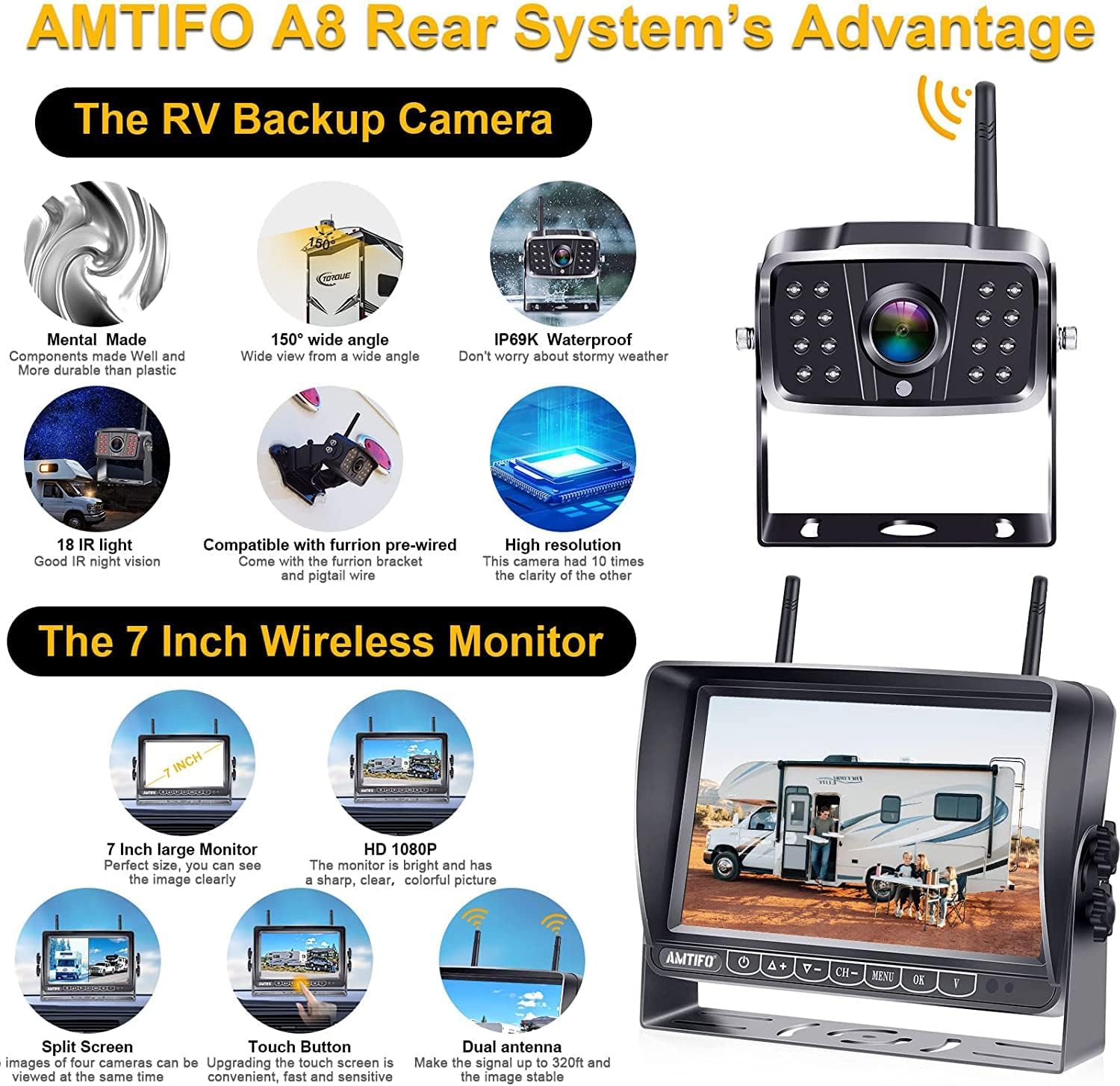
Figure 3.1: Key features of the AMTIFO A5 system.
4. Konfiguracja i instalacja
The AMTIFO A5 system is designed for quick and simple installation, typically completed within 30 minutes.
4.1 Instalacja kamery
- Zamontuj kamerę: Secure the camera using the provided camera bracket.
- Podłącz zasilanie: Wire the camera to your vehicle's marker light, running light, or directly to a Furrion pre-wired port if available. Ensure proper grounding.
4.2 Instalacja monitora
- Montaż monitora: Attach the monitor to your dashboard or windshield using the provided monitor bracket. Two mount methods are supported: U-bracket or windshield mount (windshield mount not included).
- Podłącz zasilanie: Plug the monitor's power cable into your vehicle's cigarette lighter socket.
- Dołącz anteny: Screw the antennas onto both the camera and the monitor.
4.3 Pierwsze włączenie zasilania
Once both the camera and monitor are installed and powered, the digital wireless modules will automatically transport video signals. Turn on the monitor to view kanał kamery.

Figure 4.1: Simple 3-step installation process.

Figure 4.2: Furrion pre-wired compatibility components.
5. Instrukcja obsługi
5.1 Elementy sterujące monitora
The 7-inch monitor features touch keys for easy navigation and adjustments:
- Regulacja jasności: Use the controls to increase or decrease screen brightness.
- Regulacja kontrastu: Modify the contrast level for optimal image clarity.
- HUE Adjustment: Adjust the color hue to your preference.
- Tryb odwracania: Change the image orientation (e.g., mirror image) as needed.
- Guide Line Control: Turn parking guide lines on or off. Adjust their height, width, and position on the screen to match your vehicle and preference.

Figure 5.1: Monitor display adjustments.
5.2 Obsługa wielu kamer
The monitor supports up to four cameras, allowing for various display modes:
- Pełny ekran: Displays a single camera feed.
- Podzielony ekran: Wyświetla obraz z dwóch kamer jednocześnie.
- Quad Screen: Displays four camera feeds simultaneously.
- H-Screen: A specific layout for multiple camera views.

Figure 5.2: Multi-camera display options.
5.3 Nagrywanie w pętli
The system features a built-in loop recording function. When a memory card (not included, contact AMTIFO for details) is inserted, the system will continuously record footage. Once the memory card is full, it will automatically overwrite the oldest files to ensure continuous recording without manual intervention.
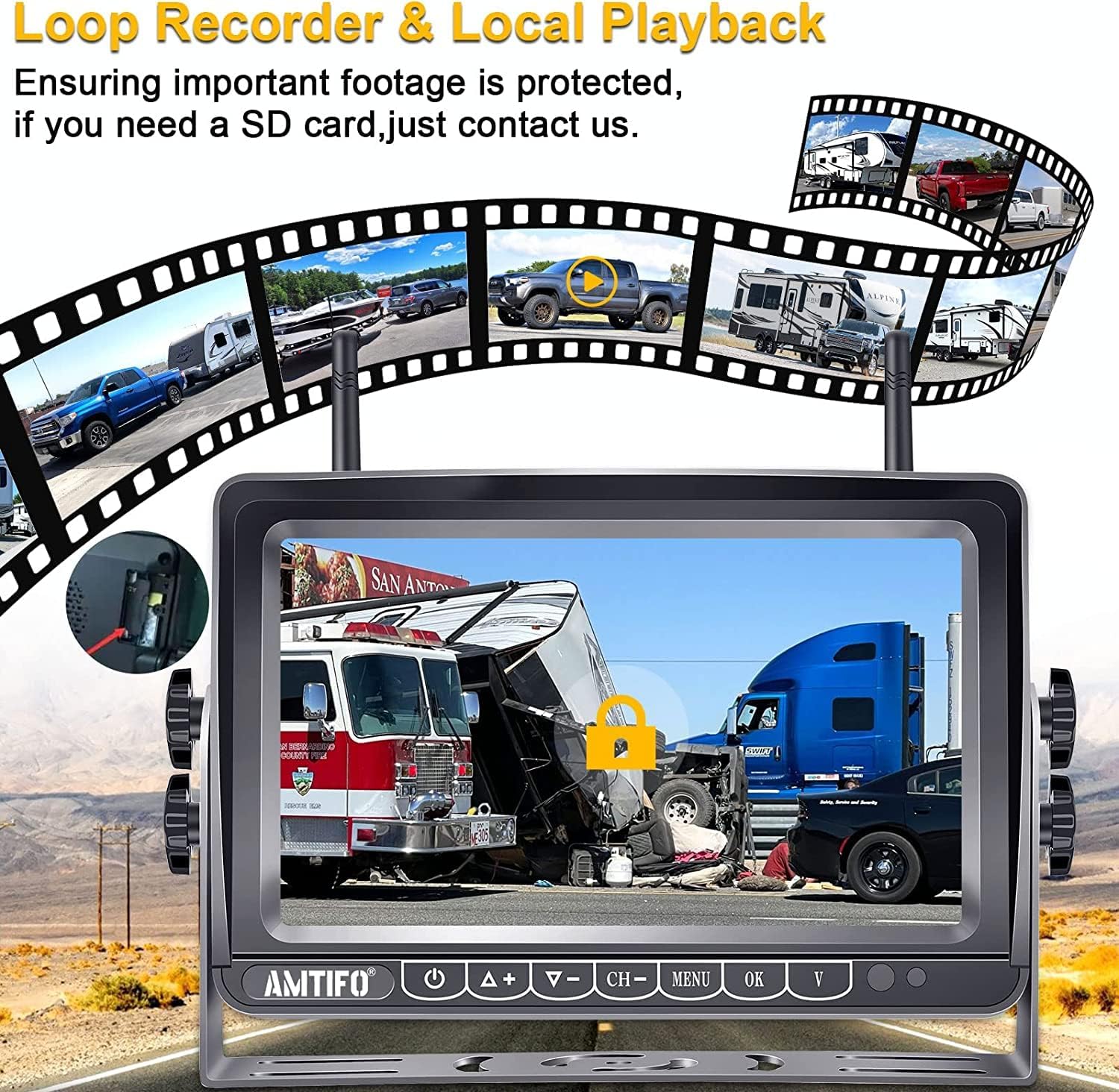
Figure 5.3: Loop recording and local playback.
6. Konserwacja
The AMTIFO A5 system is designed for durability and minimal maintenance. The camera is IP69 waterproof, making it resistant to dust and water ingress.
- Czyszczenie: Periodically clean the camera lens and monitor screen with a soft, damp cloth to ensure clear visibility. Avoid abrasive cleaners.
- Zakres temperatur: The system is built to operate in a wide temperature range, from -22°F to 149°F (-30°C to 65°C).
- Znajomości: Regularly check all power and antenna connections to ensure they are secure.

Figure 6.1: Durability features of the camera.
7. Rozwiązywanie Problemów
Jeśli napotkasz problemy z systemem AMTIFO A5, zapoznaj się z poniższymi typowymi procedurami rozwiązywania problemów:
- Brak sygnału/migotanie obrazu:
- Ensure both camera and monitor are receiving power. Check all power connections.
- Verify that antennas are securely attached to both the camera and monitor.
- Reduce the distance between the camera and monitor, or minimize obstructions that might interfere with the wireless signal.
- Sprawdź, czy inne urządzenia nie powodują silnych zakłóceń elektromagnetycznych.
- Monitor się nie włącza:
- Confirm the cigarette lighter plug is fully inserted and receiving power.
- Sprawdź bezpiecznik gniazda zasilania w pojeździe.
- Image Quality Issues (Blurry/Distorted):
- Wyczyść obiektyw aparatu i ekran monitora.
- Adjust the brightness, contrast, and HUE settings on the monitor.
- Nagrywanie nie działa:
- Ensure a compatible memory card is inserted correctly.
- Check if the memory card is full; the loop recording function should overwrite old files, but a faulty card might prevent this.
- Format the memory card if issues persist (this will erase all data).
Jeśli wykonanie tych czynności nie rozwiąże problemu, skontaktuj się z obsługą klienta AMTIFO, aby uzyskać dalszą pomoc.
8. Specyfikacje
| Funkcja | Specyfikacja |
|---|---|
| Wymiary produktu | 6.34 x 8.82 x 4.96 cala (6.34" dł. x 8.82" szer. x 4.96" wys.) |
| Waga przedmiotu | 3.43 funta |
| Numer modelu | A5 |
| Technologia wyświetlania | PROWADZONY |
| Funkcje wyświetlacza | Bezprzewodowy |
| Kolor | Czarny |
| Rozmiar ekranu | 7 cali |
| Kompatybilne urządzenia | Monitor |
| Typ instalacji | Montaż powierzchniowy |
| Tomtage | 12 wolty |
| Technologia czujnika optycznego | CMOS |
| Typ soczewki | Szeroki kąt |
| Kąt rzeczywisty View | 150 stopni |
| Typ złącza | Bezprzewodowy |
| Producent | AMTIFO |
| Data pierwszej dostępności | 19 lipca 2018 r. |
9. Gwarancja i wsparcie
AMTIFO stands behind the quality of its products. The AMTIFO A5 RV Backup Camera Wireless System comes with:
- 30-dniowa gwarancja zwrotu pieniędzy: Jeśli nie jesteś zadowolony z zakupu.
- 2-letnia gwarancja: Obejmuje wady produkcyjne i zapewnia niezawodność produktu.
- Bezpłatne wsparcie techniczne: Dedicated technical assistance is available to help with any questions or issues.
- Usługa wymiany: In case of eligible product malfunctions.
For support, please refer to the contact information provided in your product packaging or visit the official AMTIFO webstrona.