
1. Wprowadzenie
Thank you for choosing the DEMA Digital Cube Level. This device is designed for precise horizontal and vertical alignment measurements. This manual provides essential information for safe and effective use, including setup, operation, calibration, and maintenance.
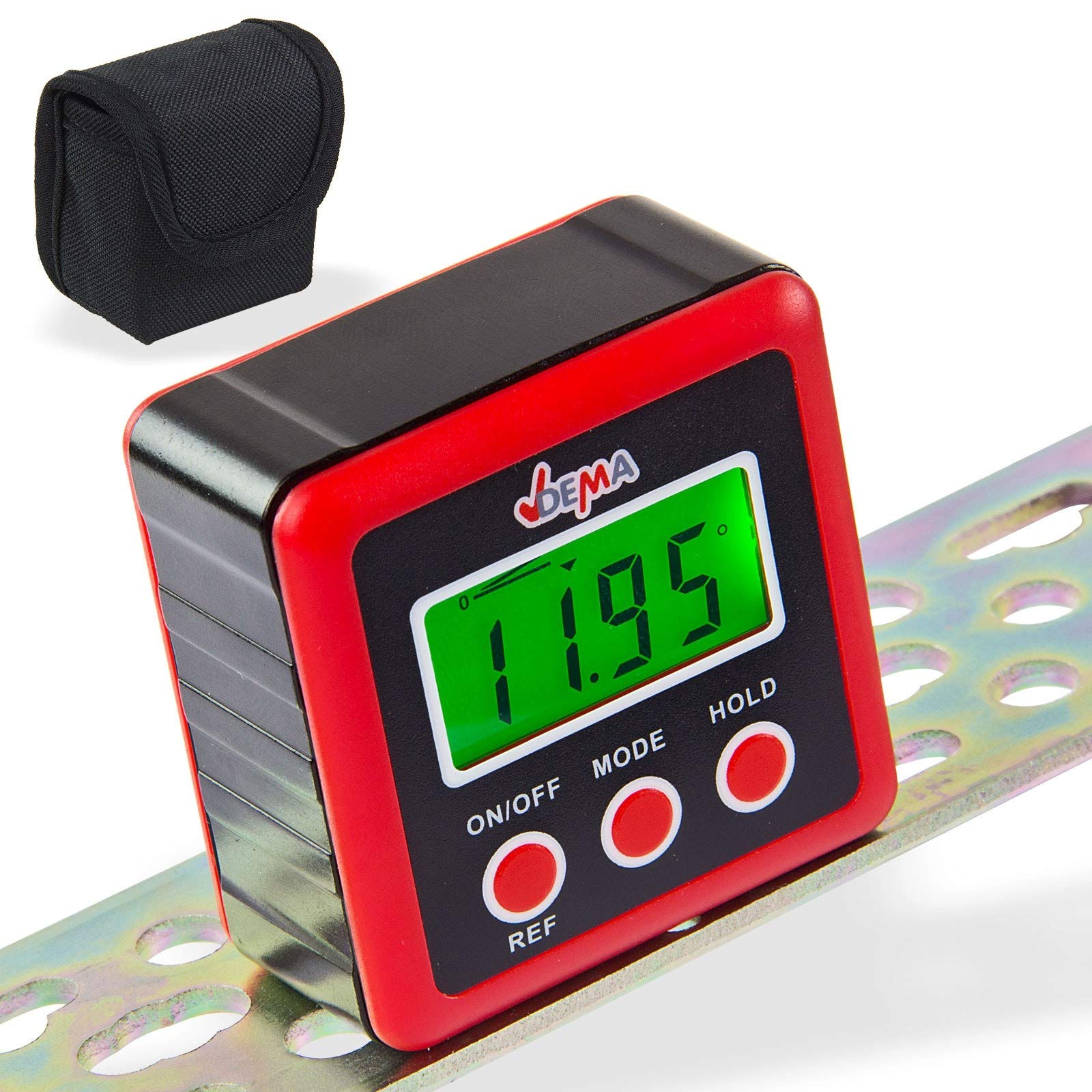
Figure 1: DEMA Digital Cube Level
2. Instrukcje bezpieczeństwa
- Technical advancements may lead to changes without prior notice from the manufacturer, which may not yet be reflected in this manual.
- Before initial operation, check the device for completeness and proper function.
- Never operate a defective or malfunctioning device. Contact the manufacturer or have the device inspected by a qualified mechanic.
- Zawsze pracuj ostrożnie i z zachowaniem niezbędnej ostrożności.
- Never apply excessive force to the device.
- Ensure batteries are removed if the device will not be used for an extended period. Never touch leaking batteries with any part of your body.
- Trzymaj dzieci i osoby nieupoważnione z dala od miejsca pracy.
- Nigdy nie pracuj, gdy jesteś zmęczony lub pod wpływem narkotyków, leków lub alkoholu.
- Store packaging materials (foils, plastic bags, Styrofoam, etc.) only in places inaccessible to children, especially infants, as packaging parts often pose unrecognized dangers (e.g., choking hazard).
3. Przeznaczenie
- The DEMA Digital Cube Level is suitable as a testing device for horizontal or vertical alignment of an object.
- The level is not designed for commercial purposes.
4. Konfiguracja
4.1. Instalacja baterii
- Znajdź pokrywę baterii znajdującą się z tyłu urządzenia.
- Unscrew the three screws securing the battery cover.
- Insert two 1.5V AAA batteries (not included) into the compartment, ensuring correct polarity.
- Replace the battery cover and secure it by tightening the three screws.

Figure 2: Battery compartment on the back of the device
5. Instrukcja obsługi
5.1. Włączanie/wyłączanie zasilania
- Naciśnij WŁ./WYŁ. przycisk, aby włączyć urządzenie.
- The device will automatically turn off if not used for approximately three minutes to conserve battery life.
5.2. Wykonywanie pomiarów
- Włącz urządzenie.
- Place the device firmly on the surface to be measured. The display will show the incline in degrees.

Rysunek 3: Examples of display readings
5.3. Changing Display Units
- Naciśnij TRYB button to cycle through different display units: degrees (°), percentage (%), millimeters per meter (mm/m), and slope (ft,in).
- The slope is displayed in 1/8 increments.
- The '0°' symbol indicates the current angle.
5.4. Relative Angle Measurement (REF Function)
- If the device is not perfectly level, it will display a value. To set the current angle as a reference (zero), press the ODNOŚNIK przycisk.
- The device is now in relative angle measurement mode and will display 'S'.
- Naciśnij ODNOŚNIK button again to exit the relative angle mode.
5.5. Podświetlenie wyświetlacza
- The display backlight turns on automatically when any button is pressed.
- The backlight will automatically turn off after 20 seconds of no button activity.
5.6. Funkcja wstrzymania
- Naciśnij TRZYMAĆ button to 'freeze' the current measurement result on the display. The 'H' symbol will be shown.
- Naciskać TRZYMAĆ again to reactivate the measurement mode.
5.7. Wskaźnik niskiego poziomu naładowania baterii
- When the battery symbol appears on the screen, it is recommended to replace the batteries promptly.
6. Kalibracja
For accurate measurements, periodic calibration is recommended.
- Wyłącz urządzenie.
- Place the level on a perfectly horizontal, flat, and stable surface.
- Naciśnij i przytrzymaj oba przyciski WŁ./WYŁ. I TRZYMAĆ buttons simultaneously until 'CAL' is displayed. The device is now in calibration mode.
- Leave the device still for a moment, then press the TRZYMAĆ button. The display will show 'CAL1'.
- Rotate the level 180° on the same surface and press the TRZYMAĆ button. 'CAL2' will be displayed.
- Once 'CAL2' is no longer displayed, the calibration process is complete.
UWAGA: During the calibration process, the surface must not be tilted or moved. After calibration, the original data will be overwritten with the new calibration data.
7. Konserwacja
- Utrzymuj urządzenie w czystości i suchości. Przecieraj zewnętrzną część miękką, miękką szmatką.amp ściereczka. Nie należy używać środków czyszczących o właściwościach ściernych ani rozpuszczalników.
- Unikaj wystawiania urządzenia na działanie ekstremalnych temperatur, wilgoci lub bezpośredniego światła słonecznego.
- Remove batteries if the device is not used for an extended period to prevent leakage and damage.
- Store the device in its protective pouch (if included) when not in use to prevent scratches and damage.

Figure 4: Carrying pouch for the Digital Cube Level
8. Rozwiązywanie Problemów
8.1. Urządzenie się nie włącza
- Sprawdź, czy baterie zostały włożone prawidłowo, z zachowaniem właściwej polaryzacji.
- Wymień baterie na nowe baterie 1.5 V AAA.
- Upewnij się, że styki akumulatora są czyste i wolne od korozji.
8.2. Niedokładne odczyty
- Wykonaj kalibrację zgodnie z opisem w rozdziale 6.
- Upewnij się, że powierzchnia pomiarowa jest stabilna i wolna od drgań.
- Sprawdź, czy urządzenie nie ma uszkodzeń fizycznych.
Jeśli problem nadal występuje, skontaktuj się z obsługą klienta.
9. Specyfikacje techniczne
| Funkcja | Specyfikacja |
|---|---|
| Rozdzielczość wyświetlacza | ±0.01° |
| Dokładność wyświetlania | ±0.1° przy 0° i 90°, ±0.2° pod innymi kątami |
| Wyświetlane jednostki | ° / %, mm/m, in/ft |
| Temperatura pracy | 0°C ~ 40°C |
| Wymagane baterie | 2 x 1.5 V AAA |
| Wymiary (dł. x szer. x wys.) | Wymiary: 58 x 58 x 32 mm |
| Waga (bez baterii) | ok. 70 g |
| Tworzywo | Polichlorek winylu (PCW) |
10. Utylizacja
Do not dispose of this device with household waste. Please contact DEMA Vertriebs-GmbH, your local dealer, or a local recycling company for proper disposal. By disposing of the device correctly, you are making a valuable contribution to environmental protection.
11. Gwarancja i wsparcie
Warranty information for the DEMA Digital Cube Level is not provided within this manual. Please refer to your purchase documentation or contact your seller for details regarding warranty coverage.
For technical support, questions, or service requests, please contact the retailer from whom you purchased the product or the manufacturer directly. Contact information can typically be found on the product packaging or the seller's webstrona.