
1. Wprowadzenie
This instruction manual provides essential information for the installation, operation, and maintenance of the Hikvision DS-7604NI-K1/4P 4-Channel 4K PoE Network Video Recorder (NVR). Please read this manual thoroughly before using the product to ensure correct and safe operation. Keep this manual for future reference.
2. Informacje dotyczące bezpieczeństwa
Aby zapobiec obrażeniom ciała lub uszkodzeniu urządzenia, należy przestrzegać następujących środków ostrożności:
- Zasilanie: Używaj wyłącznie zasilacza przeznaczonego do tego urządzenia. Upewnij się, że napięcie zasilania jest prawidłowe.tage jest stabilny i spełnia wymagania urządzenia.
- Wentylacja: Nie zasłaniaj otworów wentylacyjnych. Zapewnij odpowiedni przepływ powietrza, aby zapobiec przegrzaniu.
- Środowisko: Avoid exposing the device to extreme temperatures, humidity, dust, or corrosive environments. Do not place heavy objects on the device.
- Instalacja: Install the device on a stable surface. Avoid strong vibrations or impacts.
- Serwisowanie: Nie próbuj demontować ani modyfikować urządzenia. Wszelkie prace serwisowe zlecaj wykwalifikowanemu personelowi.
3. Koniec produktuview
The Hikvision DS-7604NI-K1/4P is a 4-channel Network Video Recorder designed for surveillance systems. It supports up to 4K resolution for live view, recording, and playback, and features Power-over-Ethernet (PoE) interfaces for direct connection and power supply to compatible IP cameras.
3.1 Zawartość opakowania
- Rejestrator NVR Hikvision DS-7604NI-K1/4P
- Zasilacz
- Mysz USB
- Śruby do montażu dysku twardego
- Szybki przewodnik
3.2 Panel przedni
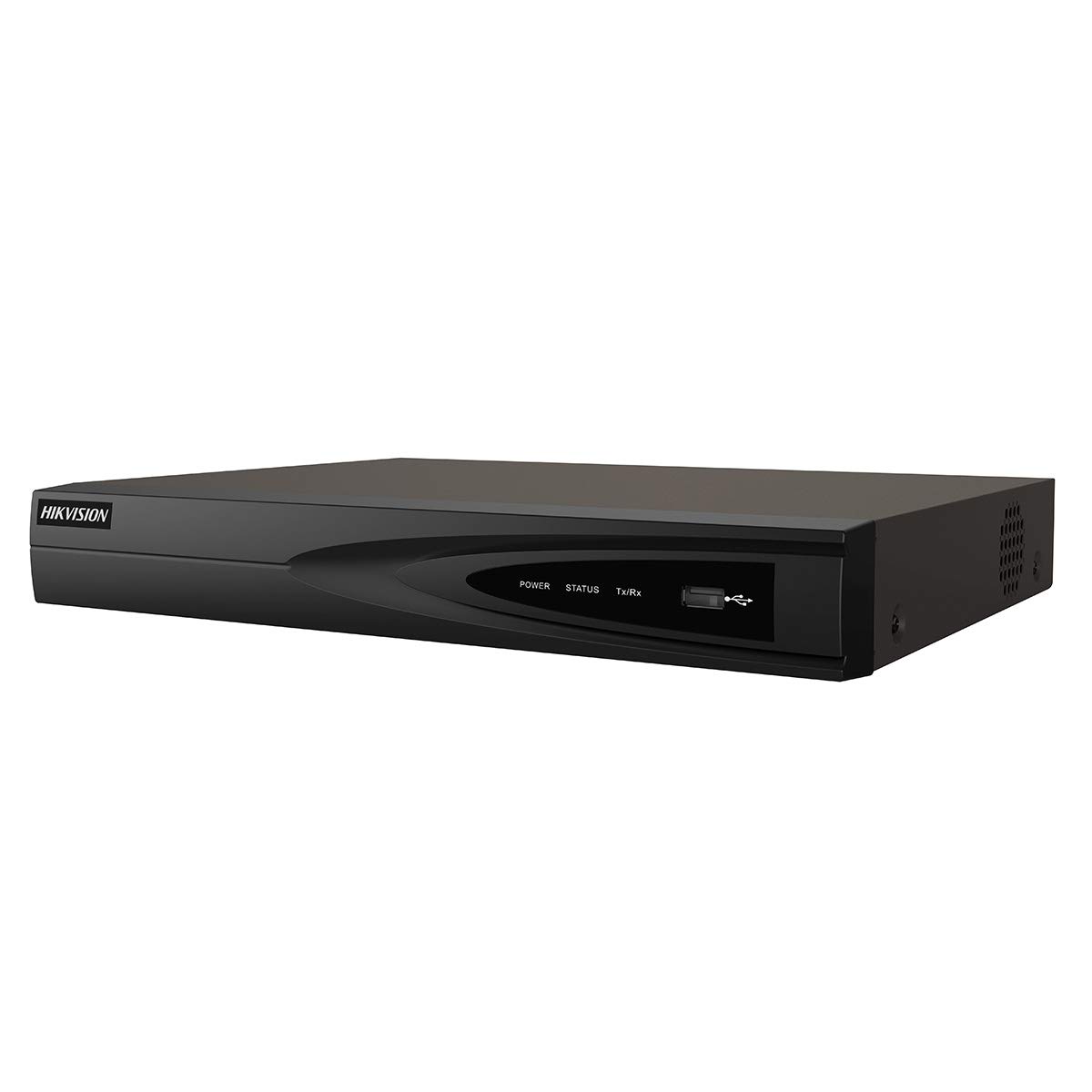
Obraz 1: Przód view of the Hikvision DS-7604NI-K1/4P NVR. This image displays the front panel of the NVR, typically featuring status indicator lights and a USB port for peripheral connections.
3.3 Panel tylny
Na tylnym panelu znajdują się różne porty umożliwiające łączność:
- PoE Ports (x4): For connecting IP cameras and providing power.
- Port LAN: Do połączenia sieciowego z routerem lub przełącznikiem.
- Wyjście HDMI: Do podłączenia do monitora lub telewizora w celu uzyskania sygnału wideo wysokiej rozdzielczości.
- Wyjście VGA: For connecting to a monitor for video output.
- USB Ports (x2 total, typically one front, one rear): For mouse, USB drive, or other peripherals.
- Wejście audio (RCA): For connecting an external audio source.
- Pobór mocy: Do podłączenia zasilacza.
4. Konfiguracja
4.1 Instalacja dysku twardego (opcjonalnie)
The NVR supports one internal SATA hard drive for video storage (up to 6 TB). If a hard drive is not pre-installed, follow these steps:
- Odkręć i zdejmij górną pokrywę rejestratora NVR.
- Podłącz kabel danych SATA i kabel zasilający do dysku twardego.
- Align the hard drive with the mounting holes and secure it with the provided screws.
- Replace the NVR's top cover and secure it with screws.
4.2 Podłączanie urządzeń peryferyjnych
- Monitor: Podłącz monitor do portu wyjściowego HDMI lub VGA rejestratora NVR.
- Mysz: Podłącz mysz USB do portu USB w rejestratorze NVR.
- Sieć: Podłącz port LAN rejestratora NVR do routera lub przełącznika sieciowego za pomocą kabla Ethernet.
- Kamery: Connect IP cameras to the NVR's PoE ports. The NVR will automatically power and detect compatible Hikvision PoE cameras.
4.3 Włączanie i konfiguracja początkowa
- Podłącz zasilacz do wejścia zasilania rejestratora NVR, a następnie do gniazdka sieciowego.
- Rejestrator NVR włączy się automatycznie.
- Upon first boot, the NVR will guide you through an initialization wizard. Follow the on-screen prompts to set up a strong password, network settings, and hard drive formatting (if applicable).
- Ensure the hard drive is formatted before recording can begin.
5. Działanie
5.1 Na żywo View
After initial setup, the NVR will display the live video feed from connected cameras on the monitor. You can switch between single-camera view i siatka wielokamerowa view za pomocą elementów sterujących na ekranie lub myszy.
5.2 Nagrywanie
Rejestrator NVR obsługuje różne tryby nagrywania:
- Ciągłe nagrywanie: Ciągle nagrywa wideo.
- Nagrywanie z wykrywaniem ruchu: Nagrywa tylko wtedy, gdy w kamerze zostanie wykryty ruch view.
- Zaplanowane nagrywanie: Rejestracja odbywa się na podstawie ustalonego harmonogramu.
Configure recording settings via the NVR's menu interface (typically accessible by right-clicking on the live view screen and selecting 'Menu').
5.3 Odtwarzanie
Aby ponownieview nagrano footage:
- Uzyskaj dostęp do menu „Odtwarzanie” z głównego interfejsu rejestratora NVR.
- Wybierz żądaną kamerę(y) i zakres daty/godziny.
- Użyj elementów sterujących odtwarzaniem (odtwarzanie, pauza, szybkie przewijanie do przodu, przewijanie do tyłu), aby poruszać się po utworze.tage.
5.4 Dostęp zdalny
Dla pilota viewing and management, download the Hik-Connect app on your mobile device or use the Hik-Connect web portal. The NVR must be connected to the internet, and you will need to register the device with your Hik-Connect account. Refer to the Hik-Connect documentation for detailed instructions.
6. Konserwacja
6.1 aktualizacji oprogramowania sprzętowego
Periodically check the official Hikvision website for firmware updates. Updating the firmware can improve performance, add new features, and enhance security. Follow the instructions provided with the firmware update package carefully.
6.2 Zarządzanie dyskiem twardym
Regularly check the health status of your hard drive through the NVR's menu. If the hard drive shows errors or is nearing its end of life, consider replacing it to prevent data loss. You may also need to format the hard drive periodically, which will erase all recorded data.
6.3 Czyszczenie
Clean the exterior of the NVR with a soft, dry cloth. Do not use liquid cleaners or aerosols. Ensure ventilation openings are free from dust and debris.
7. Rozwiązywanie Problemów
| Problem | Możliwa przyczyna | Rozwiązanie |
|---|---|---|
| Brak obrazu na monitorze | Luźne połączenie kablowe, nieprawidłowe źródło sygnału wejściowego na monitorze, niewłączony rejestrator NVR. | Check HDMI/VGA cable connections. Ensure monitor is set to correct input. Verify NVR power. |
| Brak obrazu z kamery | Camera not powered, network issue, camera not added/activated. | Check PoE cable connection. Ensure camera is powered. Verify camera IP address and add it to the NVR. |
| Nie można nagrać wideo | No hard drive, hard drive not formatted, hard drive full, recording schedule not set. | Install and format a hard drive. Check hard drive status. Configure recording schedule. |
| Zdalny dostęp nie działa | NVR not connected to internet, incorrect network settings, Hik-Connect account issue. | Verify NVR network connection. Check network settings (IP, DNS). Ensure NVR is added to Hik-Connect. |
8. Specyfikacje
| Funkcja | Specyfikacja |
|---|---|
| Numer modelu | DS-7604NI-K1/4P |
| Marka | Hikvision |
| Technologia łączności | Sieć Ethernetowa |
| Kompatybilne urządzenia | Kamera |
| Wymiary produktu (dł. x szer. x wys.) | Wymiary 8.5 x 29.8 x 42.1 cm |
| Pojemność pamięci masowej | 6 TB |
| Rozmiar dysku twardego | 6 TB |
| Liczba kanałów | 4 |
| Waga przedmiotu | 2.2 funta |
| Format cyfrowego nośnika wideo | Dysk twardy |
| Wejście audio | RCA |
| Łączna liczba portów USB | 2 |
| Wejście wideo | VGA, HDMI |
| Liczba jednostek | 1.0 Liczba |
| Producent | Hikvision |
| Globalny numer identyfikacyjny handlu | 06954273652883 |
| Numer części | KNVRDS7604NI-K1/4P |
9. Gwarancja i wsparcie
Aby uzyskać informacje dotyczące gwarancji, pomocy technicznej i zapytań serwisowych, zapoznaj się z oficjalną stroną Hikvision webOdwiedź witrynę lub skontaktuj się z autoryzowanym dealerem Hikvision. Zachowaj paragon jako dowód zakupu na wypadek roszczeń gwarancyjnych.
Zasoby internetowe: Visit the official Hikvision support page for FAQs, downloads, and contact information.