
AccuWeight Accuweight-255B
AccuWeight Gram Scale User Manual
Model: Accuweight-255B | Brand: AccuWeight
1. Wprowadzenie
Thank you for choosing the AccuWeight Gram Scale. This high-precision digital scale is designed for accurate measurements of various small items, including coffee, jewelry, and other delicate materials. Its compact size and multiple functions make it an indispensable tool for both professional and personal use. Please read this manual thoroughly before operation to ensure proper use and maintenance.

Figure 1: AccuWeight Gram Scale with protective cover and included batteries.
2. Główne cechy
- Wysoka precyzja: Accuracy of +/- 0.03% for items from 0.2 g to 1,000 g.
- Funkcja tary: Quickly calculate the net weight of loose materials by subtracting container weight.
- Count by Piece (PCS): Determine the number of individual pieces for small items like coins or beads.
- Wiele jednostek wagowych: Choose from 6 units: g (grams), ct (carats), dwt (pennyweights), ozt (troy ounces), oz (ounces), gn (grains).
- Podświetlany wyświetlacz LCD: Zapewnia wyraźną czytelność w różnych warunkach oświetleniowych.
- Funkcja kalibracji: Allows for recalibration to maintain accuracy over time.
- Łatwy w użyciu: Intuitive button layout for straightforward operation.
- Pocket-Size Design: Kompaktowe i lekkie, łatwe do przenoszenia i przechowywania.
- Pokrowiec ochronny: Doubles as a weighing tray for convenience.
- Automatyczne wyłączanie: 90-second auto shut-off feature to conserve battery life.
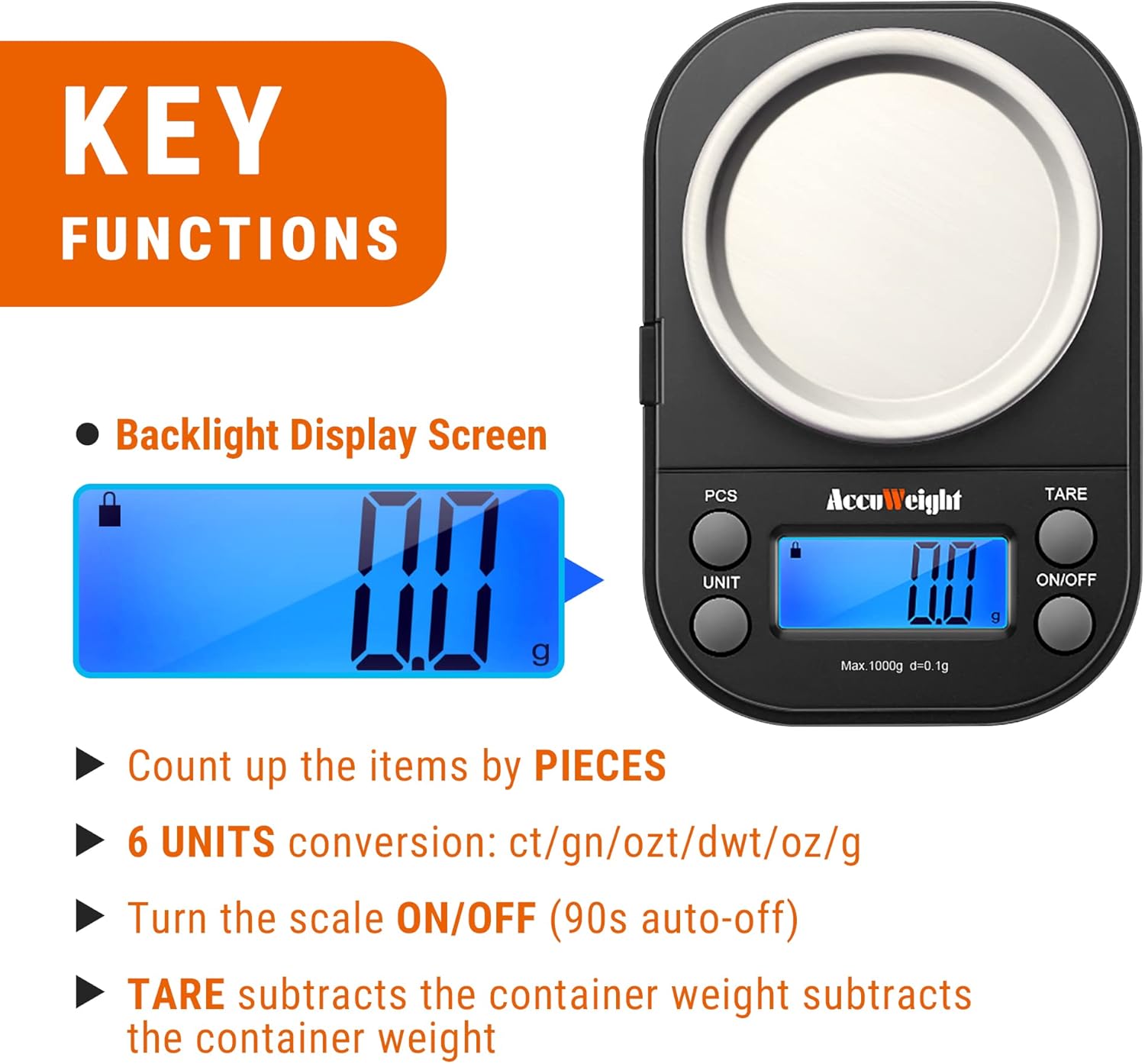
Rysunek 2: Koniecview of the scale's key functions.
3. Konfiguracja
3.1 Rozpakowanie
Carefully remove all components from the packaging. Ensure you have the scale unit, protective cover/weighing tray, and two AAA batteries. Inspect the scale for any signs of damage during transit.

Rysunek 3: Zawartość opakowania.
3.2 Instalacja baterii
- Znajdź komorę baterii na spodzie wagi.
- Odsuń pokrywę komory baterii.
- Włóż dwie baterie AAA, zwracając uwagę na prawidłową biegunowość (+/-), zgodnie ze wskazaniami wewnątrz komory.
- Dokładnie zamknij pokrywę komory baterii.
3.3 Umieszczenie
Place the scale on a hard, flat, and stable surface. Uneven surfaces can affect accuracy. Avoid placing the scale near strong electromagnetic fields, extreme temperatures, or vibrations.
4. Działanie
4.1 Basic Weighing (On/Off & Tare)
- Naciśnij WŁ./WYŁ. button to turn on the scale. The display will show "88888" and then "0.0g".
- If using a container, place it on the weighing platform before pressing the TARA button. The display will reset to "0.0g", effectively subtracting the container's weight.
- Place the item(s) to be weighed onto the platform or into the tared container. The weight will be displayed.
- Aby wyłączyć wagę, naciśnij i przytrzymaj przycisk WŁ./WYŁ. button for a few seconds. The scale will also automatically shut off after 90 seconds of inactivity to conserve battery life.
4.2 Konwersja jednostek
While the scale is on, press the JEDNOSTKA button repeatedly to cycle through the available weighing units: grams (g), carats (ct), pennyweights (dwt), troy ounces (ozt), ounces (oz), and grains (gn).

Rysunek 4: Examples of unit conversions on the display.
4.3 Piece Counting (PCS)
This function allows you to count multiple pieces of an item based on a sampilość.
- Turn on the scale and ensure it reads "0.0g".
- Naciśnij i przytrzymaj PCS button until "25" appears on the display.
- Naciśnij JEDNOSTKA button to select a sampilość (25, 50, 75 lub 100 sztuk).
- Podaj dokładną liczbę sample pieces (e.g., 25 pieces) onto the weighing platform.
- Naciśnij PCS naciśnij ponownie przycisk, aby potwierdzićample. The display will show the sampilość.
- You can now add more pieces of the same item, and the scale will count them.
- Aby wyjść z trybu liczenia, naciśnij przycisk PCS przycisk.

Figure 5: Piece counting in action.
5. Kalibracja
Calibration ensures the accuracy of your scale over time. A 1000g calibration weight (not included) is required for this process.
- Włącz wagę.
- Naciśnij i przytrzymaj JEDNOSTKA key until the display shows "CAL".
- Naciśnij JEDNOSTKA key again. The display will show "1000.0g".
- Place a 1000g calibration weight on the center of the weighing platform.
- Poczekaj, aż na wyświetlaczu pojawi się komunikat „PASS”. Oznacza to pomyślną kalibrację.
- Zdejmij odważnik kalibracyjny. Waga jest teraz gotowa do użycia.

Figure 6: Step-by-step calibration guide.
6. Konserwacja
6.1 Czyszczenie
Aby wyczyścić wagę, przetrzyj ją miękką szmatką.amp Ściereczką. Nie używaj środków czyszczących o działaniu ściernym ani nie zanurzaj wagi w wodzie. Upewnij się, że waga jest całkowicie sucha przed przechowywaniem lub kolejnym użyciem.
6.2 Przechowywanie
Store the scale in a cool, dry place. The protective cover should be placed over the weighing platform to prevent dust and damage. Remove batteries if the scale will not be used for an extended period.
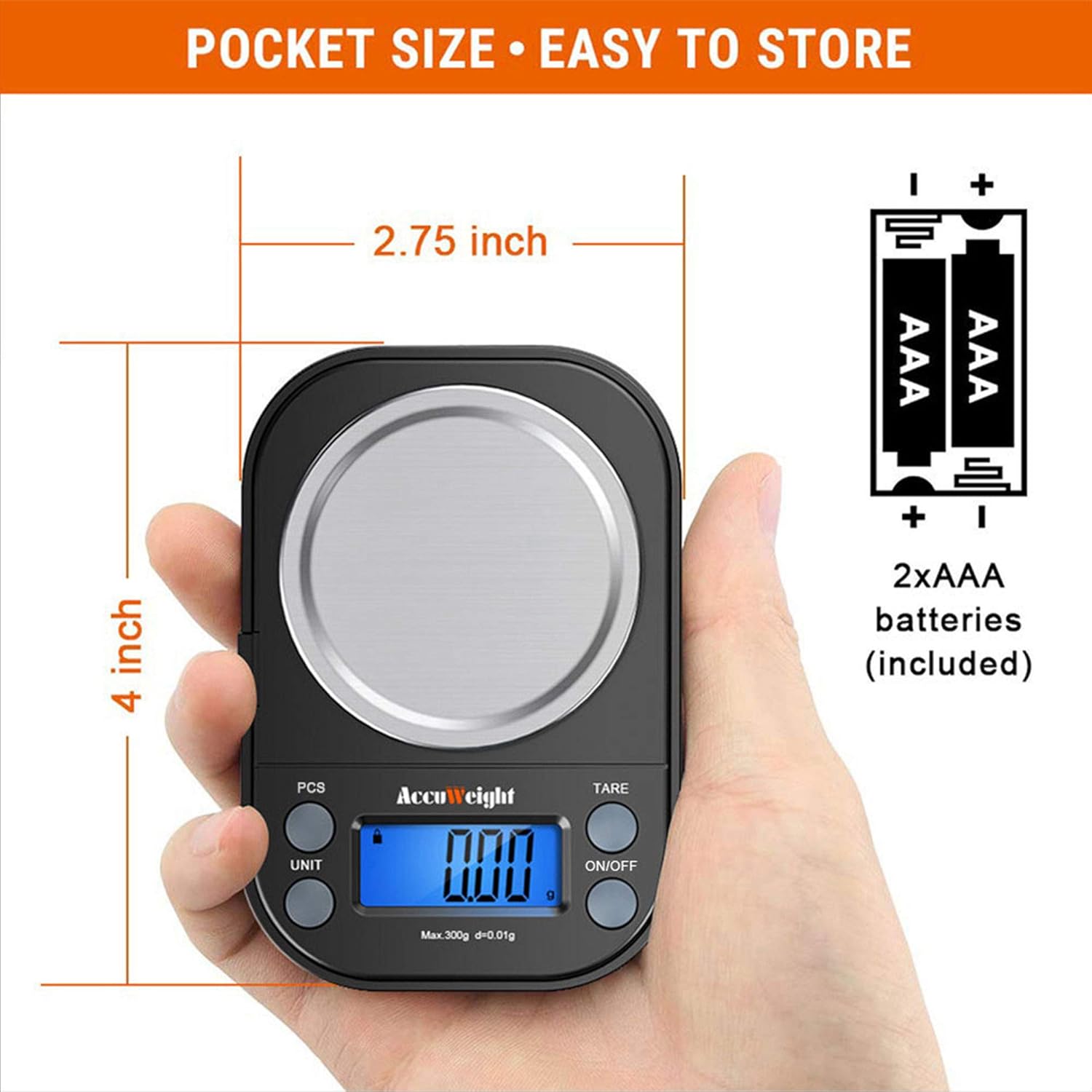
Figure 7: Scale's compact size for easy storage.
7. Rozwiązywanie Problemów
| Problem | Możliwa przyczyna | Rozwiązanie |
|---|---|---|
| Waga się nie włącza | Niski poziom naładowania baterii lub rozładowane baterie; nieprawidłowa instalacja baterii | Wymień baterie; Sprawdź biegunowość baterii |
| Niedokładne odczyty | Unstable surface; Overload; Needs calibration | Place on flat, stable surface; Do not exceed 1000g; Perform calibration |
| Wyświetlany jest symbol „O-Ld” | Overload (weight exceeds capacity) | Natychmiast usuń nadmiar ciężaru, aby zapobiec uszkodzeniom |
| Wyświetlany jest komunikat „Lo” | Niski poziom naładowania baterii | Wymień baterie |
| Wyświetlacz jest przyciemniony lub migocze | Niski poziom naładowania baterii | Wymień baterie |
8. Specyfikacje
| Funkcja | Szczegół |
|---|---|
| Marka | AccuWeight |
| Numer modelu | Accuweight-255B |
| Kolor | Czarny |
| Ograniczenie wagowe | 1000 Grams (1kg) |
| Dokładność odczytu | 0.1g |
| Minimalna waga | 0.2g |
| Jednostki miary | g, ct, dwt, ozt, oz, gn |
| Typ wyświetlacza | LCD z podświetleniem |
| Źródło zasilania | 2 baterie AAA (w zestawie) |
| Wymiary produktu | 3.74 x 2.44 x 0.83 cala |
| Waga przedmiotu | 5 uncji |
| Tworzywo | Stainless Steel (platform) |
| Funkcja specjalna | Tare, Count by Piece, Calibration |
9. Dodatkowe pomoce wizualne

Figure 8: Large weighing range for various items.

Figure 9: Backlit display for clear visibility.

Figure 10: Protective cover doubles as a weighing tray.
10. Oficjalne filmy o produktach
There are no official seller-provided videos available for this product at this time.
11. Gwarancja i wsparcie
For detailed warranty information and customer support, please refer to the contact information provided in your product packaging or visit the official AccuWeight website. A digital version of the user manual is also available for download via the following link: AccuWeight User Manual (PDF).
Ask a question about this manual
Ask about setup, troubleshooting, compatibility, parts, safety, or missing instructions. Manuals+ will review the question and use this page’s manual context to help answer it.