
1. Wprowadzenie
This manual provides essential information for the safe and efficient use of your ZTE Trek 2 HD K88 Tablet. The ZTE Trek 2 HD K88 is an 8-inch tablet featuring an HD display, an Octa-core processor, 2GB RAM, 16GB internal storage (expandable), and a 4600mAh battery. It operates on Android 6.0 Marshmallow and supports Wi-Fi and 4G-LTE connectivity.
Please read this manual thoroughly before operating your device to ensure proper functionality and to understand its features.

Obraz 1.1: Tył view of the ZTE Trek 2 HD K88 Tablet, showing the AT&T logo and product labels.
2. Konfiguracja
2.1. Ładowanie akumulatora
Before first use, fully charge the tablet's battery. Connect the included power adapter to the tablet's charging port and then to a power outlet. The battery indicator on the screen will show charging status.
- Use only the power adapter provided with your device.
- A full charge can take several hours.
2.2. Włączanie/wyłączanie zasilania
- Włączanie: Naciśnij i przytrzymaj przycisk zasilania, aż pojawi się logo ZTE.
- Aby wyłączyć: Naciśnij i przytrzymaj przycisk zasilania, aż pojawi się menu opcji zasilania, a następnie wybierz opcję „Wyłącz”.
2.3. Konfiguracja początkowa
Upon first power-on, follow the on-screen prompts to configure basic settings:
- Wybierz preferowany język.
- Połącz się z siecią Wi-Fi.
- Zaloguj się za pomocą konta Google lub utwórz nowe.
- Review i zaakceptuj regulamin.
2.4. Wkładanie karty MicroSD (opcjonalnie)
The tablet supports expandable memory up to 128GB via a microSD card. Locate the microSD card slot, typically on the side of the device. Carefully insert the card with the gold contacts facing down until it clicks into place.

Obraz 2.1: Bok view of the ZTE Trek 2 HD K88 Tablet, illustrating its thin design. The microSD slot is typically located on one of the side edges.
3. Instrukcja obsługi
3.1. Podstawowa nawigacja
The ZTE Trek 2 HD K88 features a responsive touchscreen. Use the following gestures:
- Uzyskiwać: Aby wybrać element lub otworzyć aplikację.
- Dotknij i przytrzymaj: Aby uzyskać dostęp do menu kontekstowego lub przenieść elementy.
- Trzepnąć: Aby przewijać ekrany lub listy.
- Szczypta: To zoom in or out on content like photos or web stron.
3.2. Home Screen and Apps
The home screen displays your favorite apps, widgets, and notifications. Swipe left or right to access additional home screens. Tap the "Apps" icon to view wszystkie zainstalowane aplikacje.

Obraz 3.1: Przód view of the ZTE Trek 2 HD K88 Tablet with the display active, showing the Android home screen with various application icons.
3.3. Łączenie z Wi-Fi
- Idź do Ustawienia > Wi-Fi.
- Przełącz Wi-Fi On.
- Wybierz interesującą Cię sieć z listy.
- Wprowadź hasło, jeśli zostaniesz o to poproszony, a następnie stuknij Łączyć.
3.4. Korzystanie z aparatu
The tablet is equipped with 5 MP front and rear cameras. Open the Camera app to capture photos and videos.
- Stuknij przycisk migawki, aby zrobić zdjęcie.
- Przełączaj się między przednim i tylnym aparatem za pomocą ikony przełączania aparatu.
- Explore various modes and settings within the camera app.
3.5. Funkcje audio
The ZTE Trek 2 HD K88 features Dolby Audio powered dual front-facing speakers for an enhanced audio experience. Adjust volume using the physical volume buttons on the side of the tablet or through the on-screen volume controls.
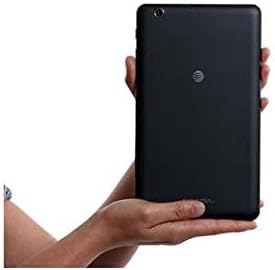
Image 3.2: The ZTE Trek 2 HD K88 Tablet held horizontally in two hands, demonstrating its comfortable and portable 8-inch form factor.
4. Konserwacja
4.1. Czyszczenie urządzenia
Do czyszczenia tabletu użyj miękkiej, niepozostawiającej włókien ściereczki. W przypadku uporczywych zabrudzeń delikatnie przetrzyj tablet.ampen the cloth with water. Avoid using harsh chemicals, abrasive cleaners, or aerosol sprays, as these can damage the screen and finish.
4.2. Aktualizacje oprogramowania
Regularnie sprawdzaj dostępność aktualizacji oprogramowania, aby mieć pewność, że Twój tablet ma najnowsze funkcje i poprawki zabezpieczeń. Przejdź do Ustawienia > O tablecie > Aktualizacje systemu.
4.3. Zarządzanie magazynem
Regularnie zarządzaj pamięcią tabletu, aby utrzymać jego optymalną wydajność. Usuń niepotrzebne pliki. fileodinstaluj nieużywane aplikacje i przenieś duże pliki multimedialne files to a microSD card or cloud storage. Go to Ustawienia > Pamięć masowa i USB Do view wykorzystanie pamięci masowej.
4.4. Pielęgnacja baterii
Aby przedłużyć żywotność baterii:
- Unikaj ekstremalnych temperatur.
- Nie należy dopuszczać do zbyt częstego całkowitego rozładowania akumulatora.
- Odłącz ładowarkę, gdy akumulator będzie w pełni naładowany.
- Adjust screen brightness and disable unused features like Wi-Fi or Bluetooth when not needed.
5. Rozwiązywanie Problemów
5.1. Typowe problemy i rozwiązania
| Wydanie | Rozwiązanie |
|---|---|
| Tablet się nie włącza | Upewnij się, że bateria jest naładowana. Naciśnij i przytrzymaj przycisk zasilania przez co najmniej 10–15 sekund, aby wymusić ponowne uruchomienie. |
| Problemy z połączeniem Wi-Fi | Uruchom ponownie tablet i router Wi-Fi. Usuń sieć z ustawień Wi-Fi i połącz się ponownie. |
| Aplikacje ulegają awarii lub zawieszają się | Close and reopen the app. Clear the app's cache (Settings > Apps > [App Name] > Storage > Clear cache). Restart the tablet. |
| Niska wydajność | Close unused apps. Clear cache. Free up storage space. Restart the tablet. |
5.2. Przywracanie ustawień fabrycznych
If issues persist, a factory reset may resolve them. This will erase all data on your tablet, so back up important information first. Go to Ustawienia > Kopia zapasowa i resetowanie > Przywracanie danych fabrycznych.
6. Specyfikacje
| Funkcja | Szczegół |
|---|---|
| Marka | ZTE |
| Nazwa modelu | K88 |
| System operacyjny | Android 6.0 Marshmallow |
| Rozmiar ekranu | 8 cali |
| Rozdzielczość wyświetlacza | 1280x800 (wysoka rozdzielczość) |
| Edytor | Qualcomm Snapdragon 617 Octa-core (1.5 GHz) |
| Pamięć RAM | 2 GB |
| Pojemność magazynowa | 16 GB (z możliwością rozszerzenia do 128 GB za pomocą karty microSD) |
| Kamera tylna | 5 MP |
| Przednia kamera | 5 MP |
| Pojemność baterii | 4600 mAh (up to 10 hours average life) |
| Łączność | Wi-Fi (802.11n), 4G-LTE (AT&T) |
| Audio | Dolby Audio, Dual Front-Facing Speakers |
| Waga | 1.3 funtów |
| Dołączone akcesoria | Zasilacz |
7. Gwarancja i wsparcie
7.1. Informacje o gwarancji
This ZTE Trek 2 HD K88 Tablet comes with a 90-day limited warranty. Please refer to your purchase documentation for specific terms and conditions regarding warranty claims.
7.2. Obsługa klienta
For further assistance, technical support, or warranty inquiries, please contact the retailer or ZTE customer service. You may also visit the official ZTE support webStrona z odpowiedziami na często zadawane pytania i dodatkowymi zasobami.