
Wstęp
Dziękujemy za zakupasing the MAJORITY Histon Portable DAB/DAB+ Digital Radio. This manual provides essential information for setting up, operating, and maintaining your radio. Please read it thoroughly before use to ensure optimal performance and longevity of your device.
Co jest w pudełku
- MAJORITY Histon Radio
- Kabel zasilania sieciowego
- Instrukcja obsługi (ten dokument)

Image: The contents of the product packaging, including the Histon radio, its mains power cable, and the user manual.
Produkt ponadview
The MAJORITY Histon radio is designed for portable and mains-powered listening, offering both DAB/DAB+ and FM radio reception. It features a clear LED display, dual alarm functionality, and a sleep timer.
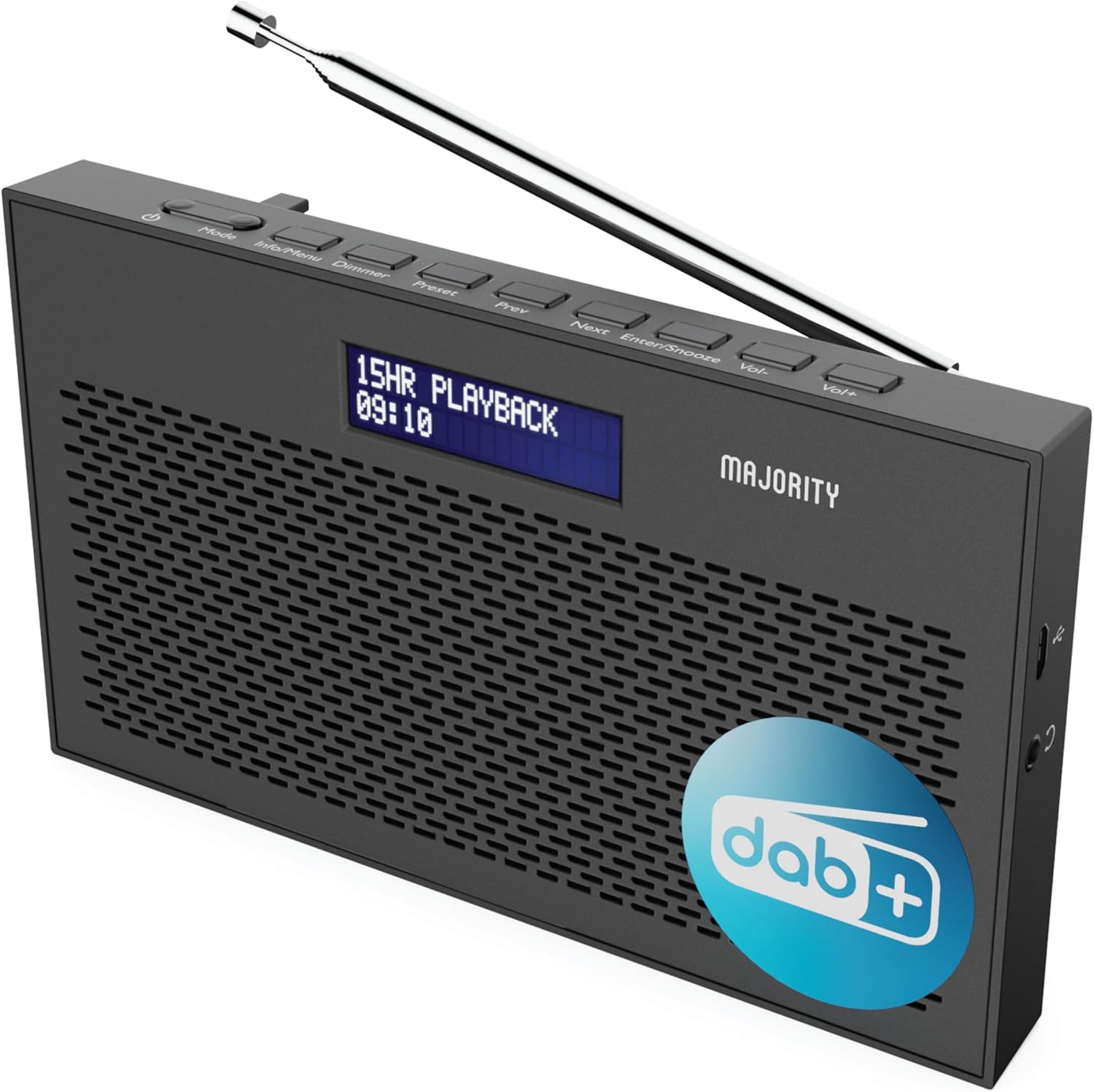
Obraz: szczegółowy view of the Majority Histon radio, highlighting its compact design and front speaker.
Sterowanie i wyświetlacz
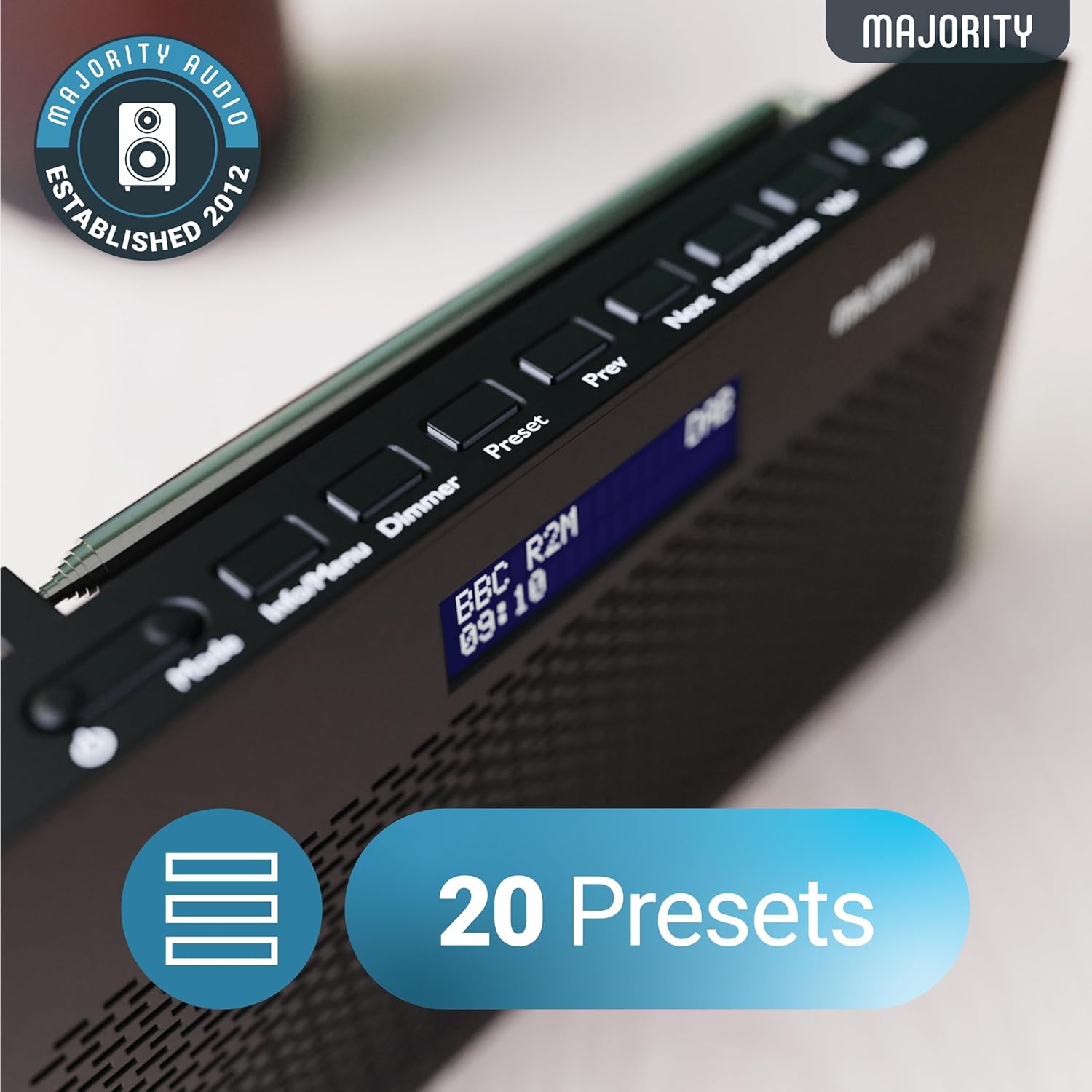
Image: A close-up of the radio's top panel, illustrating the various control buttons and the LED display showing station information.
- Tryb: Przełącza między trybami DAB, FM i innymi.
- Informacje/Menu: Displays station information or accesses menu settings.
- ściemniacz: Reguluje jasność wyświetlacza.
- Ustawienie wstępne: Accesses or saves preset stations.
- Poprzedni/następny: Umożliwia nawigację po stacjach lub opcjach menu.
- Enter/Drzemka: Confirms selections or activates snooze during an alarm.
- Objętość/objętość+: Reguluje głośność.
Porty i połączenia
- Port DC IN: For connecting the mains power cable.
- Gniazdo słuchawkowe 3.5 mm: Do prywatnego słuchania.
- Komora baterii: Located on the rear for 4 AA batteries (not included).
- Antena teleskopowa: Extendable for optimal signal reception.
Organizować coś
Włączanie
The Histon radio can be powered by either the included mains power cable or 4 x AA batteries (not supplied).
- Zasilanie sieciowe: Connect the mains power cable to the DC IN port on the radio and plug the adapter into a wall socket.
- Moc baterii: Open the battery compartment on the rear of the radio and insert 4 x AA batteries, ensuring correct polarity.

Image: The radio in a portable setting, emphasizing its 15-hour battery life capability.
Regulacja anteny
Extend the telescopic antenna fully for the best possible signal reception, especially for DAB/DAB+ and FM broadcasts.
Skanowanie początkowe (DAB/DAB+)
Upon first power-on, the radio will automatically perform a full scan for DAB/DAB+ stations. This process may take a few minutes. Once complete, the radio will tune to the first available station.
- If no stations are found, ensure the antenna is fully extended and reposition the radio, then perform a manual scan (see Operating Instructions).
Instrukcja obsługi
Obsługa radia DAB/DAB+
- Selecting DAB Mode: Naciśnij Tryb Naciskaj przycisk, aż wyświetli się napis „DAB”.
- Wybór stacji: Użyj Poprzedni or Następny buttons to scroll through available DAB stations. Press Wchodzić aby wybrać stację.
- Pełne skanowanie: To perform a full scan for new stations, press and hold the Informacje/Menu button to enter the menu, then navigate to "Full Scan" and press Wchodzić.
- Zaprogramowane stacje:
- Zapisywanie ustawienia wstępnego: Podczas słuchania stacji naciśnij i przytrzymaj Ustawienie wstępne przycisk. Posługiwać się Poprzedni/Następny aby wybrać numer ustawienia wstępnego (1-20), a następnie naciśnij Wchodzić zapisać.
- Przywoływanie ustawienia wstępnego: Naciśnij krótko Ustawienie wstępne przycisk. Posługiwać się Poprzedni/Następny to scroll through saved presets, then press Wchodzić dostroić.
Image: The radio's control panel, highlighting the capability to store up to 20 preset radio stations.
Obsługa radia FM
- Selecting FM Mode: Naciśnij Tryb Naciskaj przycisk, aż wyświetli się „FM”.
- Automatyczne skanowanie: Naciśnij i przytrzymaj Wchodzić to automatically scan for the next available FM station.
- Strojenie ręczne: Naciśnij krótko Poprzedni or Następny to fine-tune the frequency in 0.05 MHz steps.
- Zaprogramowane stacje: Saving and recalling FM presets follows the same procedure as DAB presets.
Ustawianie alarmów
The Histon radio features a dual alarm function.

Image: The radio displaying "DUAL ALARM" on its screen, illustrating its dual alarm capability.
- Naciśnij i przytrzymaj Informacje/Menu aby wejść do menu.
- Używać Poprzedni/Następny to navigate to "System Settings" and press Wchodzić.
- Navigate to "Alarm" and press Wchodzić.
- Wybierz „Alarm 1” lub „Alarm 2” i naciśnij Wchodzić.
- Configure the alarm time, duration, source (Buzzer, DAB, FM), frequency (Daily, Once, Weekends, Weekdays), and volume using Poprzedni/Następny I Wchodzić.
- To activate/deactivate an alarm, select "On" or "Off" for the chosen alarm.
- Gdy zabrzmi alarm, naciśnij Wejście/Drzemka to snooze for 9 minutes, or press the Moc przycisk, aby wyłączyć alarm.
Timer snu
Timer uśpienia umożliwia automatyczne wyłączenie radia po upływie ustawionego czasu.
- Naciśnij i przytrzymaj Informacje/Menu aby wejść do menu.
- Przejdź do „Ustawień systemowych” i naciśnij Wchodzić.
- Przejdź do „Uśpij” i naciśnij Wchodzić.
- Używać Poprzedni/Następny to select the desired sleep duration (e.g., 15, 30, 45, 60, 90, 120 minutes) or "Off". Press Wchodzić aby potwierdzić.
Jasność wyświetlacza
Adjust the brightness of the LED display.
- Naciśnij krótko Opornik przycisk, aby przełączać poziomy jasności.
Korzystanie ze słuchawek
For private listening, connect standard 3.5mm headphones to the headphone jack on the side of the radio. The internal speaker will automatically mute when headphones are connected.
Rozwiązywanie problemów
| Problem | Możliwa przyczyna / rozwiązanie |
|---|---|
| Brak zasilania / Radio nie włącza się. |
|
| Poor DAB/FM reception or no stations found. |
|
| Dźwięk jest zniekształcony lub przerywany. |
|
| Alarm nie włącza się. |
|
| Wyświetlacz jest pusty lub nieczytelny. |
|
Specyfikacje
- Model: Histon 2
- Wymiary produktu: 18 x 4.5 x 11 cm (dł. x szer. x wys.)
- Waga: 249 gramów
- Źródło zasilania: Mains (via included adapter) or 4 x AA Batteries (not included)
- Obsługiwane pasma radiowe: DAB/DAB+, FM
- Ustawienia wstępne: 20 (DAB) / 20 (FM)
- Łączność: 3.5mm Headphone Jack, DC IN Port
- Cechy szczególne: Portable, Lightweight, Automatic and Manual Tuning, Dual Alarm Clock, Sleep Timer, LED Display, Mono/Auto Switching in FM Mode

Image: A visual representation of the radio's dimensions for reference.
Konserwacja
- Czyszczenie: Do czyszczenia powierzchni radia używaj miękkiej, suchej ściereczki. Nie używaj środków czyszczących ani rozpuszczalników o działaniu ściernym.
- Składowanie: Jeśli radio jest przechowywane przez dłuższy czas, wyjmij baterie, aby zapobiec wyciekowi. Przechowuj w chłodnym i suchym miejscu.
- Narażenie na działanie wody: To radio nie jest wodoodporne. Unikaj narażenia na działanie wody i wysokiej wilgotności.
- Pielęgnacja anteny: Należy obchodzić się z anteną teleskopową ostrożnie, aby zapobiec jej wygięciu lub złamaniu.
Gwarancja i wsparcie
The MAJORITY Histon radio comes with a 3-letnia gwarancja. To activate your warranty and for further support, please refer to the registration instructions provided with your purchase or visit the official MAJORITY webstrona.
For technical assistance or warranty claims, please contact MAJORITY customer support through their official channels. Keep your proof of purchase for warranty validation.

Image: A graphic highlighting the 3-year warranty provided with Majority audio products.