
1. Wprowadzenie
This manual provides detailed instructions for the installation, operation, and maintenance of your SV3C 5MP PoE Security Camera. This camera is designed for both outdoor and indoor surveillance, featuring high-definition video, starlight night vision, and robust weather resistance. Please read this manual thoroughly before using the product to ensure proper setup and functionality.
2. Zawartość opakowania
Sprawdź, czy wszystkie wymienione poniżej elementy znajdują się w Twojej paczce. Jeśli brakuje któregokolwiek z nich lub jest on uszkodzony, skontaktuj się z obsługą klienta.
- SV3C PoE IP Camera
- Kabel sieciowy
- Power Adapter (optional use)
- Szybki przewodnik / Instrukcja obsługi
- Waterproof Lid for Ethernet Connector
- Śruby montażowe i klucz imbusowy

Image: Contents of the SV3C 5MP PoE Camera package.
3. Funkcje produktu
- Super HD 5MP Resolution: Captures video at 2560x1920 pixels at 12.5 frames per second for clear imaging.
- Zaawansowane widzenie w nocy: Equipped with a 3.6mm fixed lens and 335 Sensor for starlight illumination, providing night vision up to 65-100ft.
- Zasilanie przez Ethernet (PoE): Simplifies installation by delivering both power and data through a single Cat5 cable. A power adapter is also included for non-PoE setups.
- Kompresja wideo H.265/H.264: Efficient video coding saves storage space and ensures smooth playback.
- Inteligentne wykrywanie ruchu: Configurable motion detection triggers alerts to your mobile phone and sends images to Email/FTP.
- Konstrukcja odporna na warunki atmosferyczne IP66: Full aluminum casing ensures durability and protection against complex outdoor environments, operating from -4°F to 140°F.
- Szeroka kompatybilność: Supports ONVIF and is compatible with Blue Iris, Ispy, Zoneminder, VLC, and various NVR devices.
- Dostęp zdalny: View żyćtage and recordings via the Camhipro app (iOS/Android) or HIP2P software (PC/Mac).

Image: Day and night vision capabilities of the 5MP camera.
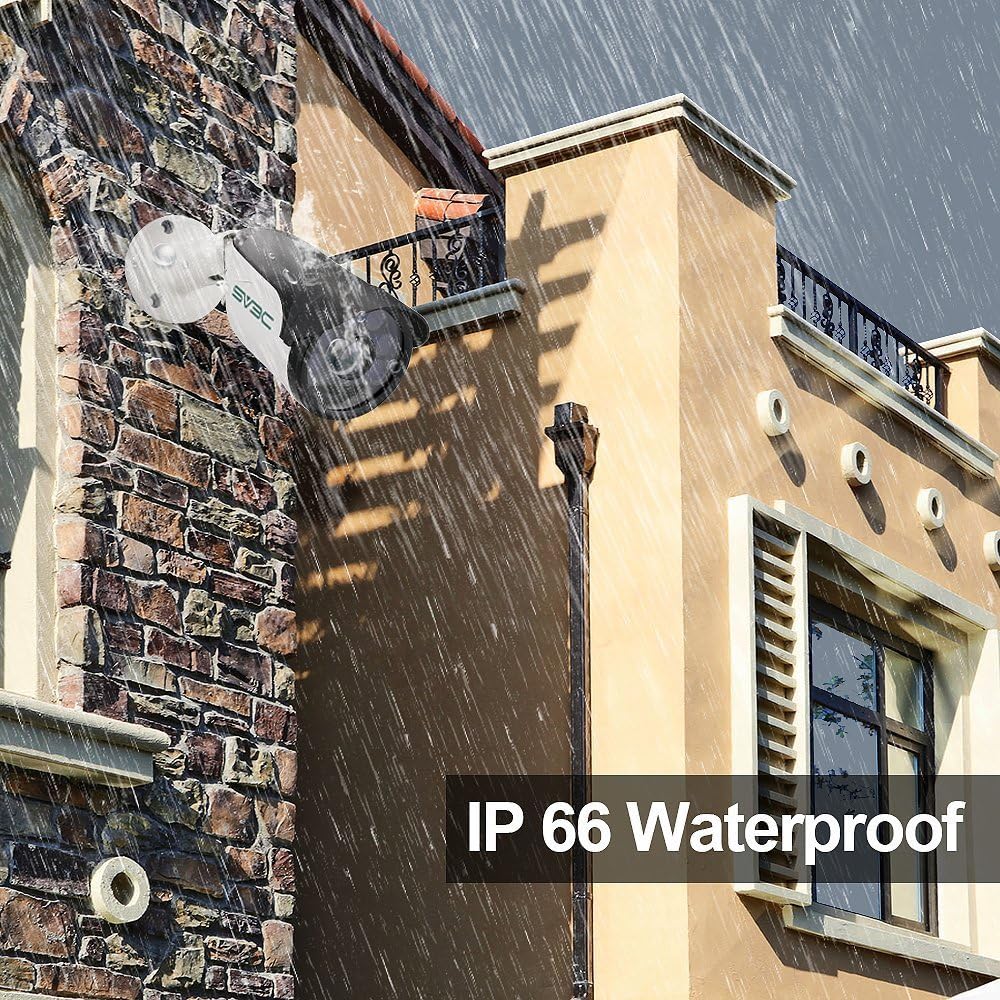
Image: The camera's IP66 waterproof design in an outdoor setting.
4. Konfiguracja i instalacja
4.1 Włączanie kamery
Kamera obsługuje dwie opcje zasilania:
- Zasilanie przez Ethernet (PoE): Connect a single Cat5 (or higher) Ethernet cable from a PoE switch or PoE injector directly to the camera's Ethernet port. This cable will provide both power and data.
- Zasilacz: If not using PoE, connect the included power adapter to the camera's power input and plug it into a standard electrical outlet. Then, connect a standard Ethernet cable from your router/switch to the camera's Ethernet port.
4.2 Fizyczna instalacja
Choose a suitable location for mounting the camera, ensuring it has a clear field of view and is within range of your network connection. Use the provided screws and hex key to securely mount the camera. Adjust the camera's angle as needed.

Image: Installation diagram for the camera.
4.3 Połączenie sieciowe i konfiguracja początkowa
- Podłącz kamerę do sieci za pomocą kabla Ethernet.
- Pobierz Camhipro app for iOS/Android or HIP2P software for PC/Mac.
- Follow the in-app/software instructions to discover and add your camera to the system. This typically involves scanning a QR code on the camera or searching for devices on the local network.
- Change the default password for security purposes.

Obraz: Multiplatformowy viewing options for the camera.
5. Działanie
5.1 Na żywo View i nagrywanie
Po połączeniu możesz uzyskać dostęp do transmisji na żywo view of your camera through the Camhipro app or HIP2P software. You can initiate manual recordings or configure continuous recording settings.
5.2 Detekcja ruchu i alerty
The camera features smart motion detection. To configure:
- Access the camera settings via the app or software.
- Navigate to the motion detection section.
- Adjust sensitivity and define detection zones as required.
- Set up alert notifications to your mobile phone, email, or FTP server.

Image: Motion detection alarm feature.
5.3 Widzenie nocne
The camera automatically switches to infrared (IR) night vision in low-light conditions, providing clear black and white images. The starlight illumination feature enhances low-light performance before full IR activation.
5.4 Opcje przechowywania
- NVR (sieciowy rejestrator wideo): The camera is compatible with various NVR devices supporting ONVIF. Refer to your NVR's manual for integration instructions.
- Usługa chmury: A cloud storage option is available for video and picture storage (free for the first 30 days). Activate this service through the Camhipro app if desired.
6. Konserwacja
To ensure optimal performance and longevity of your SV3C 5MP PoE Security Camera, follow these maintenance guidelines:
- Czyszczenie: Regularnie czyść obiektyw aparatu miękką, suchą ściereczką, aby usunąć kurz i smugi. Unikaj środków czyszczących o działaniu ściernym.
- Ochrona środowiska: The camera has an IP66 waterproof rating, designed to withstand harsh weather. However, avoid directing high-pressure water jets directly at the camera.
- Kontrola kabla: Periodically check the network and power cables for any signs of wear or damage. Ensure the waterproof lid for the Ethernet connector is securely in place for outdoor installations.
- Aktualizacje oprogramowania układowego: Check the SV3C official webodwiedź naszą witrynę, aby uzyskać dostęp do aktualizacji oprogramowania sprzętowego i mieć pewność, że Twój aparat ma najnowsze funkcje i udoskonalone zabezpieczenia.
7. Rozwiązywanie Problemów
Jeśli masz problemy z aparatem, zapoznaj się z poniższymi, typowymi rozwiązaniami:
| Problem | Możliwe rozwiązanie |
|---|---|
| Kamera nie włącza się | Check power connection (PoE switch/injector or power adapter). Ensure the power source is active. |
| No video feed / Offline | Verify network cable connection. Ensure the camera is properly added to the app/software. Check router/network status. |
| Niska jakość obrazu | Clean the camera lens. Ensure sufficient lighting for optimal performance. Check resolution settings in the app/software. |
| Wykrywanie ruchu nie działa | Check motion detection settings (sensitivity, zones). Ensure notifications are enabled in the app/software. |
| Cannot connect to NVR | Ensure NVR supports ONVIF. Verify network connectivity between camera and NVR. Consult NVR manual for adding IP cameras. |
For further assistance, please contact SV3C customer support.
8. Specyfikacje
| Funkcja | Szczegół |
|---|---|
| Numer modelu | SV-B01POE-5MPL-A |
| Rezolucja | 5 MP (2560x1920) |
| Szybkość klatek | 25 klatek na sekundę |
| Obiektyw | 3.6mm stałe obiektywy |
| Zakres noktowizora | 65-100 feet (Starlight Illumination) |
| Kompresja wideo | H.265/H.264 |
| Łączność | Wired (PoE or 12V DC Power Adapter) |
| Odporność na warunki atmosferyczne | Wodoodporność IP66 |
| Temperatura pracy | -4°F do 140°F (-20°C do 60°C) |
| Wymiary | 7.09 x 3.15 x 3.15 cala |
| Waga | 1.25 funta |
| Kompatybilne urządzenia | Desktop, Smartphone (iOS/Android) |
| Certyfikaty | FCC, ONVIF |
9. Gwarancja i wsparcie
SV3C products are designed for reliability and performance. For warranty information, please refer to the documentation included with your purchase or visit the official SV3C website. For technical support, troubleshooting assistance, or any inquiries, please contact SV3C customer service through their official channels.
Zasoby internetowe:
- SV3C Official Webstrona: www.sv3c.com (Uwaga: To jest symbol zastępczy URL, w celu uzyskania prawidłowych informacji należy zapoznać się z aktualną dokumentacją produktu webstrona.)
- Support Email: Refer to your Quick Start Guide or product packaging.