
Youshiko YC8061-B
Youshiko YC8061-B Jumbo Radio Controlled Wall Clock
Instrukcja obsługi użytkownika
1. Wprowadzenie
Thank you for choosing the Youshiko YC8061-B Jumbo Radio Controlled Wall Clock. This clock is designed to provide precise timekeeping, automatically synchronizing with the MSF radio signal for the UK and Ireland. It features a large, clear LCD display that shows time, date, day of the week, indoor temperature, and humidity. This manual will guide you through the setup, operation, and maintenance of your new clock.
Rycina 1.1: Przód view of the Youshiko YC8061-B Jumbo Radio Controlled Wall Clock, displaying time, date, day, temperature, and humidity.
2. Zawartość opakowania
- Youshiko YC8061-B Jumbo Radio Controlled Wall Clock
- Instrukcja obsługi
Notatka: Do działania urządzenia wymagane są 4 baterie AA, które nie są dołączone do zestawu.
3. Koniec produktuview
Familiarize yourself with the main components and controls of your clock.
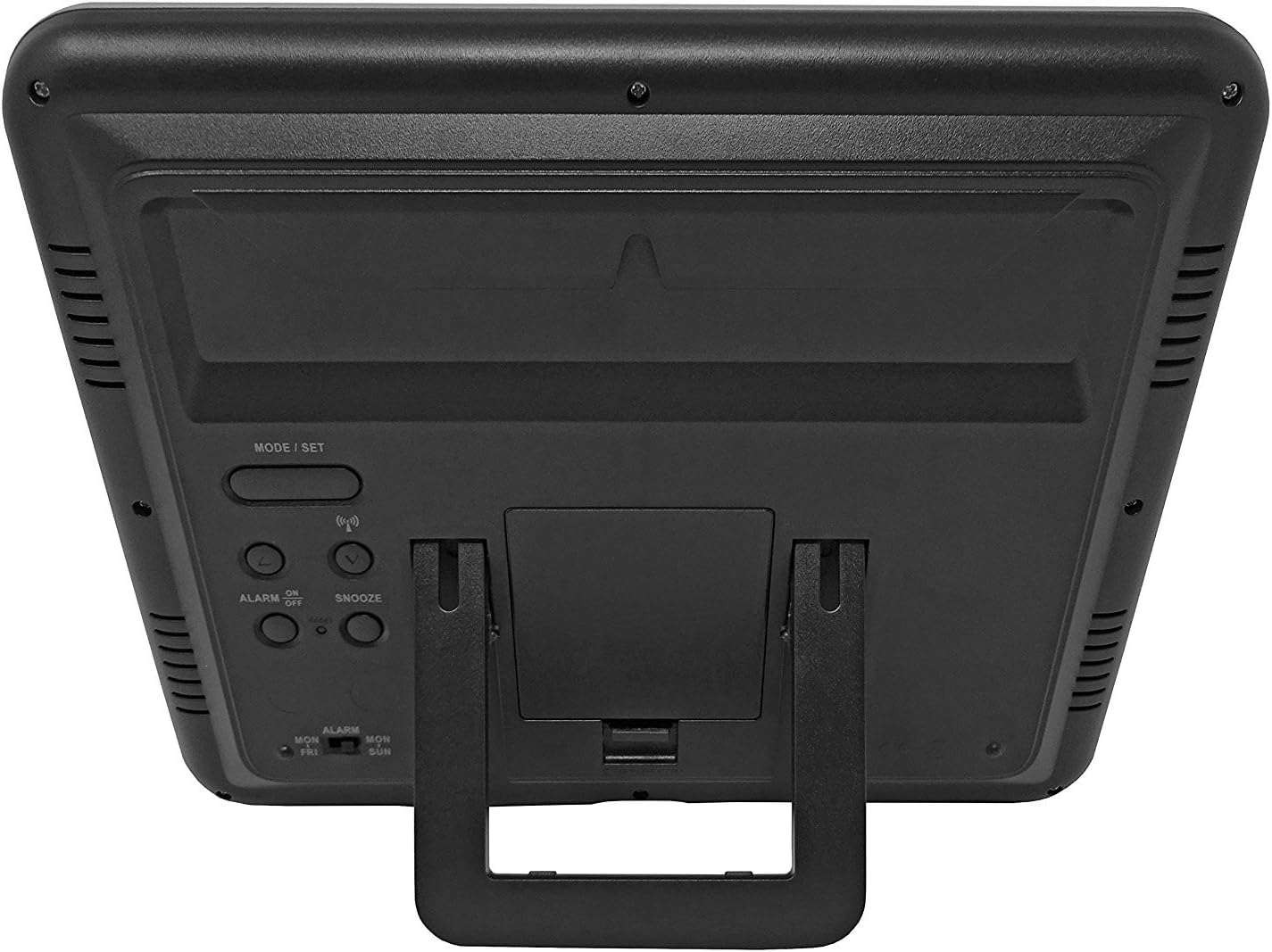
Rysunek 3.1: Tył view of the clock, highlighting the battery compartment and control buttons.
Przyciski sterujące:
- TRYB / USTAW: Służy do przełączania trybów wyświetlania i wejścia w tryb ustawień.
- GÓRA DÓŁ: Used to adjust values during setting mode.
- WAVE / RCC: Manually initiates or stops radio control signal reception.
- ALARM ON / OFF: Włącza lub wyłącza alarm.
- DRZEMKA: Włącza funkcję drzemki po usłyszeniu alarmu.
4. Instalacja baterii
- Znajdź pokrywę komory baterii z tyłu zegara.
- Zdejmij pokrywę przesuwając ją w dół lub podnosząc.
- Insert 4 new AA batteries, ensuring the correct polarity (+ and -) as indicated inside the compartment.
- Załóż z powrotem pokrywę komory baterii.
The clock will power on and begin searching for the radio control signal automatically.
5. Initial Setup & Time Synchronization
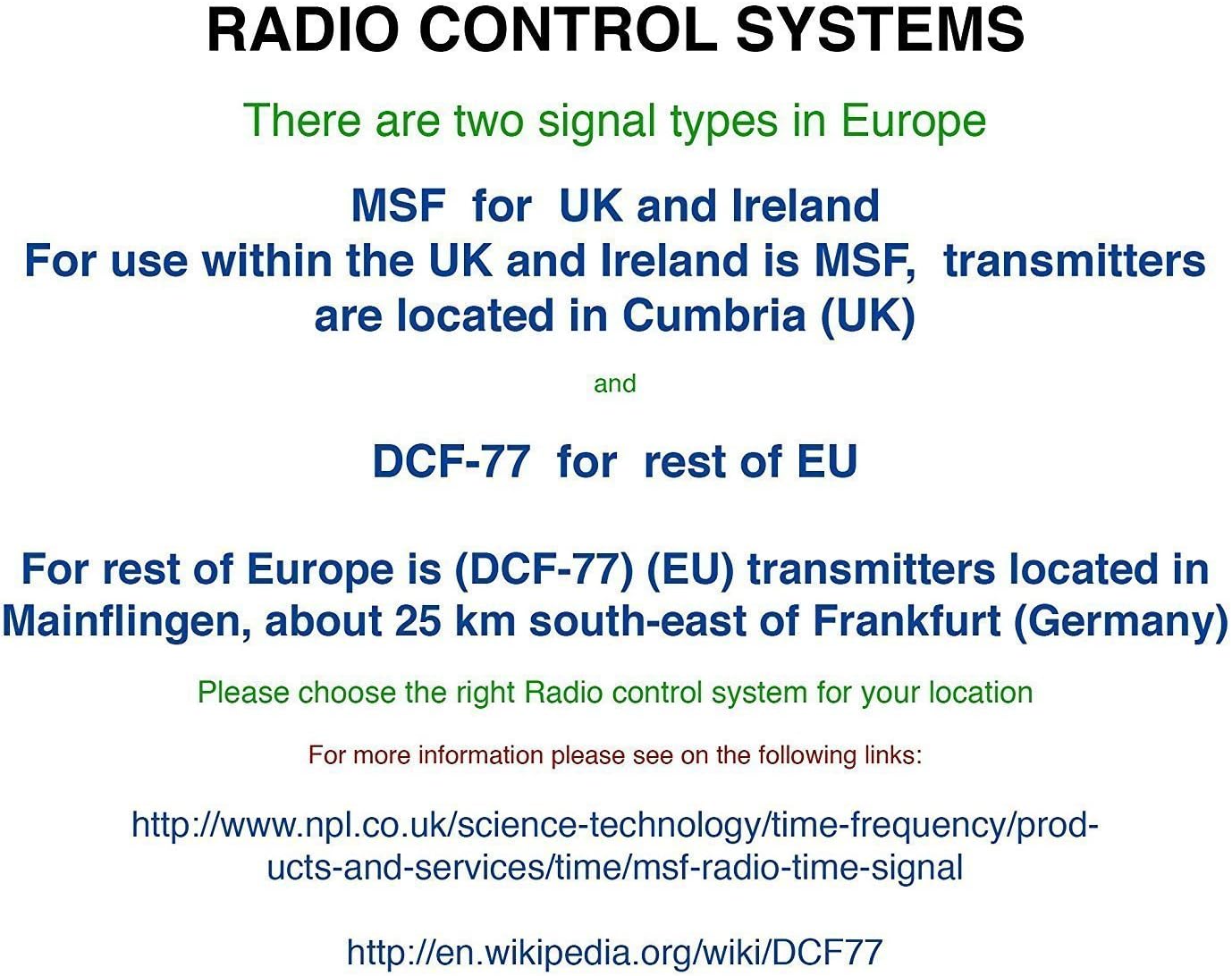
The Youshiko YC8061-B clock is designed to automatically set its time and date via the MSF radio signal broadcast from Cumbria, UK. This signal is specifically for use within the UK and Ireland.

Figure 5.1: Explanation of radio control systems (MSF for UK/Ireland, DCF-77 for rest of EU).
Automatyczna synchronizacja:
- After battery installation, the clock will automatically start searching for the MSF signal. A radio wave icon will flash on the display.
- Umieść zegar w pobliżu okna, z dala od urządzeń elektronicznych, które mogą powodować zakłócenia.
- The initial synchronization process may take several minutes to a few hours, depending on your location and signal strength.
- Once the signal is successfully received, the radio wave icon will appear solid on the display, and the clock will show the correct time and date.
- The clock will automatically adjust for Daylight Saving Time (DST) and perform daily checks to maintain accuracy.
Ręczne wyszukiwanie sygnału:
If the clock does not synchronize automatically or if you wish to force a signal search, press and hold the WAVE / RCC button. The radio wave icon will flash, indicating it is searching for the signal.
Manual Time Setting (if radio signal is unavailable):
In areas where the radio signal cannot be received, you can manually set the time and date:
- Naciśnij i przytrzymaj TRYB / USTAW Naciskaj przycisk, aż cyfry czasu zaczną migać.
- Użyj UP or W DÓŁ przyciski umożliwiające regulację migającej wartości (np. godziny, minut).
- Naciskać TRYB / USTAW again to confirm the setting and move to the next adjustable item (e.g., minute, year, month, day, 12/24-hour format, temperature unit).
- Powtarzaj kroki 2 i 3, aż wszystkie ustawienia zostaną skonfigurowane.
- Naciskać TRYB / USTAW po raz ostatni, aby wyjść z trybu ustawień.
6. Instrukcja obsługi
Tryby wyświetlania:
The clock displays time (hours, minutes, seconds), date (day, month, year), day of the week, indoor temperature, and humidity. The time digits are large (8.3 cm) for easy readability.
Funkcja alarmu:
- Aby ustawić godzinę alarmu, naciśnij przycisk TRYB / USTAW Naciskaj przycisk wielokrotnie, aż wyświetli się godzina alarmu.
- Naciśnij i przytrzymaj TRYB / USTAW until the alarm hour flashes. Use UP or W DÓŁ dostosować.
- Naciskać TRYB / USTAW to confirm the hour and move to minutes. Use UP or W DÓŁ dostosować.
- Naciskać TRYB / USTAW aby wyjść z ustawień alarmu.
- Aby aktywować lub dezaktywować alarm, naciśnij przycisk WŁ./WYŁ. ALARMU przycisk. Po aktywacji na wyświetlaczu pojawi się ikona alarmu.
Funkcja drzemki:
Gdy zabrzmi alarm, naciśnij DRZEMKA Naciśnij przycisk, aby tymczasowo wyciszyć alarm. Alarm włączy się ponownie po około 5 minutach.
Wybór jednostki temperatury:
To switch between Celsius (°C) and Fahrenheit (°F) for temperature display, press the UP przycisk podczas wyświetlania normalnego czasu.
7. Opcje montażu
The Youshiko YC8061-B clock offers versatile placement options:
Montaż na ścianie:
The clock features a keyhole slot on the back for easy wall mounting. Use a suitable screw (not included) in your desired location.

Figure 7.1: The clock displayed on a wall, showcasing its suitability for wall mounting.
Stojak na stół:
An integrated foldable stand on the back allows the clock to be placed on any flat surface, such as a desk, shelf, or bedside table.

Figure 7.2: The clock positioned on a table using its integrated stand.
8. Konserwacja
Czyszczenie:
Przetrzyj zegar miękką, suchą ściereczką. Nie używaj środków czyszczących ani rozpuszczalników o działaniu ściernym, ponieważ mogą one uszkodzić wyświetlacz lub wyświetlacz.asing.
Wymiana baterii:
When the display dims or the clock stops functioning correctly, replace all 4 AA batteries simultaneously. Do not mix old and new batteries or different types of batteries.
9. Rozwiązywanie Problemów
| Problem | Możliwa przyczyna | Rozwiązanie |
|---|---|---|
| Zegar nic nie wyświetla. | Baterie są rozładowane lub nieprawidłowo włożone. | Wymień baterie na nowe, zwracając uwagę na prawidłową biegunowość. |
| Radio wave icon is flashing, or time is incorrect. | Słaby odbiór sygnału radiowego. | Move the clock to a location with better signal reception (e.g., near a window, away from electronics). Manually initiate signal search using the WAVE / RCC button. |
| Alarm nie włącza się. | Alarm nie jest aktywowany. | Press the ALARM ON / OFF button to activate the alarm (alarm icon should appear). |
| Odczyty temperatury i wilgotności wydają się niedokładne. | Clock is placed in an area with extreme temperature fluctuations or direct sunlight. | Relocate the clock to a stable indoor environment. Allow time for readings to stabilize. |
10. Specyfikacje

Figure 10.1: Dimensions of the Youshiko YC8061-B Jumbo Radio Controlled Wall Clock.
| Funkcja | Szczegół |
|---|---|
| Numer modelu | YC8061-B |
| Wymiary (dł. x szer. x wys.) | 24.8 x 20.6 x 2.8 cm (9.76 x 8.11 x 1.1 cala) |
| Waga | 600 gramów |
| Źródło zasilania | 4 baterie AA (brak w zestawie) |
| Typ wyświetlacza | Cyfrowy LCD |
| Sygnał czasu | MSF (UK & Ireland version) |
| Cechy specjalne | Radio-controlled, Automatic DST adjustment, Indoor Temperature Display, Indoor Humidity Display, Calendar (Day, Month, Year), Alarm with Snooze, Wall Mountable / Table Stand |
| Kolor | Czarny |
11. Informacje o gwarancji
Youshiko products are manufactured to high-quality standards. This product is covered by a standard manufacturer's warranty against defects in materials and workmanship. Please retain your proof of purchase for warranty claims. Specific warranty terms and duration may vary by region. For detailed warranty information, please refer to the documentation provided at the time of purchase or contact Youshiko customer support.
12. Wsparcie
Should you encounter any issues or have questions regarding your Youshiko YC8061-B Jumbo Radio Controlled Wall Clock that are not addressed in this manual, please contact Youshiko customer support. Contact details can typically be found on the product packaging or the official Youshiko webstrona.
Ask a question about this manual
Ask about setup, troubleshooting, compatibility, parts, safety, or missing instructions. Manuals+ will review the question and use this page’s manual context to help answer it.