
1. Wprowadzenie
This manual provides essential instructions for the proper setup, operation, and maintenance of your Black Box EVNDVI01-0010 DVI-A to VGA HD15 Cable. Please read this manual thoroughly before using the product to ensure optimal performance and longevity.
2. Koniec produktuview
The Black Box EVNDVI01-0010 is a DVI-A to VGA HD15 cable designed to connect a digital DVI-A output from a source device to an analog VGA input on a display device. This cable facilitates the transmission of analog video signals, allowing compatibility between DVI-A enabled devices and traditional VGA monitors or projectors.
Główne cechy:
- Connects digital DVI-A display outputs to analog VGA device inputs.
- Supports resolutions up to 1600 x 1200.
- Features a 17-pin single link configuration for DVI-A.
- Male-to-Male connector gender.
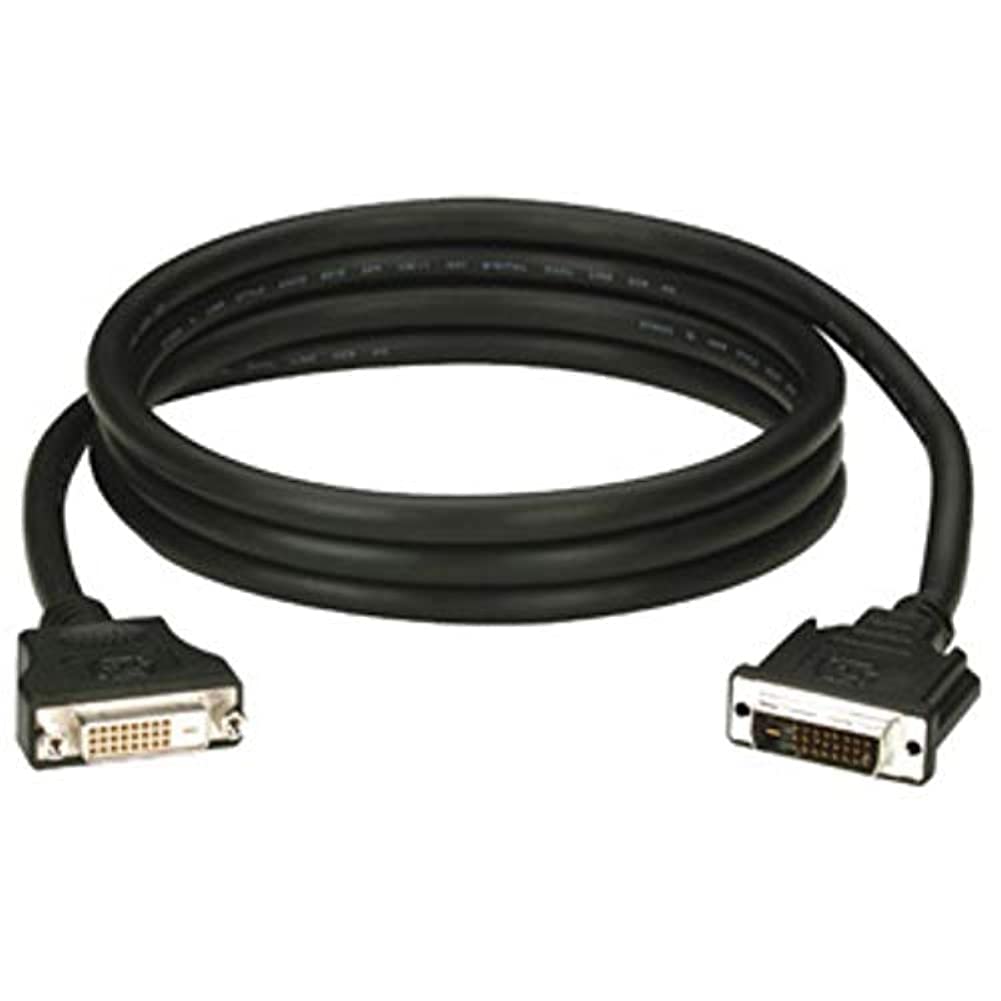
Figure 1: Black Box DVI-A to VGA HD15 Cable. This image displays the cable with its DVI-A (white) and VGA (blue) connectors, illustrating its male-to-male configuration.
3. Konfiguracja
Follow these steps to properly connect your DVI-A to VGA cable:
- Identyfikacja portów: Locate the DVI-A output port on your source device (e.g., computer graphics card) and the VGA input port on your display device (e.g., monitor, projector). The VGA port is typically blue.
- Connect DVI-A: Carefully insert the DVI-A connector of the cable into the DVI-A output port of your source device. Ensure the pins align correctly and gently push until it is fully seated.
- Connect VGA: Insert the VGA HD15 connector of the cable into the VGA input port of your display device. Tighten the thumbscrews on the VGA connector to secure the connection and prevent accidental disconnections.
- Włącz urządzenia: Włącz urządzenie źródłowe i urządzenie wyświetlające.
- Wybierz wejście: On your display device, select the correct input source (e.g., 'VGA', 'PC', 'Input 1') using the display's menu or input selection button.
A proper connection should result in the display device showing the video output from the source device.
4. Obsługa
Once the Black Box EVNDVI01-0010 cable is correctly connected, its operation is passive. The cable transmits the analog video signal directly from the source to the display. No additional software or drivers are required for the cable itself.
- Ustawienia rozdzielczości: Ensure your source device's display settings are configured to a resolution supported by both the source and the display device, up to 1600 x 1200.
- Tryby wyświetlania: If using a computer, you may need to configure your display mode (e.g., duplicate, extend, second screen only) through your operating system's display settings.
5. Konserwacja
To ensure the longevity and reliable performance of your Black Box DVI-A to VGA cable, follow these maintenance guidelines:
- Zachowaj ostrożność: Unikaj gwałtownego zginania kabla i stosowania nadmiernej siły na złączach.
- Zachowaj czystosc: Okresowo przecieraj kabel i złącza miękką, suchą ściereczką, aby usunąć kurz i zanieczyszczenia. Nie używaj płynnych środków czyszczących bezpośrednio na złączach.
- Przechowuj prawidłowo: When not in use, coil the cable loosely and store it in a clean, dry environment away from extreme temperatures.
- Sprawdź, czy nie ma uszkodzeń: Regularly check the cable and connectors for any signs of wear, fraying, or damage. Discontinue use if damage is observed.
6. Rozwiązywanie Problemów
If you encounter issues with your DVI-A to VGA cable, consider the following troubleshooting steps:
- Brak sygnału na wyświetlaczu:
- Upewnij się, że oba końce kabla są dobrze podłączone.
- Verify that both the source and display devices are powered on.
- Confirm the correct input source is selected on your display device.
- Test with another cable if available to rule out a faulty cable.
- Poor Picture Quality (Flickering, Distorted Image):
- Check for loose connections at both ends of the cable. Tighten VGA thumbscrews.
- Adjust the display resolution on your source device to a lower setting to see if the issue resolves.
- Ensure there are no strong electromagnetic interference sources near the cable.
- Sprawdź, czy kabel nie ma uszkodzeń fizycznych.
- Nieprawidłowe kolory:
- Verify the cable is fully seated and not bent or damaged.
- Check the color settings on your display device and source device.
7. Specyfikacje
| Marka | Czarna Skrzynka |
| Numer modelu | EVNDVI01-0010 |
| Typ złącza | DVI-A Male, VGA HD15 Male |
| Typ kabla | DVI-A to VGA |
| Obsługiwana rozdzielczość | Do 1600 x 1200 |
| Płeć złącza | Mężczyzna-mężczyzna |
| Kolor | Czarny, Niebieski |
| Waga przedmiotu | 0.35 kilograma (12.3 uncji) |
| Zastosowanie wewnątrz/na zewnątrz | Wewnątrz, Na zewnątrz |
| UPC | 822088058960 |
8. Gwarancja i wsparcie
For specific warranty information regarding your Black Box EVNDVI01-0010 DVI-A to VGA HD15 Cable, please refer to the official Black Box website or contact their customer support directly. Warranty terms and conditions may vary.
If you require technical assistance or have questions not covered in this manual, please contact Black Box customer support through their official channels.